API를 개발하면 명세를 관리해야 한다. 명세란 해당 API가 어떤 로직을 수행하는지 설명하고 이 로직을 수행하기 위해 어떤 값을 요청하며, 이에 따른 응답값으로는 무엇을 받을 수 있는지를 정리한 자료이다.
API는 개발 과정에서 계속 변경되므로 작성한 명세 문서도 주기적인 업데이트가 필요하다. 또한 명세 작업은 번거롭고 시간 또한 오래 걸린다. 이 같은 문제를 해결하기 위해 등장한 것이 바로 'Swagger'라는 오픈소스 프로젝트이다.
Swagger란?
컨트롤러를 통해 알아서 API 명세서를 웹 대시보드 형태로 만들어주는 라이브러리
build.gradle
implementation'org.springdoc:springdoc-openapi-starter-webmvc-ui:2.3.0'SwaggerConfig.java
//SwaggerConfig.java
@Configuration
public class SwaggerConfig {
  @Bean
  public OpenAPI openAPI() {
    return new OpenAPI()
        .components(new Components())
        .info(apiInfo());
  }
}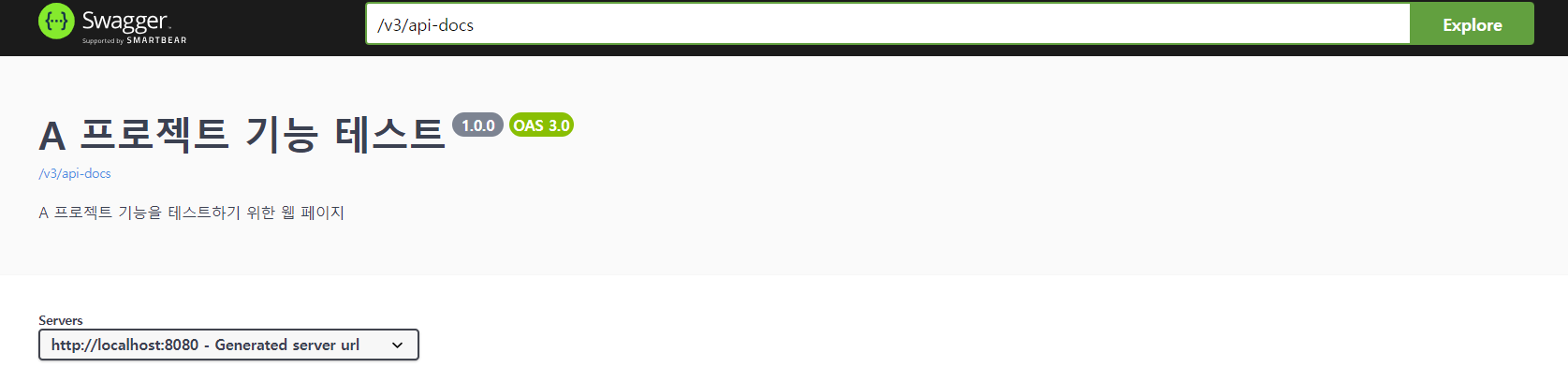
의존성을 주입한 후 SwaggerConfig.java 파일을 만들어 실행
http://localhost:8080/swagger-ui/index.html#/ 로 접속하면 위와 같은 페이지가 나오는 걸 확인할 수 있다.
Controller
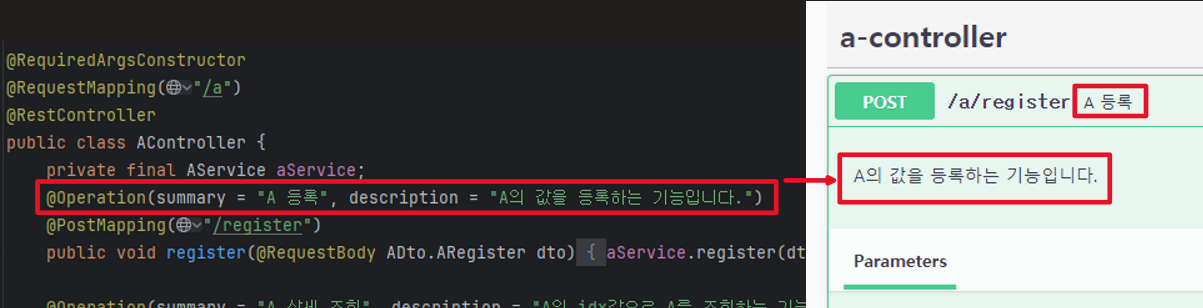
swagger는 컨트롤러를 통해 대시보드를 만든다고 했으므로 Controller의 각 기능을 등록해보자
//AController.java
@RequiredArgsConstructor
@RequestMapping("/a")
@RestController
public class AController {
    private final AService aService;
    @Operation(summary = "A 등록", description = "A의 값을 등록하는 기능입니다.")
    @PostMapping("/register")
    public void register(@RequestBody ADto.ARegister dto) {
        aService.register(dto);
    }

    @Operation(summary = "A 상세 조회", description = "A의 idx값으로 A를 조회하는 기능입니다.")
    @GetMapping("/{aIdx}")
    public ResponseEntity get(@PathVariable Long aIdx) {
        ADto.AResponse response = aService.get(aIdx);

        return ResponseEntity.ok().body(response);
    }
    @Operation(summary = "A 목록 조회 - 페이징 처리", description = "A의 특정 페이지 목록을 조회하는 기능입니다.")
    @GetMapping("/list")
    public ResponseEntity getList(int page, int size) {
        List<ADto.AResponse> response  =  aService.list(page, size);
        return ResponseEntity.ok().body(response);
    }
}
Dto
//ADto.java
public class ADto {
    @Getter
    public static class ARegister{
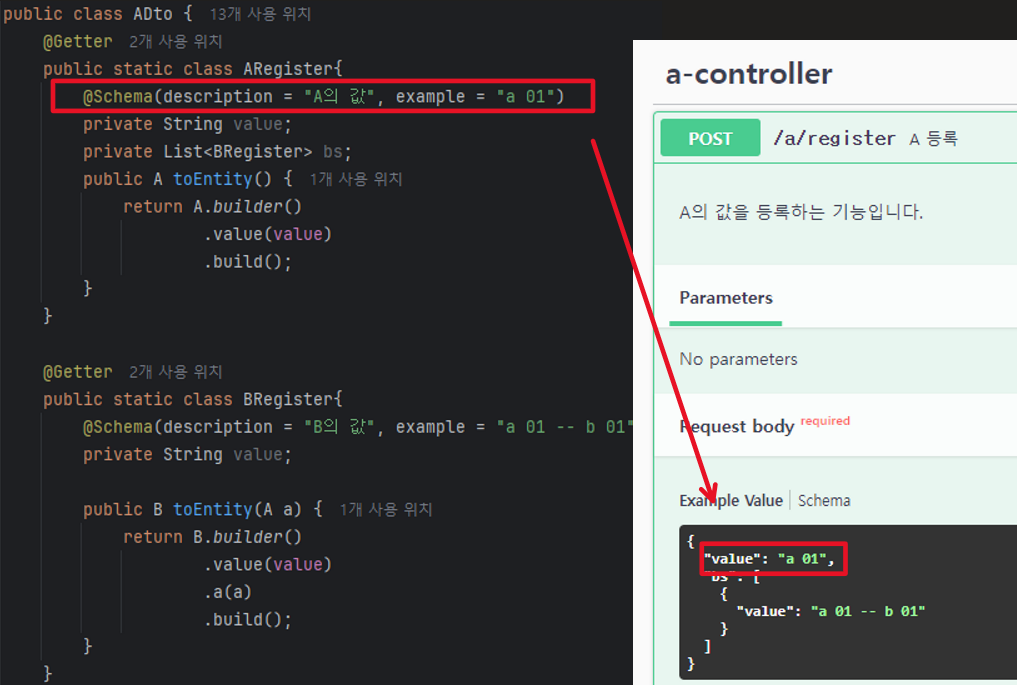
        @Schema(description = "A의 값", example = "a 01")
        private String value;
        private List<BRegister> bs;
        public A toEntity() {
            return A.builder().value(value).build();
        }
    }

    @Getter
    public static class BRegister{
        @Schema(description = "B의 값", example = "a 01 -- b 01")
        private String value;
        public B toEntity(A a) {
            return B.builder().value(value).a(a).build();
        }
    }
}
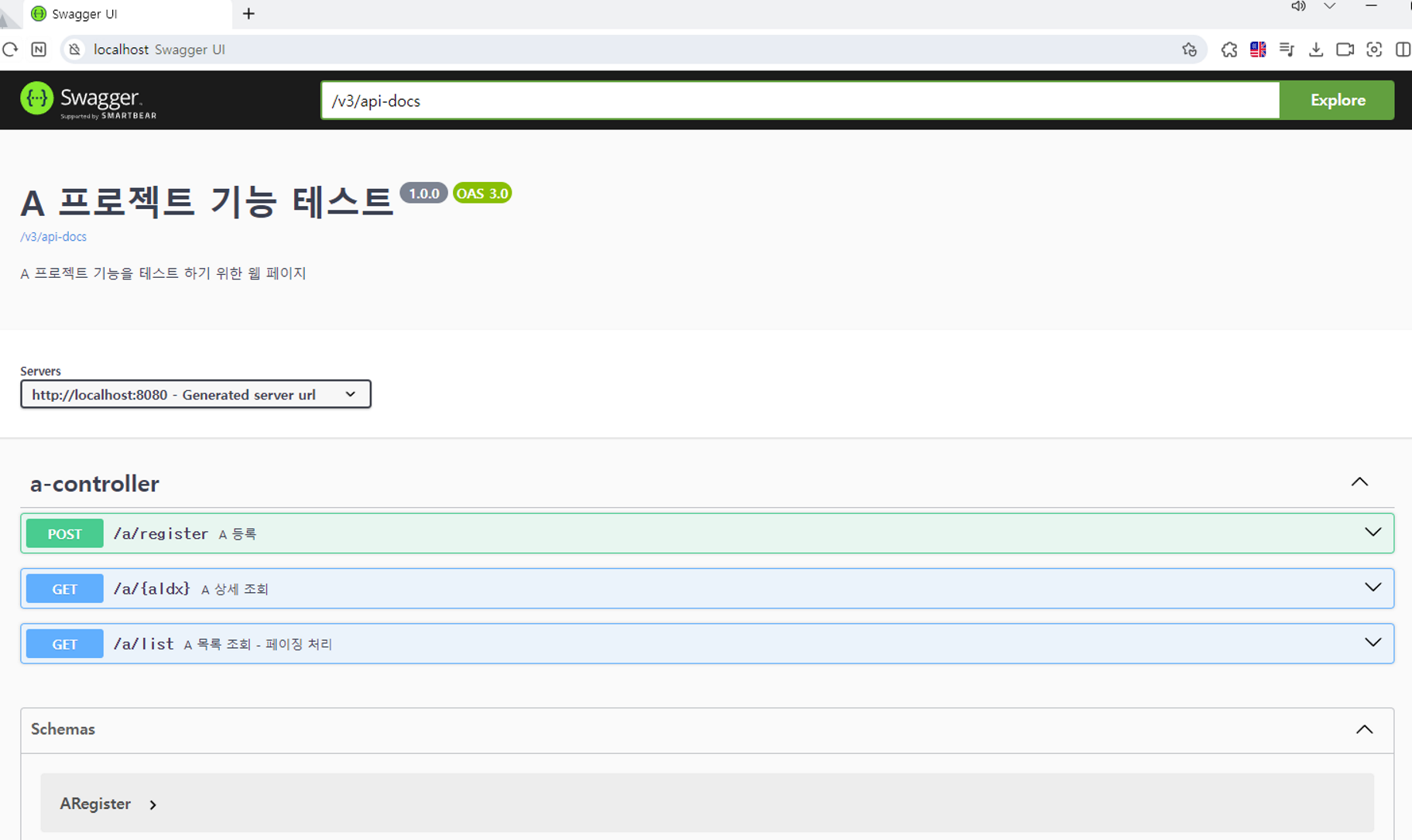
전체 모습
Swagger 사용 시 주의점
사용하는 SpringBoot의 버전에 맞춰 Swagger 버전 및 접속 url가 달라짐에 주의
2.x.x 버전: localhost:8080/swagger-ui.html
3.x.x 버전: localhost:8080/swagger-ui/index.html
build.gradle 에서 자신의 SpringBoot 버전을 확인할 수 있다.