intersectionobserver for multiple elements
- scroll animation effect
전부터 스크롤을 내리면 요소가 사라지거나 나타나는 애니메이션 효과를 넣어보고 싶었다. 라이브러리를 쓰면 간편하겠지만 공부도 할 겸 리액트와 Intersection Observer API로 구현해봄.
※ 웹 브라우저에서 스크롤 정보를 가져오는 방법

1. window.scrollY / window.pageYOffset
→ 사용자가 스크롤을 움직일 때마다 이를 감지하는 이벤트가 끊임없이 호출된다.(성능이슈)
→ debounce나 throttle을 이용한 성능 개선 필요

2. Intersection Observer API
→ 비동기적으로 실행되기 때문에 불필요한 렌더링이나 reflow 현상 방지
설명잘된 블로그
설명잘된 블로그2
let options = {
  root: document.querySelector('#scrollArea'),
  rootMargin: '0px',
  threshold: 1.0
}
// root = 타겟의 가시성을 확인할 때 사용되는 요소
// (지정하지 않을 경우 default는 브라우저 뷰포트)
// threshold = 타겟 요소의 가시성 퍼센티지
// 타겟이 어느 만큼 보여졌을 때 콜백함수를 실행할 것인지 정의한다.
// (ex : 50%만큼 보일 때 함수를 실행시키고 싶다면? 0.5)

let observer = new IntersectionObserver(callback, options);

// 타겟요소 관찰
let target = document.querySelector('#listItem');
observer.observe(target);

intersectionCallback(entries) => {
  entries.forEach(entry => {
    if (entry.isIntersecting) {
      let element = entry.target;
    }
  });
}
IntersectionObserver entries의 속성종류
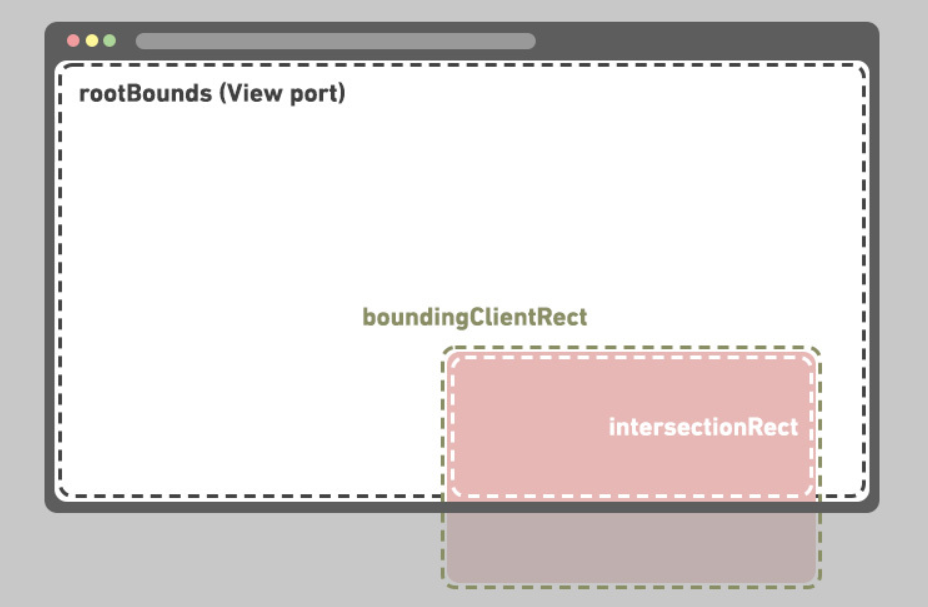
▪ entry.boundingClientRect
target의 정보를 반환한다.
getBoundingClientRect()를 사용하면 같은 값을 얻을 수 있다.
(bottom, height, left, right, top, width, x, y)
▪ entry.intersectionRatio
target과 root가 교차되는 부분의 정보를 반환한다.
▪ entry.intersectionRect
target과 root가 얼마나 교차되는 지를 수치로 반환한다.
(0.0과 1.0사이 숫자로 반환)
▪ entry.isIntersecting
target과 root가 교차된 상태인지(true) 아닌지(false)를 boolean값으로 반환한다.
▪ entry.rootBounds
root요소에 대한 정보를 반환한다.
▪ entry.time
target과 root의 교차가 일어난 시간을 반환한다.
출처 : https://designer-ej.tistory.com/entry/JavaScript-Intersection-Observer-API-%EC%A0%95%EB%A6%AC
문제의 코드
const AboutMe: NextPage = ({ data }: any) => {
    const target = useRef<HTMLDivElement>(null);

    useEffect(() => {
        let observer: IntersectionObserver;
        if (!target.current) return;
        if (target) {
            observer = new IntersectionObserver(
                ([e]) => {
                    const target = e.target as HTMLElement;
                    if (e.isIntersecting) {
                        target.style.opacity = "1";
                    } else {
                        target.style.opacity = "0";
                    }
                },
                { threshold: 0.5 }
            );
            observer.observe(target.current as Element);
        }
    }, [target]);

    return (
        <main className="">
            <section className="mx-auto space-y-20">
                {data.results?.map((item: any) => {
                    return (
                        <div
                            className="opacity-0 transition-all duration-500"
                      ...
     )
}
export default AboutMe;


export async function getStaticProps() {...}
이렇게 하니 data의 모든 요소가 아니라 마지막 요소에만 효과가 적용되어 있었다. console.log로 확인 결과 target ref가 여러 div들 중 마지막 div 데이터만 참조하는 것을 발견.
문제점 1. 관찰해야 할 요소, 다시 말해 ref로 참조해야 할 요소는 여러개인데 하나의 ref로 사용하고 있음
문제점 2. useRef 함수는 current 속성을 가지고 있는 객체를 반환하는데, 인자로 넘어온 초기값을 current 속성에 할당한다. 이 current 속성은 값을 변경해도 상태를 변경할 때처럼 React 컴포넌트가 다시 랜더링되지 않는다.
수정코드
const Item = ({ item }: { item: any }) => {
    const ref = useRef<HTMLDivElement | null>(null);
    const [visible, setVisible] = useState(false);

    useEffect(() => {
        const observer = new IntersectionObserver(
            (entries) => {
                // entries : 현재 감시 중인 모든 요소가 출력됨
                entries.forEach(({ target, isIntersecting }) => {
                    if (target === ref.current) {
                        // visible을 isIntersecting(boolean)의 값으로 바꿔줘라
                        // isIntersecting : target과 root가 교차된 상태인지(true) 아닌지(false)를 boolean값으로 반환한다.
                        setVisible(isIntersecting);
                    }
                });
            },
            {
                threshold: 0.5,
            }
        );
        // ref.current가 참이면(visible이 true)
        if (ref.current) {
            // 해당 타겟 ref를 Observer가 관찰할 수 있도록 넣어준다
            // .observe() : 타겟요소가 화면에 보이는지 관찰하는 역할
            observer.observe(ref.current);
        }

        return () => {
            observer.disconnect();
        };
    }, []);

    return (
        <div
            className={cls(
                "transition-all duration-500",
                visible ? "opacity-100" : "opacity-0"
            )}
            key={item.id}
            ref={ref}
        >
        </div>
    );
};

const AboutMe: NextPage = ({ data }: any) => {
    return (
        <main className="...">
            <section className="mx-auto space-y-20">
                {data.results?.map((item: any) => {
                    return <Item key={item.id} item={item} />;
                })}
            </section>
        </main>
    );
};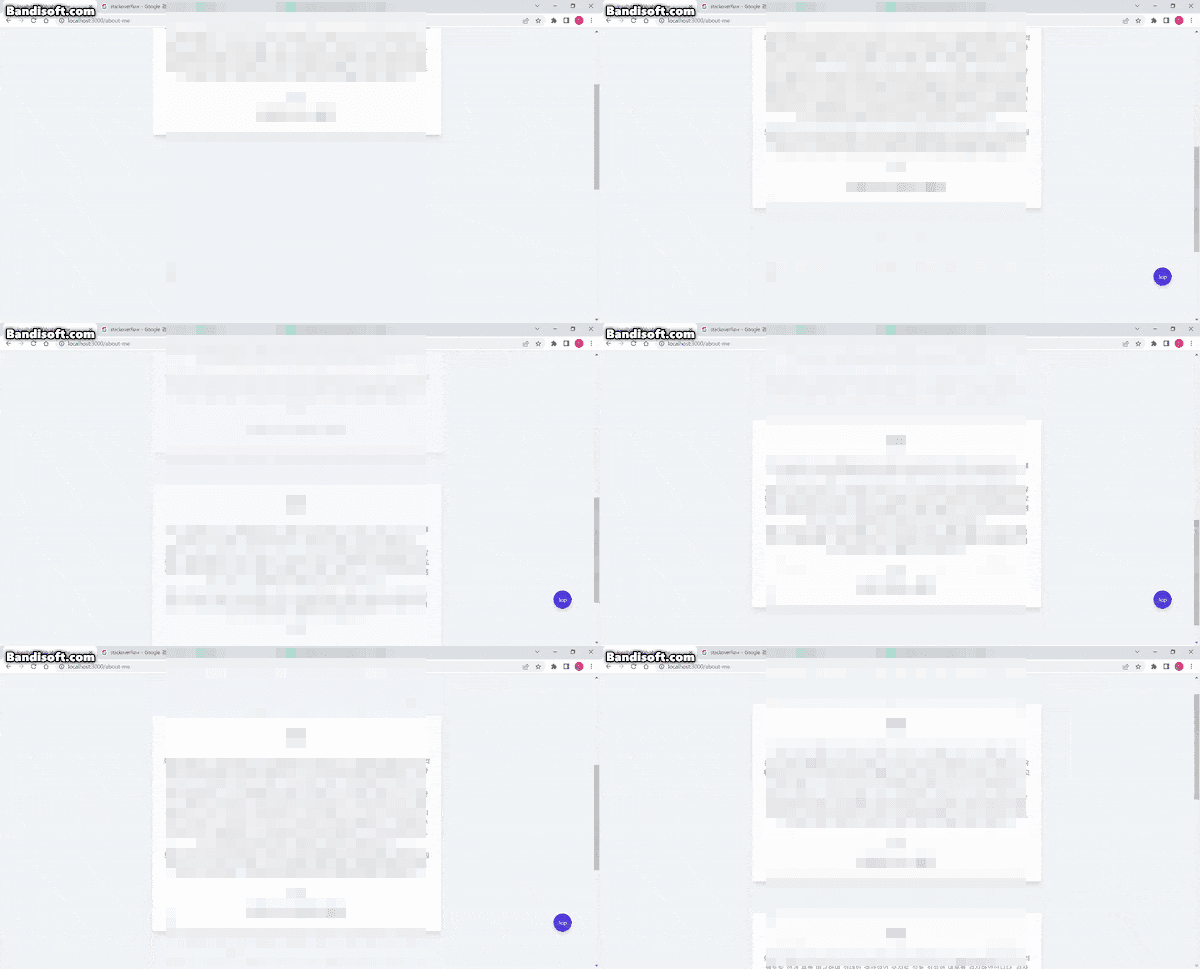
잘 동작한다🤟
Infinite scroll도 구현해봤는데 그깟 CSS효과 넣는게 뭐 어렵겠어?하고 시작했다가 리액트 공부의 필요성만 절실히 깨달았다ㅎㅎ
