결론먼저말하면 인라인css가 우선적용되므로, 있다면 지워버려라
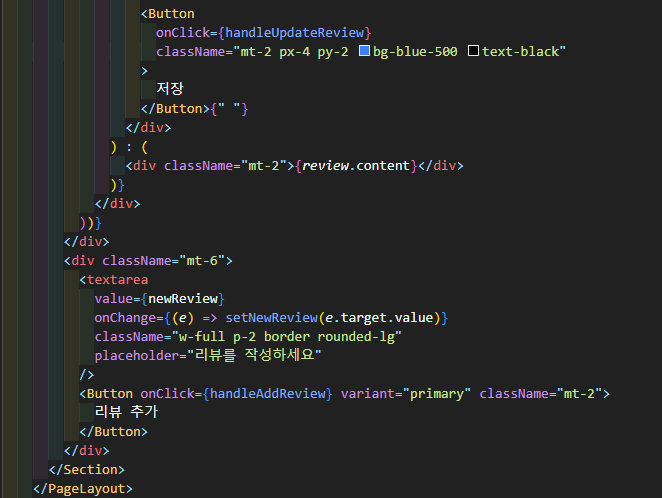
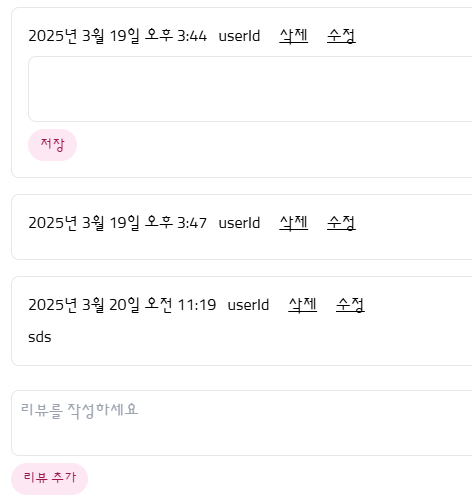
저장버튼, 리뷰추가버튼 총 2개가 있다.
현재 화면에 출력되는 모습
저장버튼에서 배경을 파랑으로 인라인으로 써준것이 잘 적용된모습
그러나 리뷰추가버튼에 variant="primary"는 지정이 안된모습
<Button onClick={handleAddReview} variant="primary" className="mt-2">
            리뷰 추가
          </Button>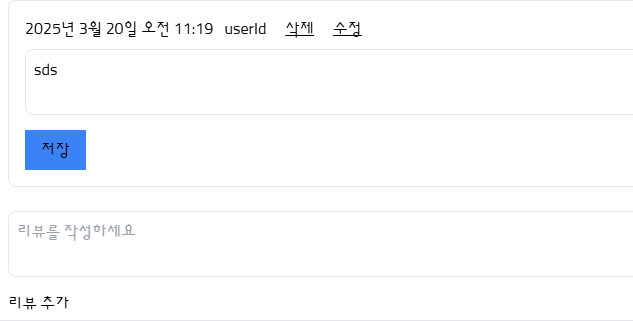
핑크색으로 하고싶어서
Button 컴포넌트에서 variant = "primary"로 지정도 해둔상태인데,
페이지파일에서 아무리 위에처럼 해도 적용이 안되는 문제가 있었다.
primary: "bg-pink-100 text-pink-800 hover:bg-pink-200",
export default function Button({
  children,
  onClick,
  type = "button",
  variant = "primary",
  size = "md",
  ...props
}) {
  const baseStyles = "rounded-full font-medium transition-colors";

  const variants = {
    primary: "bg-pink-100 text-pink-800 hover:bg-pink-200",
    secondary: "bg-gray-100 text-gray-800 hover:bg-gray-200",
    success: "bg-green-100 text-green-800 hover:bg-green-200",
    danger: "bg-red-100 text-red-800 hover:bg-red-200",
    warning: "bg-orange-100 text-orange-800 hover:bg-orange-200",
  };

  const sizes = {
    sm: "px-2 py-1 text-xs",
    md: "px-3 py-1.5 text-sm",
    lg: "px-4 py-2 text-base",
  };

  return (
    <button
      type={type}
      onClick={onClick}
      className={`${baseStyles} ${variants[variant]} ${sizes[size]}`}
      {...props}
    >
      {children}
    </button>
  );
}
그런데 다시보니
<Button onClick={handleAddReview} variant="primary" className="mt-2">
            리뷰 추가
          </Button>
className이 이미 버튼컴포넌트에 있는데, 인라인에서 className="mt-2" 추가되어있다. 인라인은 우선적용된다. 강하다. 그러니까 버튼컴포넌트의 속성중에서 사용하고 싶다면, 인라인은 지워야된다.
 <Button
            onClick={handleAddReview}
            variant="primary"
            className="mt-2  bg-blue-500"
          >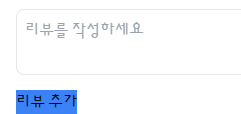
배경을 파란색으로 추가해봤더니, 버튼컴포넌트에서 색깔만 바뀐것이 아니라 버튼컴포넌트의 모든 속성은 무시되고 가장 우선순위로 적용되는 것을 볼 수 있다.
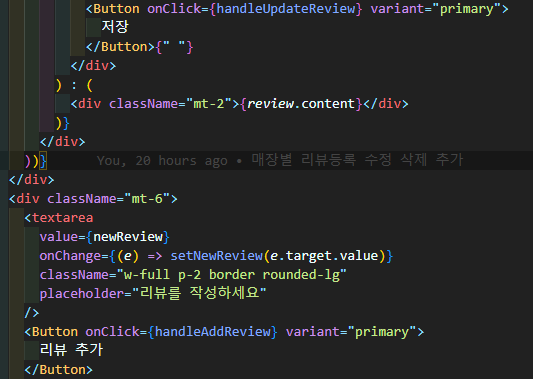
속성에서 className은 지우고 variant로 지정해준 모습.

바리바리 개바리 🌼