handleAddDesigner 에 코드추가함..
shops[id]\reviews
 // 로그인 사용자 정보 가져오기
  useEffect(() => {
    const user = JSON.parse(localStorage.getItem("currentUser") || "{}");
    setCurrentUser(user);

    // 로컬스토리지에서 예약 내역 불러오기
    const savedReservations = JSON.parse(
      localStorage.getItem("reservations") || "[]"
    );

    // 현재 매장에서 예약했고, 예약 상태가 "예약 확정"인 경우 확인
    const hasConfirmedReservation = savedReservations.some(
      (reservation) =>
        reservation.userId === user.id &&
        reservation.shopId === Number(shopId) &&
        reservation.status === "예약 확정"
    );

    setCanWriteReview(hasConfirmedReservation);
  }, [shopId]);
// 로컬스토리지에서 예약 내역 불러오기
// 현재 매장에서 예약했고, 예약 상태가 "예약 확정"인 경우 확인
지금까지, reservation 에 shopId가 없어서, 이 로직이 작동하지 않았다.
reservation이랑, designer키에 각각 shopId와 shopName을 추가해주었고, 이제 reservation이 shopId를 찾으므로 함수가 동작한다.
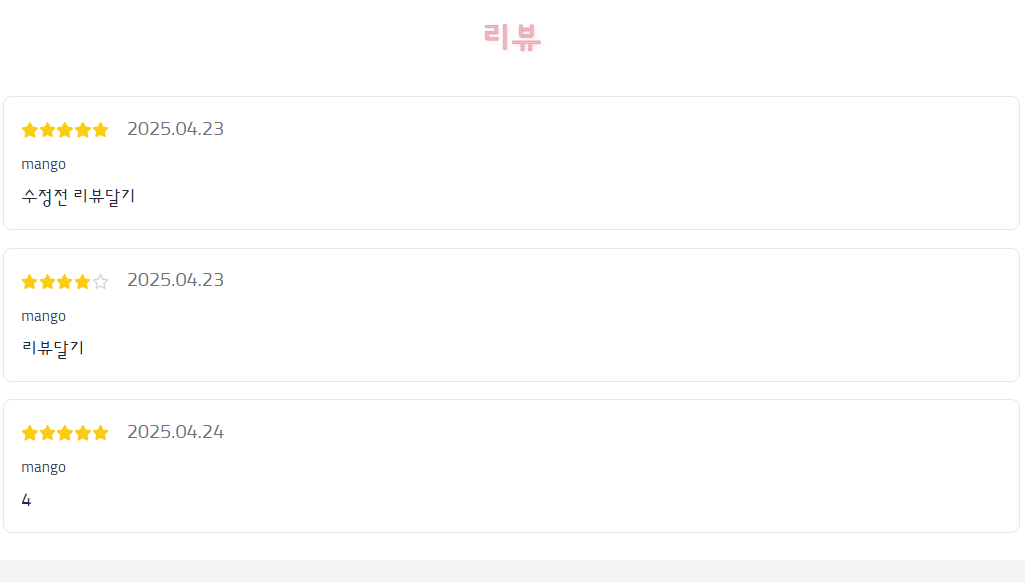
예약하지 않은 id 로 로그인해서 매장-리뷰에 들어가면 리뷰 list만 보인다.
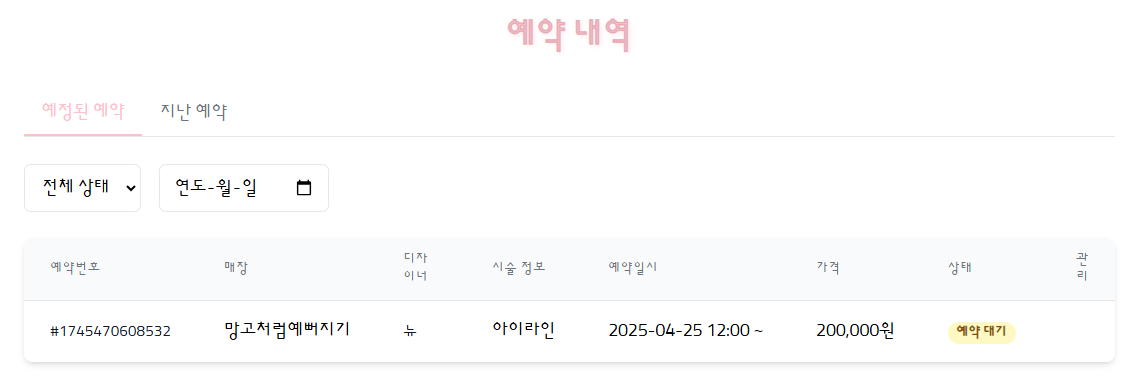
예약한 id로 로그인해서 예약후, 예약내역으로 들어가면
매장에 '미지정'으로 되어있던 것이, shopName값을 찾아 출력해준다.

admin이 예약상태를 '예약 확정' 으로 승인해주는건은 결제/시술 완료단계라고 가정하고 리뷰작성 버튼이 생긴다.
reservation
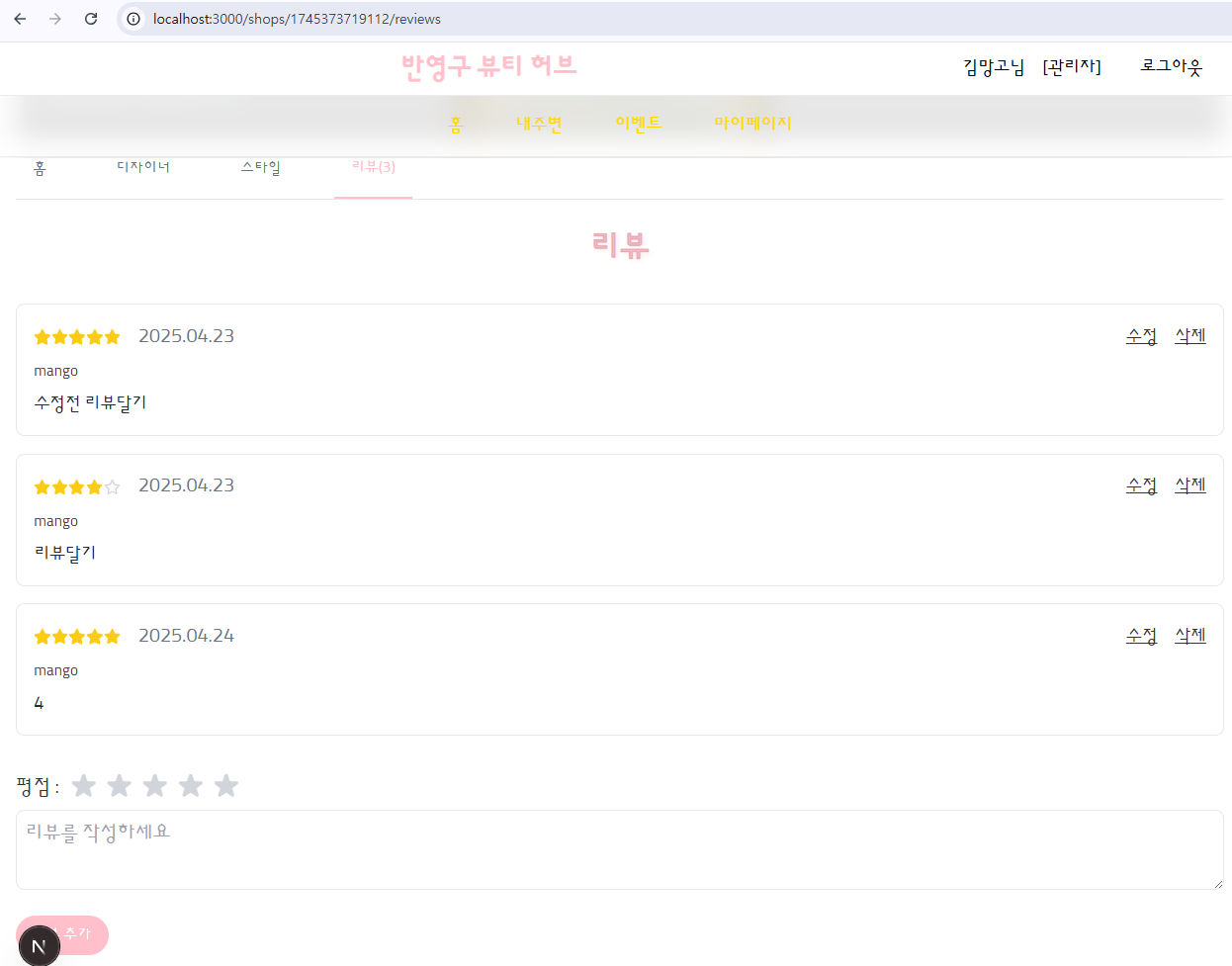
리뷰작성 버튼을 클릭하면, reservation.shopId에 해당하는 주소로param 값이 전송되어, 그 shop의 리뷰탭으로 페이지 이동한다. 그리고 결제/시술 완료 고객이므로 리뷰list 출력과함께 리뷰를 작성할 수 있도록 한다.
// 리뷰 작성 버튼 클릭 시 이동할 경로 설정
  const writeReview = (shopId) => {
    router.push(`/shops/${shopId}/reviews`);
}; <td className="px-6 py-4 whitespace-nowrap text-right text-black">
{currentUser &&
currentUser.reservations.some(
(userReservation) =>
userReservation.id === reservation.id
) ? (
<button
className="px-2 py-1 rounded-full text-xs font-medium bg-blue-100 text-blue-800 hover:bg-blue-200"
onClick={() => writeReview(reservation.shopId)}
>
리뷰 작성
</button>
) : null}
</td>admin\shops
Add a function to update designers with shopId and shopName when loading shops.
useEffect(() => {
    const loadShops = () => {
      const currentUser = JSON.parse(localStorage.getItem("currentUser"));
      const savedShops = JSON.parse(localStorage.getItem("shops") || "[]");

      // Add shopId and shopName to each designer
      const updatedShops = savedShops.map((shop) => ({
        ...shop,
        designers: shop.designers.map((designer) => ({
          ...designer,
          shopId: shop.id,
          shopName: shop.name,
        })),
      }));

      // Save updated shops back to localStorage
      localStorage.setItem("shops", JSON.stringify(updatedShops));

      // Filter shops for the current admin
      const filteredShops = updatedShops.filter(
        (shop) => shop.adminId === currentUser?.id
      );
      setShops(filteredShops);
    };

    loadShops();
    window.addEventListener("storage", loadShops);
    return () => window.removeEventListener("storage", loadShops);
  }, []);
// Add shopId and shopName to each designer
// Save updated shops back to localStorage
// Filter shops for the current admin
This ensures that when a new designer is added, the shopId and shopName from the parent shop are automatically included in the designer object.
 const handleAddDesigner = () => {
    const newDesigner = {
      id: `${Date.now()}-${Math.random()}`, // 고유한 ID 생성
      name: "",
      position: "",
      imageUrl: "",
      experience: "",
      description: "",
      specialties: [],
      color: "#4f46e5", // 기본 색상 설정
      shopId: newShop.id, // 부모 shop의 shopId 추가
      shopName: newShop.name, // 부모 shop의 shopName 추가
    };

    setNewShop((prevShop) => ({
      ...prevShop,
      designers: [...prevShop.designers, newDesigner], // 기존 디자이너 배열에 새로운 디자이너 추가
    }));
  };
shopId: newShop.id, // 부모 shop의 shopId 추가
shopName: newShop.name, // 부모 shop의 shopName 추가