TIL.19 [CSS, JS]Instagram login page 만들기
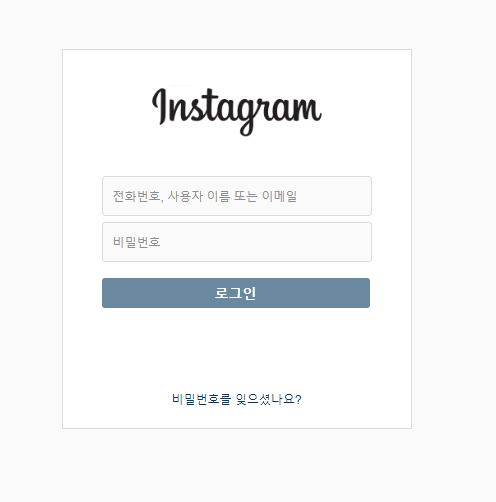
1. 로그인 html
```<!DOCTYPE html>
<html lang="ko">
<head>
<meta charset="UTF-8">
<title>Instagram</title>
<link rel=stylesheet href="style/login.css">
<link href="https://fonts.googleapis.com/css2?family=Lobster&display=swap" rel="stylesheet">
</head>
<body>
<main>
<div class="logo">Intagram</div>
<article>
<div class="login_id">
<input type="text" placeholder="전화번호, 사용자 이름
또는 이메일" class="idValue">
</div>
<div class="login_password">
<input type="password" placeholder="비밀번호" class="passwordValue">
</div>
<div>
<a href="../main/main.html"><button class="login_btn">로그인</button></a>
</div>
</article>
<footer>
비밀번호를 잊으셨나요?
</footer>
</main>
<script src='./js/login.js'></script>
</body>
</html>- 로그인 css
```* {
    margin: 0;
    box-sizing: border-box;

}

a {
    text-decoration: none;
    color: white;
}

main {
    height: 490px;
    width: 450px;
    padding: 50px 0;
    border: #EFEFEF solid 2px;
    margin: 100px auto;
    text-align: center;
    display: flex;
    flex-direction: column;
}

.logo {
    margin-bottom: 50px;
    font-size: 50px;
    font-family: 'Lobster', cursive;
}

input {
    height: 45px;
    width: 300px;
    margin-bottom: 10px;
    background-color:#FAFAFA;
    border: #EFEFEF 1px solid;
    border-radius: 6px;
    padding-left: 10px;
}

input:focus {
    outline: none;
}

.login_btn {
    width: 300px;
    height: 35px;
    border-radius: 6px;
    border: white;
    margin-bottom: 100px;
    background-color: #C4E1FB;
    color: white;
    font-size: 17px;
}

.login_btn:hover {
    cursor: pointer;
}

footer {
    color: #345E87;
}
- 로그인 페이지 JS
const $loginBtn = document.querySelector('.login_btn')
const $idValue = document.querySelector('.idValue')
const $passwordValue = document.querySelector('.passwordValue')
const loginBtn = function () {
    $idValue.value.indexOf('@') > 0 && $passwordValue.value.length >= 10 ?
    $loginBtn.style.backgroundColor = '#0095F6' : $loginBtn.style.backgroundColor = '#C4E1FB';
}
$idValue.addEventListener('keyup', loginBtn)
$passwordValue.addEventListener('keyup', loginBtn)

아이디 입력값에 @이 들어가야 하고, 비밀번호는 10자리 이상이 되어야 로그인 버튼이 색이 변하게 만들어봤다.
Slow and steady wins the race