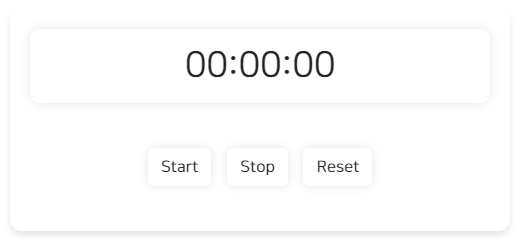
1. 일반 타이머 구현
- html
<div id="timerContainer">
	<div id="timer">00:00:00</div>
	<div id="controlbtn">
		<button id="startBtn" class="btn btn" onclick="startTimer()">Start</button>
		<button class="btn btn" onclick="stopTimer()">Stop</button>
		<button class="btn btn" onclick="resetTimer()">Reset</button>
	</div>
</div>
css는 검색해서 글래스모피즘 스타일로 적용해보았다 🧊
테스트해보면 start를 눌러 타이머가 시작되면 중간에 start 버튼을 다시 누를 경우에
타이머가 꼬이게 된다.
이를 방지하기 위해 start 버튼이 타이머 동작 중에는 버튼을 사용 못하게 해주자 !!
💡
document.getElementById('startBtn').disabled = true;
document.getElementById('startBtn') : HTML 문서 내에서 id가 'startBtn'인 요소를 찾는다.
.disabled = true; : 찾은 요소의 'disabled' 속성을 true로 설정하면 해당 요소는 비활성화되어 사용자의 상호작용이 불가능해진다.
- javascript
//전역 변수 선언
        let timer;
        let timerDisplay = document.getElementById('timer');

        // 타이머 시작 함수
        function startTimer() {
        	  // 버튼 비활성화
            document.getElementById('startBtn').disabled = true;

        	// 초기 총 초 변수 설정
            let totalSeconds = 0;
            // 1초 간격으로 실행되는 타이머 설정
            timer = setInterval(function () {
            	// 총 초를 시, 분, 초로 변환
                let hours = Math.floor(totalSeconds / 3600);
                let minutes = Math.floor((totalSeconds % 3600) / 60);
                let seconds = totalSeconds % 60;
                // 타이머 디스플레이 업데이트
                timerDisplay.textContent = formatTime(hours) + ':' + formatTime(minutes) + ':' + formatTime(seconds);
                // 총 초 증가
                totalSeconds++;
            }, 1000);
        }
        // 타이머 중지 함수
        function stopTimer() {
        	// 타이머 중지
            clearInterval(timer);
            // 버튼 다시 활성화
            document.getElementById('startBtn').disabled = false;
        }
        // 타이머 리셋 함수
        function resetTimer() {
        	 // 타이머 중지
            clearInterval(timer);
            // 타이머 디스플레이 초기화
            timerDisplay.textContent = '00:00:00';
            // 버튼 다시 활성화
            document.getElementById('startBtn').disabled = false;
        }
        // 시간을 두 자리 수로 포맷팅하는 함수
        function formatTime(time) {
            return time < 10 ? '0' + time : time;
        }
2. 카운트다운 타이머 구현
사용자가 시간을 설정하고 시작을 누르면
입력한 시간에서 카운트다운이 되는 타이머를 만들자 !
- 초기 화면에는 사용자가 시간을 입력할 수 있는 입력폼이 주어진다.
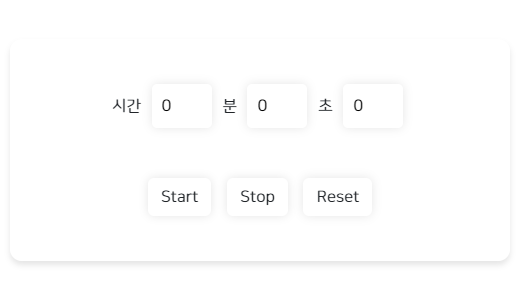
기본 기능
- 시간을 입력한 후 start 버튼을 누르면 사용자 입력 폼이 사라지고
타이머가 작동한다. - stop을 누르면 타이머가 정지한다.
- reset을 누르면 타이머가 초기화 된다.
- start 된 후엔 start 버튼을 비활성화 처리
html
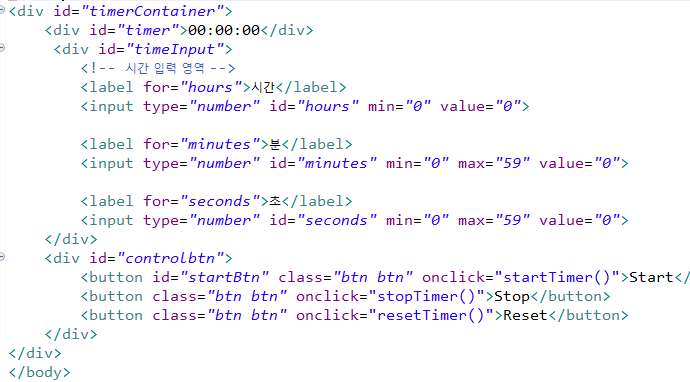
script
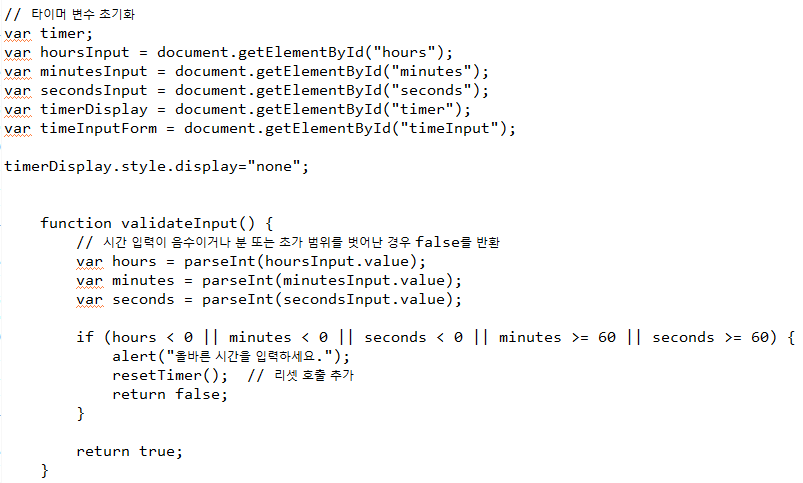
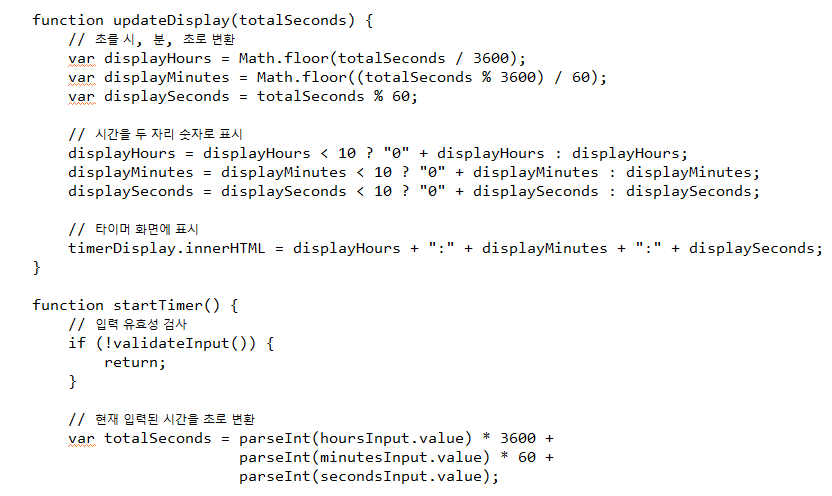
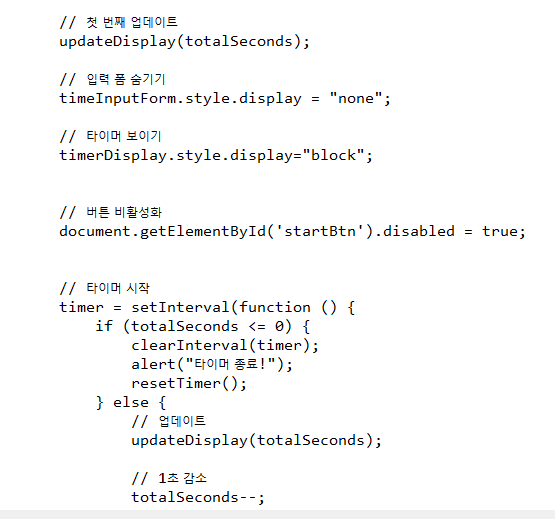
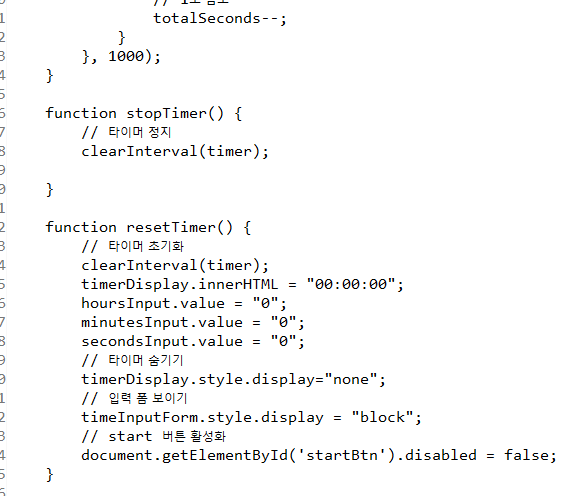
💡 보완할 점은 stop 버튼을 눌렀을 때
남은 시간이 있다면 다시 start 버튼을 눌렀을 때 이어서
카운트다운이 진행되면 좋을 것 같은데 현재는 처음부터 다시 카운트가 진행된다.
🔎 추가 코드
타이머가 실행되고 stop을 눌렀을 시 남은 시간이 있는 경우 처리하기 !
- 남은 시간을 저장할 변수 선언
var remainingSeconds = 0;- 중간에 타이머가 멈추었을 때 남은 시간 저장
 		// 현재 입력된 시간을 초로 변환
        var totalSeconds = parseInt(hoursInput.value) * 3600 +
                           parseInt(minutesInput.value) * 60 +
                           parseInt(secondsInput.value);
	// 추가된 부분
    	if (remainingSeconds > 0) {
        totalSeconds = remainingSeconds;
        remainingSeconds = 0;
    	}
중간 코드 생략
  // 타이머 시작
        timer = setInterval(function () {
            if (totalSeconds <= 0) {
                clearInterval(timer);
                alert("타이머 종료!");
                resetTimer();
            } else {

             // 추가된 부분: 중간에 타이머가 멈추었을 때 남은 시간 저장
            remainingSeconds = totalSeconds;

                // 업데이트
                updateDisplay(totalSeconds);

                // 1초 감소
                totalSeconds--;
            }
        }, 1000);
    }
++ 타이머에서는 리셋될 때 값을 0으로 변경하는 것보다
새로고침하듯 초기화하는 게 더 간략할 것 같아
resetTimer 함수에 작성한 코드들을 우선 주석처리하고
location.reload() 코드를 넣어
페이지 로딩처리로 대체해주었다.
카운트다운 타이머 테스트
이제 중간에 정지를 했다가 다시 시작해도 이어서 카운트를 진행하게 된다 !
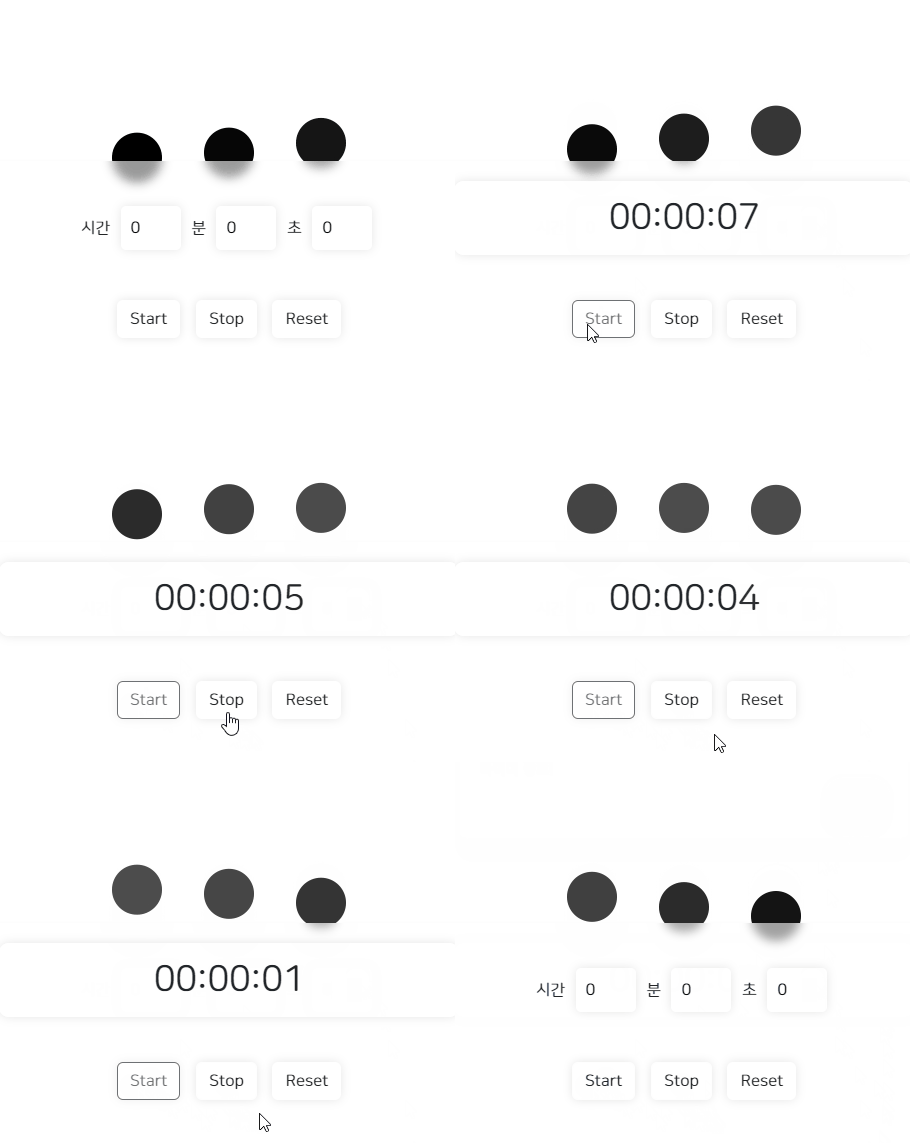
++ 하나 마음에 걸리는 건 왜 타이머 시작할 때 좀 더디게 시작하지 ??
그리고 종료할 때 0초까지 세고 있긴 한데
보여지는 화면에서는 1초에서 0초 가는 걸 보여주진 않고 알림창이 뜬다.
