VSCode PowerShell UnauthorizedAccess 오류

npm : File C:\Program Files\nodejs\npm.ps1 cannot be loaded because running scripts is disabled on this system. For more information, see about_Execution_Policies at https:/go.microsoft
.com/fwlink/?LinkID=135170.
At line:1 char:1
+ npm start
+ ~~~
    + CategoryInfo          : SecurityError: (:) [], PSSecurityException
    + FullyQualifiedErrorId : UnauthorizedAccess
vscode 터미널에서 npm start 명령어로 react 앱을 실행할때 위와 같은 오류가 발생했다.
원인은 Powershell의 실행정책으로 발생한 문제이다. 기본 실행 정책인 Restricted으로 개별 명령은 허용하지만 스크립트를 허용하지 않는다.
해결방안
실행정책을 RemoteSigned로 바꾸면 해결가능하다.
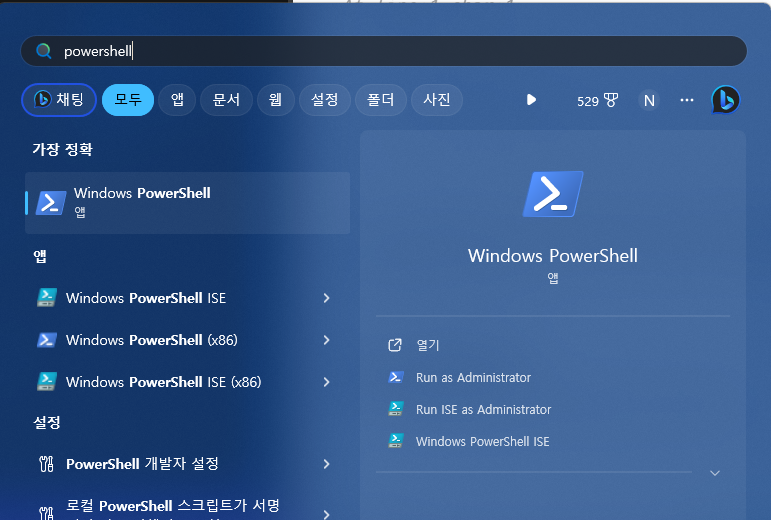
먼저 PowerShell을 관리자권한으로 실행한다. 시작을 클릭해서 PowerShell을 검색하여 Run as Administrator를 클릭한다.
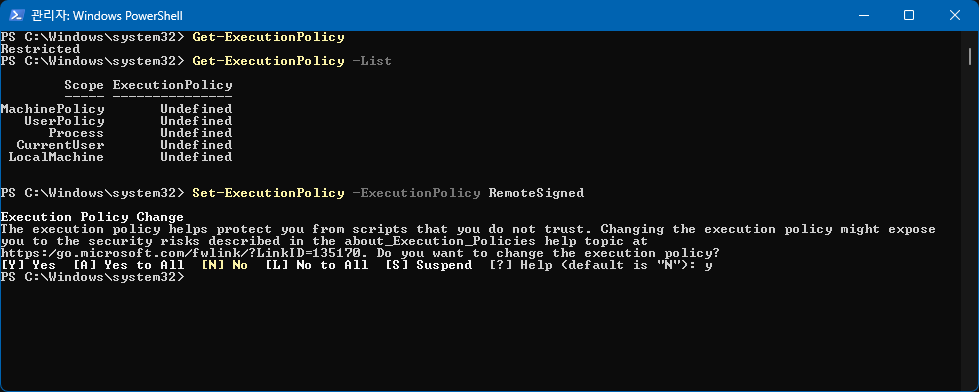
Get-ExecutionPolicy 명령어로 현재 실행 정책을 가져올 수 있다.

Restricted 로 되어있는 것을 알 수 있다. 이를 Set-ExecutionPolicy -ExecutionPolicy <PolicyName> 명령어로 변경이 가능하다. 가능한 실행 정책들은 https://learn.microsoft.com/ko-kr/powershell/module/microsoft.powershell.core/about/about_execution_policies?view=powershell-7.3
에서 확인이 가능하다.
RemoteSigned로 변경해야 하기 때문에 Set-ExecutionPolicy -ExecutionPolicy RemoteSigned 와 같이 명령어 작성한다.
다시 정책을 확인해보면 RemoteSigned로 변경된 것을 알 수 있다.
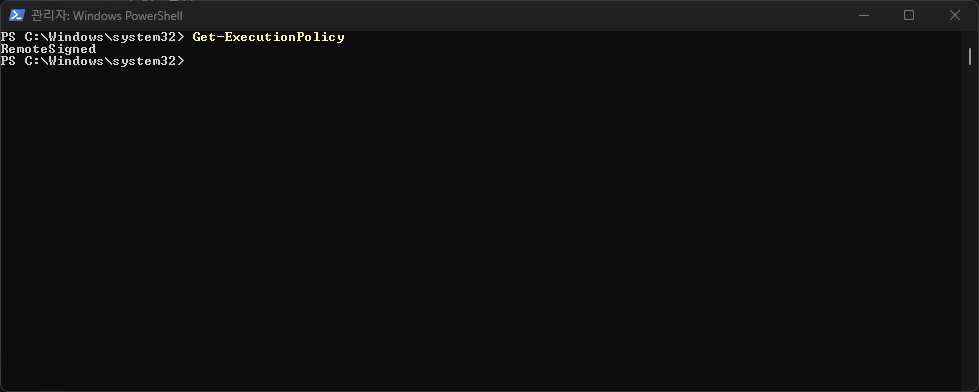
이제 VSCode PowerShell 터미널에서 스크립트가 실행 가능하다.

frontend