
State 내리기
부모 컴포넌트의 상태 변수를 자식 컴포넌트의 props로 전달
부모 컴포넌트의 상태 변수가 변경되면 부모와 자식 컴포넌트가 모두 리렌더링
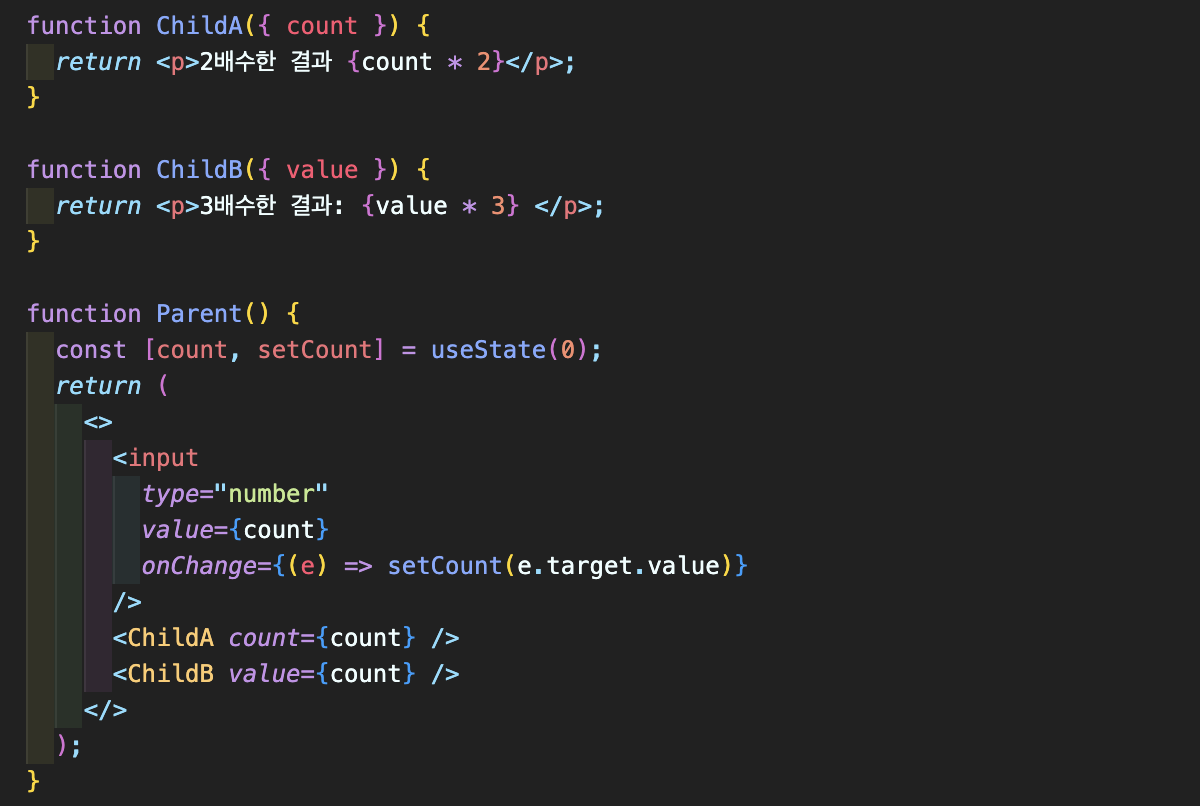
function Parent() {
  const [count, setCount] = useState(0);
  return (
    <>
      <input
        type="number"
        value={count}
        onChange={(e) => setCount(e.target.value)}
      />
      <ChildA count={count} />
      <ChildB value={count} />
    </>
  );
}- ChildA 에게는 변수 {count} 를
count라는 이름으로 전달 - ChildB 에게는 변수 {count} 를
value라는 이름으로 전달
//count 전달 받음
function ChildA({ count }) {
  return <p>2배수한 결과 {count * 2}</p>;
}
//value 전달 받음
function ChildB({ value }) {
  return <p>3배수한 결과: {value * 3} </p>;
}
State 끌어올리기
자식 컴포넌트의 변경사항을 부모 컴포넌트로 전달
부모 컴포넌트에서 정의한 함수를 자식 컴포넌트의 props 변수로 전달 , 해당 함수를 자식 컴포넌트에서 이벤트 핸들러로 지정
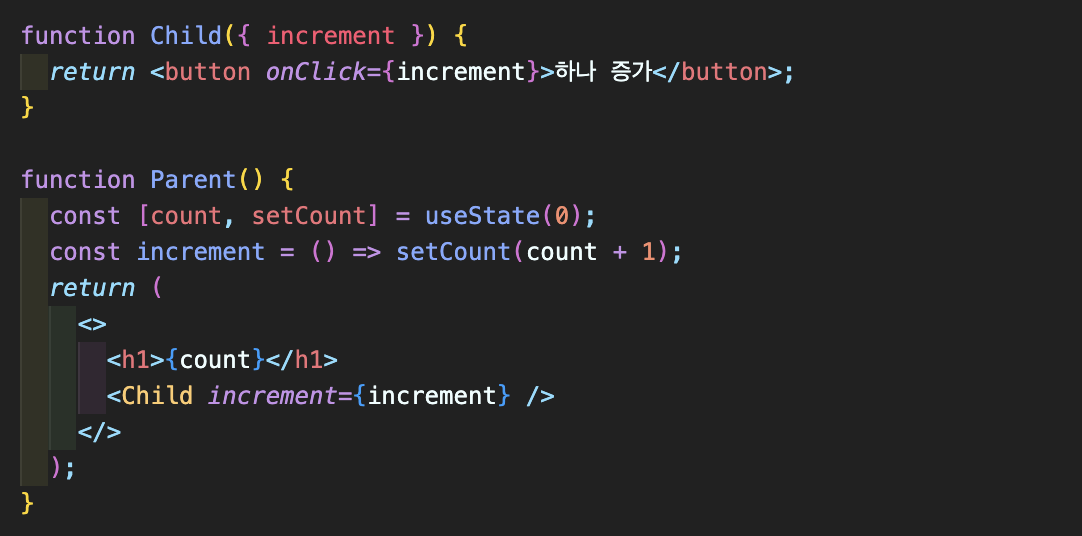
function Parent() {
  const [count, setCount] = useState(0);
  const increment = () => setCount(count + 1);
  return (
    <>
      <h1>{count}</h1>
      <Child increment={increment} />
    </>
  );
}
- 부모컴포넌트에서 정의한
increment함수 ➡️ 자식에게 전달함
function Child({ increment }) {
  return <button onClick={increment}>하나 증가</button>;
}- 전달받은
increment함수를 자식 컴포넌트에서 이벤트 핸들러로 지정
State 예제
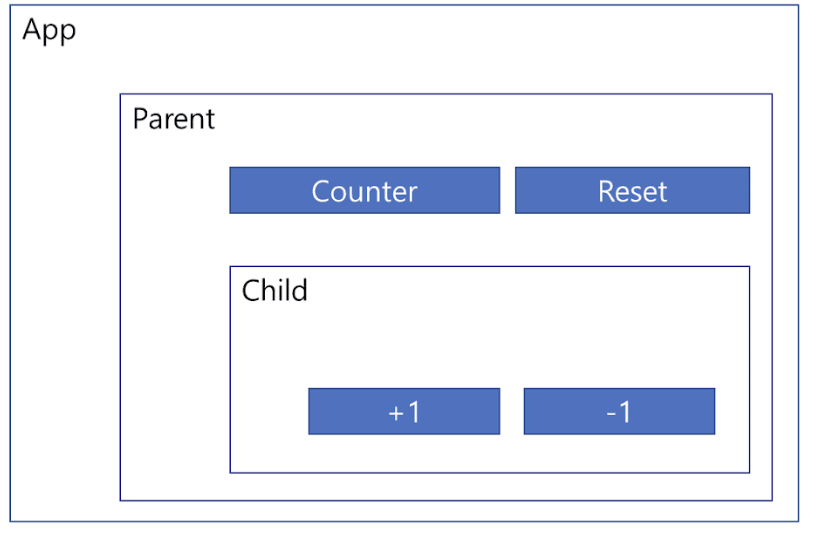
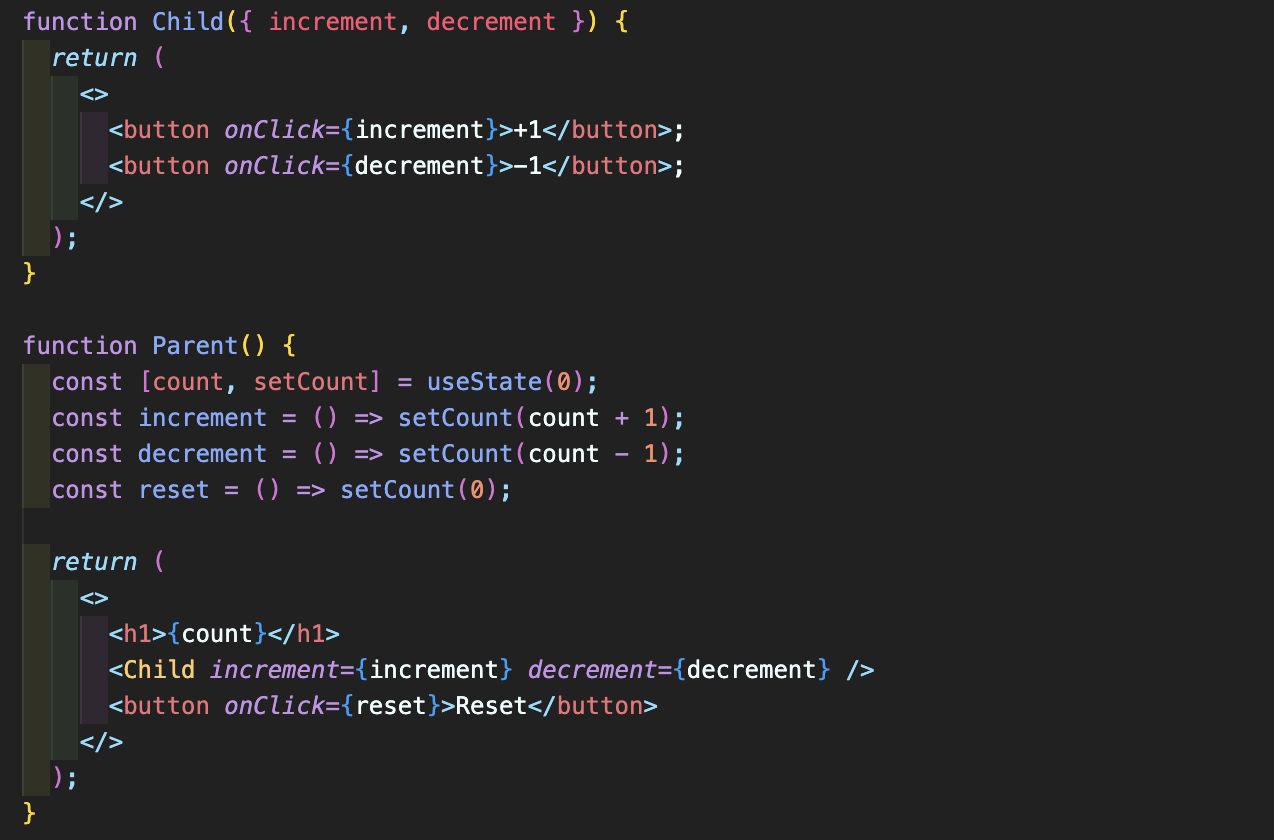
EX ) 화씨,섭씨 변환 및 물 끓음 표시
♨️ 화씨 온도 또는 섭씨 온도를 입력하면 변환한 온도를 표시하고 물끓음 여부를 알려줌


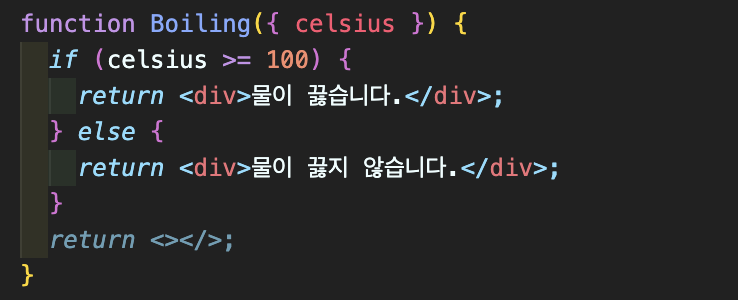
섭씨온도 100도를 기준으로 물 끓음 여부를 표시하는 컴포넌트
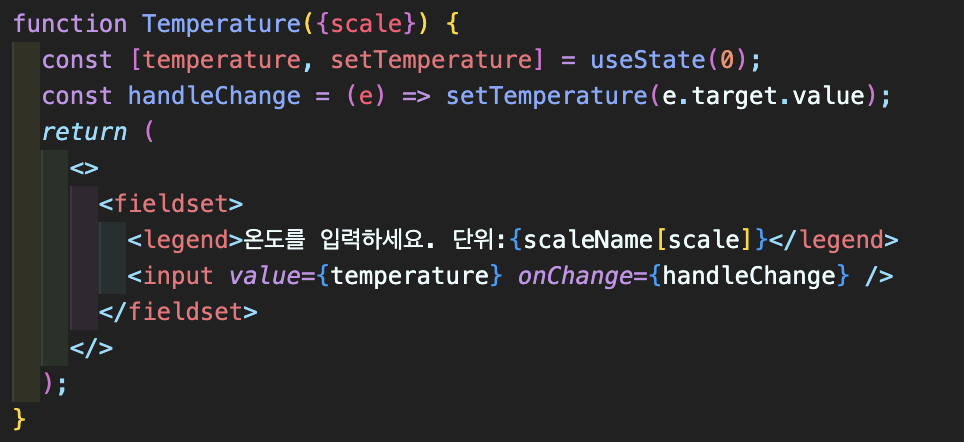
온도를 입력받는 컴포넌트
const scaleName = {
  c: "섭씨",
  f: "화씨",
};
온도를 구별할 수 있는 객체 scaleName 생성 , scale은 부모로부터 받음
상태변수 temperature 설정해주고 onChange 로 이벤트 객체의 값으로 설정해줌
App.js에 표시할 Calculator 컴포넌트
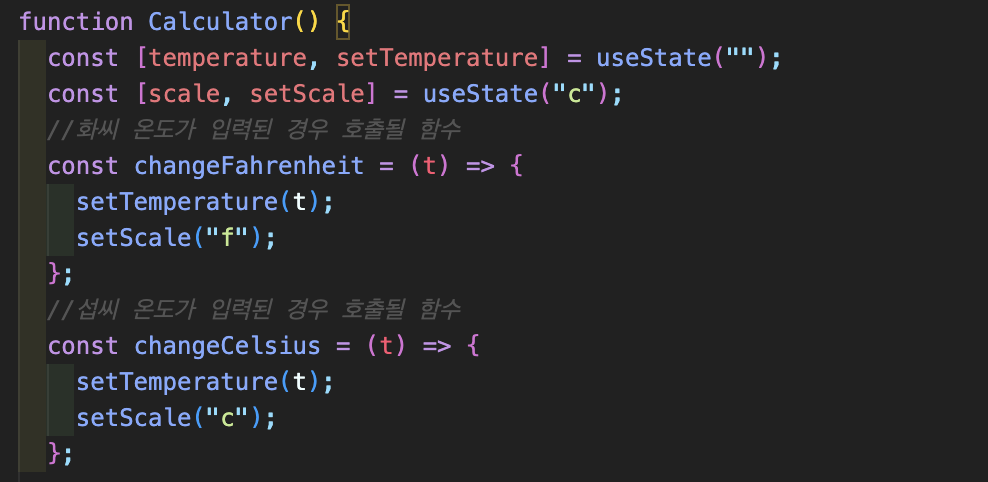
scale이용해서 어느 입력창에서 바뀌었는지 관리해야함
화씨 온도가 입력되면scale을 "f"로 변경
섭씨 온도가 입력되면scale을 "c"로 변경
여기서temperature상태변수를 관리해서 Temperature 컴포넌트에 넘겨줄 것

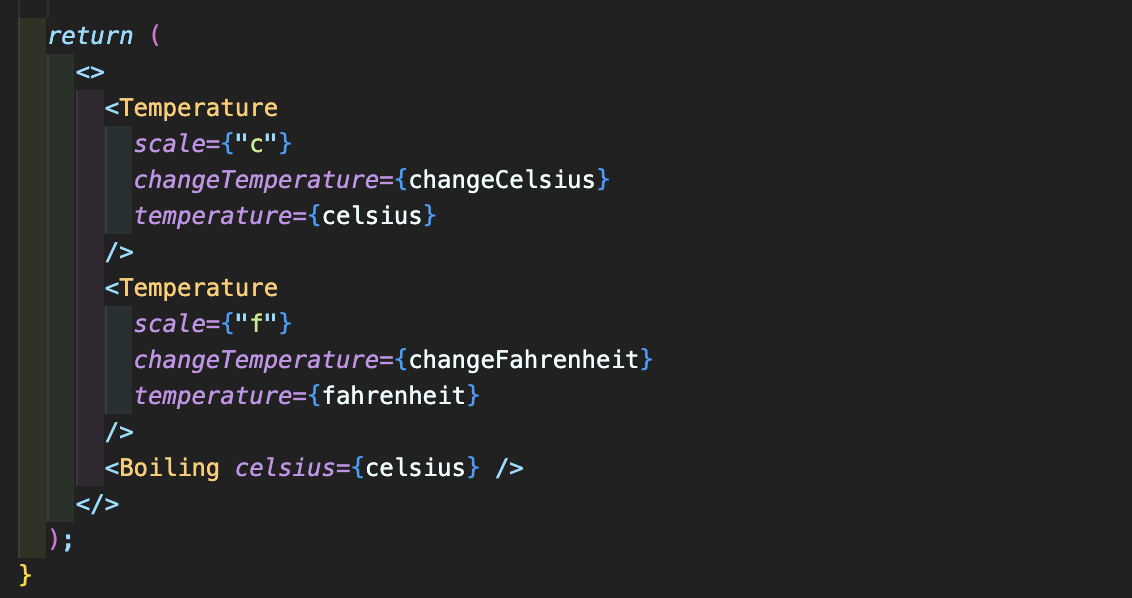
첫번째 Temperature 컴포넌트 : 섭씨 온도 입력칸
scale값으로 "c"를 넘겨주고 changeCelsius 함수를 호출할 수 있도록 전달, 온도는 temperature={celsius}
두번째 Temperature 컴포넌트 : 화씨 온도 입력칸
scale값으로 "f"를 넘겨주고 changeFahrenheit 함수를 호출할 수 있도록 전달, 온도는 temperature={fahrenheit}
  const celsius =
    scale === "f" ? tryConvert(temperature, toCelsius) : temperature;
  const fahrenheit =
scale === "c" ? tryConvert(temperature, toFahrenheit) : temperature;celsius: 현재 스케일이 화씨이면 섭씨로 바꿔주고, 그렇지 않으면 섭씨온도 자체를 받음fahrenheit: 현재 스케일이 섭씨이면 화씨로 바꿔주고, 그렇지 않으면 화씨온도 자체를 받음
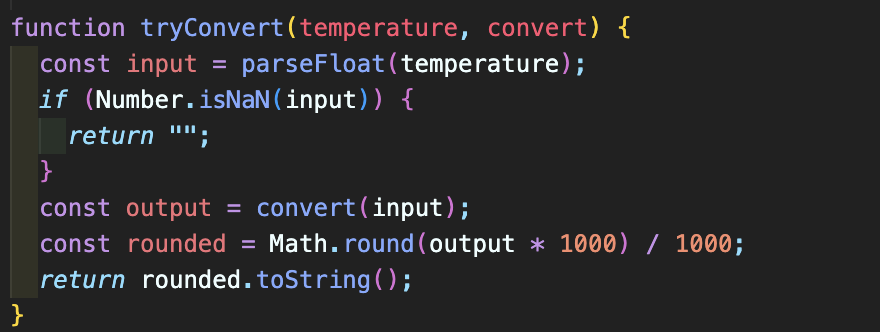
TryConvert 함수
- 온도와
convert(단위변경함수)를 매개변수로 받음 parseFloat로 실수형 숫자로 변경temperature값이 숫자로 변환될 수 없는 경우, 빈 문자열을 리턴- 소수점 이하 넷째자리에서 반올림
tryConvert 함수를 쓰는 이유?
숫자인지 아닌지 체크하고 반올림 하는 작업을 화씨, 섭씨에서 중복하지 않기 위해서
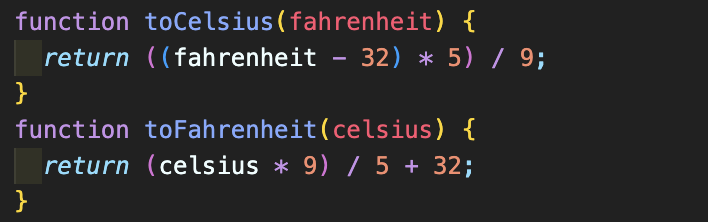
Convert 로 넘겨줄 함수들
Temperature 컴포넌트 변경
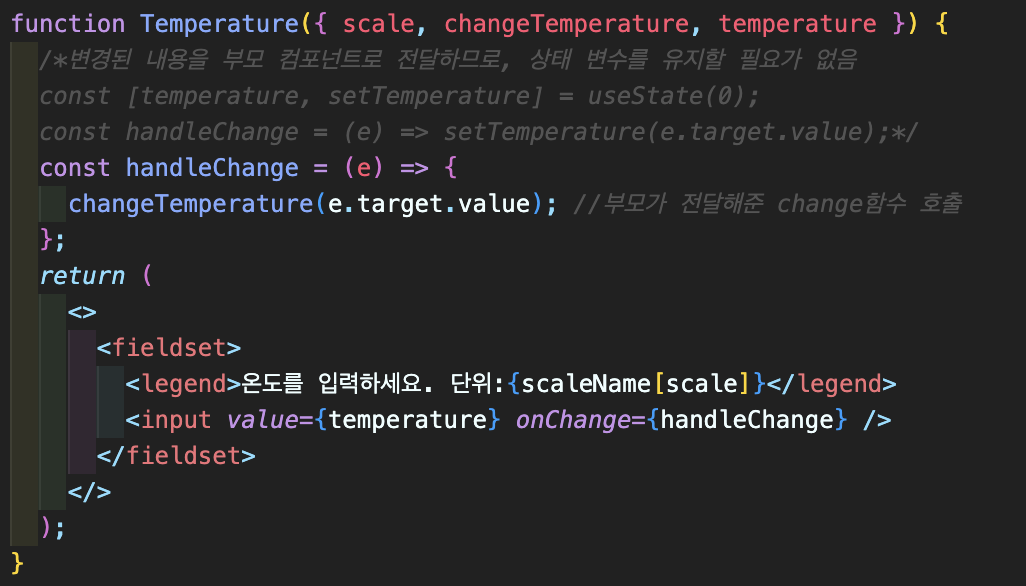
부모인 Calculator 컴포넌트로부터 scale, changeTemperature, temperature 전달 받음
전체 코드
//물 끓음 컴포넌트
function Boiling({ celsius }) {
  if (celsius >= 100) {
    return <div>물이 끓습니다.</div>;
  } else {
    return <div>물이 끓지 않습니다.</div>;
  }
  return <></>;
}

//온도 변환 함수
function toCelsius(fahrenheit) {
  return ((fahrenheit - 32) * 5) / 9;
}
function toFahrenheit(celsius) {
  return (celsius * 9) / 5 + 32;
}

function tryConvert(temperature, convert) {
  const input = parseFloat(temperature);
  if (Number.isNaN(input)) {
    return "";
  }
  const output = convert(input);
  const rounded = Math.round(output * 1000) / 1000;
  return rounded.toString();
}
//단위 객체
const scaleName = {
  c: "섭씨",
  f: "화씨",
};

function Temperature({ scale, changeTemperature, temperature }) {
  const handleChange = (e) => {
    changeTemperature(e.target.value);
  };
  return (
    <>
      <fieldset>
        <legend>온도를 입력하세요. 단위:{scaleName[scale]}</legend>
        <input value={temperature} onChange={handleChange} />
      </fieldset>
    </>
  );
}


function Calculator() {
  const [temperature, setTemperature] = useState("");
  const [scale, setScale] = useState("c");
  //화씨 온도가 입력된 경우 호출될 함수
  const changeFahrenheit = (t) => {
    setTemperature(t);
    setScale("f");
  };
  //섭씨 온도가 입력된 경우 호출될 함수
  const changeCelsius = (t) => {
    setTemperature(t);
    setScale("c");
  };


  const celsius =
    scale === "f" ? tryConvert(temperature, toCelsius) : temperature;
  const fahrenheit =
    scale === "c" ? tryConvert(temperature, toFahrenheit) : temperature;

  return (
    <>
      <Temperature
        scale={"c"}
        changeTemperature={changeCelsius}
        temperature={celsius}
      />
      <Temperature
        scale={"f"}
        changeTemperature={changeFahrenheit}
        temperature={fahrenheit}
      />
      <Boiling celsius={celsius} />
    </>
  );
}

function App() {
  return (
    <>
      <Calculator />
    </>
  );
}
export default App;
