
클래스 컴포넌트에서 객체 비구조화
class MyClass extends Component{
  render(){
    const {name, age, nickname}=this.props;
    return (<>
    <h1>이름: {name}</h1>
    <h1>나이:{age}</h1>
    <h1>별명 :{nickname}</h1>
    </>)
  }
}
export default MyClass;
함수형 컴포넌트에서 객체 비구조화
const Mycomponent=(props)=>{
  const{name,age,nickname}=props;
  return(
    <>
    <h1>이름: {name}</h1>
    <h1>나이:{age}</h1>
    <h1>별명 :{nickname}</h1>
    </>
  );
}
exopr default Mycomponent;
매개변수를 객체 비구조화하도록 정의
const Mycomponent=({name,age,nickname})=>{
  return(
    <>
    <h1>이름: {name}</h1>
    <h1>나이:{age}</h1>
    <h1>별명 :{nickname}</h1>
    </>
  );
}
exopr default Mycomponent;
신호등 만들기
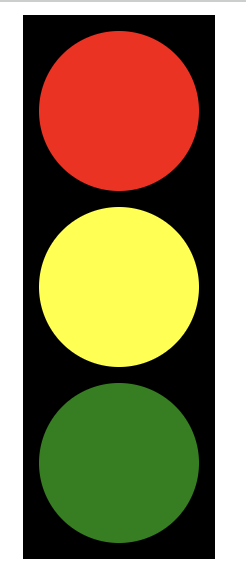
- App.js 파일에 일정한 크기의 Lamp를 포함한 TrafficLight 컴포넌트 생성
- TrafficLight 컴포넌트는 빨강, 초록, 노랑 속성을 가지는 같은 크기의 Lamp 컴포넌트 세 개를 포함
- Lamp 컴포넌트는 색상과 크기를 부모 컴포넌트(TrafficLight)로 부터 전달 받아서 해당 색상과 크기의 원을 출력
Lamp 컴포넌트
const Lamp = ({ color, size }) => {
  return (
    <div
      style={{
        width: size,
        height: size,
        borderRadius: 50,
        backgroundColor: color,
        margin: 10,
      }}
    ></div>
  );
};
부모 컴포넌트(TrafficLight)로부터 props로 {color,size}를 받음
App.js
const App = () => {
  const tlSize = 100;
  const tlColor = ["red", "yellow", "green"];

  return (
    <>
      <div
        style={{
          width: 120,
          height: 330,
          backgroundColor: "black",
          marginLeft: 10,
          paddingTop: 10,
        }} //램프 뒤에 검은색 배경을 위한 style
      >
        <TrafficLight colors={tlColor} size={tlSize}  />

      </div>
    </>
  );
};
export default App;
<TrafficLight colors={tlColor} size={tlSize} 자식 컴포넌트에게 색깔 배열을 전달해줌
TrafficLight 컴포넌트
const TrafficLight = ({ colors, size }) => {
  return (
    <>
      {colors.map((color) => (
        <Lamp color={color} size={size} />
      ))}
    </>
  );
};
export default TrafficLight;부모컴포넌트(App.js)로부터 props로 {color,size}를 받음
{colors.map((color) => (<Lamp color={color} size={size} 전달받은 colors 배열을 돌면서 하나씩 Lamp에게 전달해줌
