✅ 오늘 한 일
- Project Etude
🎮 Project Etude
게임 오버 버그 픽스
private void GameOver()
{
    game_ongoing = false;
    keyInput = 0;
    transform.position = initPosition;
    transform.rotation = initRotate;
    Debug.Log("Game Over");
}
게임오버 되고 나면
int hit1Index = hit1.collider?.GetComponentInParent<NoteBlock>()?.noteBlockIndex ?? -1;
int hit2Index = hit2.collider?.GetComponentInParent<NoteBlock>()?.noteBlockIndex ?? -1;
Debug.Log("Hit1 : " + hit1Index + ", Hit2 : " + hit2Index);
raycast에 collider가 입력되지 않아 hitIndex가 -1로만 고정되는 현상 발생
private void GameOver()
{
    game_ongoing = false;
    keyInput = 0;
    missionBlockIndex = 0;
    isInBox = false;
    transform.position = initPosition;
    transform.rotation = initRotate;
    Debug.Log("Game Over");
}
isInBox를 초기화 안해줘서 그랬던 것
움직이기 시작하면 음악 재생
    private void CheckMusic()
    {
        if (game_ongoing && !MainMusic.isPlaying)
        {
            MainMusic.Play();
        }
    }
update문에서 체크. 간단.
길에 어긋나지 않도록 위치 변경
private void TurnWithNewPos()
{
    Vector3 nextDirection = Vector3.zero;

    if ((missionKeyType & KeyType.Up) != 0) nextDirection += Vector3.up;
    if ((missionKeyType & KeyType.Down) != 0) nextDirection += Vector3.down;
    if ((missionKeyType & KeyType.Left) != 0) nextDirection += Vector3.left;
    if ((missionKeyType & KeyType.Right) != 0) nextDirection += Vector3.right;

    float angle = Mathf.Atan2(nextDirection.y, nextDirection.x) * Mathf.Rad2Deg;
    transform.rotation = Quaternion.Euler(0, 0, angle);

    // 중앙과의 거리를 계산한 뒤 어긋난 거리만큼 플레이어 위치 조정
    float distance = Vector2.Distance(missionBlockCollider.bounds.center, transform.position);
    Debug.Log("Distance : " + distance);
    Vector2 nextPos = missionBlockCollider.bounds.center - nextDirection.normalized * distance;
    transform.position = new Vector3(nextPos.x, nextPos.y, rayLength / 10);
}
단순 distance로 했더니 빨리 눌러도 늦게 눌러도 똑같이 위치를 조정해버림.
    private void TurnWithNewPos()
    {
        // 다음 방향을 계산만 해놓고, 위치 이동 후 방향 반영
        Vector2 nextDirection = Vector3.zero;
        if ((missionKeyType & KeyType.Up) != 0) nextDirection += Vector2.up;
        if ((missionKeyType & KeyType.Down) != 0) nextDirection += Vector2.down;
        if ((missionKeyType & KeyType.Left) != 0) nextDirection += Vector2.left;
        if ((missionKeyType & KeyType.Right) != 0) nextDirection += Vector2.right;
        nextDirection = nextDirection.normalized;

        float angle = Mathf.Atan2(nextDirection.y, nextDirection.x) * Mathf.Rad2Deg;
        transform.rotation = Quaternion.Euler(0, 0, angle);

        // 중앙과의 거리를 계산한 뒤 어긋난 거리만큼 플레이어 위치 조정
        // 이전 방향 벡터로 이전 위치에서 중심까지의 변위를 나눈 것은,
        // 회전한 방향 벡터로 새로운 위치에서 중심까지의 변위를 나눈 것과 같다.
        Vector3 centerPos = missionBlockCollider.bounds.center;
        Vector2 displacement = centerPos - transform.position;
        Vector2 nextPos;
        if (displacement.normalized == nowDirection)
        {
            Debug.Log("Same Direction");
            nextPos = (Vector2)centerPos - displacement.magnitude * nextDirection;
        }
        else
        {
            Debug.Log("Different Direction");
            nextPos = (Vector2)centerPos + displacement.magnitude * nextDirection;
        }
        // Debug.Log("displacement :" + displacement);
        // Debug.Log("NowDirection : " + nowDirection);
        // Debug.Log("Mission Key Type: " + missionKeyType);

        transform.position = new Vector3(nextPos.x, nextPos.y, rayLength / 10);
        nowDirection = nextDirection;
    }
해결책 떠올려내기도 힘들었고, 자료형 때문에 코드 정리하는 것도 힘들었다.
Vector2 nextPos = (Vector2)centerPos + displacement.magnitude
* (displacement.normalized == nowDirection ? -nextDirection : nextDirection);
gpt한테 좀 줄여달라고 해서 if else문도 trim
기본 게임 로직은 진짜 진짜 거의 다 끝났다
곡 찾기
가상악기 적용법 찾기
그냥 가상악기 추가하고 재생 누르면 midi 트랙에 가상 악기 알아서 적용되는거였다
소리가 너무 작음
prochannel에서 gain이나 output 조절해서 째질만큼 음량 키워도
export하면 째지지도 않고 평온하게 아무일도 없었다는듯이 작은 소리로 나옴
컴퓨터 자체 음량은 export에 상관없었다
일단 후순위니까 나중에
저작권 문제
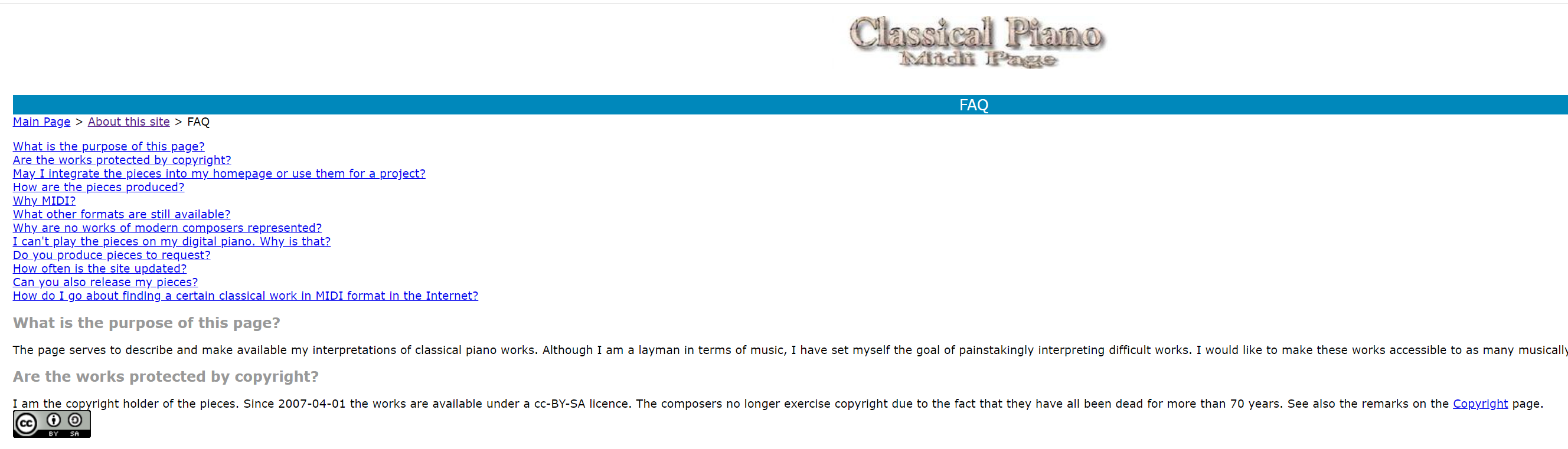
http://www.piano-midi.de/faq.htm
다른 midi 사이트들은 전부 상업적 이용 안된다고 했는데,
이 사람만 개인이 취미로 찍어낸거라 그런지 출처만 밝히면 무료로 써도 된다고 함.
문제는 midi 파일이 내가 생각했던 것처럼 기계적으로 박자 찍어내는게 기본인게 아니라,
연주 그 자체를 담은 파일이라 박자를 정확하게 맞출수가 없을수도 있다는거.
일단 적용시켜보자. 얼추 맞기만 하면 사실 엄밀하게 맞진 않아도 됨. 노트 당 길이만 정확하면 되는거니까.
대충 보기에는 나쁘지 않다.
하지만 자세히 보면 박자가 조금씩 어긋나기 시작한다는 걸 알 수 있다.
리듬 게임으로써 성립하기 어려울 정도로.
bpm의 문제일수도 있겠지만...
박자 문제
quantize라는거 있길래 해봤더니 음이 겹쳐져버려서 연주가 이상해져버림.
근데 좀 만지작거리다보니까 갑자기 살짝만 이상해지고 박자는 정확해졌다.
snap을 1/4로 바꿔서 그런건가?
https://www.youtube.com/watch?v=XVc6A6Mg1Ys
정석대로 하자면 이렇게 하면 된다. 마디마다 노가다로 이상한 부분 맞춰주기.
일단 해결책은 알았으니 넘어가자.
근데 이렇게 박자에 맞게 조절하는게 가능하면 그냥 무료 연주 파일 가져와도 될지도?
그건 midi 파일이 아니라 안되려나?
높은 bpm에서 raycast 감지 못함
말 그대로 bpm이 높아서 플레이어가 빠르게 이동할 때 raycast가 노트 감지를 못한다.
분명히 잘만 되던게 갑자기 인식을 못해서 왜 그런가 하고 bpm을 내려봤더니 잘만 됨.
o1에게 코드를 긁어 물어봤다.
문제 원인 요약
Raycast로직을Update()에서 한 번씩만 쏘고 있는데,speed(=1f / sec_per_quarter)가 너무 커지면(=BPM이 빠르면), 한 프레임에 이동하는 거리가 커집니다.- 한 프레임 동안 오브젝트가 레이를 쏘는 시작점(frontPos/backPos)과 끝점(그 다음 프레임의 위치) 사이에 장애물이 있더라도, 그 간격을 단 한 번의
Raycast()로만 체크하면 놓칠 수 있습니다. - 그 결과 NoteBlock 영역을 ‘통과’해버려서
GameOver()가 호출되어야 할 타이밍을 놓치는 현상이 발생합니다.
프레임당 이동 거리가 커서 Raycast가 스킵되는 경우
BPM이 높아지면 sec_per_quarter는 작아지고,
speed = 1f / sec_per_quarter이 값이 커지므로,
transform.Translate(goingDirection * speed * Time.deltaTime);를 통해 매 프레임 이동하는 거리가 커집니다.
예를 들어,
- BPM이 60일 때는 1박(Quarter)이 1초이므로
sec_per_quarter = 1,speed = 1. 즉, 초당 1유닛. - BPM이 240이면
sec_per_quarter = 0.25,speed = 4. 즉, 초당 4유닛.
이렇게 속도가 4배가 되면, 한 프레임(예: 60FPS에서 약 0.0167초)마다 약 0.067유닛씩 이동하던 것이 0.267유닛으로 이동하게 됩니다. rayLength를 고정 1로 두고 있다면, “레이를 쏘는 지점(front/back)에서 -Z 방향 1유닛 안에 충돌체가 있는지” 한 번만 검사하므로 중간에 놓칠 가능성이 높아집니다.
해결 방법 제안
(1) Ray 길이 늘리기 / Ray 여러 번 쏘기
- 간단한 응급조치로,
rayLength(현재 1f)를 늘려서 스킵되는 상황을 완화할 수 있습니다. - 하지만 BPM이 매우 빨라지면, 어느 정도 이상 길이를 늘려도 완벽하게 놓치는 걸 방지하긴 어렵습니다.
- 더불어, 속도가 매우 빠를 때 프레임마다 여러 번 Raycast를 수행하는 방식을 도입할 수도 있습니다.
- 예) 이동 전/이동 후 사이를 n등분 하여 n번 레이를 쏘기
(2) 이동 전/후 지점을 연결하는 LineCast(혹은 Sweep) 사용
Raycast대신Physics.Linecast(oldPos, newPos, out hit, layerMask)등을 사용하면, “지난 프레임 위치”에서 “현재 프레임 위치”까지 선을 그어 그 사이에 충돌이 있는지 확인할 수 있습니다.- 이렇게 하면 “한 프레임 사이에 노트 블록을 지나치더라도” 그 선 위에 있었다면 감지할 수 있습니다.
private Vector3 _previousPosition;

void Start()
{
    _previousPosition = transform.position;
}

void Update()
{
    Vector3 currentPosition = transform.position;
    // 이동하기 전에 Linecast로 충돌 체크
    if (Physics.Linecast(_previousPosition, currentPosition, out RaycastHit hit, /*레이어 마스크*/))
    {
        // 충돌 로직 처리
    }

    // 실제 이동
    transform.Translate(goingDirection * speed * Time.deltaTime);

    // 다음 프레임을 위해 위치 갱신
    _previousPosition = transform.position;
}- 이처럼 “이동하기 전 → 이동할 위치”를 연결하는 라인을 매 프레임 검사하면, 빠른 속도에서도 누락 없이 충돌체를 잡아낼 수 있습니다.
(3) OnTriggerEnter / OnCollisionEnter 등 물리 이벤트 활용
- 2D 게임이라면
Physics2D시스템의OnTriggerEnter2D, 3D 게임이라면OnTriggerEnter/OnCollisionEnter같은 물리 이벤트를 이용하는 방법도 있습니다. - 이 방식을 쓰려면, 해당 충돌체(플레이어/NoteBlock)에
Collider(또는RigidBody)를 세팅하고, “Is Trigger” 등 적절한 모드를 설정해야 합니다. - 프레임별 레이캐스트를 직접 쏠 필요 없이, “충돌체가 영역 안으로 들어왔다”는 이벤트를 엔진이 자동 호출해 줍니다.
(4) FixedUpdate 활용 + 적절한 물리 TimeStep 조정
- 현재
Update()에서 매 프레임마다Physics.Raycast를 호출하고 있는데, Unity의 물리 연산은 기본적으로 FixedUpdate 타이밍(Physics Step)에서 처리됩니다. - 매우 빠른 움직임이 필요한 경우,
Project Settings > Time에서Fixed Timestep을 더 작게 잡아서(예: 0.02 -> 0.01 등) 물리 연산 빈도를 늘릴 수도 있습니다. - 그리고 실제 이동/물리 로직을
FixedUpdate()안에서 처리하면 조금 더 안정적으로 충돌을 캐치할 수도 있습니다.
로직을 갈아 엎어야 하는구나
raycast 쏴서 확인하는게 모든 로직하고 엮여 있는데 어떡하지
이제라도 collider로 갈아타야 되는건가
그거 말곤 방법이 없어보이긴 함
https://discussions.unity.com/t/collision-detection-for-fast-moving-objects/878384
translate도 문제였는듯
