✅ 오늘 한 일
- Project BCA
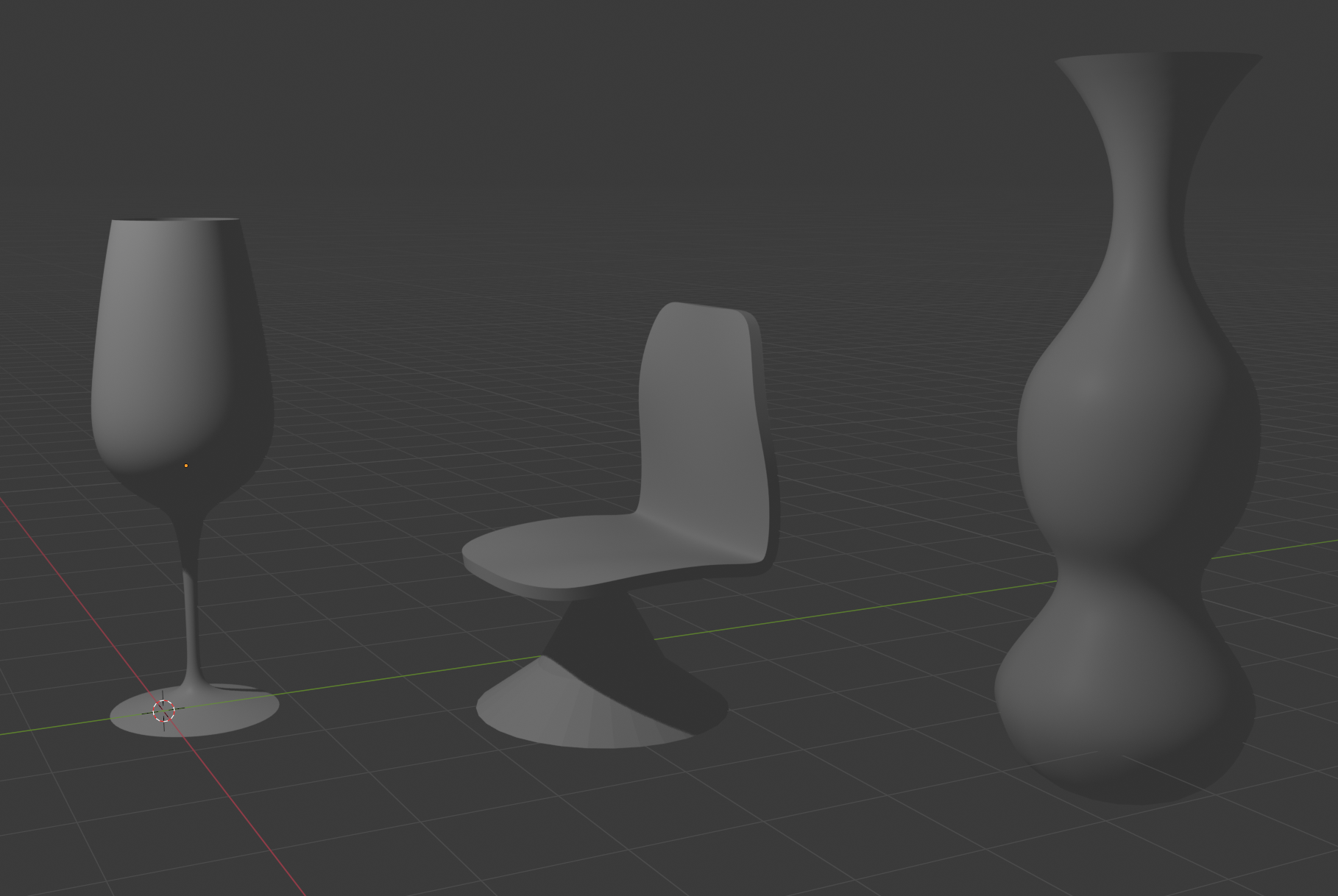
- 한 권으로 끝내는 블렌더 교과서 읽기
📝 배운 것들
🏷️ C# : 특정 자식 클래스임을 확인하는 방법
✅ 방법 1: is 연산자로 타입 체크
is 연산자를 사용하면 해당 컴포넌트가 특정 자식 클래스인지 쉽게 확인할 수 있습니다.
using UnityEngine;

public abstract class BaseClass : MonoBehaviour { }

public class ChildClassA : BaseClass { }
public class ChildClassB : BaseClass { }

public class Test : MonoBehaviour
{
    void Start()
    {
        BaseClass baseComponent = GetComponent<BaseClass>();

        if (baseComponent is ChildClassA)
        {
            Debug.Log("이 컴포넌트는 ChildClassA입니다!");
        }
        else if (baseComponent is ChildClassB)
        {
            Debug.Log("이 컴포넌트는 ChildClassB입니다!");
        }
    }
}
✔️ is 연산자는 단순히 타입을 확인할 때 사용하면 됩니다.
✅ 방법 2: as 연산자로 캐스팅 후 null 체크
as 연산자를 사용하면 타입이 맞지 않는 경우 null이 반환되므로 더 직관적인 코드가 가능합니다.
void Start()
{
    BaseClass baseComponent = GetComponent<BaseClass>();

    ChildClassA childA = baseComponent as ChildClassA;
    if (childA != null)
    {
        Debug.Log("ChildClassA로 캐스팅 성공!");
    }

    ChildClassB childB = baseComponent as ChildClassB;
    if (childB != null)
    {
        Debug.Log("ChildClassB로 캐스팅 성공!");
    }
}
✔️ as 연산자는 캐스팅이 실패하면 null을 반환하므로, null 체크를 활용하면 간단하게 특정 자식 클래스인지 확인할 수 있습니다.
🎮 Project BCA
체크메이트 구현
    /// <summary>
    /// 특정 위치에 있는 기물이 새 위치로 이동하면 체크될 것인지 확인해보는 함수
    /// </summary>
    /// <param name="x">기존 x좌표</param>
    /// <param name="y">기존 y좌표</param>
    /// <param name="newx">이동해볼 x좌표</param>
    /// <param name="newy">이동해볼 y좌표</param>
    /// <returns>킹이 체크된다면 true 반환</returns>
    public bool SimulateEnemyCheck(int x, int y, int newx, int newy)
    {
        bool isCheckedMove = false; // 체크되는지 여부
        bool didCastling = false; // 캐슬링 여부
        bool didEnPassant = false; // 앙파상 여부

        GameObject piece = pieces[x, y]; // 원래 위치의 기물
        Piece pieceScript = piece.GetComponent<Piece>(); // 원래 위치의 기물의 스크립트
        bool isWhite = pieceScript.isWhite; // 원래 위치의 기물의 편
        GameObject temp = (pieces[newx, newy] != null) ? pieces[newx, newy] : null; // 이동할 위치에 기물이 있다면 임시로 저장해놓는다
        GameObject temp_pawn = null;

        // 앙파상이라면 앙파상 처리, 캐슬링이라면 캐슬링으로 처리해줘야 함. 그 외의 경우는 그냥 이동
        if (pieceScript is Pawn) didEnPassant = CheckEnpassant(pieceScript as Pawn, newx, newy);
        if (pieceScript is King) didCastling = TryCastling(pieceScript as King, newx, newy);
        if (didEnPassant)
        {
            temp_pawn = pieces[newx, newy - 1];
            pieces[newx, newy - 1] = null;
        }

        // 원래 위치의 기물을 없애고, 이동할 위치에 기물을 놓는다
        pieces[x, y] = null;
        pieces[newx, newy] = piece;

        // 현재 킹의 위치를 가져온다
        int kingx = (isWhite) ? whiteKingPosition.Item1 : blackKingPosition.Item1;
        int kingy = (isWhite) ? whiteKingPosition.Item2 : blackKingPosition.Item2;
        // 킹이 자신의 이동을 점검하려는 거면 킹의 위치를 수정
        if (pieceScript is King)
        {
            kingx = newx;
            kingy = newy;
        }

        // 모든 적 기물들이 킹의 위치로 이동할 수 있는지 확인
        for (int i = 1; i <= 8; i++)
        {
            for (int j = 1; j <= 8; j++)
            {
                Piece enemyScript = pieces[i, j]?.GetComponent<Piece>();
                if (enemyScript != null && enemyScript.isWhite != isWhite)
                {
                    List<(int, int)> moves = enemyScript.PossibleMove(CheckFrom.OtherSide);
                    if (moves.Contains((kingx, kingy)))
                    {
                        isCheckedMove = true;
                        break;
                    }
                }
            }
        }

        // 시뮬레이션을 마쳤다면 원래대로 되돌린다
        pieces[newx, newy] = temp;
        pieces[x, y] = piece;

        // 앙파상 했었다면 폰을 되살린다
        if (didEnPassant)
        {
            pieces[newx, newy - 1] = temp_pawn;
        }
        // 캐슬링 했었다면 룩을 되돌려놓는다
        if (didCastling)
        {
            if (newx == 3)
            {
                pieces[1, newy] = pieces[4, newy];
                pieces[4, newy] = null;
            }
            if (newx == 7)
            {
                pieces[8, newy] = pieces[6, newy];
                pieces[6, newy] = null;
            }
        }

        return isCheckedMove;
    }
각 기물마다 자신의 이동이 적의 체크를 발생시키는지 확인하기 위하여 SimulateEnemyCheck()를 호출한다.
SimulateEnemyCheck() 작동 원리
- 앙파상, 캐슬링 조건을 확인하고 이후에 있을 가상의 움직임과 되돌림을 위해 플래그에 기록한다.
pieces[]에는 현재 판에 놓인 게임 오브젝트들에 대한 정보가 있다.- 게임 오브젝트들을 실제로 건드리지는 않고,
pieces[]정보만 수정하여 체크가 되는지 확인해야한다. - 킹의 위치를 가져온 뒤, 모든 적 기물들의 이동 경로를 확인한다. 그 중에 킹의 현재 위치가 포함된다면, 체크로 판정한다.
- 시뮬레이션해봤던 움직임들을 되돌려놓는다.
- 앙파상을 되돌린다는 것 : 폰을 원래 위치로 되돌려놓고, 죽였던 폰을 되살린다
- 캐슬링을 되돌린다는 것 : 킹을 원래 위치로 되돌려놓고, 옮겼던 룩을 되돌려놓는다
    void MoveTo(GameObject piece, Vector2 moveto_position)
    {
        Piece pieceScript = piece.GetComponent<Piece>();

        int mx = (int)moveto_position.x;
        int my = (int)moveto_position.y;

        // 기물이 있다면 제거 (같은 편인지는 piece의 스크립트에서 검증되어 들어옴)
        if (pieces[mx, my] != null)
        {
            Destroy(pieces[mx, my]);
            print("Destroyed");
        }
        // 폰이라면 앙파상 설정 혹은 앙파상 행동 여부 검사
        if (pieceScript is Pawn)
        {
            SetEnPassant(piece, mx, my);
            if (CheckEnpassant(pieceScript as Pawn, mx, my))
                DoEnPassant(pieceScript as Pawn, mx, my);
        }
        // 킹이라면 캐슬링 여부 검사
        if (pieceScript is King)
        {
            // 캐슬링 검사하고 보드 좌표 변경
            if (TryCastling(pieceScript as King, mx, my))
            {
                // 캐슬링 이후 룩의 오브젝트 위치 변경
                if (mx == 3) pieces[4, my].transform.position = new Vector2(4, my);
                else pieces[6, my].transform.position = new Vector2(6, my);
                // 체크 검사 때 사용할 킹의 좌표 갱신
                if (pieceScript.isWhite) whiteKingPosition = (mx, my);
                else blackKingPosition = (mx, my);
            }
        }

        // Board 배열에 있는 정보 갱신
        pieces[mx, my] = piece;
        pieces[(int)piece.transform.position.x, (int)piece.transform.position.y] = null;

        piece.transform.position = moveto_position;
        piece.GetComponent<Piece>().FirstMove = false;

        selectedPiece = null;
    }

    /// <summary>
    /// 캐슬링 이동이라면 캐슬링에 맞게 배열을 수정하는 함수
    /// </summary>
    private bool TryCastling(King king, int mx, int my)
    {
        if (!king.FirstMove) return false; // 첫 이동이 아니라면 캐슬링 불가능

        // 처음 움직인 것인데 특정한 x축 좌표로 이동했다면 캐슬링
        // King의 PossibleMove()에서 캐슬링을 검증했으므로, 여기선 이동만 하면 된다
        // 킹은 이후 로직에서 이동할 예정이므로, 룩의 좌표만 이동시켜준다 (룩 오브젝트의 위치는 MoveTo로 돌아가서 바꿈)
        if (mx == 3)
        {
            pieces[4, my] = pieces[1, my];
            pieces[1, my] = null;
            return true;
        }
        if (mx == 7)
        {
            pieces[6, my] = pieces[8, my];
            pieces[8, my] = null;
            return true;
        }

        return false;
    }

    /// <summary>
    /// 앙파상이 가능해진 상황을 기록
    /// </summary>
    private bool SetEnPassant(GameObject piece, int mx, int my)
    {
        Pawn pawn = piece.GetComponent<Pawn>();

        // 첫 이동이고, 두 칸을 움직였다면 앙파상 가능 위치를 설정
        if (pawn.FirstMove && Math.Abs(my - (int)piece.transform.position.y) == 2)
        {
            if (pawn.isWhite) enPassantWhiteCandidate = (mx, my - 1);
            else enPassantBlackCandidate = (mx, my + 1);
        }

        return false;
    }

    /// <summary>
    /// 앙파상이 가능한지 체크
    /// </summary>
    private bool CheckEnpassant(Pawn pawn, int mx, int my)
    {
        if (pawn.isWhite && enPassantWhiteCandidate == (mx, my)) return true;
        if (!pawn.isWhite && enPassantBlackCandidate == (mx, my)) return true;
        return false;
    }

    /// <summary>
    /// 앙파상 실행하여 폰 파괴
    /// </summary>
    private void DoEnPassant(Pawn my_pawn, int mx, int my)
    {
        if (my_pawn.isWhite)
        {
            Destroy(pieces[mx, my - 1]);
            print("Destroyed with EnPassant");
        }
        else
        {
            Destroy(pieces[mx, my + 1]);
            print("Destroyed with EnPassant");
        }
    }
SimulateEnemyCheck()에서의 재사용성을 위해
MoveTo()와 캐슬링, 앙파상 관련 함수들의 리팩토링이 필요했다.
    /// <summary>
    /// 이동 가능한 경로 중 적에게 체크가 되는 경로를 제거한다.
    /// </summary>
    public void CheckCheck(int x, int y)
    {
        foreach ((int, int) move in moves)
        {
            if (gameManager.SimulateEnemyCheck(x, y, move.Item1, move.Item2))
            {
                moves.Remove(move);
                break;
            }
        }
    }
모든 기물들의 PossibleMove() 맨 아래에 Piece.cs에서 상속받은 CheckCheck()를 추가하면 체크가 되는 경로들을 제거할 수 있다.
        if (!gameManager.anyValidMove)
        {
            if (gameManager.isBlackKingChecked)
            {
                Debug.Log("체크메이트!");
            }
            else
            {
                Debug.Log("스테일메이트!");
            }
        }
각 턴이 시작할 때 이동 가능한 경로가 없다면 체크메이트 혹은 스테일메이트

기물들 체크 로직 반영, 리팩토링, 디버깅
디버깅
버그 1.
킹을 기준으로 좌로는 세 개, 우로는 두 개의 좌표는
기물이 있는지도 확인하고, 체크당하는지도 확인해야 하지만,
킹이 있는 자리는 체크 당하는지만 확인해야 한다.
기물이 있는지까지 확인해버리면 당연히 킹은 제자리에 있으니까 캐슬링 판정이 실패한다.
    private void CheckCastling(List<(int, int)> moves, int x, int y)
    {
        // 한 번도 움직이지 않은 것이니, 왼쪽으로 4칸에 룩이 있거나 오른쪽으로 3칸에 룩이 있는지 바로 확인
        // 그리고 룩이 한 번도 움직이지 않았는지 확인
        // 그리고 룩과 킹 사이에 기물이 있는지 확인하고, 체크가 되는지 확인
        // 모든 조건을 통과하면 캐슬링 가능
        if (gameManager.SimulateEnemyCheck(x, y, x, y)) return;

        Rook leftRook = gameManager.PieceAt(x - 4, y) as Rook;
        if (leftRook != null && leftRook.FirstMove)
        {
            bool canLeftCastling = true;
            for (int i = 2; i <= 4; i++)
            {
                if (gameManager.PieceAt(i, y) != null || gameManager.SimulateEnemyCheck(x, y, i, y))
                {
                    canLeftCastling = false;
                    break;
                }
            }
            if (canLeftCastling) moves.Add((x - 2, y));
        }

        Rook rightRook = gameManager.PieceAt(x + 3, y) as Rook;
        if (rightRook != null && rightRook.FirstMove)
        {
            bool canRightCastling = true;
            for (int i = 6; i <= 7; i++)
            {
                if (gameManager.PieceAt(i, y) != null || gameManager.SimulateEnemyCheck(x, y, i, y))
                {
                    canRightCastling = false;
                    break;
                }
            }
            if (canRightCastling) moves.Add((x + 2, y));
        }
    }
킹을 제외한 2곳의 좌표만 확인하고,
킹은 체크 로직만 맨 앞에 따로 분리하여 체크 당한다면 return으로 캐슬링 실패 판정을 하게 했다.
버그 2.
폰은 앞으로 이동할 수는 있지만 공격할 수는 없으므로,
폰 바로 앞은 체크 판정에서 제외해야 한다.
내일 하기
버그 3.
킹을 제외한 다른 기물들에 CheckCheck()를 포함시키면 nullref 뜸.
CheckCheck()에서 적 기물들의 PossibleMove()를 호출하면 또 다시 CheckCheck()가 호출되어 무한 순환이 이루어지기 때문.
킹은 상대편 킹을 체크시킬 수 없기 때문에 그냥 빈 리스트를 return 했었는데,
상대편 기물들의 움직임은 확인해줘야 하므로 경로들을 계산해야 한다.
내일 하기
📖 한 권으로 끝내는 블렌더 교과서
p.78~117