✅ What I did today
- C++ 스크립트를 활용한 언리얼 엔진 5 게임 개발
- Unreal Engine Learning
- Shorts :: S001 : Day 3
- Art Practice : Drawing
📝 Things I Learned
🏷️ 그림이 빨리 느는 방법
https://youtu.be/MFcwE1qkb9A?si=6dyvk6lau2Db51Mc
- 많이 그린다
- 강점과 약점을 안다 : 이를 위해 피드백을 받는다
- 메모해놓고 적용한다 : 잘 이해했는지 알기 위해선 모르는 사람에게 한 줄 요약 가능한지
- 공부하는 그림을 그린다 : 하기 싫은 해부학 공부 등 (바로 적용되는 건 아니고 점진적으로 는다)
- 한 장의 그림을 완성도 있게 그린다 : 종이에 구멍 뚫어도 괜찮으니 한 장 한 장 완성도를 높여라
📖 C++ 스크립트를 활용한 언리얼 엔진 5 게임 개발
p.120 ~ 142
🎓 Unreal Engine Learning
https://www.youtube.com/watch?v=IhdobKXv_vY
- 블루프린트나 c++ 하나만 쓰지 않아도 되고, 그게 더 효율적이다
- data 그냥 만지는 건 블루프린트가 더 좋고, 복잡한 기능은 c++이 더 좋다
- c++이 더 성능 좋긴 하다 : tight IO loop, large data set processing, multi-threading, 60fps 필요할 때는 c++ 써라
https://dev.epicgames.com/documentation/ko-kr/unreal-engine/unreal-engine-terminology
- 액터 : 움직이는 놈
- 폰 : AI (플레이어가 조작하면 possessed 상태)
- 캐릭터 : 플레이어
https://www.youtube.com/watch?v=IJSq2lCwCQg
- Uclass나 struct type 만들 때 GENERATED_BODY() 매크로 적어줘야 함. bolierplate 대신 작성해줌.
- c++에는 원래 명시적인 interface 문법은 없는데 unreal에선 UInterface라는 걸로 구현.
- C++ + 블루프린트 양쪽에서 쓸 수 있는 인터페이스를 제공하기 위함
- 인터페이스 안 쓰고 가상 함수로 유사 interface 만들면 c++에서만 호출 가능
UINTERFACE(Blueprintable)
class UInteractable : public UInterface // 타입 체크할 때 사용
{
    GENERATED_BODY()
};

class IInteractable // 실제 구현 및 호출할 때 사용
{
    GENERATED_BODY()

public:
    UFUNCTION(BlueprintImplementableEvent)
    void OnInteract();
};- Unreal은 C++과 블루프린트를 동시에 지원하기 위해 인터페이스를 두 개의 클래스로 분리하는 걸 강제한다.
- UInteractable은 Unreal용 껍데기,
- IInteractable은 C++ + 블루프린트에서 실질적으로 쓰는 본체다.
- Unreal 인터페이스는 반드시 U이름과 I이름을 짝으로 만들어야 하며, 이름 뒤는 정확히 일치해야 한다.
- 예: UInteractable ↔ IInteractable
- 이건 Unreal 내부 코드 생성 규칙(자동 Execute_함수() 생성 등)과 연결되어 있는 필수 룰이다.
void AClassA::TriggerInteraction(AActor* InteractionTarget)
{
    // 이 Actor가 UInteractable 인터페이스(네이티브 아니고 그냥 예시)를 구현했는지 확인
    if (InteractionTarget->Implements<UInteractable>())
    {
        // C++에서 OnInteract() 함수가 구현돼 있다면 호출
        Cast<IInteractable>(InteractionTarget)->OnInteract();

        // 블루프린트에서 OnInteract 이벤트가 구현돼 있다면 실행
        IInteractable::Execute_OnBlueprintImplementableEventInteract(InteractionTarget);

	// 보통 c++ 블루프린트 둘 중 하나만 사용
    }
}- 블루프린트에 만든 인터페이스 함수는 직접 부르면 안 되고,
- 반드시 Execute_함수명() 형식으로 호출해야 정상 작동한다.
- 그 이유는 BP에 만든 함수는 C++의 가상 함수랑 다르게 관리되기 때문.
싱글톤들
- UEngine 엔진 실행 전체 시간 동안 살아있음 (에디터 켜진 동안)
- UGameInstance 게임 플레이 전체 동안 살아있음 (플레이 누를 때 ~ 끌 때까지)
- AGameMode 레벨 단위로 살아있음 (레벨 열리면 생성, 닫히면 소멸됨)
🕹️ Shorts :: S001 : Day 3
Phase 4 : Polishing
using UnityEngine;
using UnityEditor;
using System.Collections.Generic;
using System.IO;

public class ApplyTpsheetTool : EditorWindow
{
    [MenuItem("Tools/Apply TPSheet to Selected PNG")]
    public static void ApplyTPSheetToSelected()
    {
        Object selected = Selection.activeObject;
        if (selected == null)
        {
            UnityEngine.Debug.LogWarning("No PNG file selected.");
            return;
        }

        string pngPath = AssetDatabase.GetAssetPath(selected);
        if (!pngPath.EndsWith(".png"))
        {
            UnityEngine.Debug.LogWarning("Selected file is not a PNG.");
            return;
        }

        string fullPngPath = Path.GetFullPath(pngPath);
        string tpsheetPath = Path.ChangeExtension(fullPngPath, ".tpsheet");

        if (!File.Exists(tpsheetPath))
        {
            UnityEngine.Debug.LogError($"TPSheet not found for {Path.GetFileName(pngPath)}");
            return;
        }

        // 파싱 시작
        string[] lines = File.ReadAllLines(tpsheetPath);
        int imageHeight = 0;
        List<SpriteMetaData> spriteMetaDataList = new List<SpriteMetaData>();

        foreach (var line in lines)
        {
            if (string.IsNullOrWhiteSpace(line) || line.StartsWith("#"))
                continue;

            if (line.StartsWith(":size="))
            {
                var sizeParts = line.Replace(":size=", "").Split('x');
                if (sizeParts.Length == 2)
                    int.TryParse(sizeParts[1], out imageHeight);
            }
            else if (line.Contains(";"))
            {
                var parts = line.Split(';');
                if (parts.Length < 7)
                    continue;

                string name = Path.GetFileNameWithoutExtension(parts[0]);
                int.TryParse(parts[1], out int x);
                int.TryParse(parts[2], out int y);
                int.TryParse(parts[3], out int w);
                int.TryParse(parts[4], out int h);
                float.TryParse(parts[5], out float pivotX);
                float.TryParse(parts[6], out float pivotY);

                SpriteMetaData smd = new SpriteMetaData
                {
                    name = name,
                    rect = new Rect(x, y, w, h),
                    pivot = new Vector2(pivotX, pivotY),
                    alignment = (int)SpriteAlignment.Custom
                };

                spriteMetaDataList.Add(smd);
            }
        }

        if (spriteMetaDataList.Count == 0 || imageHeight == 0)
        {
            UnityEngine.Debug.LogWarning("TPSheet parsed but contains no valid sprite data.");
            return;
        }

        // 텍스처 임포터에 메타데이터 적용
        TextureImporter importer = AssetImporter.GetAtPath(pngPath) as TextureImporter;
        if (importer == null)
        {
            UnityEngine.Debug.LogError("TextureImporter not found.");
            return;
        }

#pragma warning disable 0618
        importer.textureType = TextureImporterType.Sprite;
        importer.spriteImportMode = SpriteImportMode.Multiple;
        importer.spritesheet = spriteMetaDataList.ToArray();
#pragma warning restore 0618

        EditorUtility.SetDirty(importer);
        AssetDatabase.ImportAsset(pngPath, ImportAssetOptions.ForceUpdate);

        UnityEngine.Debug.Log($"✅ Applied {spriteMetaDataList.Count} sprites to {Path.GetFileName(pngPath)}");
    }
}
https://free-tex-packer.com/ 이 프로그램으로 texture packing한 결과물 unity에 적용하는 코드
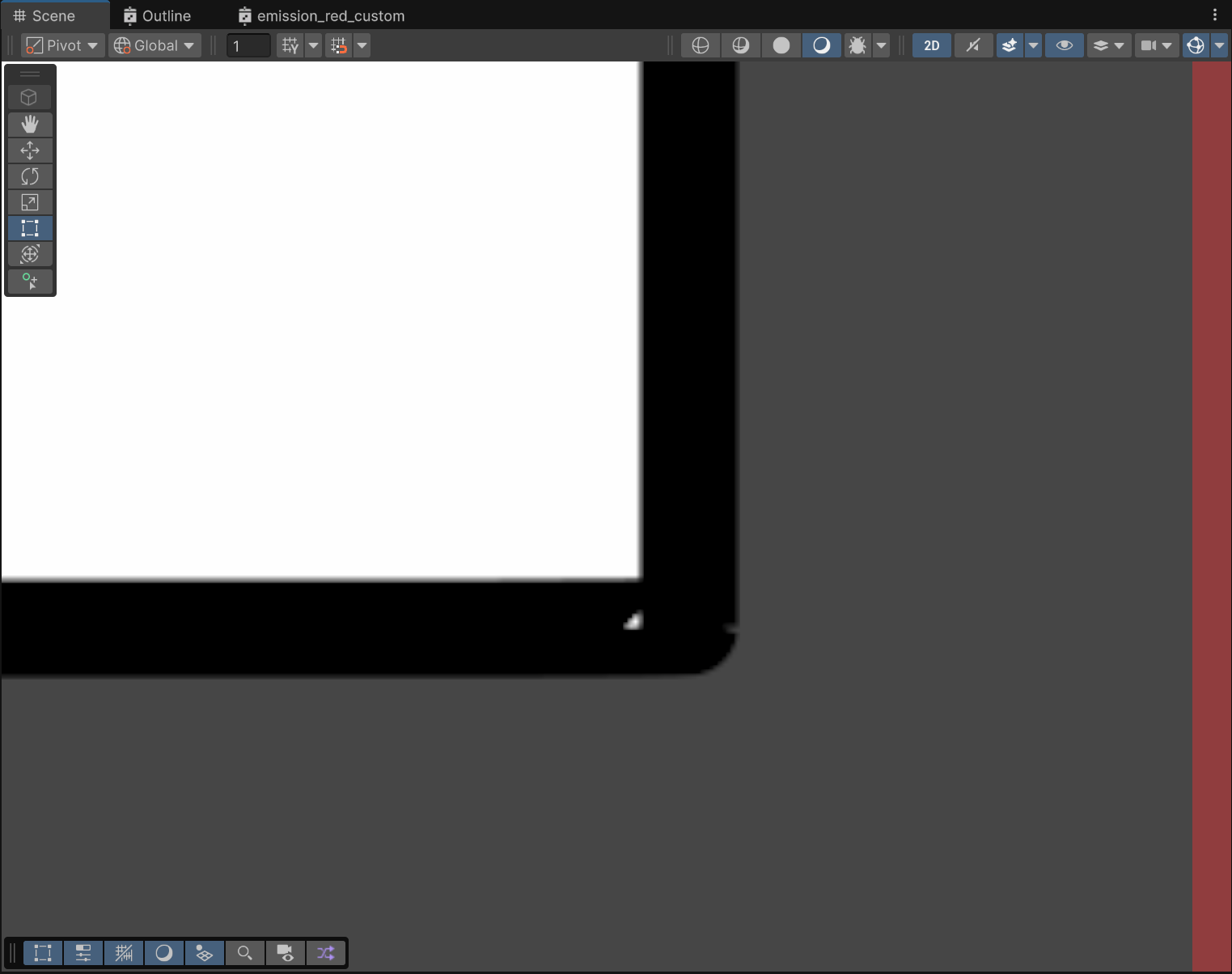
inkscape의 문제점 확인. 해결해보려고 하였으나 검색도 gpt도 실험도 도움이 안됨.
돈 써야할듯.
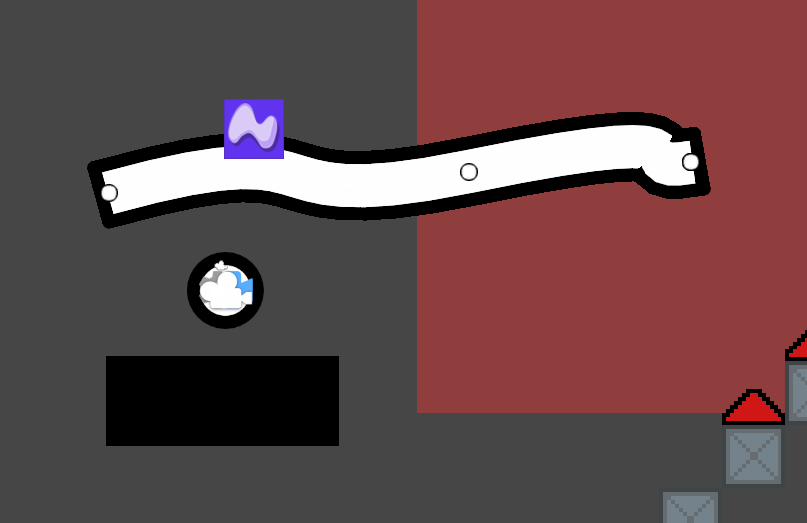
affinity designer free trial 써봤는데, 이미 결제해야할 것 같다는 생각이 든다.
문제도 검색하니까 바로 해결됐고, 가격도 싸고...
sprite shape도 적용해봤는데, 생각해보니 각지게 만들려면 9slice 한 평범한 sprite로 하는게 나을듯.
🎨 Art Practice : Drawing
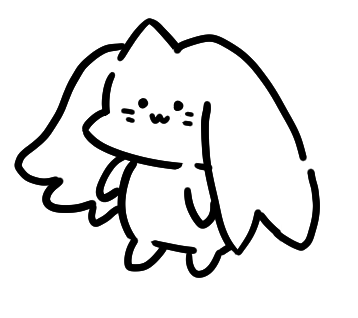
- 인간의 눈은 비대칭에 예민하다
- 이런 캐릭 그릴 때 눈과 입이 올망졸망 가까이 있어야 한다
- 브러시 그을 때 시작선이 얕은 건 힘을 다 받지 못했기 때문. 한 번 꾹 누르고 가야 함.
- 같은 부위를 그릴 땐 같은 브러시를 써야겠지만, 브러시 강약 조절을 일정하게 못하겠으면 아예 브러시 크기 바꾸고 꾹 누르는 것도 좋은듯.
- 귀여운 캐릭터를 그릴 때 커야 할 부위(꼬리, 귀 등)가 충분히 크지 않으면 뭔가 부족한 느낌이 든다.
- 강조될 필요가 없는 부분의 선이 불규칙적으로 굵거나 얇으면 시선이 분산되어 그림의 완성도가 떨어져보인다.

- 해상도(크기)를 높인 후에 안티엘리어싱을 약으로 두면 부드러운 선이 나온다
- 둥글게 모서리를 그릴 땐 모서리를 그린다는 감각보다는 둥글게 그린다는 감각을 우선한다
- 내가 그을 선이 어디로 갈지, 어떤 경로를 어떤 느낌으로 그릴지 미리 생각하고 그으면 훨씬 퀄리티가 좋아진다
