출처 : https://angular.kr/guide/router
1. AppRoutingModule 로드
// main/src/app/app.module.ts
import { BrowserModule } from '@angular/platform-browser';
import { NgModule } from '@angular/core';
import { AppRoutingModule } from './app-routing.module'; // AppRoutingModule을 로드합니다.
import { AppComponent } from './app.component';

@NgModule({
  declarations: [
    AppComponent
  ],
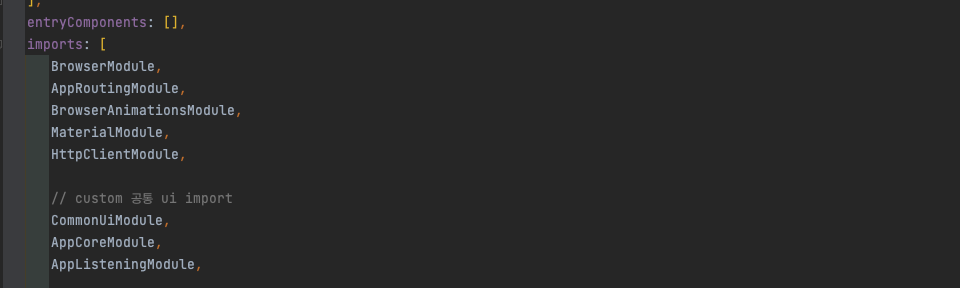
  imports: [
    BrowserModule,
    AppRoutingModule // Angular CLI가 AppRoutingModule을 AppModule imports 배열에 자동으로 추가합니다.
  ],
  providers: [],
  bootstrap: [AppComponent]
})
export class AppModule { }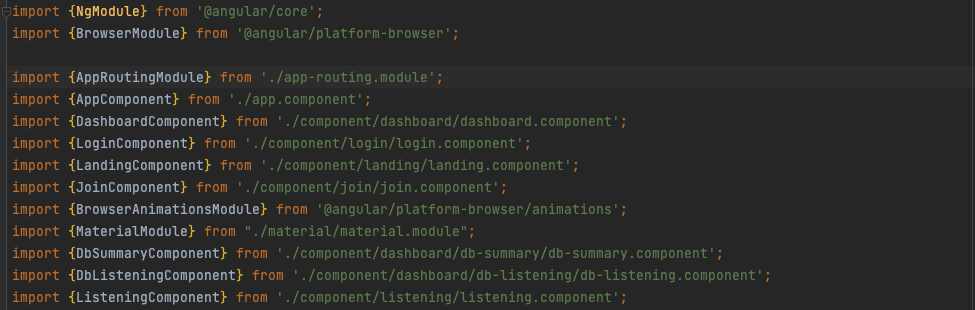
2. Routing 경로 설정
// main/src/app/app-routing.module.ts
import { NgModule } from '@angular/core';
import { Routes, RouterModule } from '@angular/router'; // 라우터 관련 심볼을 로드합니다.

const routes: Routes = [
  { path: 'first-component', component: FirstComponent },
  { path: 'second-component', component: SecondComponent },
]; // 라우팅 규칙은 이 배열에 등록합니다.

// NgModule의 imports, exports 배열에 RouterModule을 등록합니다.
@NgModule({
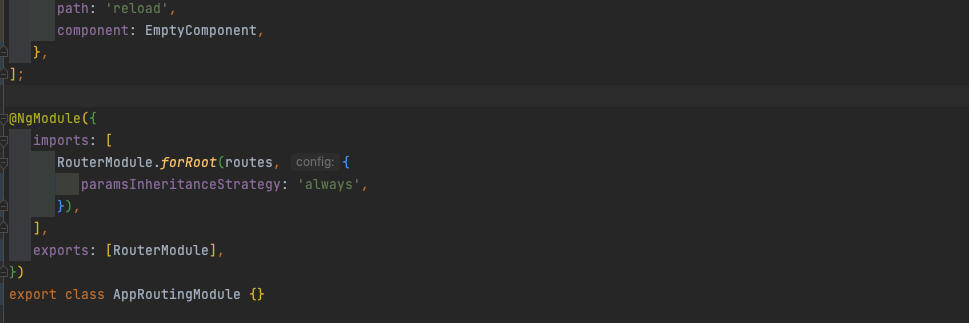
  imports: [RouterModule.forRoot(routes)],
  exports: [RouterModule]
})
export class AppRoutingModule { }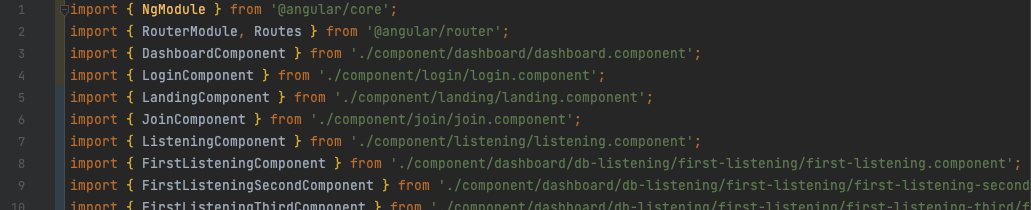
3. HTML 에서 사용하기
-
routerLink에 이동할 주소(path)을 지정합니다. -
<router-outlet></router-outlet>은 Angular가 화면을 전환할 때 관련 컴포넌트가 표시될 위치를 지정하는 엘리먼트 입니다.
<h1>Angular Router App</h1>
<!-- 아래 링크를 클릭하면 AppRoutingModule에 등록된 라우팅 규칙에 따라 화면을 전환합니다. -->
<nav>
  <ul>
    <li><a routerLink="/first-component" routerLinkActive="active">First Component</a></li>
    <li><a routerLink="/second-component" routerLinkActive="active">Second Component</a></li>
  </ul>
</nav>
<!-- 라우팅된 화면은 <router-outlet> 위치에 표시됩니다. -->
<router-outlet></router-outlet>
4. 실제 프로젝트에서는......
-
루트 app.module.ts와루트 app-routing.module.ts간에 설정한다. -
루트 app-routing.module.ts에서 자식(하위) 모듈로 연결을 한다. (ex : loadChildren) -
자식 app.module.ts와자식 app-routing.module.ts간에 설정한다.
4-1. Routes : https://angular.kr/api/router/Route
루트 app-routing.module.ts
// /Users/leesangheon/WebstormProjects/readin-client/projects/main/src/app/app-routing.module.ts
const routes: Routes = [
   {
      path: '',
      redirectTo: '/main',
      pathMatch: 'full',
   }, // 😀
   {
      path: 'dashboard',
      component: DashboardComponent,
      canActivate: [AuthGuard],
   }, // 😀
   {
      path: 'teacher',
      loadChildren: () => import('./app-teacher/app-teacher.module').then(m => m.AppTeacherModule),
      canActivate: [AuthGuard],
   }, // 😀 하위 모듈로 연결을 한다.
   {
      path: 'login',
      component: LoginComponent,
   }, // 😀

   {
      path: 'firstListeningSFourth',
      component: FirstListeningFourthComponent,
      canActivate: [AuthGuard],
      resolve: {
         levelTest: LevelTestResolver,
      },
   },
   {
      path: 'listeningLecture/:resultNo',
      component: ListeningLectureComponent,
      canActivate: [AuthGuard],
      children: listeningChild,
      resolve: {
         listeningMeta: ListeningMetaResolver,
      },
   },
   {
      path: 'test-listening',
      component: ListeningLectureComponent,
      canActivate: [AuthGuard],
      data: {
         testLecture: true,
      },
      children: listeningChild,
      resolve: {
         listeningMeta: ListeningMetaResolver,
      },
   },
   {
      path: 'admin',
      redirectTo: '/adminLogin',
      pathMatch: 'full',
   },
   {
      path: 'admin',
      loadChildren: () => import('./app-admin/app-admin.module').then(m => m.AppAdminModule),
      // pathMatch: 'full',
      canActivate: [AuthAdminGuard],
   },
   {
      path: 'student/reading',
      loadChildren: () =>
         import('./app-student-reading/app-student-reading.module').then(m => m.AppStudentReadingModule),
      canActivate: [AuthGuard],
   },
   {
      // ****************************
      path: 'student/reading2',
      loadChildren: () =>
         import('./app-student-reading2/app-student-reading2.module').then(m => m.AppStudentReading2Module),
      canActivate: [AuthGuard],
   },
   {
      // ****************************
      path: 'student/kstory',
      loadChildren: () => import('./app-student-kstory/app-student-kstory.module').then(m => m.AppStudentKstoryModule), // 😀😀😀😀😀
      // canActivate: [AuthGuard],
   },
   {
      path: 'reading-words-note',
      component: ReadingWordsNoteComponent,
      canActivate: [AuthGuard],
   },
   {
      path: 'real-time-management',
      component: RealTimeManagementComponent,
      canActivate: [AuthGuard],
   },
   {
      path: 'reload',
      component: EmptyComponent,
   },
];
자식 app-student-kstory.module.ts
// /Users/leesangheon/WebstormProjects/readin-client/projects/main/src/app/app-student-kstory/app-student-kstory.module.ts

import { NgModule } from '@angular/core';
import { CommonModule } from '@angular/common';

import { AppStudentKstoryRoutingModule } from './app-student-kstory-routing.module';
import { KstoryMainComponent } from './page/kstory-main/kstory-main.component';
import { KstorySummeryNoteComponent } from './page/kstory-summery-note/kstory-summery-note.component';
import { KstoryKeywordDictionaryComponent } from './page/kstory-keyword-dictionary/kstory-keyword-dictionary.component';
import { KstoryTestMainComponent } from './page/kstory-test-main/kstory-test-main.component';
import { KstoryTestKeywordComponent } from './page/kstory-test-keyword/kstory-test-keyword.component';
import { KstoryTestTypeComponent } from './page/kstory-test-type/kstory-test-type.component';
import { KstoryNoteComponent } from './page/kstory-note/kstory-note.component';

@NgModule({
   declarations: [
      			  KstoryMainComponent,
                  KstorySummeryNoteComponent,
                  KstoryKeywordDictionaryComponent,
                  KstoryTestMainComponent,
                  KstoryTestKeywordComponent,
                  KstoryTestTypeComponent,
                  KstoryNoteComponent
                 ],
   imports: [CommonModule, AppStudentKstoryRoutingModule],
})
export class AppStudentKstoryModule {}
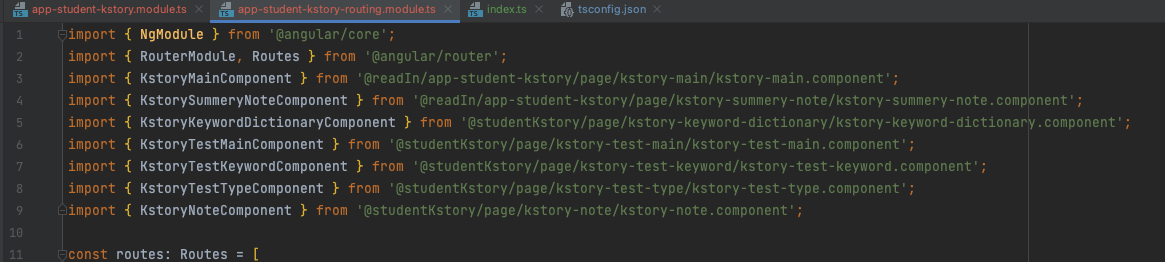
자식 app-student-kstory-routing.module.ts
// /Users/leesangheon/WebstormProjects/readin-client/projects/main/src/app/app-student-kstory/app-student-kstory-routing.module.ts

import { NgModule } from '@angular/core';
import { RouterModule, Routes } from '@angular/router';
import { KstoryMainComponent } from '@readIn/app-student-kstory/page/kstory-main/kstory-main.component';
import { KstorySummeryNoteComponent } from '@readIn/app-student-kstory/page/kstory-summery-note/kstory-summery-note.component';
import { KstoryKeywordDictionaryComponent } from '@studentKstory/page/kstory-keyword-dictionary/kstory-keyword-dictionary.component';
import { KstoryTestMainComponent } from '@studentKstory/page/kstory-test-main/kstory-test-main.component';
import { KstoryTestKeywordComponent } from '@studentKstory/page/kstory-test-keyword/kstory-test-keyword.component';
import { KstoryTestTypeComponent } from '@studentKstory/page/kstory-test-type/kstory-test-type.component';
import { KstoryNoteComponent } from '@studentKstory/page/kstory-note/kstory-note.component';

const routes: Routes = [
   {
      path: 'dashboard',
      component: KstoryMainComponent,
   },
   {
      path: 'summeryNote',
      component: KstorySummeryNoteComponent,
   },
   {
      path: 'keywordDictionary',
      component: KstoryKeywordDictionaryComponent,
   },
   {
      path: 'mainTest',
      component: KstoryTestMainComponent,
   },
   {
      path: 'keywordReTest',
      component: KstoryTestKeywordComponent,
   },
   {
      path: 'typeReTest',
      component: KstoryTestTypeComponent,
   },
   {
      path: 'note',
      component: KstoryNoteComponent,
   },
];

@NgModule({
   imports: [RouterModule.forChild(routes)],
   exports: [RouterModule],
})
export class AppStudentKstoryRoutingModule {}
4-2. Router : https://angular.kr/api/router/Router
import { Component, OnInit } from '@angular/core';
import { ApiService } from '@readIn/app-core/services/api.service';
import { Router } from '@angular/router';
import * as KstoryRoute from '@studentKstory/data/route';

@Component({
   selector: 'app-kstory-main',
   templateUrl: './kstory-main.component.html',
   styleUrls: ['./kstory-main.component.scss'],
})
export class KstoryMainComponent implements OnInit {
   constructor(private apiService: ApiService, private router: Router) {
      // this.apiService.get('test').subscribe(console.log);
   }

   ngOnInit(): void {}

   summeryNote() {
      console.log('summeryNote 함수');
      this.router.navigate([KstoryRoute.summeryNote]).then();
   }

   keywordDictionary() {
      console.log('keywordDictionary 함수');
      this.router.navigate([KstoryRoute.keywordDictionary]).then();
   }
//
<div>
<div>두근두근 한국사</div>
<div>두근두근 한국사 학습관입니다</div>
<div class="button-wrapper">
<div class="button" (click)="summeryNote()">요약노트 보기</div>
<div class="button" (click)="keywordDictionary()">핵심어 사전 보기</div>
<div class="button" (click)="MainTest()">테스트 시작</div>
<div class="button" (click)="keywordReTest()">TNT 핵심어 re 테스트</div>
<div class="button" (click)="typeReTest()">TNT 유형별 re 테스트</div>
</div>
</div>5. 경로로 한파일에서 변수화하여 관리 및 사용한다.
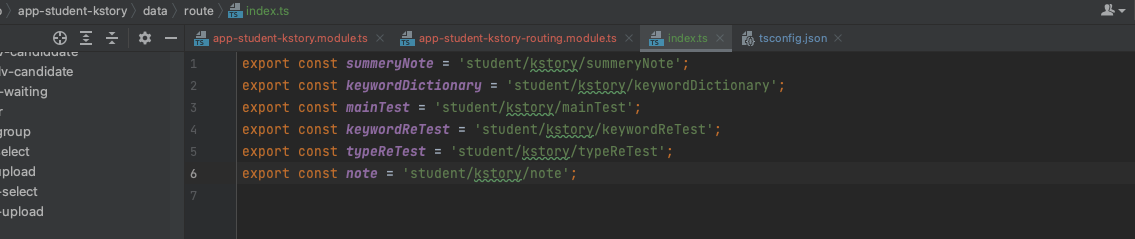
6. 일부 경로 변수화 하여 관리
- tsconfig.josn 에서 설정을 하고
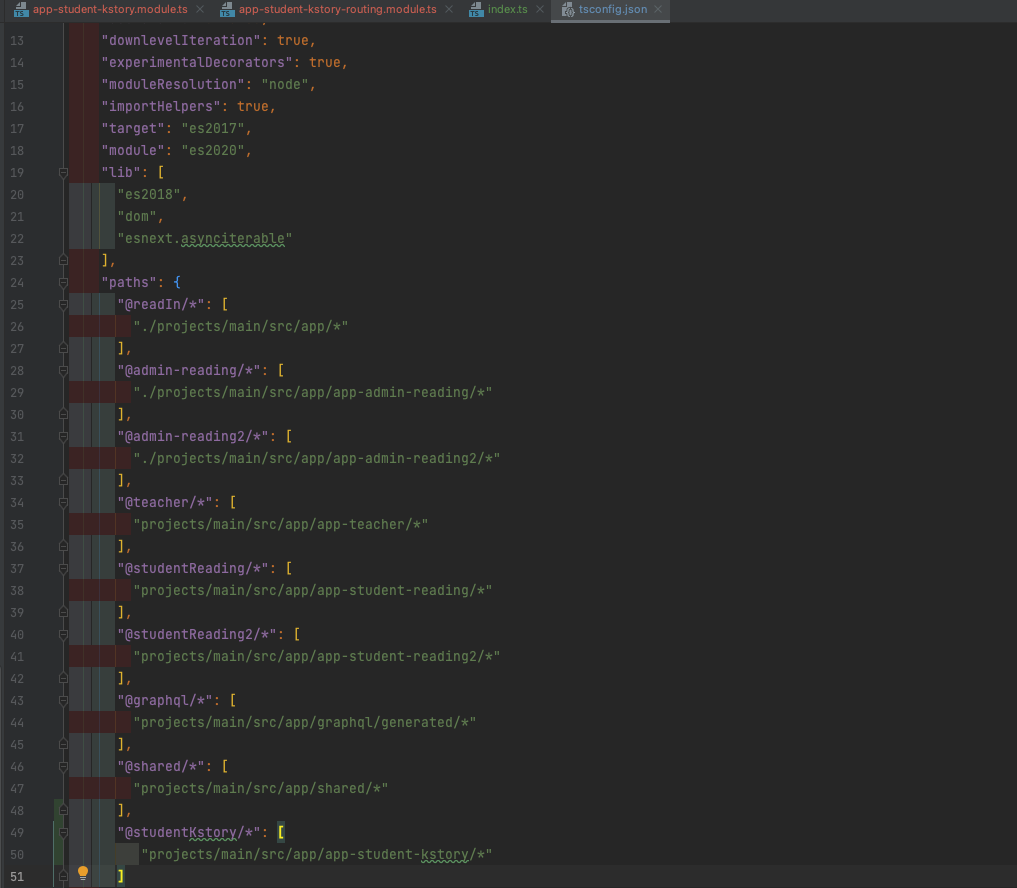
- 사용할곳에서 변수처럼 사용을 한다.