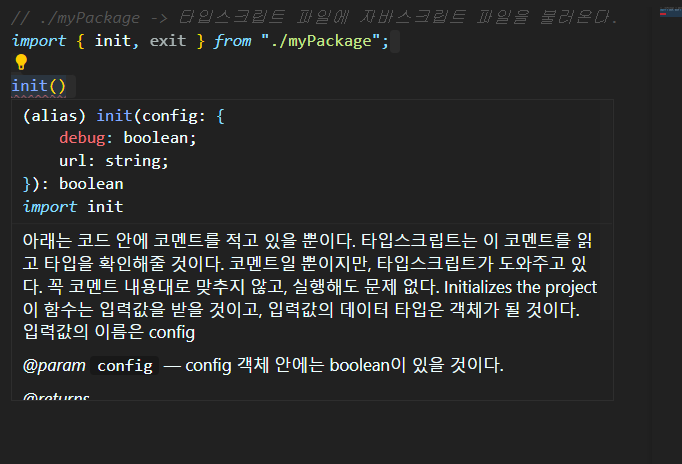
블록체인을 구현하고, ts 프로젝트를 만들 때 생산성을 높이는 방법에 대해서 알아보자.
// package.json
{
  "name": "typechain",
  "version": "1.0.0",
  "description": "",
  "scripts": {
    "build" : "tsc",
    "start": "node build/index.js"
  },
  "keywords": [],
  "author": "",
  "license": "ISC",
  "devDependencies": {
    "typescript": "^4.7.4"
  }
}
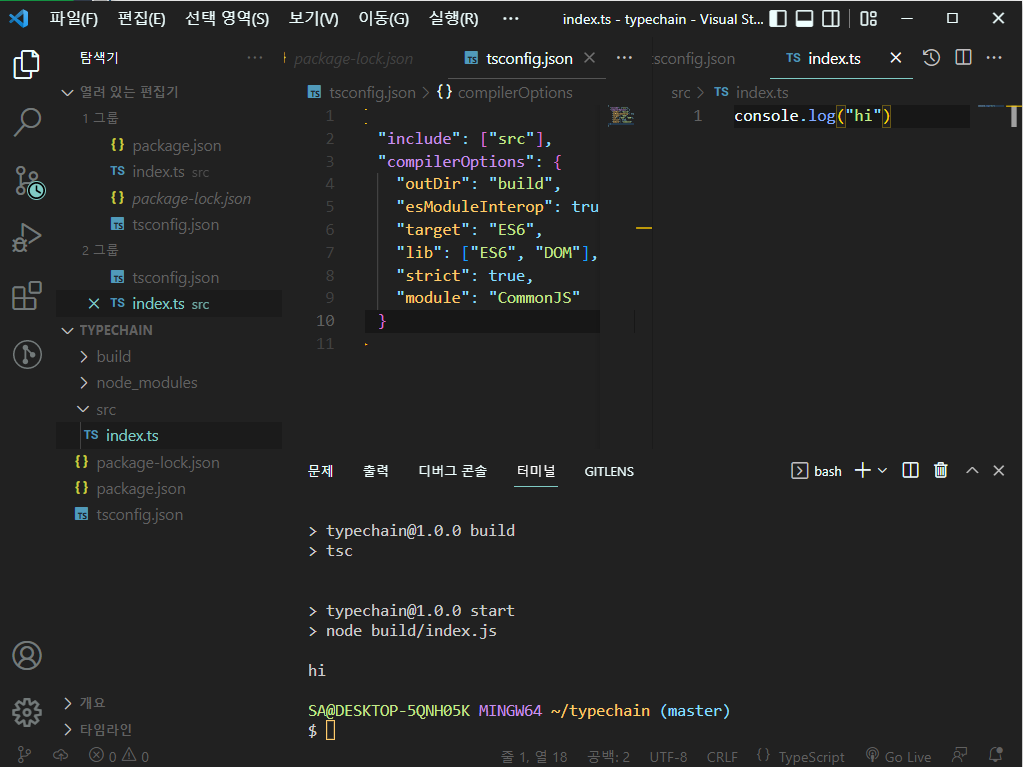
-> 워크 플로우(작업 흐름, 절차) : npm run build && npm run start
// tsconfig.json
{
  "include": ["src"],
  "compilerOptions": {
    "outDir": "build",
    "esModuleInterop": true,
    "target": "ES6",
    "lib": ["ES6", "DOM"],
    "strict": true,
    "module": "CommonJS"
  }
}
esModuleInterop : CommonJS 모듈을 ES6 모듈 코드베이스로 가져오려 할 때 발생하는 문제를 해결한다. ES6 모듈 사양을 준수하여 CommonJS 모듈을 정상적으로 가져올 수 있게 해준다.
// 빌드 없이 ts를 실행 할 수 있음. 빌드 없이 빠르게 새로고침 하고 싶을 때
npm i -D ts-node
// nodemon은 자동으로 커멘드를 재실행해줘서 서버를 재실행할 필요가 없다.
npm i nodemon
// package.json
{
"name": "typechain",
"version": "1.0.0",
"description": "",
"scripts": {
"build": "tsc",
"dev": "nodemon --exec ts-node src/index.ts",
"start": "node build/index.js"
},
"keywords": [],
"author": "",
"license": "ISC",
"devDependencies": {
"ts-node": "^10.9.1",
"typescript": "^4.7.4"
},
"dependencies": {
"nodemon": "^2.0.19"
}
}
Blocks
블록체인 : 여러 개의 블록이 사슬처럼 묶인 것.
연결고리는 해쉬값이다.
블록 안에는 데이터가 들어있다.
// import everything as crypto
import * as crypto from 'crypto';

interface BlockShape {
  hash:string;
  // 이전 해쉬값
  prevHash:string;
  // 블록의 위치를 표시해줌
  height:number;
  data:string;

}

// Block의 hash는 prevHash, height, data 값을 이용해서 계산된다.
// 해쉬는 그 블록의 고유 서명과 같다.
// 해쉬의 장점은 이상하게 생긴 데이터 표시이면서 결정론적이다.
// 즉, 데이터가 변하지 않으면 해쉬값도 변하지 않는다.
// 이것을 이용하면 블록체인의 블록 정보가 수정되지 않았다는 걸 확인할 수 있다.
class Block implements BlockShape {
  public hash:string;
  constructor(
    public prevHash:string,
    public height:number,
    public data:string
  ) {
    this.hash = Block.calculateHash(prevHash, height, data)
  }
  // static 함수는 클래스 안에 사용하는 함수
  // 클래스의 인스턴스가 없어도 부를 수 있음.
  static claculateHash(prevHash:string, height:number, data:string){
    const toHash = `${prevHash}${height}${data}`
  }
}
// p는 클래스의 인스턴스
const p = new Player()
p.kickBall()
타입스크립트로 정의되지 않은 패키지를 import할 때
-> 타입 정의를 일일이 다 적고 싶지 않은 경우
DefinitlyTyped
DefinitlyTyped by github
오직 타입 정의로만 이루어져있다. npm에 존재하는 거의 모든 패키지들에 대해서
// nodejs를 위한 타입을 다 설치해준다.
npm i -D @types/node그 외에도 axon을 ts에 설치하고 싶다면,
npm i axon
npm i -D @types/axon
해주면 된다.
왜? js와 관련된 패키지를 사용하려면, 타입 정의를 해줘야한다. 하지만, 작업이 번거로워 귀찮을 수 있는데, 다행이 여러 개발자들이 DefinitlyTyped를 오픈소스 프로젝트로 하여 js 패키지를 ts 패키지로 변환할 수 있는 밑작업을 해주었다. 그래서 ts 환경에서 js 패키지를 사용하고 싶다면, 'npm i 패키지' 설치, '@type/패키지' 설치하면, 따로 type과 call signature을 적지 않고도 편리하게 이용할 수 있다.
-> 하지만 최근에 패키지를 만드는 사람들은 npm 패키지를 설치하면, 패키지 자체는 js로 작성됐지만, d.ts 파일을 함께 포함시킨 경우가 많다.
-> 아니면, 커뮤니티가 타입 정의를 제공해주기도 한다.
-> node 패키지 타입을 전부 설치해야한다. 타입스크립트한테 node 안에 있는 타입 정의를 다 알려주고 싶다면, 그냥 '@types/node' 패키지를 설치해주면 된다.
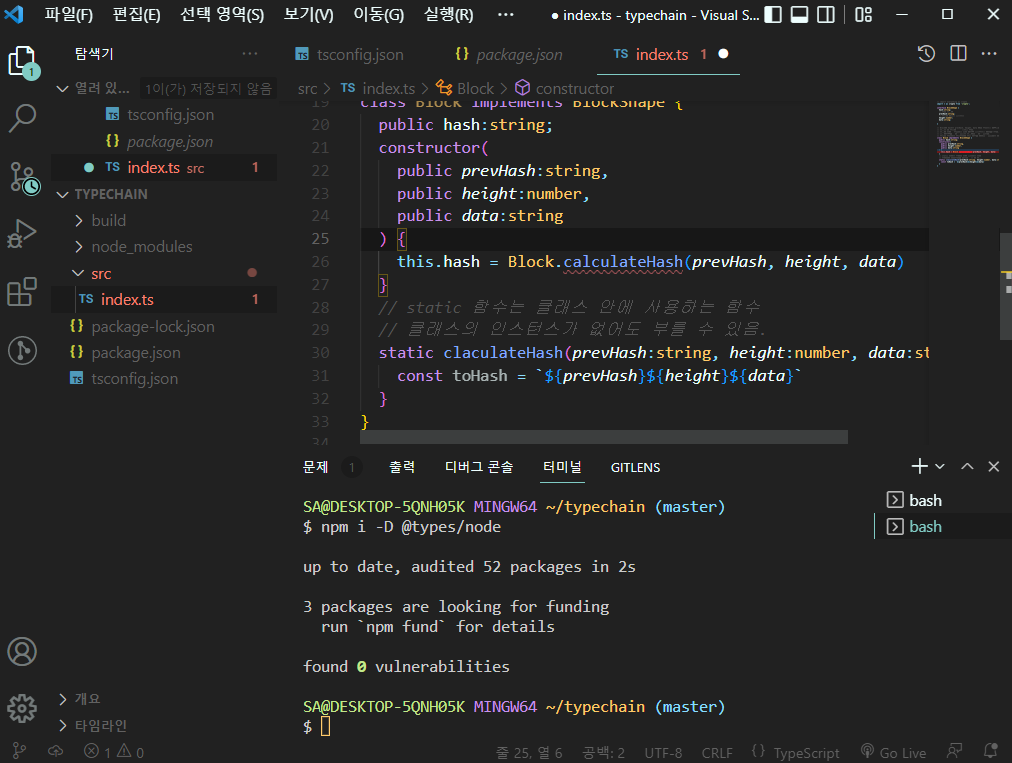
이것을 설치하면 nodejs의 모든 것을 ts에게 알려줄 수 있다.
// import everything as crypto
import * as crypto from 'crypto';

interface BlockShape {
  hash:string;
  // 이전 해쉬값
  prevHash:string;
  // 블록의 위치를 표시해줌
  height:number;
  data:string;

}

// Block의 hash는 prevHash, height, data 값을 이용해서 계산된다.
// 해쉬는 그 블록의 고유 서명과 같다.
// 해쉬의 장점은 이상하게 생긴 데이터 표시이면서 결정론적이다.
// 즉, 데이터가 변하지 않으면 해쉬값도 변하지 않는다.
// 이것을 이용하면 블록체인의 블록 정보가 수정되지 않았다는 걸 확인할 수 있다.
class Block implements BlockShape {
  public hash:string;
  // 블록을 생성하고 블록의 데이터를 받으면
  constructor(
    public prevHash:string,
    public height:number,
    public data:string
  ) {
    // 데이터의 해쉬값이 생성된다.
    this.hash = Block.claculateHash(prevHash, height, data);
  }
  // static 함수는 클래스 안에 사용하는 함수
  // 클래스의 인스턴스가 없어도 부를 수 있음.
  static claculateHash(prevHash:string, height:number, data:string){
    // 여기에서 그 데이터의 해쉬값이 생성된다.
    const toHash = `${prevHash}${height}${data}`;
    return crypto.createHash("sha256").update(toHash).digest(
      "hex")
  }
}
// import everything as crypto
import * as crypto from 'crypto';

interface BlockShape {
  hash:string;
  // 이전 해쉬값
  prevHash:string;
  // 블록의 위치를 표시해줌
  height:number;
  data:string;

}

// Block의 hash는 prevHash, height, data 값을 이용해서 계산된다.
// 해쉬는 그 블록의 고유 서명과 같다.
// 해쉬의 장점은 이상하게 생긴 데이터 표시이면서 결정론적이다.
// 즉, 데이터가 변하지 않으면 해쉬값도 변하지 않는다.
// 이것을 이용하면 블록체인의 블록 정보가 수정되지 않았다는 걸 확인할 수 있다.
class Block implements BlockShape {
  public hash:string;
  // 블록을 생성하고 블록의 데이터를 받으면
  constructor(
    public prevHash:string,
    public height:number,
    public data:string
  ) {
    // 데이터의 해쉬값이 생성된다.
    this.hash = Block.claculateHash(prevHash, height, data);
  }
  // static 함수는 클래스 안에 사용하는 함수
  // 클래스의 인스턴스가 없어도 부를 수 있음.
  static claculateHash(prevHash:string, height:number, data:string){
    // 여기에서 그 데이터의 해쉬값이 생성된다.
    const toHash = `${prevHash}${height}${data}`;
    return crypto.createHash("sha256").update(toHash).digest(
      "hex")
  }
}

class Blockchain {
  private blocks: Block[]
  constructor(){
    this.blocks=[];
  }
  // 이전 해쉬값을 불러올 수 있는 함수
  private getPrevHash(){
    // 이전 블록의 길이가 0이라면, 첫번째 해쉬가 없다.
    if(this.blocks.length===0) return ""
    // 마지막 블록의 해쉬값을 return
    return this.blocks[this.blocks.length-1].hash;
  }

  // 새로운 블록을 추가할 때는 블록에 저장하고 싶은 데이터를 보내줘야함.
  public addBlock(data:string){
    // 새로운 block을 추가하고 싶다면 3개의 인자가 필요하다.
    const newBlock = new Block(this.getPrevHash(), this.blocks.length+1, data);
    this.blocks.push(newBlock);
  }
  // 보안상으로 엄청난 문제다.
  // 누구든지 여러 단계를 거치지 않고도 블록체인에 새로은 블록을 추가할 수 있다.
  // this.blocks을 return하고 있기 때문이다.
  public getBlocks(){
    return this.blocks;
  }
}

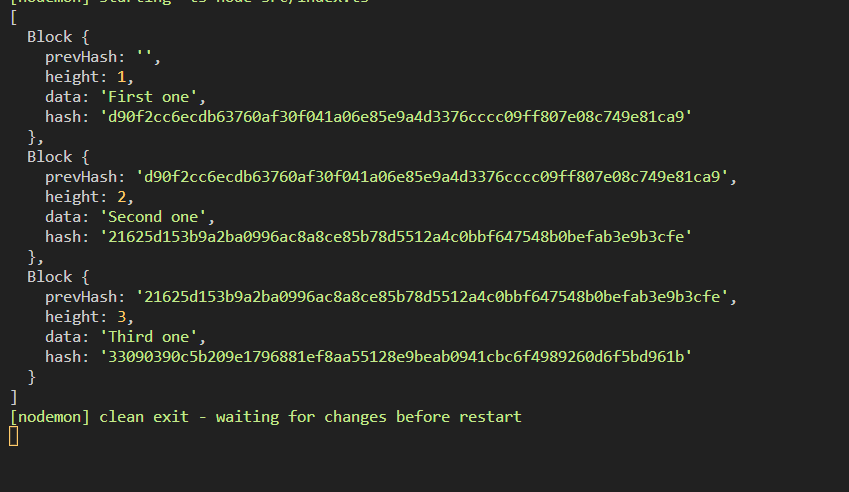
const blockchain = new Blockchain();

blockchain.addBlock("First one");
blockchain.addBlock("Second one");
blockchain.addBlock("Third one");

// 그래서 배열에도 접근할 수 있다.
// 즉, 단계를 거치지 않고, 새로운 블록을 배열에 더할 수 있다. -> 해킹당함
blockchain.getBlocks().push(new Block('xxxxx', 1324, 'DSFSDF'))
console.log(blockchain.getBlocks());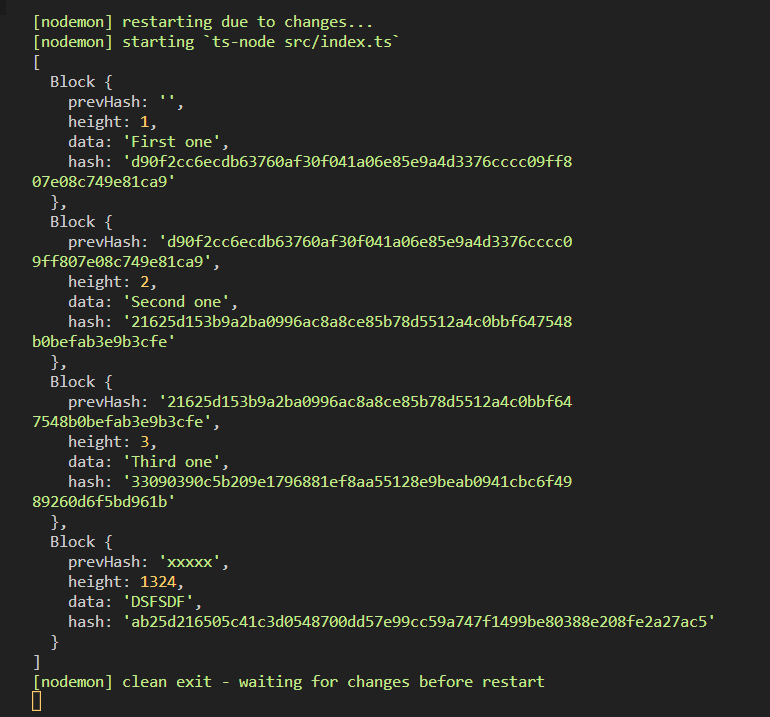
this.blocks를 return하지 않고, 새로운 배열을 return 해주면 해킹없이 블록이 생성되는 것을 볼 수 있다.
  public getBlocks(){
    return [...this.blocks];
  }
심도있게 타입스크립트를 배우고 싶다면 읽어봐라.
typescript handbook
후기
타입스크립트가 왜 핫한지, 자바스크립트보다 타입스크립트를 사용하는게 왜 좋은지 이유에 대해서 알게 되었다. 제일 인상 깊었던 건, generic, 다형성, 그리고 타입스크립트 보호 장치였다. 특히 JSDoc 기능을 알게 되어서 js 코드를 ts 보호 장치로 이용할 수 있다는 사실이 기억에 남았다.