Structure
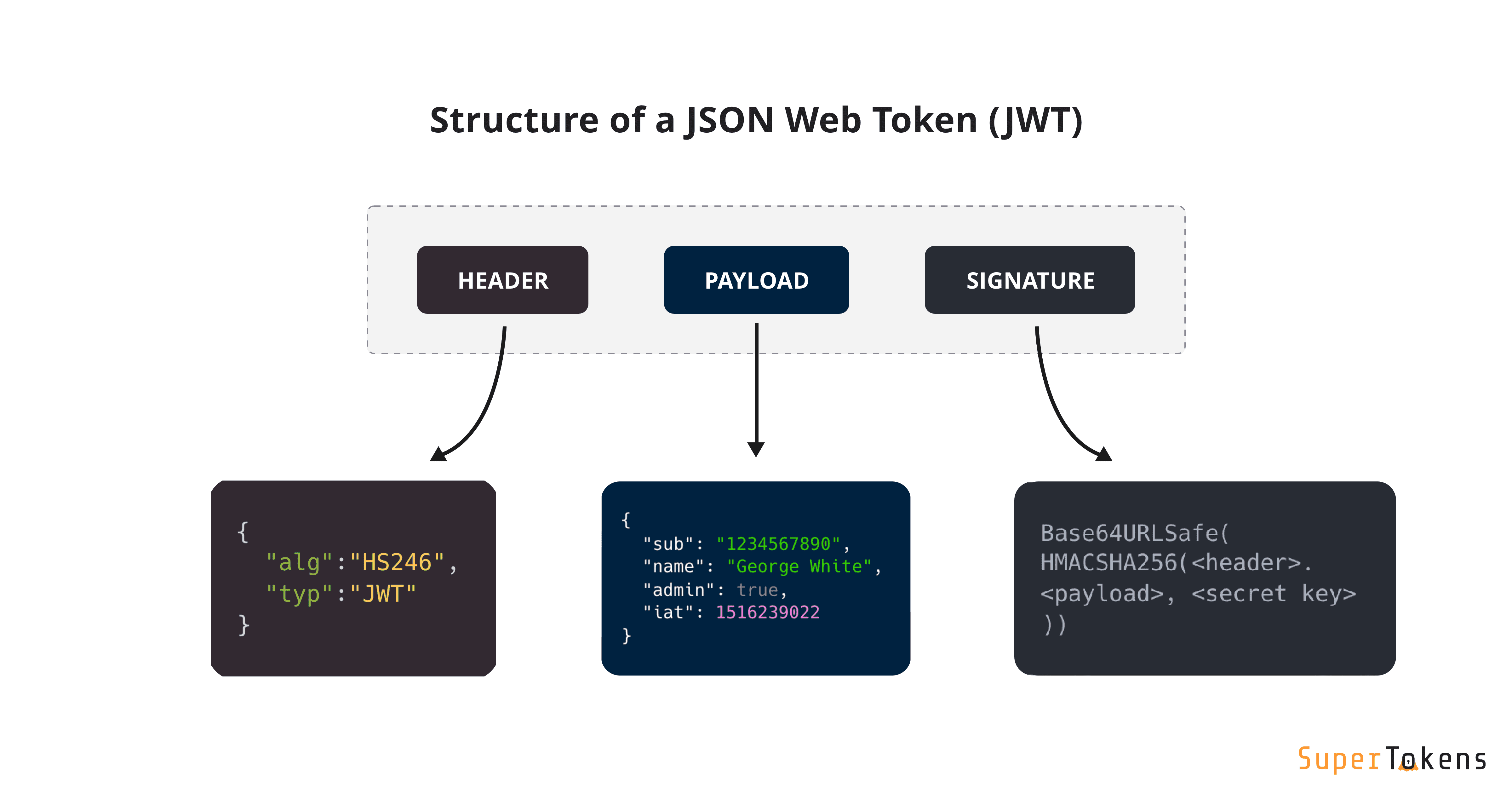
The data are separated by periods.
header.payload.signature
claims: what's inside of payload.
Encoding
Base64Url encoding is used to ensure that the JWT can be safely and easily transmitted across various mediums, particularly in web environments (like URLs, HTTP headers, etc.):
Generating Signature
The signature generation process depends on the algorithm specified in the JWT header. The two main categories are HMAC (symmetric) and RSA/ECDSA (asymmetric).
General Steps:
- Prepare the input for signing:
- Take the Base64 Url-encoded Header.
- Take the Base64 Url-encoded Payload.
- Concatenate them with a dot in between: Base64Url(Header) + "." + Base64Url(Payload)
- This combined string is often referred to as the "signing input" or "message to be signed."
- Apply the cryptographic algorithm (based on alg in header):
a) HMAC (e.g., HS256, HS384, HS512 - Symmetric Algorithms):
- These algorithms use a single, shared secret key for both signing and verification.
- The signing input (from step 1) is passed through an HMAC function along with the secret key.
HMAC(signing_input, secret_key)- The output is a hash (e.g., SHA256 for HS256).
b) RSA / ECDSA (e.g., RS256, PS256, ES256 - Asymmetric Algorithms):
- These algorithms use a key pair: a private key for signing and a public key for verification.
- The signing input (from step 1) is first hashed using a specified hashing algorithm (e.g., SHA256 for RS256).
- The resulting hash is then encrypted (or "signed") using the private key of the signing party.
Sign(Hash(signing_input), private_key)
- Base64Url-Encode the Signature: The raw cryptographic output from step 2 is then Base64Url-encoded to become the third part of the JWT string.
Comparing
When a JWT is received, the verification process works similarly, but in reverse (or by re-calculating and comparing):
-
Extract Components: The verifier splits the received JWT string into its three parts: encodedHeader, encodedPayload, and receivedSignature.
-
Reconstruct Signing Input: The verifier takes the encodedHeader and encodedPayload and concatenates them with a dot: encodedHeader + "." + encodedPayload. This is the exact same "signing input" that was used during generation.
-
Apply the same cryptographic algorithm (using the appropriate key):
a) HMAC (Symmetric):
- The verifier uses the same shared secret key that was used for signing.
- It passes the reconstructed signing input and the secret key through the same HMAC function.
CalculatedSignature = HMAC(reconstructed_signing_input, secret_key)
b) RSA / ECDSA (Asymmetric):
- The verifier uses the public key corresponding to the private key that signed the token.
- It hashes the reconstructed signing input using the same hashing algorithm.
- It then decrypts (or "verifies") the receivedSignature using the public key and compares the decrypted hash with the hash it just calculated.
- Alternatively, it can perform a verification operation that takes the hash of the signing input, the receivedSignature, and the public key, and returns true or false.
Verify(Hash(reconstructed_signing_input), receivedSignature, public_key)
- Compare Signatures:
- For HMAC: The CalculatedSignature is compared byte-for-byte with the receivedSignature.
- For RSA/ECDSA: The verification function directly tells you if the signature is valid for the given input and public key.