[파일업로드]
1단계 - 설정
1) 라이브러리 등록
- 메이븐 중앙저장소에서 검색해서 사용
- pom.xml에 라이브러리등록
2) 스프링 설정파일에 등록
- CommonsMultipartResolver를 spring-config.xml에 등록
-> id는 무조건 multipartResolver로 등록해야한다.
-> spring mvc내부에서 multipartResolver로 등록된 빈을 찾아서 파일업로드를 처리
-> enctype="multipart/form-data"로 처리하고 CommonsMultipartResolver의 id를 다르게 등록하면 파일과 폼데이터를 읽어올 수 없다.
3) 업로드될 파일이 저장될 폴더를 생성
2단계 - 파일업로드처리
- 실제 업로드 되는 서버의 위치가 필요
- 업로드된 원본파일명과 중복되지 않도록 식별할 수 있는 파일명을 생성해서 업로드하기
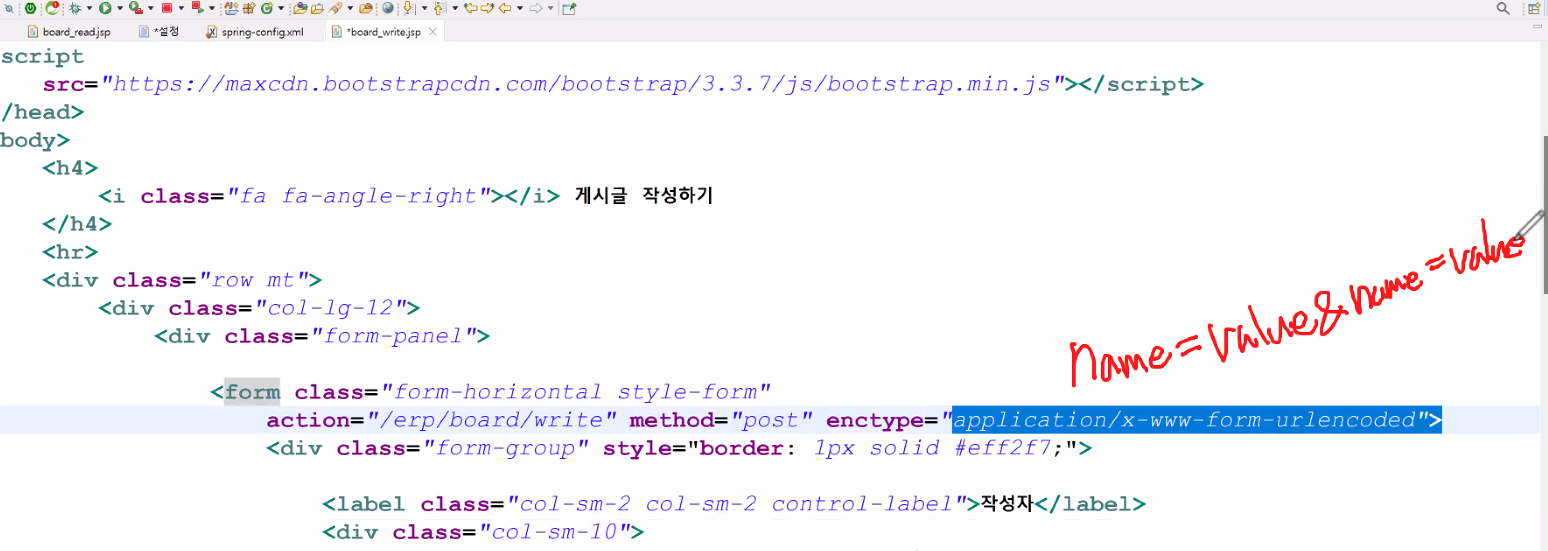
- 파일업로드와 폼데이터가 같이 서버로 전송되어야 하므로 (요청방식이 전혀다름) 무조건 enctype="multipart/form-data"로 전송해야하고 method="post"로 정의해야 한다.
HTML폼 전송 방식
(1) enctype="application/x-www-form-urlencoded"
-> 폼데이터를 name=value&name=value...의 형태로 전송하라는 의미
-> HTML폼 데이터를 서버로 전송하는 가장 기본적인 방식
-> 별도로 enctype설정을 정의하지 않으면 request헤더에 application/x-www-form-urlencoded로 전송되었음이 추가
-> 입력한 데이터는 요청메시지의 body에 name=value&name=value...의 형식으로 전송
입력한 파라미터와 파라미터는 &기호로 구분된다.
- 사용자가 입력한 데이터와 업로드할 파일에 대한 정보를 같이 받아서 처리할 수 있도록 작업
스프링MVC에서 클라이언트가 입력한 데이터를 객체로 만들어서 컨트롤러에 전송
-> 객체 (DTO)
스프링 MVC에서 업로드되는 파일을 MultipartFile로 관리
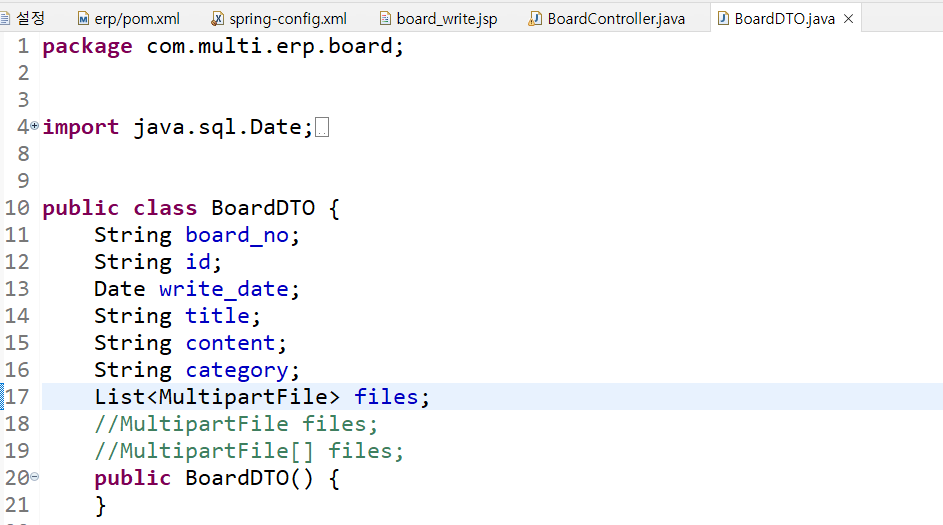
업로드되는 파일을 받아서 처리하기 위해서 DTO에 멤버변수로 정의
멤버변수명은 html태그에 정의된 name과 동일
업로드하는 파일이 여러개인 경우 spring mvc List로 관리하거나 ultipartFile[]로 만들어서 넘겨준다.
3단계 - 업로드되는 정보가 디비에 저장
- 업로드될 파일 정보가 저장될 테이블을 생성
- 테이블의 레코드 하나를 표현한 DTO를 정의
- 업로드되는 파일의 정보를 DTO로 만들어서 ArrayList에 저장하기
=> 원본파일명이 중복되지 않도록 서버에 저장될 파일명을 만들기
=> UUID를 이용해서 식별할 수 있는 값을 생성
(128비트의 길이, 중복될 일이 거의 없음, 네트워크환경에서 식별하기 위해 사용하는 키(시간, 해싱, 랜덤, mac...)) - 컨트롤러에서 BoardDTO(일반적인게시글)와 List(게시글 하나에 첨부한 파일의 정보들)를 서비스로 넘기기
=> 서비스는 게시판 글등록 버튼을 누를때 호출되는 메소드로 1개의 메소드에 정의 - DAO의 각각의 테이블에 데이터를 insert할 수 있도록 메소드를 2개 정의
=> 테이블이 다르고 실행할 sql문이 다르면 sql문을 처리하는 메소드를 각각 만들어야 한다. - xml에 실행될 sql문을 각각 등록
=> 첨부한 파일의 정보는 여러 개가 있으므로 한꺼번에 insert할 수 있도록 처리해야 한다.
4단계 - 파일다운로드
- 게시글 상세보기에서 업로드된 파일의 정보를 확인
- 업로드된 파일을 클릭하면 클라이언트 pc로 다운로드
파일업로드 실습 1,2단계
pom.xml에 추가
		<!-- 파일업로드 -->
		<dependency>
			<groupId>commons-fileupload</groupId>
			<artifactId>commons-fileupload</artifactId>
			<version>1.2</version>
		</dependency>
		<dependency>
			<groupId>commons-io</groupId>
			<artifactId>commons-io</artifactId>
			<version>1.4</version>
		</dependency>
spring-config에 등록
<!--===============================파일업로드==============================  -->
	<beans:bean id="multipart" class="org.springframework.web.multipart.commons.CommonsMultipartResolver">
		<beans:property name="maxUploadSize" value="4000000"/>
	</beans:bean>
WEB-INF에 upload 폴더 만듦
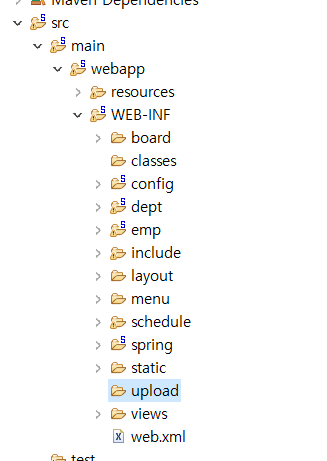
- 이 위치는 작업하기 편한위치고 실제서버가 인식하는 위치는
C:\backend23\work\springwork.metadata.plugins\org.eclipse.wst.server.core\tmp0\wtpwebapps\erp\WEB-INF - 사이즈를 최소화해서 원하는 해상도 구현할지 생각해야 함
보드write에 파일업로드 뷰 추가
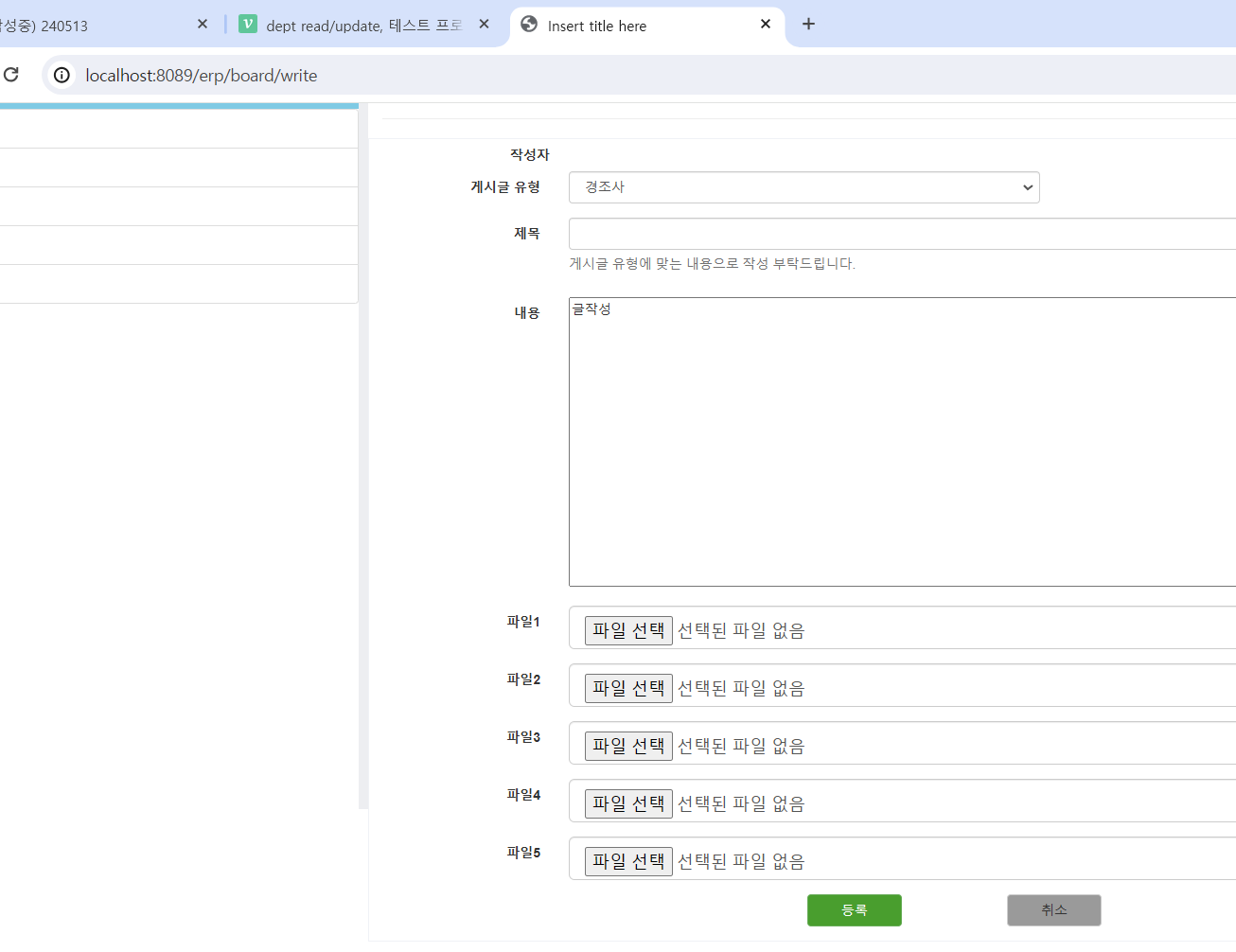
- 글내용이랑 파일이랑 다른 위치에 저장되어야함
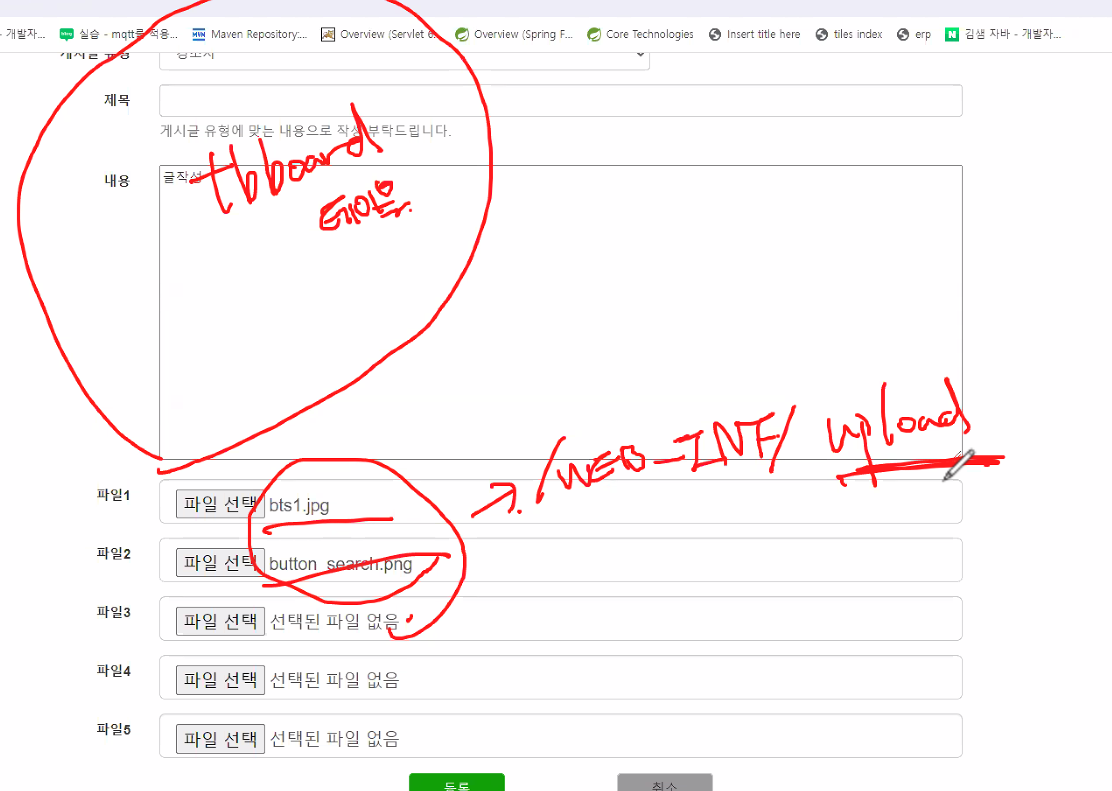
- 파일을 한두명이 업로드할게 아니니 파일명이 중복되지 않게 만들어야함
- 파일업로드는 무조건 포스트방식. 겟방식은 256메가?까지밖에안됨
BoardController @PostMapping("/write")이부분 수정해서 파일업로드할수있게
@Controller
@RequestMapping("/board")
public class BoardController {
	private BoardService service;
	private FileUploadService fileuploadService;
	@Autowired
	public BoardController(BoardService service, FileUploadService fileuploadService) {
		super();
		this.service = service;
		this.fileuploadService = fileuploadService;
	}

	@GetMapping("/write")
	public String write() {
		return "board/writepage";//뷰이름
	}
	//게시글등록을 위해 사용자가 입력한 내용과 첨부한 파일이 업로드되도록 처리
	@PostMapping("/write")
	public String insert(BoardDTO board, HttpSession session)
								throws IllegalStateException, IOException {
		System.out.println("파일업로드:"+board);
		//1. MultipartFile 정보를 추출
		List<MultipartFile> file = board.getFiles();
		//2. 업로드될 서버의 실제 위치를 추출
		//	- 실제 서버에서 인식하는 업로드된 파일이 저장될 폴더의 경로를 추출하기
		//	- context내부에 있으므로 ServletContext객체를 잉ㅇ
		//	- ServletContext객체는 프로젝트(context)에 대한 정보를 담고 있는 객체이고
		//		이 안에 실제 경로를 구할 수 있는 기능이 있음
		//	- ServletContext는 세션객체를 통해 생성
		String path = WebUtils.getRealPath(session.getServletContext(), "/WEB-INF/upload");
		System.out.println("^^^^^^"+path);
		service.insert(board);

		//3. 업로드 로직을 처리하는 서비스의 메소드를 호출
		fileuploadService.uploadFiles(file, path);
		return "redirect:/board/list?category=all";
	}
}
FileUploadService
- 파일업로드를 수행하는 메소드 - 파일업로드를 하기 위해서 List< MultipartFile >객체와 실제 업로드할 위치를 매개변수로 전달받아 사용
@Service
public class FileUploadService {
	public void uploadFiles(List<MultipartFile> multipartFiles, String path)
								throws IllegalStateException, IOException {
		for(MultipartFile multipartFile:multipartFiles) {
			//파일명
			String filename = multipartFile.getOriginalFilename();
			//~~~~/WEB-INF/upload + / + 파일명
			//-------------------
			//		path
			multipartFile.transferTo(new File(path+File.separator+filename));
		}
	}
}
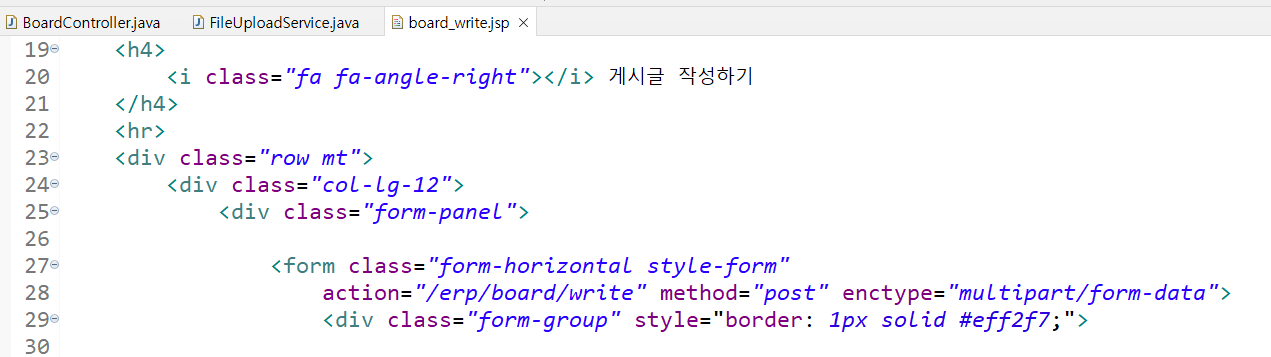
board_write.jsp enctype수정추가
BoardDTO List files 추가
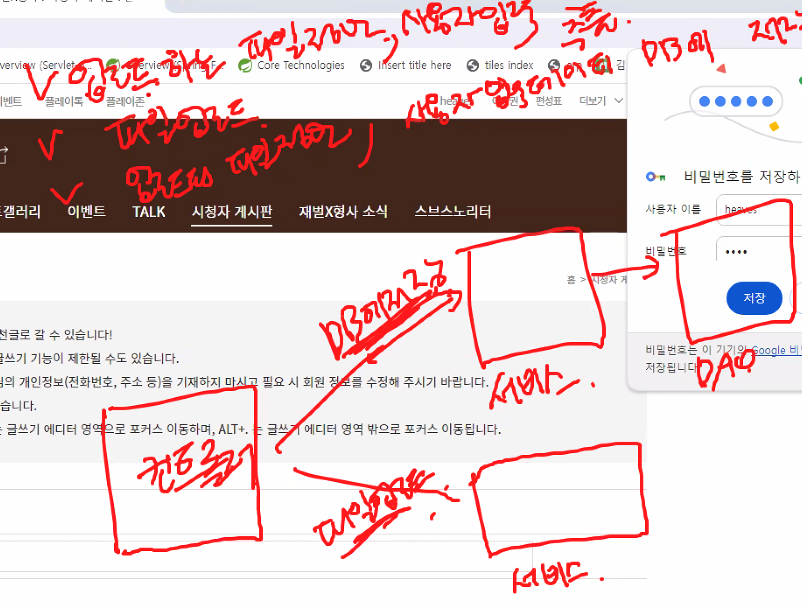
영구적으로 저장되게하려면 무조건 db에 저장해야함
추가 다하면 실제 파일경로에 파일 업로드한 파일 들어옴. 그러나 동일한파일이 반복해서 들어오지않음

파일업로드 실습 3단계
-
파일업로드갯수가 매번 다른데 넘어오는건 멀티파트 하나
-
동일한 파일명 덮어쓰는거 해결해야함
-
첨부되는 파일 정보는 게시글에 종속적임

-
파일테이블의 pk가 있어야 삭제/업데이트 등 가능
파일 정보 저장을 위한 board_file테이블 생성
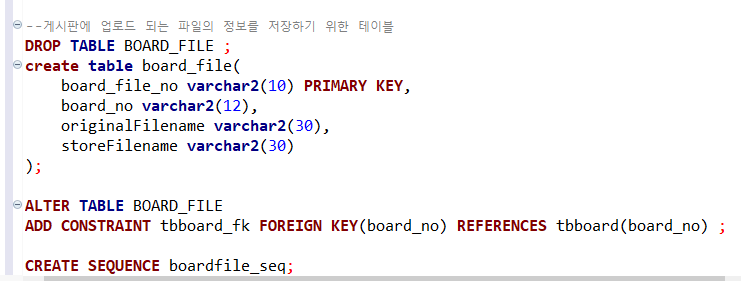
BoardFileDTO 생성
@Data
@AllArgsConstructor
@NoArgsConstructor
public class BoardFileDTO {
	private String board_file_no;//식별할 수 있는 번호
	private String board_no;//첨부된 파일이 어떤 게시글의 파일인지 구분하기 위한 게시글 번호(tbboard의 board_no로 fk)
	private String originalFilename;//원본파일명
	private String storeFilename;//실제저장될 파일명
}
FileUploadService
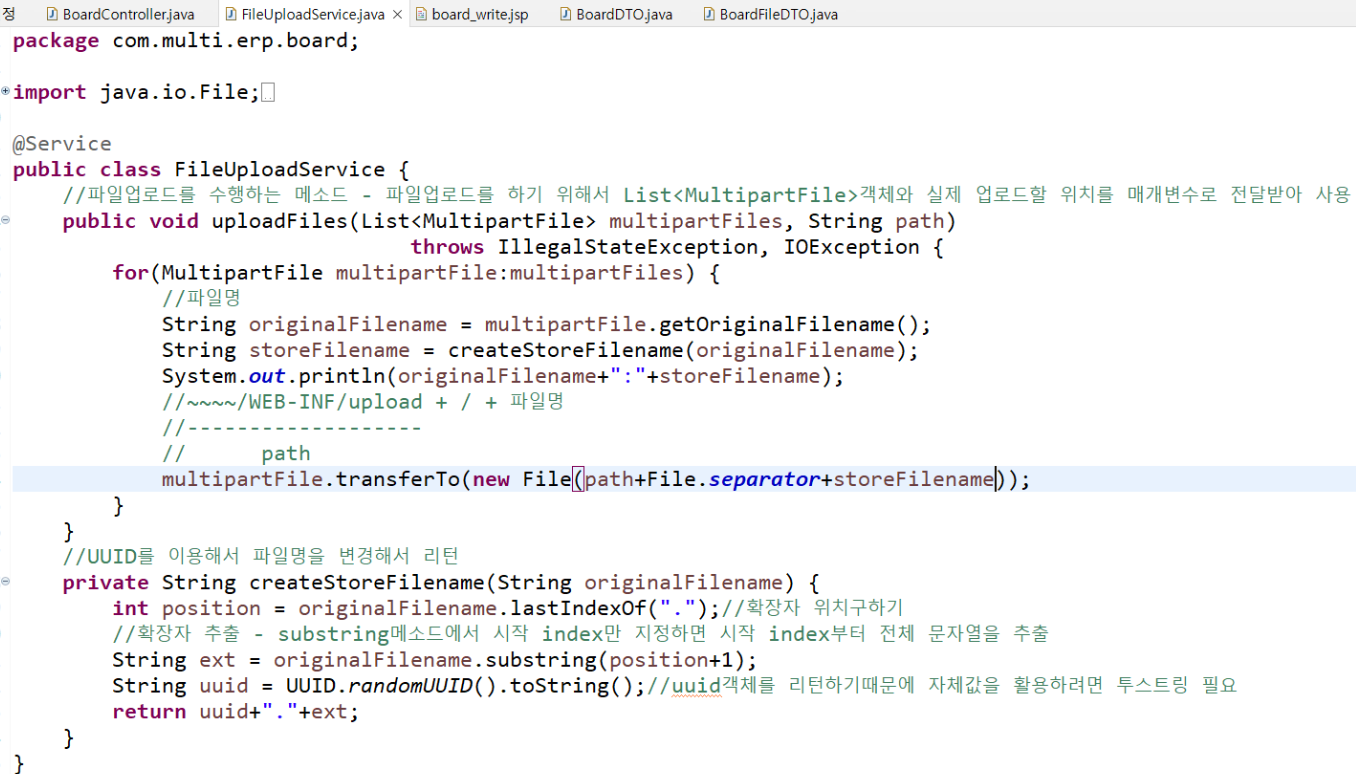
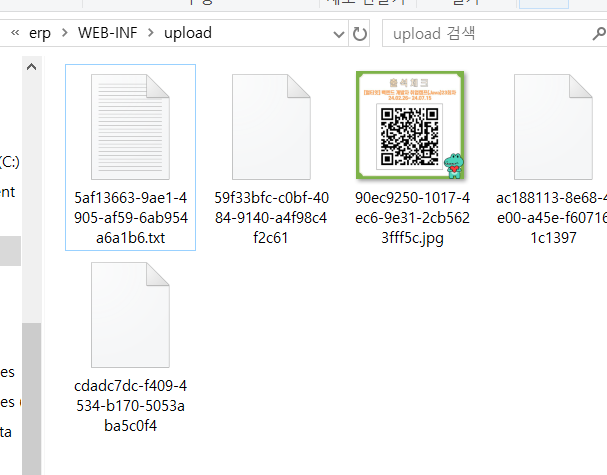
-
파일업로드부분이 5개라서 첨부 안한부분은 빈파일됨
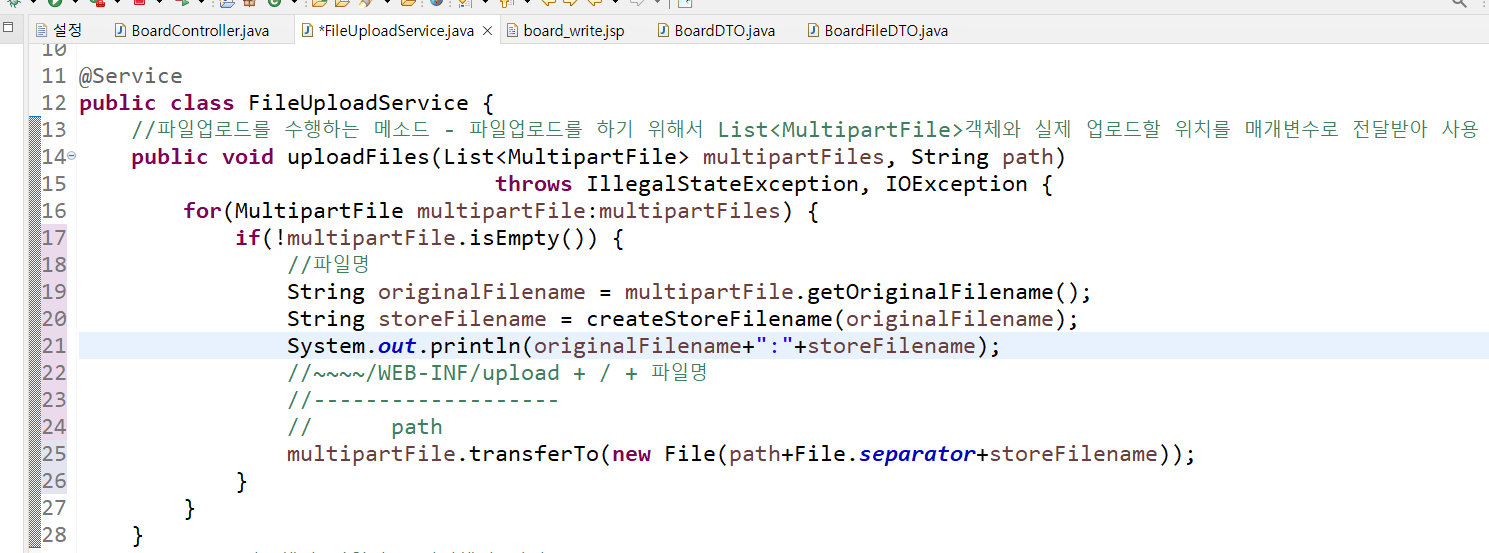
-
파일이 첨부하지않은건 업로드안되게 설정하기
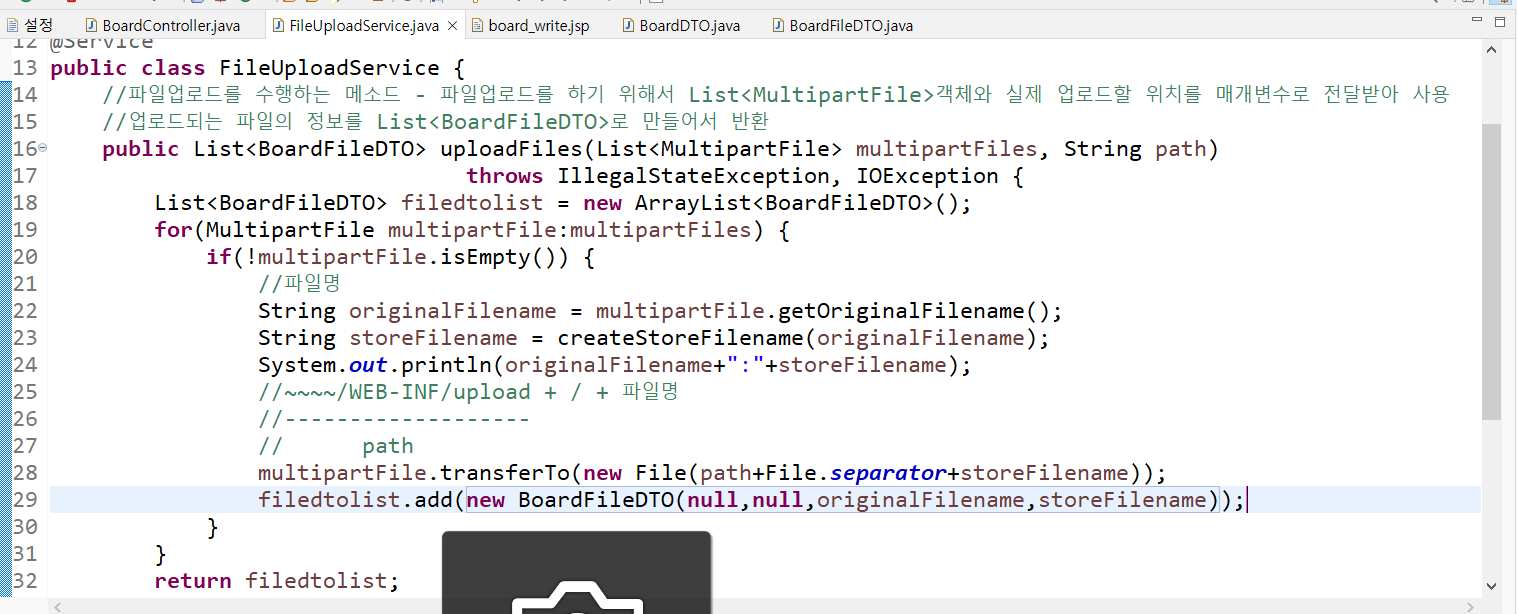
-
BoardFileDTO 리스트로 반환하게 만들기
BoardDAOImpl
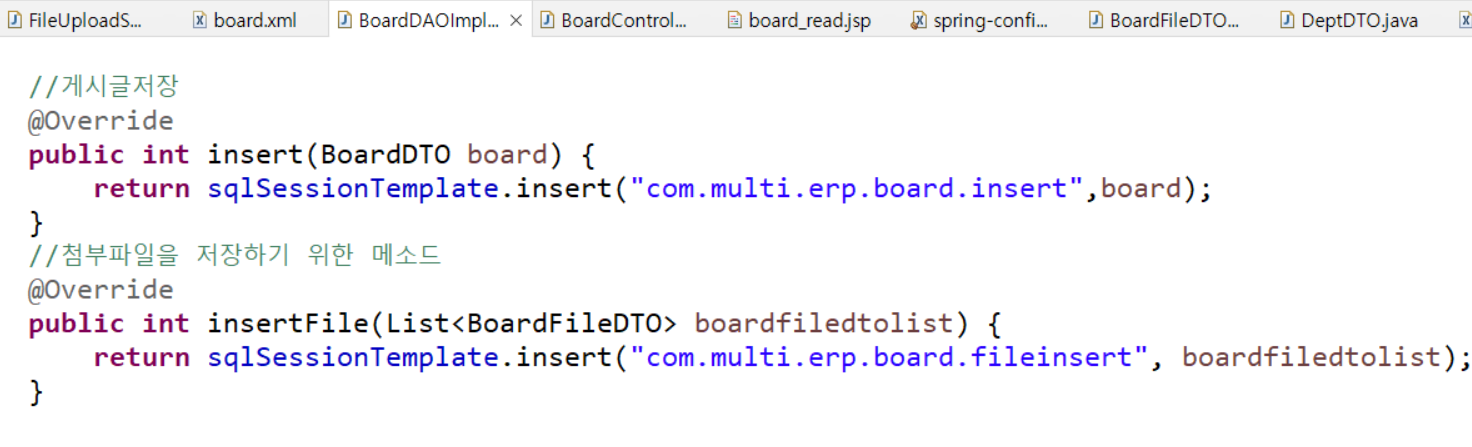
-
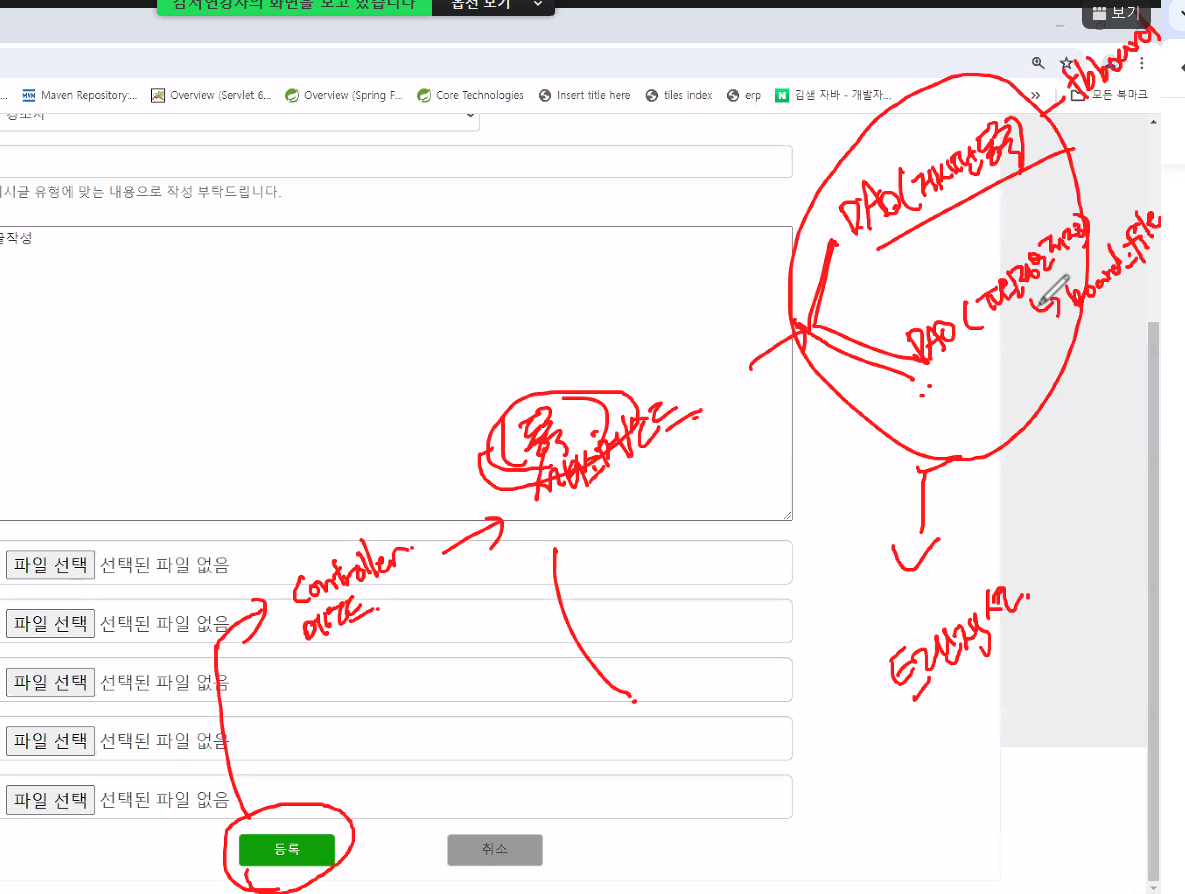
등록버튼 누르면 게시글 내용과 파일등록이 각각의 테이블에 등록되어야함
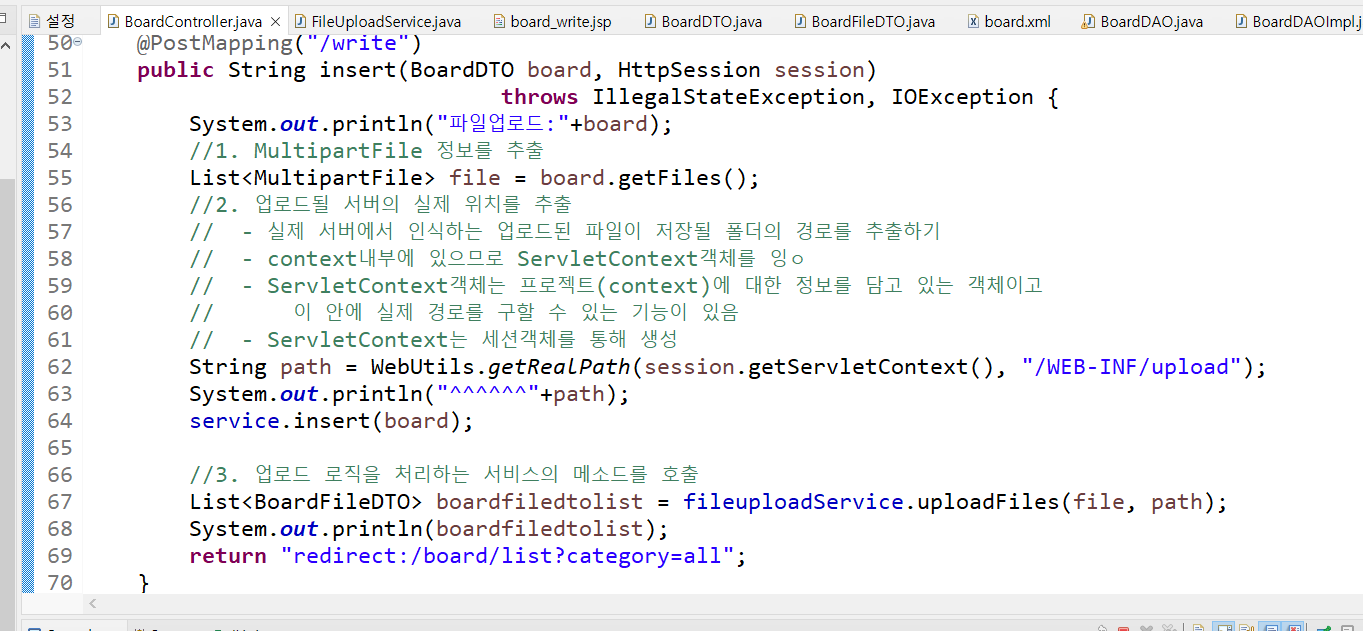
BoardController
board.xml(BoardDAOImpl에 정의한대로 파일인서트 등록)
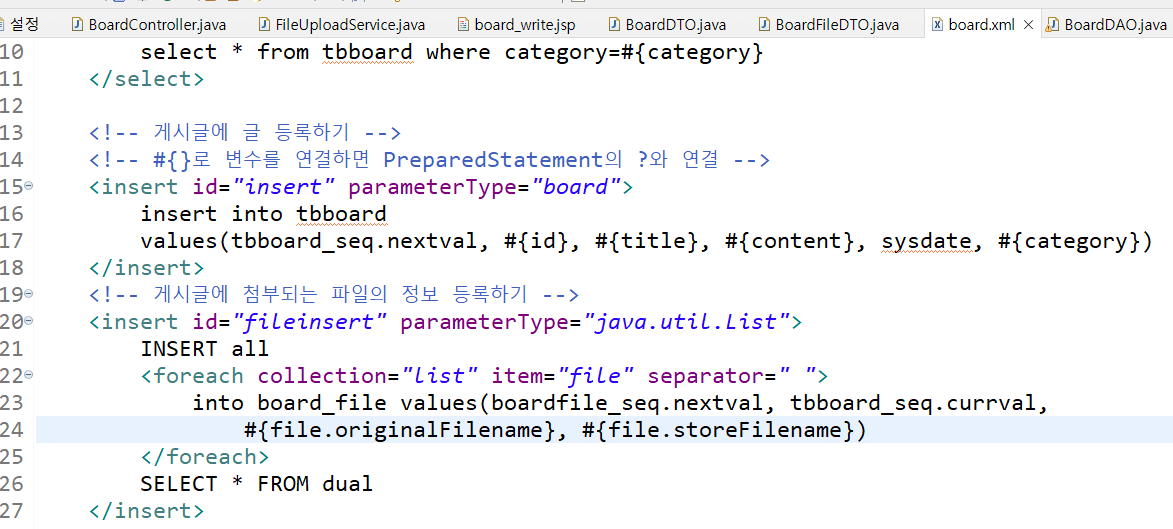
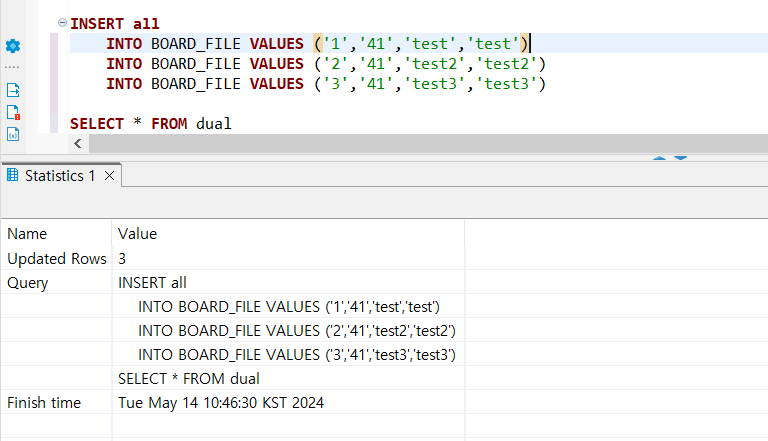
- select * from dual 은 오라클문법
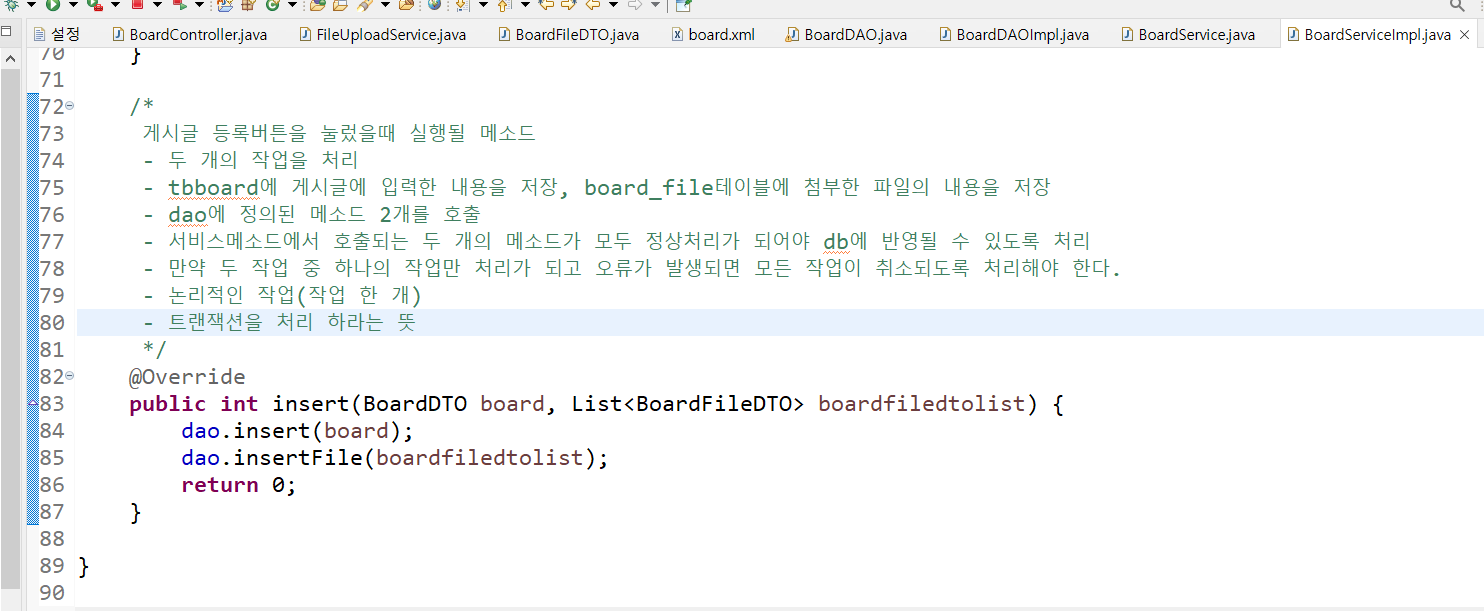
: 같은 트랜잭션으로 묶는거
- 등록한 게 이런느낌
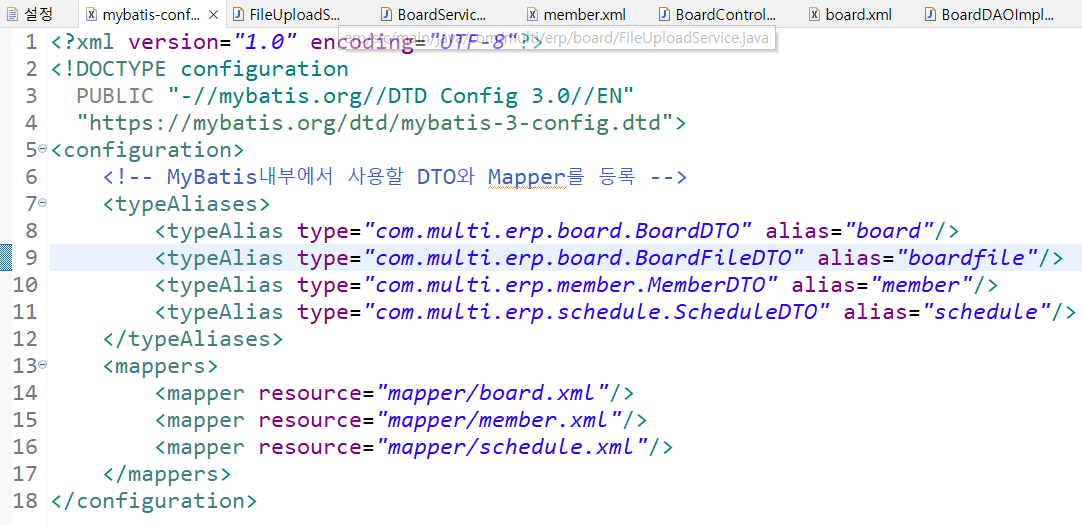
mybatis-config.xml에서 BoardFileDTO typeAlias주기
BoardServiceImpl에 게시글과 파일리스트 등록하는 insert 서비스
BoardController에 insert 메소드 호출
@Controller
@RequestMapping("/board")
public class BoardController {
	private BoardService service;
	private FileUploadService fileuploadService;

	@Autowired
	public BoardController(BoardService service, FileUploadService fileuploadService) {
		super();
		this.service = service;
		this.fileuploadService = fileuploadService;
	}

	@GetMapping("/write")
	public String write() {
		return "board/writepage";//뷰이름
	}
	//게시글등록을 위해 사용자가 입력한 내용과 첨부한 파일이 업로드되도록 처리
	@PostMapping("/write")
	public String insert(BoardDTO board, HttpSession session)
								throws IllegalStateException, IOException {
		System.out.println("파일업로드:"+board);
		//1. MultipartFile 정보를 추출
		List<MultipartFile> file = board.getFiles();
		//2. 업로드될 서버의 실제 위치를 추출
		//	- 실제 서버에서 인식하는 업로드된 파일이 저장될 폴더의 경로를 추출하기
		//	- context내부에 있으므로 ServletContext객체를 잉ㅇ
		//	- ServletContext객체는 프로젝트(context)에 대한 정보를 담고 있는 객체이고
		//		이 안에 실제 경로를 구할 수 있는 기능이 있음
		//	- ServletContext는 세션객체를 통해 생성
		String path = WebUtils.getRealPath(session.getServletContext(), "/WEB-INF/upload");
		System.out.println("^^^^^^"+path);

		//3. 업로드 로직을 처리하는 서비스의 메소드를 호출
		List<BoardFileDTO> boardfiledtolist = fileuploadService.uploadFiles(file, path);
		System.out.println(boardfiledtolist);
		service.insert(board,boardfiledtolist);
		return "redirect:/board/list?category=all";
	}


}
storeFilename 글자수 변경

TransactionBasicTest
- 트랜잭션처리 예시(한 세트(?)는 한번에 들어가야함)
하나를 오류내도 나머지가 들어감( 세개가 한번에 처리되어야하기에 무결한데이터가 아님)
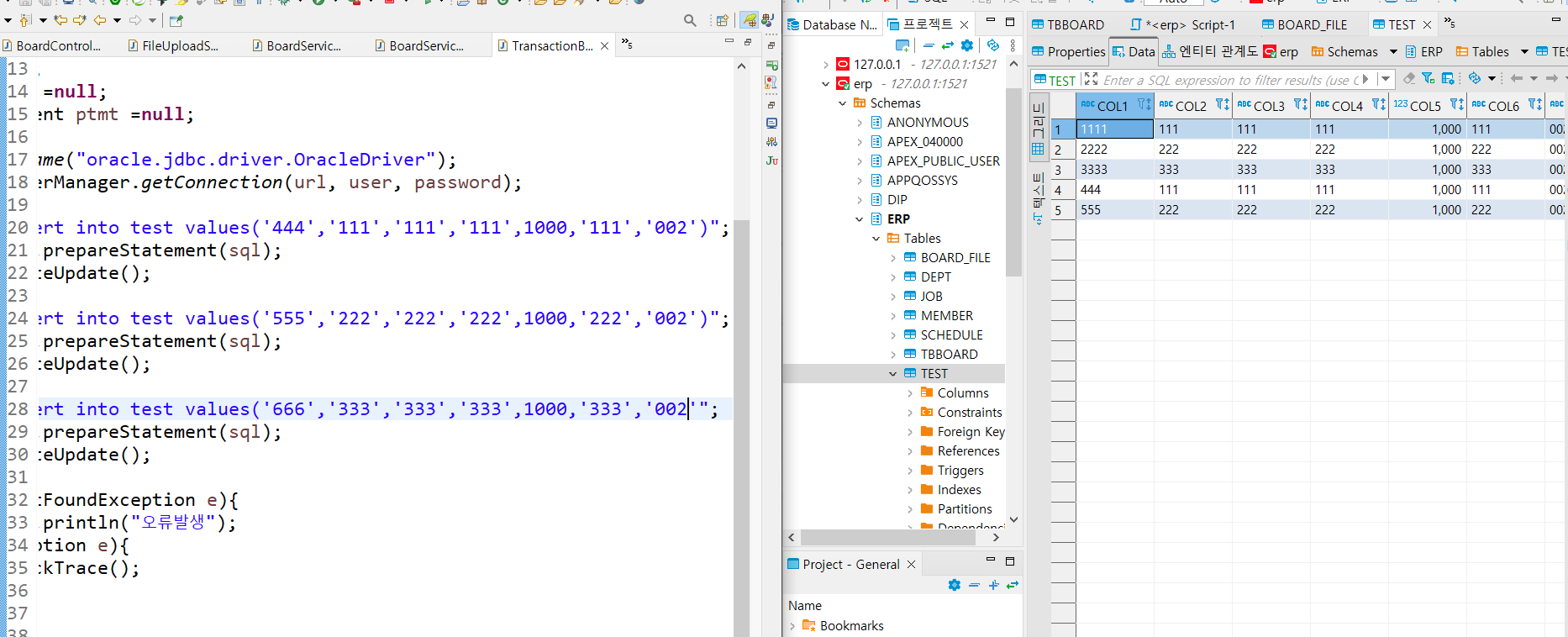
- 밑처럼 변경하면 무결한데이터가됨
public class TransactionBasicTest {
	public static void main(String[] args) {
			String url = "jdbc:oracle:thin:@127.0.0.1:1521:xe";
			String user = "erp";
			String password = "erp";
			String sql ="";
			Connection con =null;
			PreparedStatement ptmt =null;
			boolean state = false;
			try{
				Class.forName("oracle.jdbc.driver.OracleDriver");
				con = DriverManager.getConnection(url, user, password);
				//con.setAutoCommit(false)로 정의하면 여기서부터 하나의 트랜잭션으로 처리가된다.
				con.setAutoCommit(false);
				sql = "insert into test values('15','111','111','111',1000,'111','002')";
				ptmt = con.prepareStatement(sql);
				ptmt.executeUpdate();

				sql = "insert into test values('16','222','222','222',1000,'222','002')";
				ptmt = con.prepareStatement(sql);
				ptmt.executeUpdate();

				sql = "insert into test values('17','333','333','333',1000,'333','002')";
				ptmt = con.prepareStatement(sql);
				ptmt.executeUpdate();
				state = true;
			}catch(ClassNotFoundException e){
				System.out.println("오류발생");
			}catch(SQLException e){
				e.printStackTrace();
			}finally{
				try {
					if(state) {
						con.commit();//정상처리상태
					}else {
						con.rollback();//모든 작업을 취소
					}
				}catch(SQLException e){
					e.printStackTrace();
				}

			}
	}

}
특이점
- 파일하나만하면 게시글등록도 오류 안나고 보드파일테이블에도 들어감. 근데 두개이상 파일첨부하면 500에러뜨고 보드파일테이블에도 안들어감
- 보드파일테이블에 파일이 저장되어있는 게시물은 삭제가 안됨
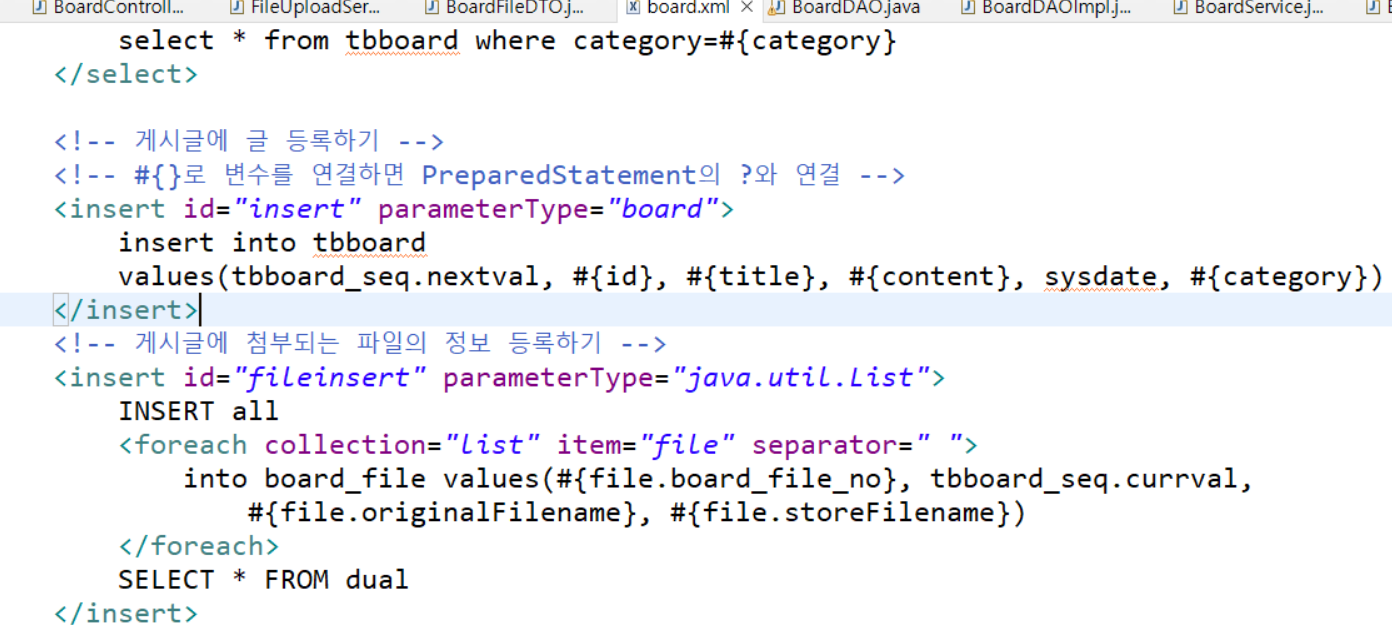
board.xml 수정
-
보드파일시퀀스.넥스트발에서 보드파일넘버로 변경
-
시퀀스해서 넥스트발해서 증가시키고싶은데 Insert all 하면 쓸수없음. 그래서 빠른처리위해 일단 유효아이디로 처리
-
내부에서 ArrayList를 가지고 작업하는 경우 하나씩 꺼내서 file변수에 담아주는 것. el과 상관없이 마이바티스 내부에서 처리
-> 이 값들은 daoimpl에서 넘어오는 List가 하나씩 꺼내져서 file이라는 이름으로 액세스 할 수 있도록 마이바티스내부에서 처리 -
인서트안에 저장된갯수만큼 문장 만들어지는데
separator는 공백을 하나 주고 시작해서 이런식으로 코드가 만들어짐
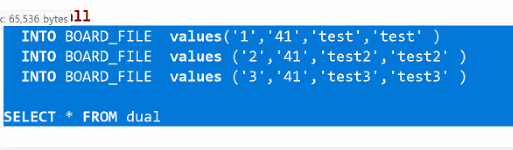
- 이렇게 하고 게시물 파일 넣어서 등록하니까 보드파일 테이블에도 올라가고 업로드 경로에도 올라옴
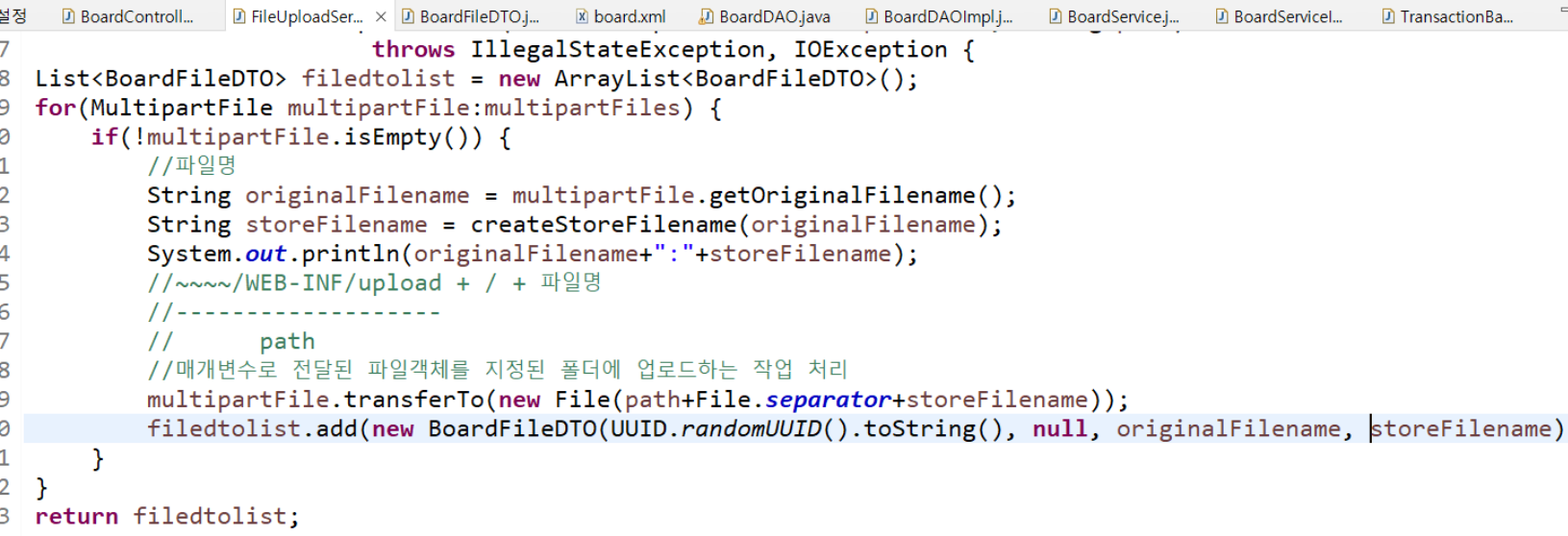
- 이렇게 하고 게시물 파일 넣어서 등록하니까 보드파일 테이블에도 올라가고 업로드 경로에도 올라옴
미션 회원등록하기(파일업로드포함)
https://blog.naver.com/heaves1/223446401203
등록화면(register) 설정
- action="/erp/member/insert"
- enctype="multipart/form-data
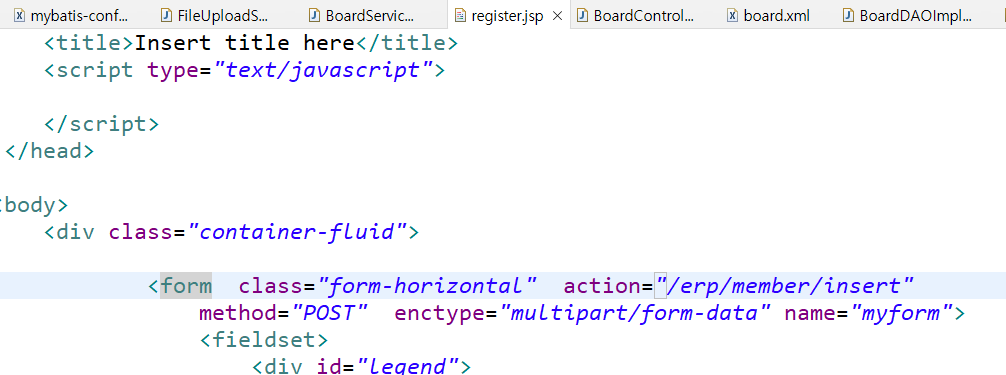
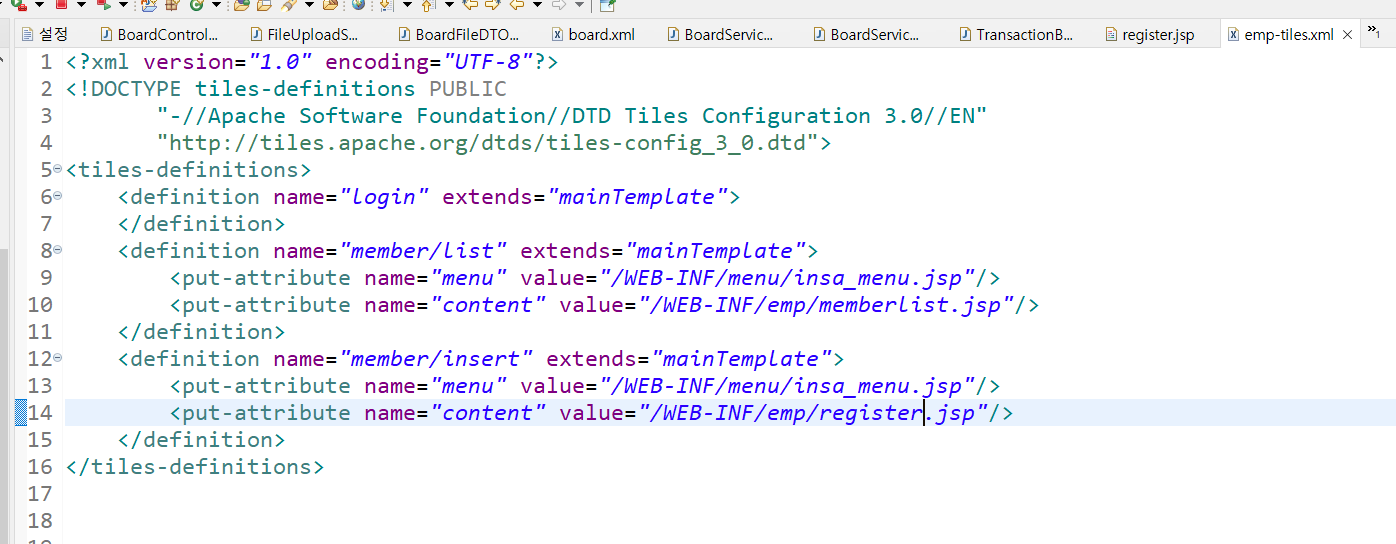
emp-tiles에 인서트화면 구성
insa_menu 링크수정
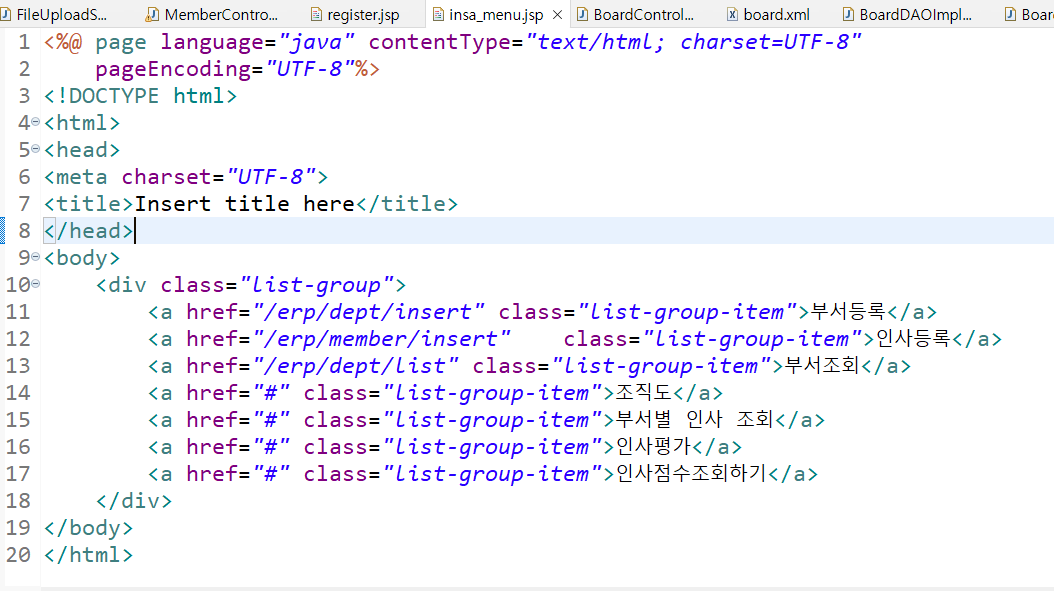
- 이전시간 로그인 작업으로 인사메뉴는 인사과사람들에게만 노출됨
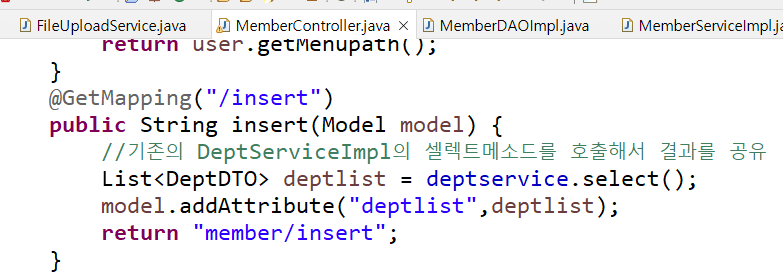
MemberController 인서트 기본화면
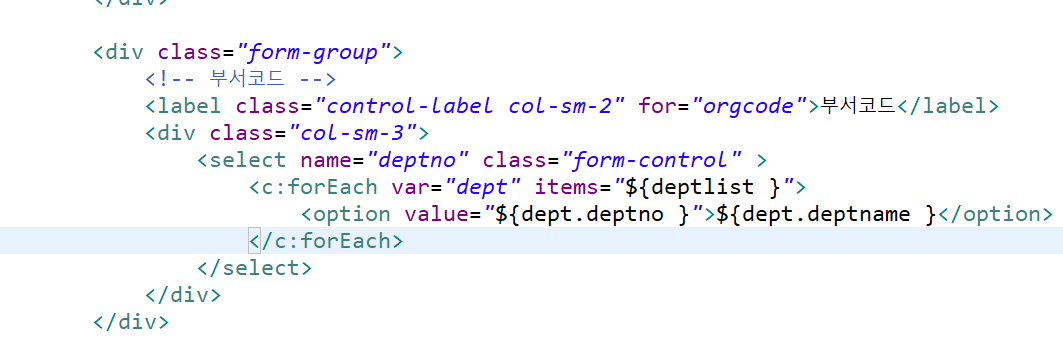
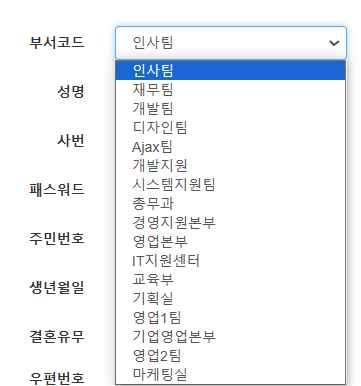
register(등록화면)에서 부서선택하는 부분
register(등록화면)에서 userImage는 memberDTO에서..


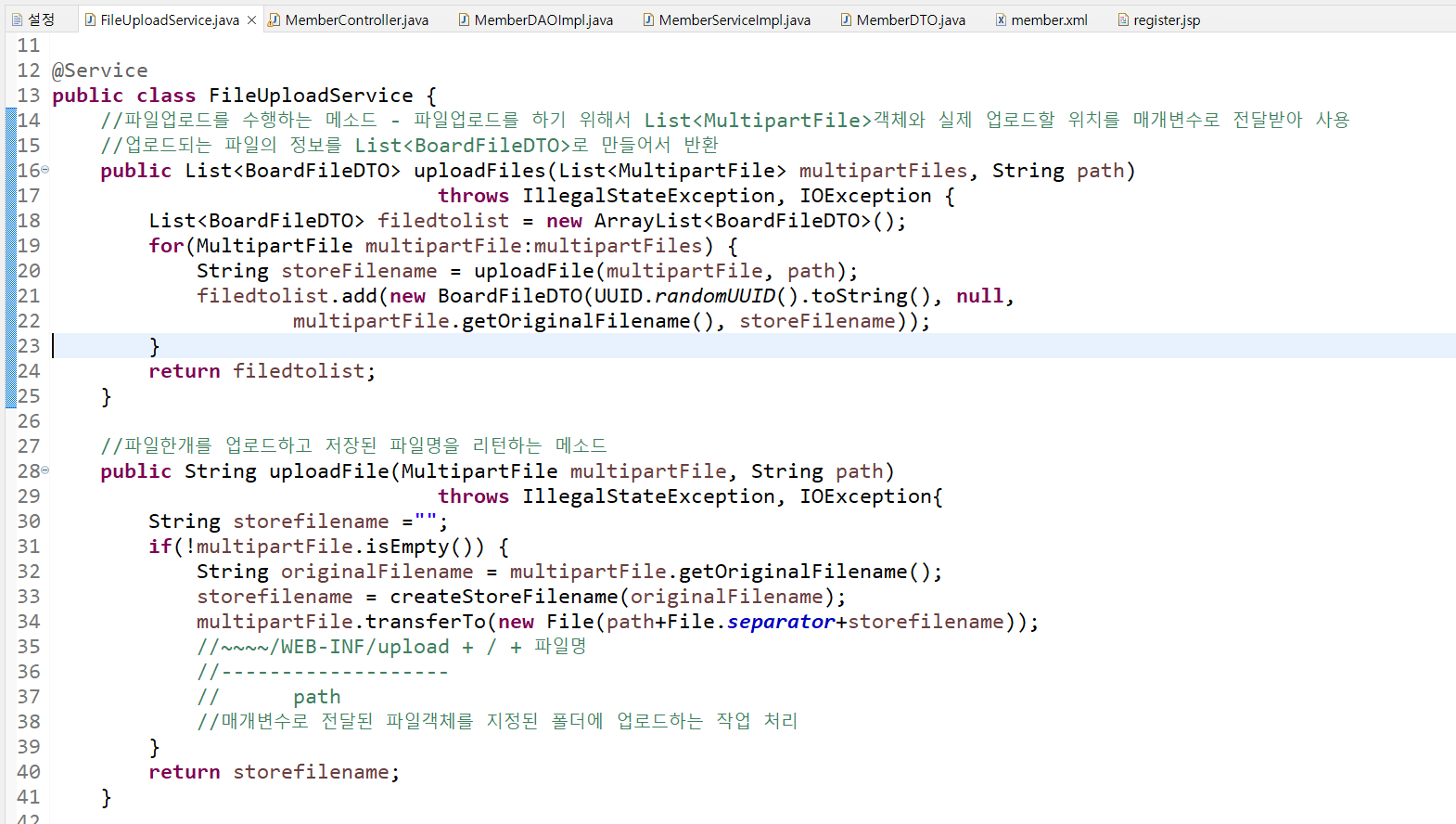
FileUploadService에서 파일한개업로드하고 저장된 파일명 리턴
MemberController 인사등록 insert 결과처리화면 추가
@Controller
@RequestMapping("/member")
@SessionAttributes("user")
public class MemberController {
	private MemberService service;
	private DeptService deptservice;
	private FileUploadService fileuploadService;

	@Autowired
	public MemberController(MemberService service, DeptService deptservice, FileUploadService fileuploadService) {
		super();
		this.service = service;
		this.deptservice = deptservice;
		this.fileuploadService = fileuploadService;
	}

	@GetMapping("/insert")
	public String insert(Model model) {
		//기존의 DeptServiceImpl의 셀렉트메소드를 호출해서 결과를 공유
		List<DeptDTO> deptlist = deptservice.select();
		model.addAttribute("deptlist",deptlist);
		return "member/insert";
	}
	@PostMapping("/insert")
	public String insertPage(MemberDTO member, HttpSession session)
										throws IllegalStateException, IOException{
		System.out.println(member);
		//1. 파일업로드
		MultipartFile file = member.getUserImage();
		String path = WebUtils.getRealPath(session.getServletContext(), "/WEB-INF/upload");
		String storeFilename = fileuploadService.uploadFile(file, path);
		member.setProfile_photo(storeFilename);
		member.setGender("0");
		System.out.println(member);
		//2.디비에 저장하기
		service.insert(member);

		return "member/insert";
	}
}
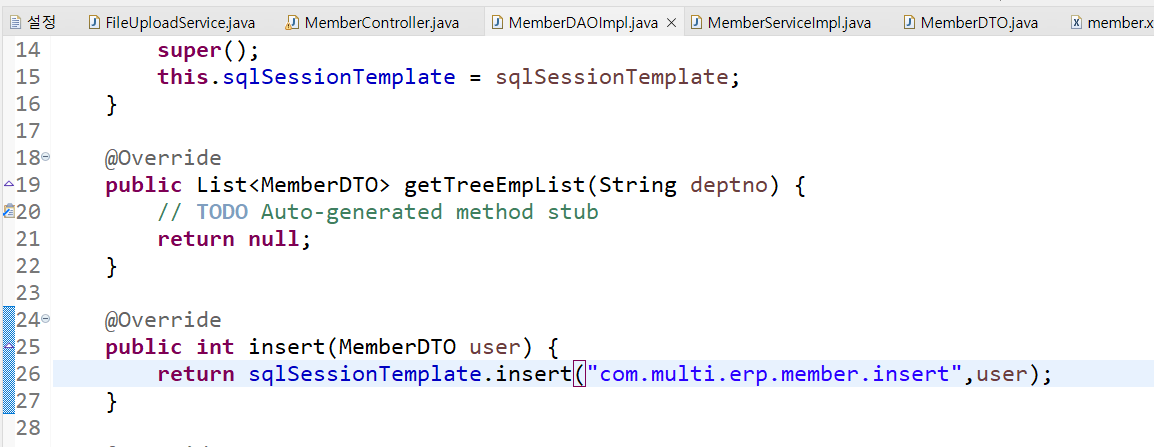
MemberDAOImpl
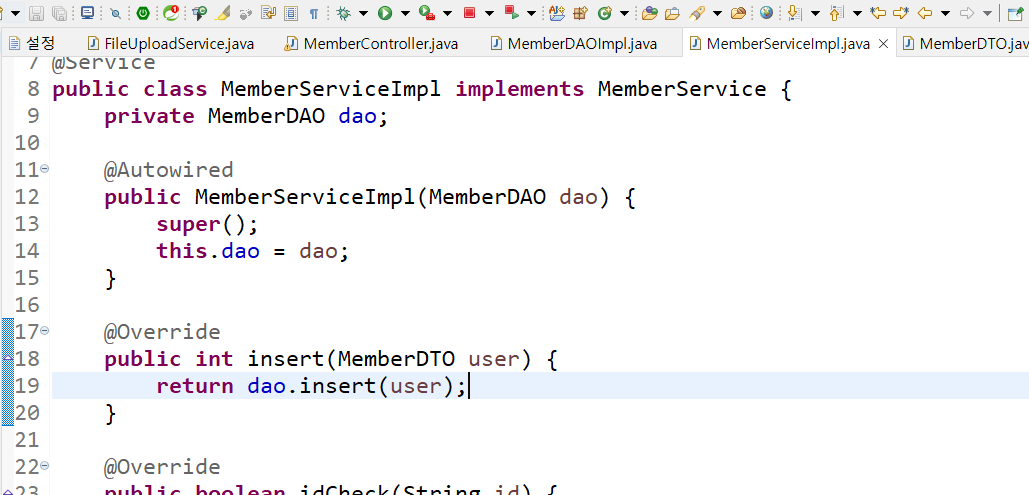
MemberServiceImpl
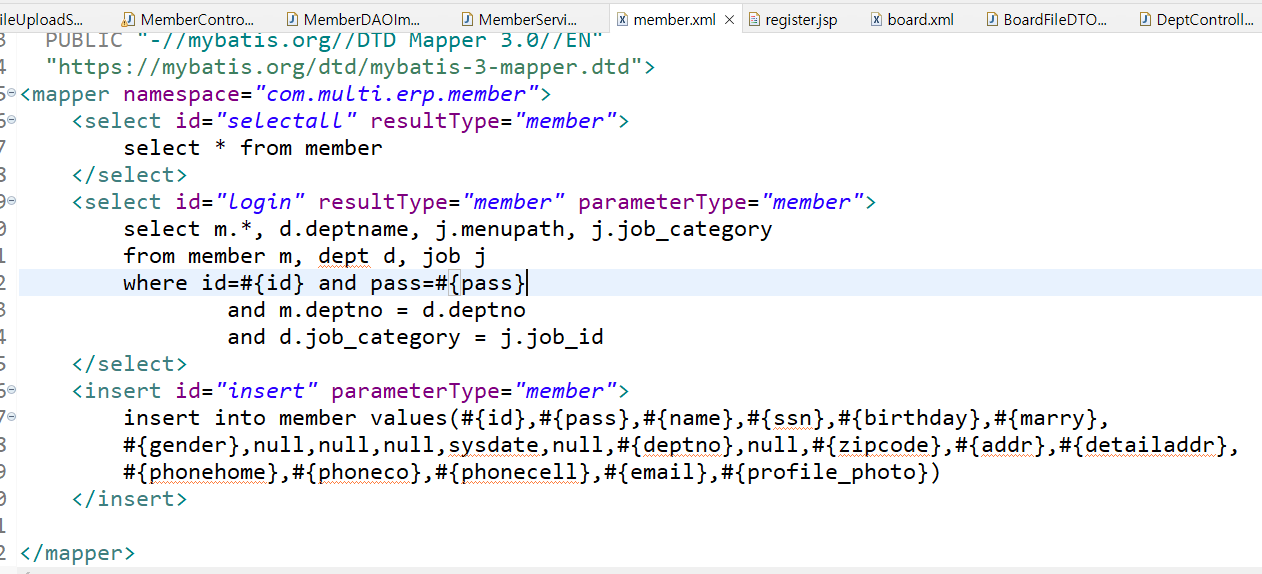
member.xml 처음설정해둔거
파일업로드 실습 4단계
board.xml 게시글에 첨부한 첨부파일 목록 가져오기

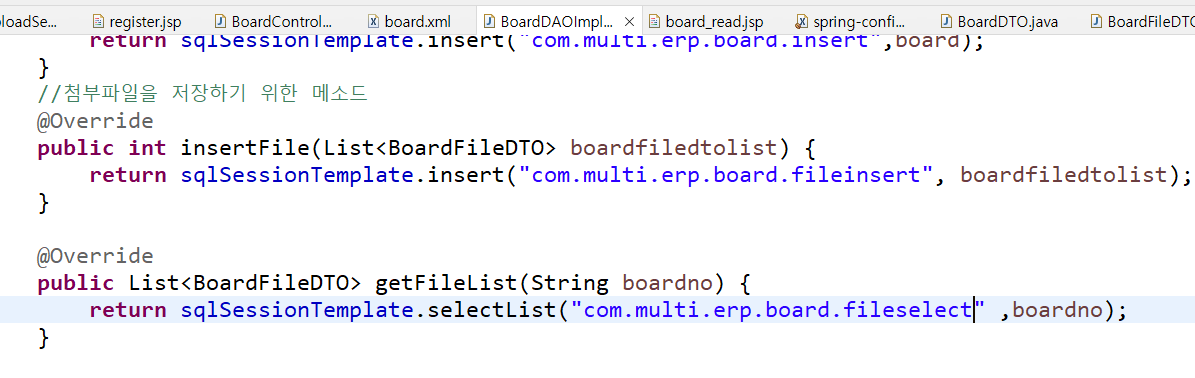
BoardDAOImpl 저장된 첨부파일을 가져오기 위한 메소드
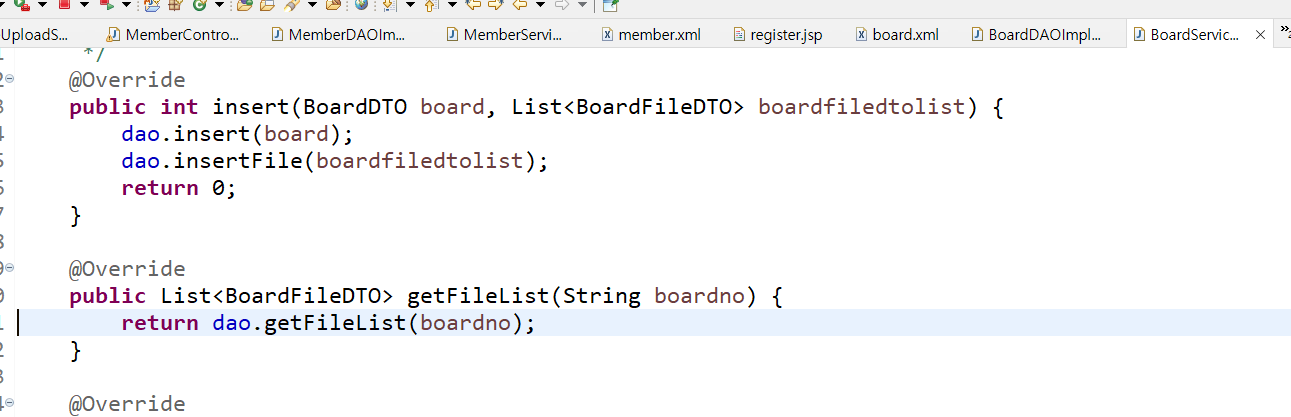
BoardServiceImpl에서 dao메소드 호출
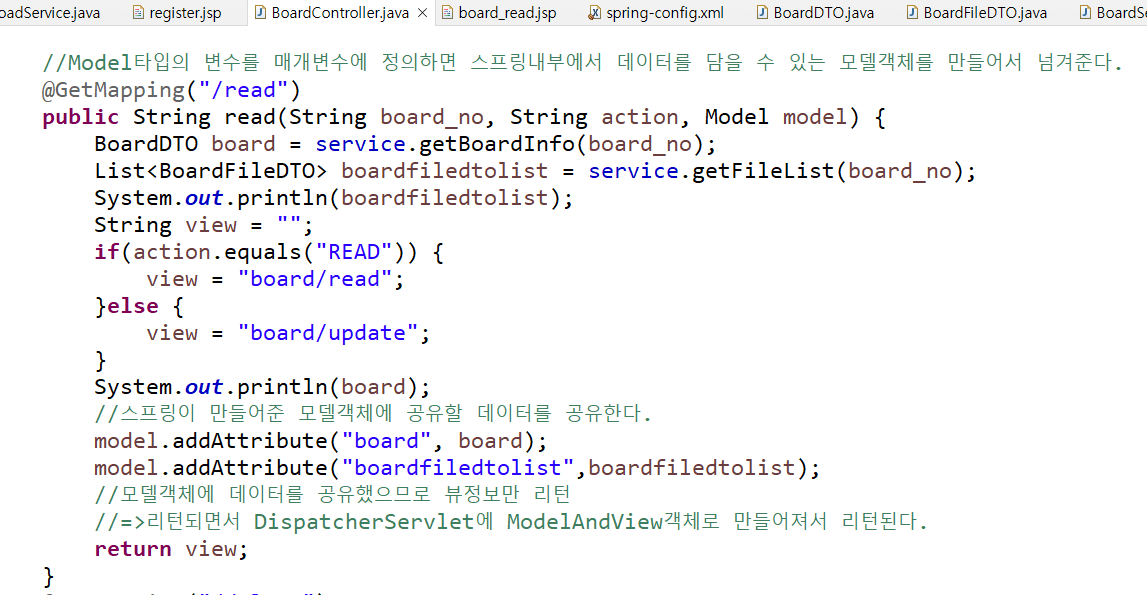
BoardController에서 boardfiledtolist불러오고 뷰에 찍기 위해 모델객체에 데이터공유
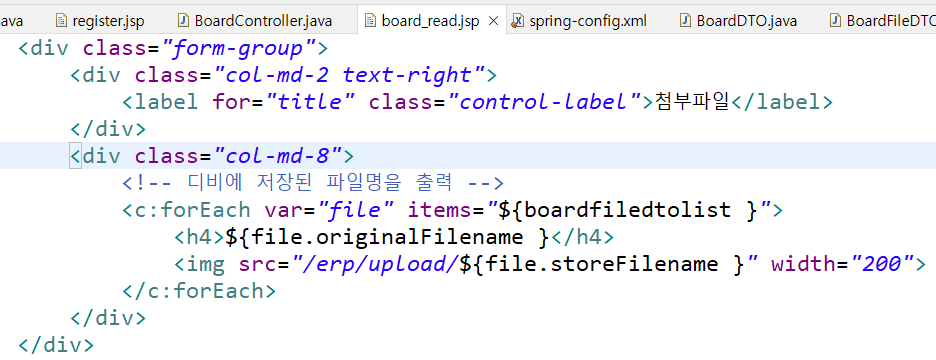
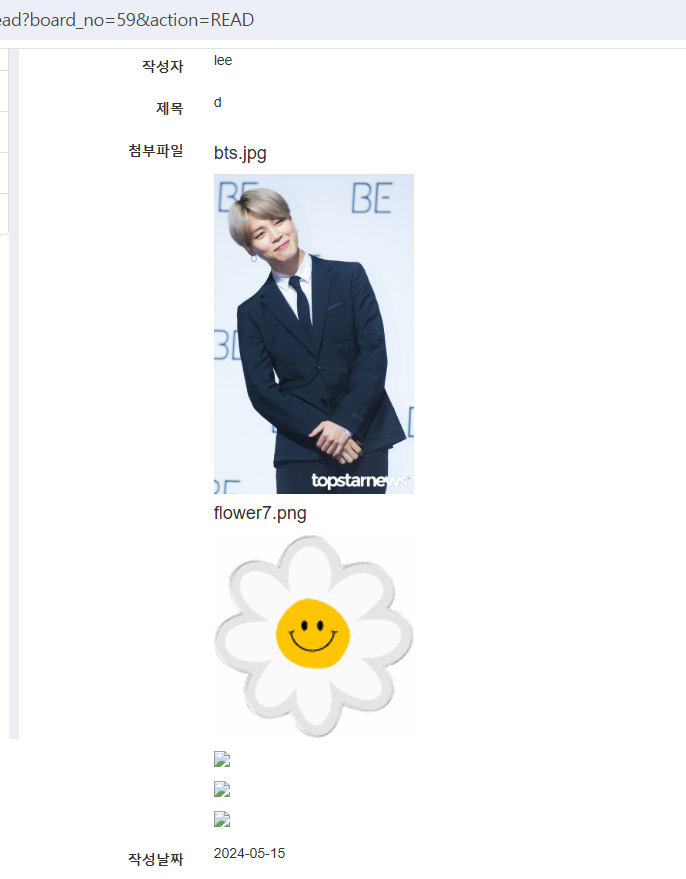
board_read 게시글 읽기에서 첨부파일 출력하는 부분 추가
본 포스팅은 멀티캠퍼스의 멀티잇 백엔드 개발(Java)의 교육을 수강하고 작성되었습니다.