💫 add 되돌리기
⏮ reset
git reset <file name>staging area에 있는 특정 (modified) 파일을 staging area에서 배제 즉, add 한 파일을 취소하는 명령어
Index에 있는 <file name>을 HEAD에 있는 <file name> 상태로 바꾼다.
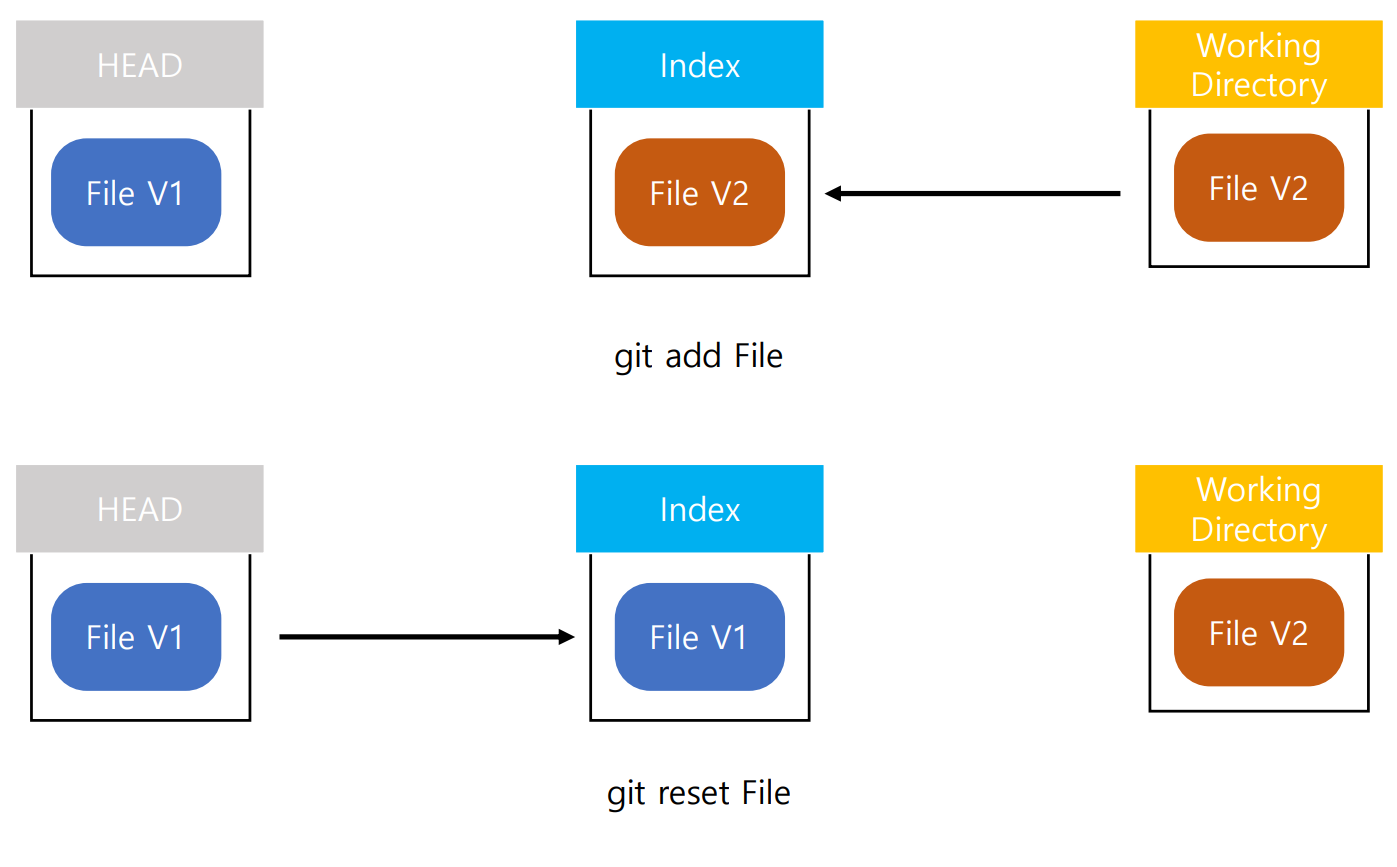
git resetgit reset .위 두 명령어 모두 staging area에 있는 모든 (modified) 파일을 add 하기 전으로 돌리는 명령어
♻ restore
git 2.23 에서 추가된 명령어
git restore --staged <file name>특정 (modified)파일 add 취소
git restore --staged .add 한 모든 (modified)파일 add 취소
git restore --worktree <file name>modified된 파일 -> unmodified 파일로 복원
git restore --worktree .modified한 모든 파일을 unmodified로 복원
🧺 Clean
git clean (-f or -i or -n) (-option)
staged되지 않은, untracked 파일 제거
-option
필수 옵션 (-f or -i or -n)
- -f : --force 강제 실행
- -i : --interactive mode 실행
- -n : --dry-run 실제로 지우지 않고, 어떤 파일이 지워질것이 라는 것을 알려줌
선택 옵션
- -d : 디렉토리까지 지움
- -e : 무시된 파일 제외
- -x : 무시된 파일(ex .gitignore에 포함된 파일)까지 모두 지움
- -X : 무시된 파일만 지움
💫 Commit 되돌리기
⏮ Reset
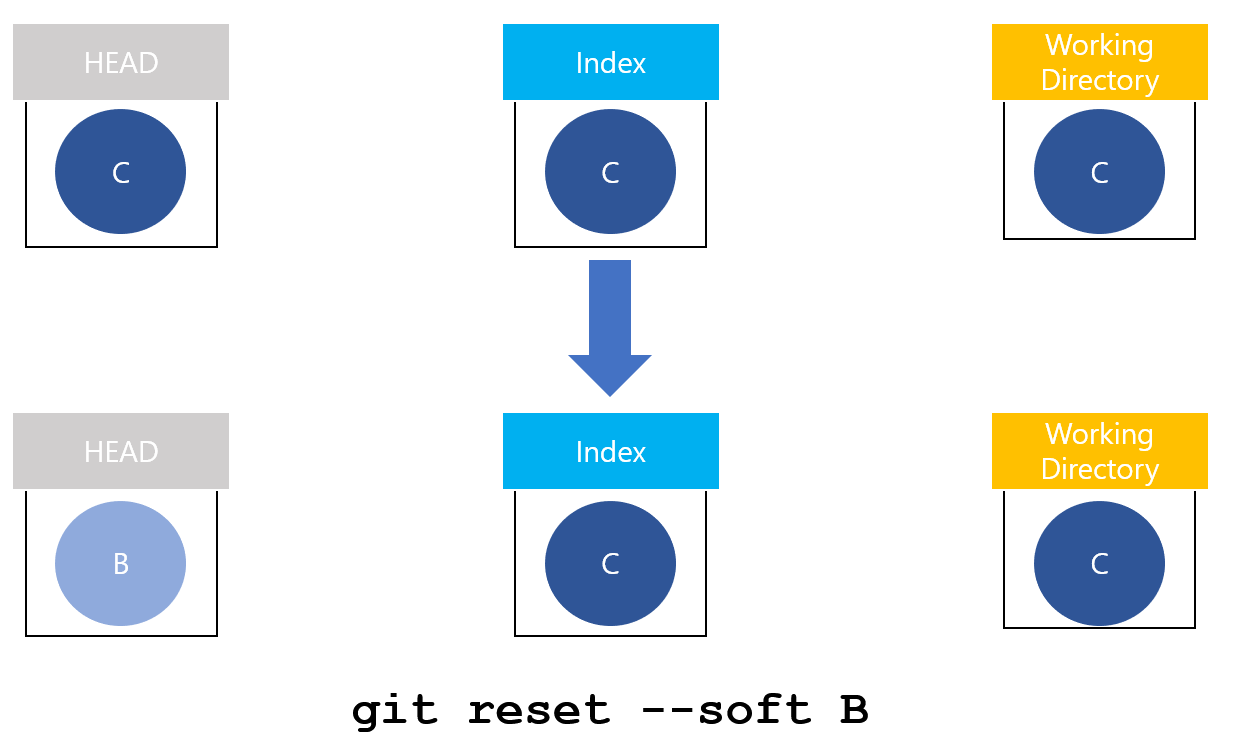
git reset --soft <되돌아 가고 싶은 시점의 commit hash>
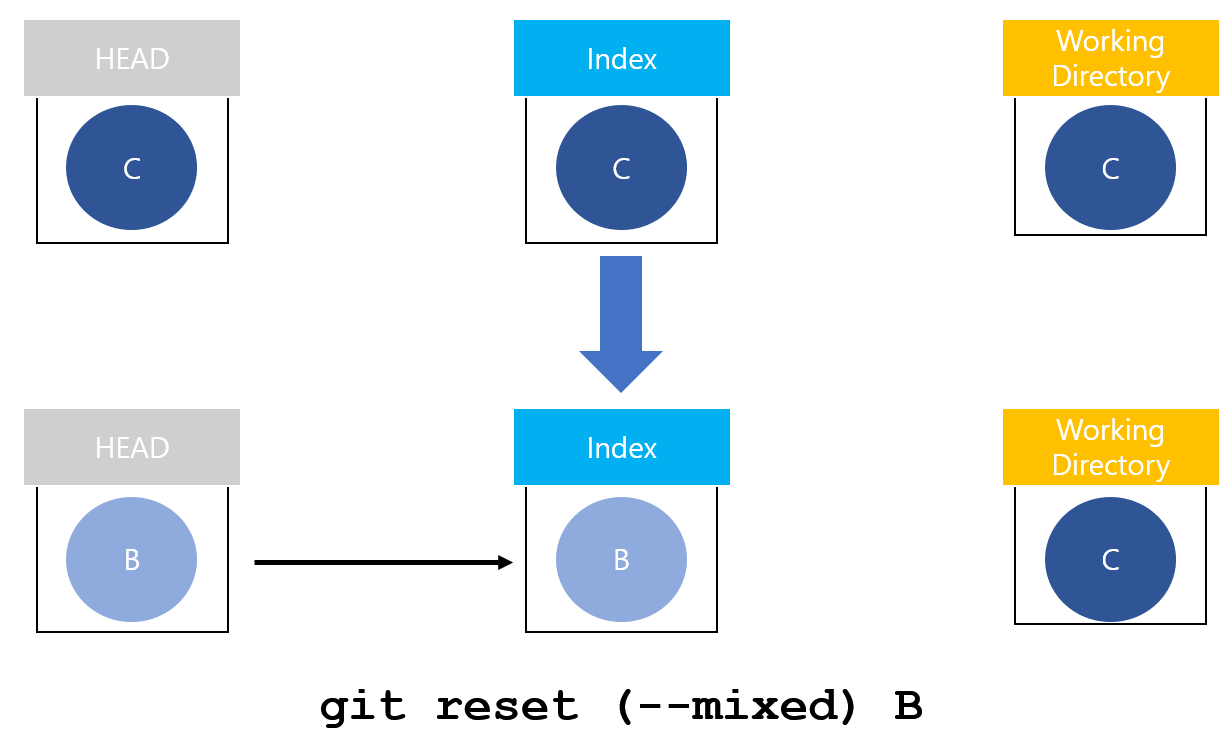
git reset --mixed <되돌아 가고 싶은 시점의 commit hash>
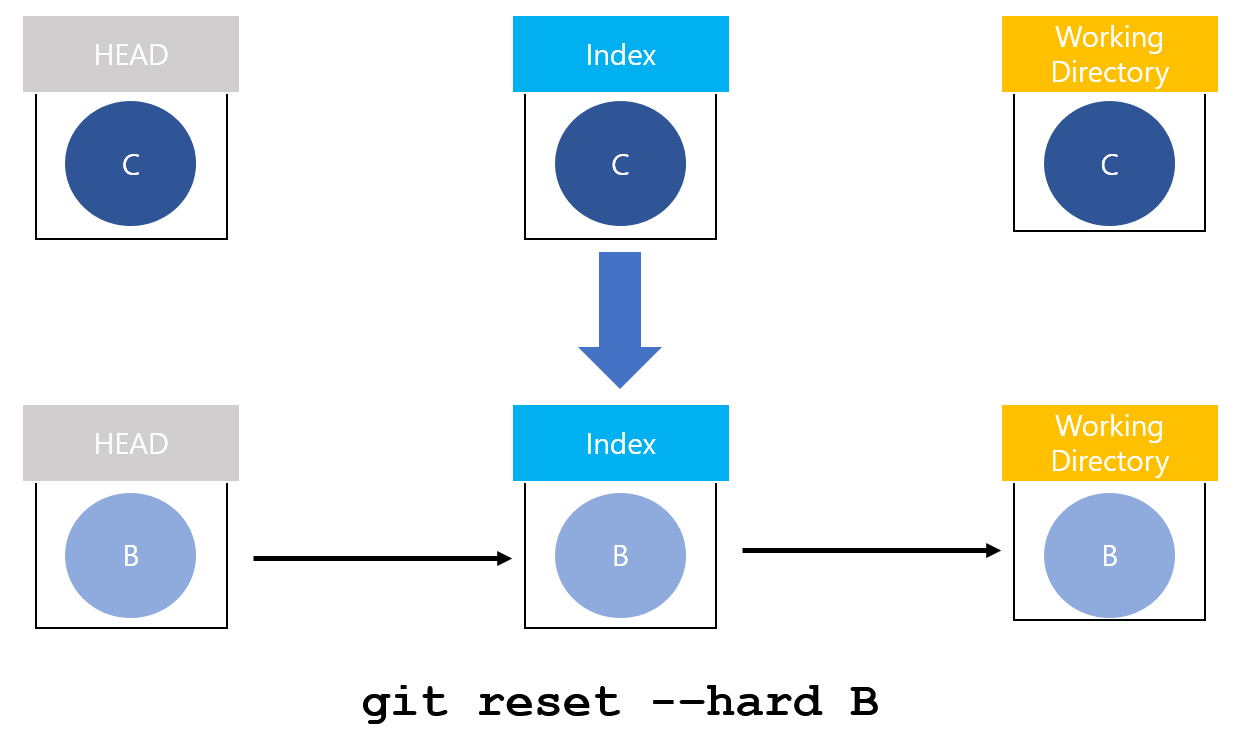
git reset --hard <되돌아 가고 싶은 시점의 commit hash>
기본적으로 reset은 되돌리고자 하는 commit 이후의 모든 commit을 모두 삭제* 하는 무서운 명령어!
*(사실 commit log에 보이지 않지만 완전히 삭제된 상태는 아니다
따라서 reset 전 commit id를 알고 있으면 reset으로 복구 가능)
option에 따른 차이
- --soft : working directory는 유지하고, 되돌리고자 하는 commit과 현재 commit 사이의 변경사항은 staging area에 남음
- --mixed(기본값) : working directory는 유지하고, 되돌리고자 하는 commit과 현재 사이의 commit 사이의 변경사항은 unstaged된 상태
- --hard : 지금까지 했던 모든 변경사항도 되돌리고자 commit의 상태로 되돌림
❌ Revert
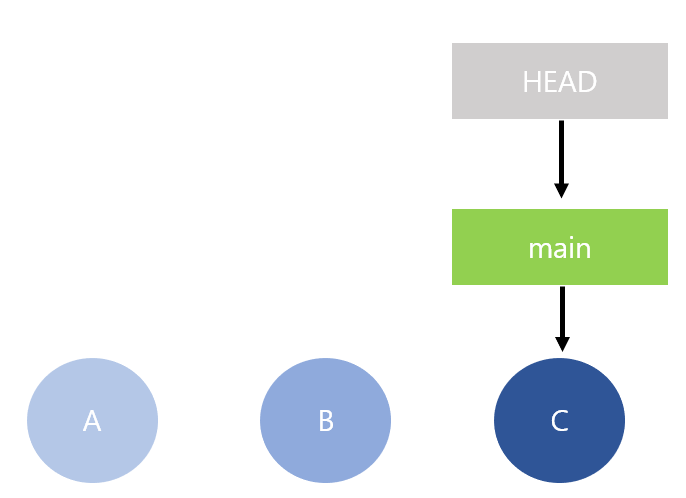
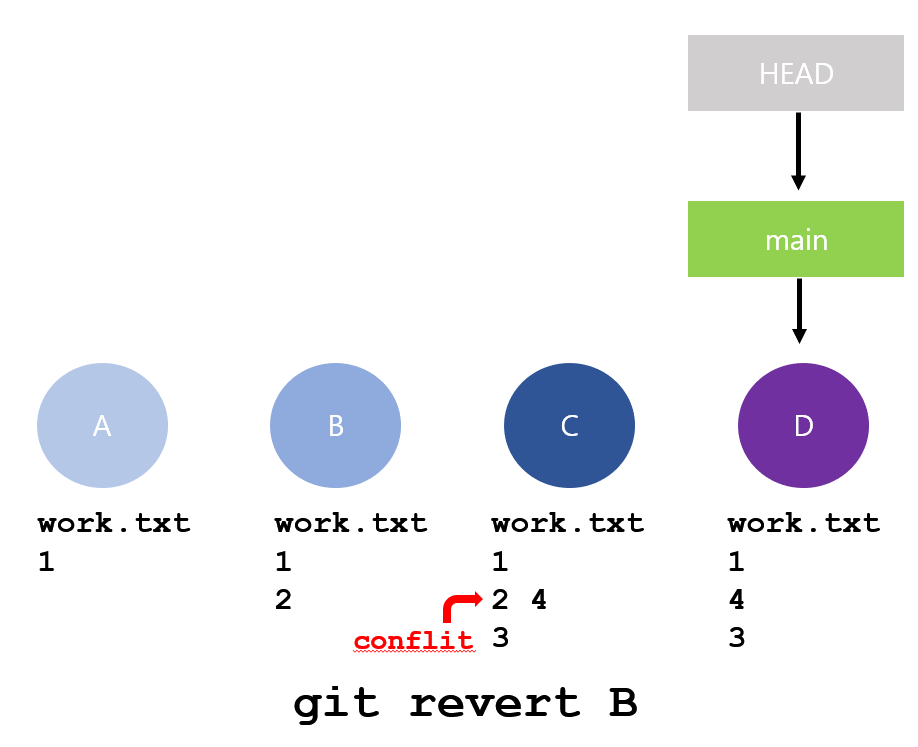
git revert <취소하고 싶은 commit hash>revert는 commit history를 없애지 않는다. commit 중 취소하고 싶은 commit이 있으면, 그 commit에서 했던 작업들을 되돌리고 새로운 commit을 생성 한다.
Reset vs Revert
reset 은 commit history를 모두 날릴 수 있는 무시 무시한 명령어 임으로
- 아직 local에서 github repository에 push 하기전이나,
- 혼자 branch를 사용하는 branch 일 때,
- 해당 branch를 아직 pull해간 사람이 없을 때
- 아주 간혹 변경사항 없이 깨끗하게 pull 받고 싶을 때
가 아니면 가급적 사용을 지양해야 한다.
왜?
github repo에 있는 commit과 내 local git의 commit history가 달라지는데, reset을 하고 나서, 한 작업은 github repo에 올릴 수 없게 된다.
revert는 기존의 commit history와 함께 commit log에 어떤 commit을 왜 취소했는지를 기록한 새로운commit이 남는다. 기존 commit을 보존함으로 github reopo에 push 가능하다. 더불어 이력관리가 훨씬 수월하다