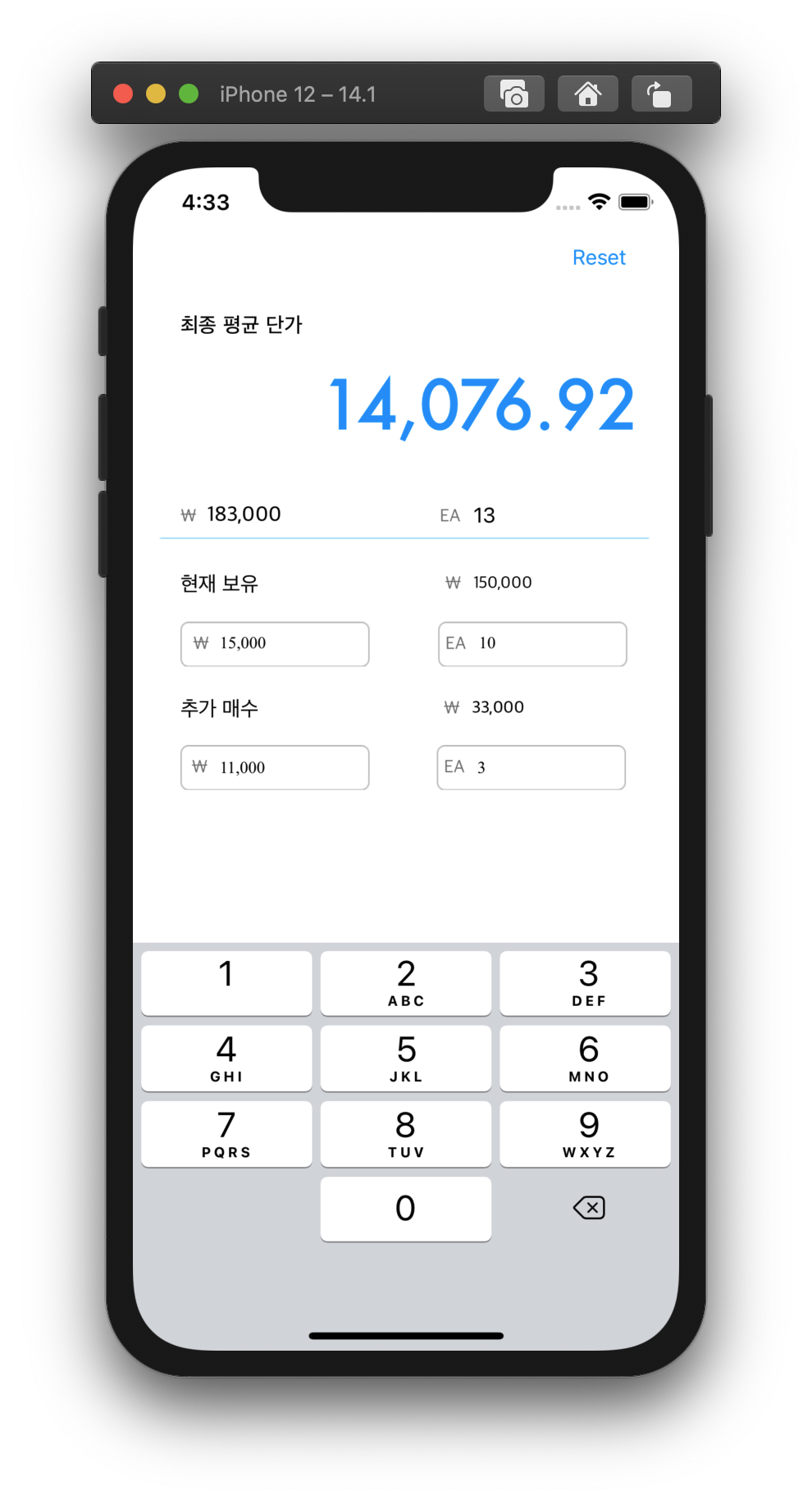
textField값 변경 될 때 마다 이벤트 발생
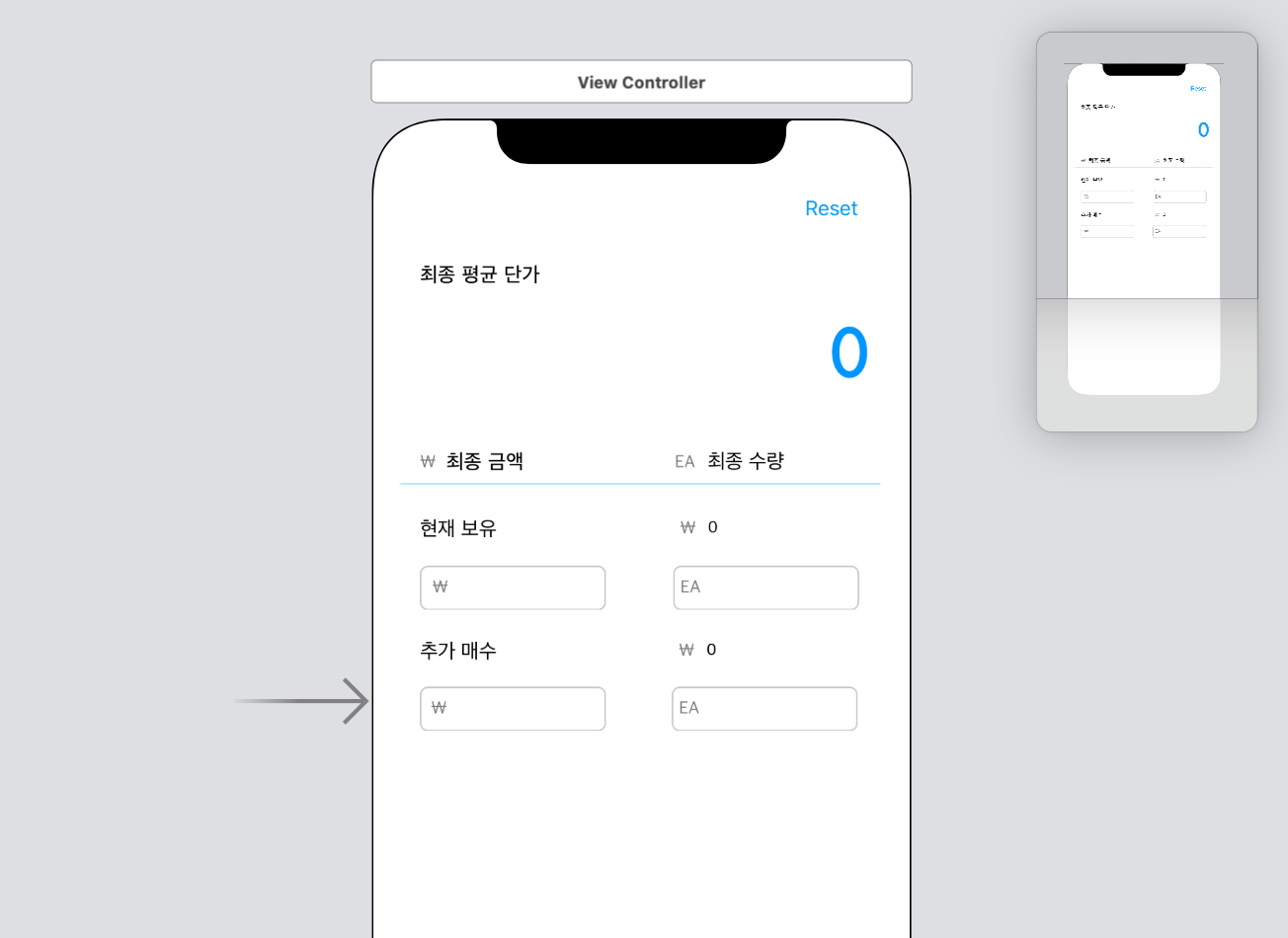
우리는 현재 다음과 같은 모습에서 현재 보유 평균 단가(currentPrice)와 현재 보유 수량(currentNum)을 입력했다면 현재 보유 금액(currentValue)를 계산해줘야하고 추가매수 부분 역시 동일하다.
또한, 필요한 모든 값들이 입력되었다면 최종적으로는 최종 평균 단가(resultPrice), 최종 금액(resultValue), 최종 수량(resultNum)을 모두 계산해줘야 한다.
이를 위해서, 각각 textField에 addtarget을 통해 데이터값이 변경되었을 때(editingChanged) action: 에 해당하는 로직을 수행한다.
// textField값 변경 시 calculateCurrent..메소드 호출 (실시간으로 변화)
        self.currentPrice.addTarget(self, action: #selector(self.calculateCurrent(_sender:)), for: .editingChanged)
        self.currentNum.addTarget(self, action: #selector(self.calculateCurrent(_sender:)), for: .editingChanged)
        self.newPrice.addTarget(self, action: #selector(self.calculateNew(_sender:)), for: .editingChanged)
        self.newNum.addTarget(self, action: #selector(self.calculateNew(_sender:)), for: .editingChanged)
참고: https://42kchoi.tistory.com/272우리 앱에서는 크게 두 가지 로직이 있다.
첫 번째는 calculateCurrent로 현재 보유 금액을 구해주는 로직과,
두 번째는 calculateNew로 추가 매수 금액을 구해주는 로직이다.
로직 논리는 동일하므로 하나만 살펴보겠다.
// 현재 보유 금액 계산
    @objc func calculateCurrent(_sender:Any?) {

        let numberFormatter = NumberFormatter()
        numberFormatter.numberStyle = .decimal

        let removePrice = currentPrice.text?.replacingOccurrences(of: numberFormatter.groupingSeparator, with: "")
        let removeNum = currentNum.text?.replacingOccurrences(of: numberFormatter.groupingSeparator, with: "")

            if let price = Int(removePrice!), let num = Int(removeNum!) {

                let beforeFormattedResult = price*num
                //계산한 결과에 콤마 넣기
                let result = numberFormatter.string(from: NSNumber(value: beforeFormattedResult))!
                currentValue.text=result

                //최종 금액 계산
                let removeOtherNum = newNum.text?.replacingOccurrences(of: numberFormatter.groupingSeparator, with: "")
                let removeOtherValue = newValue.text?.replacingOccurrences(of: numberFormatter.groupingSeparator, with: "")
                let removeValue = currentValue.text?.replacingOccurrences(of: numberFormatter.groupingSeparator, with: "")

                if let otherNum = Int(removeOtherNum!), let otherValue = Int(removeOtherValue!), let thisValue = Int(removeValue!), let thisNum = Int(removeNum!) {
                    let beforeFormattedValue = Float(otherValue+thisValue)
                    let beforeFormattedNum = Float(otherNum+thisNum)
                    let temp = beforeFormattedValue/beforeFormattedNum
                    let beforeFormattedPrice = round(temp*100)/100 //소수 둘째자리 반올림

                    let valueResult = numberFormatter.string(from: NSNumber(value: beforeFormattedValue))
                    let numResult = numberFormatter.string(from: NSNumber(value: beforeFormattedNum))
                    let priceResult = numberFormatter.string(from: NSNumber(value: beforeFormattedPrice))
                    resultValue.text=valueResult
                    resultNum.text=numResult
                    resultPrice.text=priceResult


                }

            }

    }
현재 보유 금액을 계산하는 전체 코드이다.
현재 보유 평균 단가와 현재 보유 수량은 아직 콤마(,)를 가지고 있는 문자열이다.
(바로 밑에서 설명할 것이다.)
NumberFormatter클래스의 numberStyle을 decimal로 설정해주면서 세 자리 숫자마다 콤마를 가지게 되는데, groupingSeparator는 여기서 구분자로 사용되는 콤마(of)를 의미하며, 이를 공백(with)으로 대체하는 새 문자열을 removePrice, removeNum으로서 받아준다.
NumberFormatter : https://developer.apple.com/documentation/foundation/numberformatter
replacingOccurrences : https://developer.apple.com/documentation/foundation/nsstring/1412937-replacingoccurrences
즉, 두 개의 값이 입력되게 되면 이를 곱한 결과에 다시 콤마를 넣어 현재 보유 금액을 계산해주는 것이다.
이후, 만약 추가 매수 관련된 값이 모두 입력되고 필요한 모든 값이 입력되었다면, 전체 금액/전체 수량을 통해 최종 평균 단가를 계산하며, 이를 소수 둘째 자리에서 반올림하여 출력하게 된다.
입력된 숫자를 콤마(,)로 구분하기(UITextFieldDelegate)
아직 나는 주린이라 시드 자체가 적어 그럴 일이 없지만, 시드가 많다면 금액이 늘어날수록 천의 자리가 구분이 되어있지않다면 보기가 힘들 것이다.
여기서 중요하게 사용되는 개념은 delegate패턴 개념이다.
delegate의 사전적의미는 대리자, 위임자 이다.
delegate패턴은 Protocol을 사용하여 구현하게 된다.
프로토콜과 관련된 예시 코드를 먼저 살펴보자.
protocol Person {
	func walk()
    func eat()
}
다음과 같은 프로토콜에서 사람은 걷고, 먹을 수 있다.
프로토콜은 행동만 정의되어있고 구현은 하지 않았다.
class Andy: Person {
	func walk() {
    	print("I'm walking")
    }
    func eat() {
    	print("I Eat some bread")
    }
}
이렇게 사용하는 이유는 무엇일까?
-
다형성의 측면에서 반복되는 작업을 피하기 위해
여러 객체들이 공통된 속성을 가지고 있다면 같은 속성을 굳이 여러번 똑같이 구현할 필요가 없을 것이다. -
상속의 한계
사실 1번과 같은 이유라면 상속으로도 가능하다.
하지만 상속을 사용할 경우 클래스 객체는 하나의 부모클래스만 상속받을 수 있는 한계와 클래스이외의 구조체나 열거형에서는 사용하지 못한다는 점이 있다.
즉, 프로토콜은 특정 역할을 수행하기 위한 메소드, 프로퍼티, 기타 요구사항 등의 청사진 이다.
- 구조체,클래스,열거형에서 사용가능
- 정의만 하고 구현은 하지 않는다.
다시 돌아와서delegate패턴은 객체 지향 프로그래밍에서 하나의 객체가 모든 일을 처리하는 것이 아니라 처리 해야할 일 중 일부를 다른 객체에게 위임해주는 것이다.
이번 앱 만들기에 사용한 UITextFieldDelegate예제를 통해 살펴보자.
어떤 텍스트를 입력하고 버튼을 눌렀을 때 아래의 텍스트에 입력한 텍스트를 띄우고자 한다면 @IBAction을 통해서도 구현이 가능하다. 하지만 이를 delegate를 통해서도 가능하다.
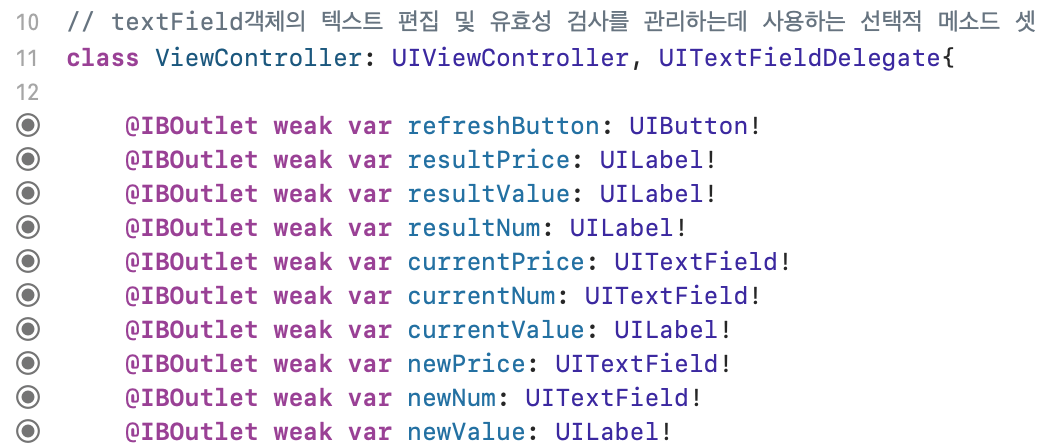
UITextFieldDelegate는 textField객체의 텍스트 편집 및 유효성 검사를 관리할 때 사용하는 선택적 메소드 set이다.(텍스트 필드에서 정해진 특정 이벤트가 발생하면 현재의 ViewController에게 알려달라는 요청)
UITextFieldDelegate: https://developer.apple.com/documentation/uikit/uitextfielddelegate이를 "채택"하고,
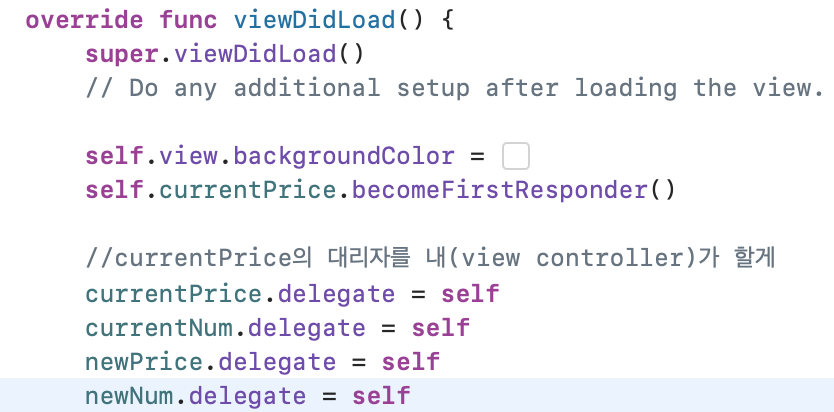
다음 코드는 currentPrice,currentNum...에 대한 대리자를 자신(ViewController)이 한다는 의미이다.
우리가 원하는 작업은 텍스트 필드에 값이 입력되었을 때 세 자리 숫자마다 콤마를 넣어주어야 한다.
이를 위해 UITextFieldDelegate프로토콜안에 "정의"되어있는 textField함수를 "구현"할 것이다.
func textField(UITextField, shouldChangeCharactersIn: NSRange, replacementString: String) -> Bool```
asks the delegate whether to change the specified text.
텍스트 필드의 내용이 \(String)으로 변경된다.
return true //false를 리턴하면 내용이 변경되지 않는다.

	delegate: https://yagom.net/forums/topic/delegate-pattern/
전체 코드는 다음과 같다.
// 숫자 세 자리 숫자마다 콤마 넣기
    func textField(_ textField: UITextField, shouldChangeCharactersIn range: NSRange, replacementString newString: String) -> Bool {
        //replacementString: 방금 입력된 문자 하나, 붙여넣기라면 문자열 전체
        //텍스트가 바뀌어야 한다면 true, 아니면 false
        //해당 메소드 내에서 textField.text는 입력되기 전의 문자열

        // NumberFormatter 객체의 numberStyle을 .decimal로 설정
        let numberFormatter = NumberFormatter()
        numberFormatter.numberStyle = .decimal
        numberFormatter.maximumFractionDigits = 0 //허용하는 소수점 자리수

        if textField == currentPrice {
            //이미 입력된 문자열의 그룹구분기호(groupingSeparator) 콤마 제거
            if let removeAllSeprator = currentPrice.text?.replacingOccurrences(of: numberFormatter.groupingSeparator, with: "") {
                // 콤마가 제거된 문자열과 새로 입력된 문자를 합친다.
                var beforeString = removeAllSeprator + newString

                // newString이 숫자만으로 이루어진 문자열이라면 해당 문자를 숫자로 바꾼 값을 NSNumber의 형태로 변환
                if numberFormatter.number(from: newString) != nil {
                    // 합친 문자열(beforeString)을 다시 원하는 포맷으로 변환 후 String으로 변환
                    if let formattedNumber = numberFormatter.number(from: beforeString), let formattedString = numberFormatter.string(from: formattedNumber) {
                        currentPrice.text = formattedString
                        currentPrice.sendActions(for: .editingChanged)
                        return false
                    }
                } else { //새로 입력된 값이 숫자로 이루어진 문자열이 아닌 경우(백스페이스, 문자열..)
                    if newString == "" { //백스페이스의 경우 맨 마지막 문자열 자르고 재포맷 과정 거침

                        let lastIndex = beforeString.index(beforeString.endIndex, offsetBy: -1)
                        beforeString = String(beforeString[..<lastIndex]) //..<는 인덱스 미만, 잘린 데이터의 타입은 substring->string 필요

                        if let formattedNumber = numberFormatter.number(from: beforeString), let formattedString = numberFormatter.string(from: formattedNumber) {
                            currentPrice.text = formattedString
                            currentPrice.sendActions(for: .editingChanged) //명시된 이벤트와 관련된 action메소드 호출->백스페이스했을 때 다시 계산
                            return false

                        }
                    } else { //문자
                        return false
                    }
                }
            }
            return true
        }
참고: https://baked-corn.tistory.com/76해당 코드에서 만약 입력된 textField가 currentPrice자리라면, 현재까지 입력된 숫자에서 콤마를 제거하고 방금 입력한 것을 합쳐준다.
하지만 방금 입력한 것에는 숫자가 들어올 수도 있지만 백스페이스, 숫자가 아닌 값 등이 들어올 수 있다.
만약 그렇다면 어떤 숫자도 추출될 수 없기 때문에(numberFormatter.number(from: newString) == nil) else문으로 들어가게 되며, 공백일 경우 맨 끝의 숫자를 지워주고 재포맷하는 과정을 거친다.
입력된 textField에 따라 같은 방식으로 구현하였다.
오토 레이아웃 관련: https://m.blog.naver.com/PostView.nhn?blogId=go4693&logNo=221367739110&isFromSearchAddView=true완성된 앱의 모습