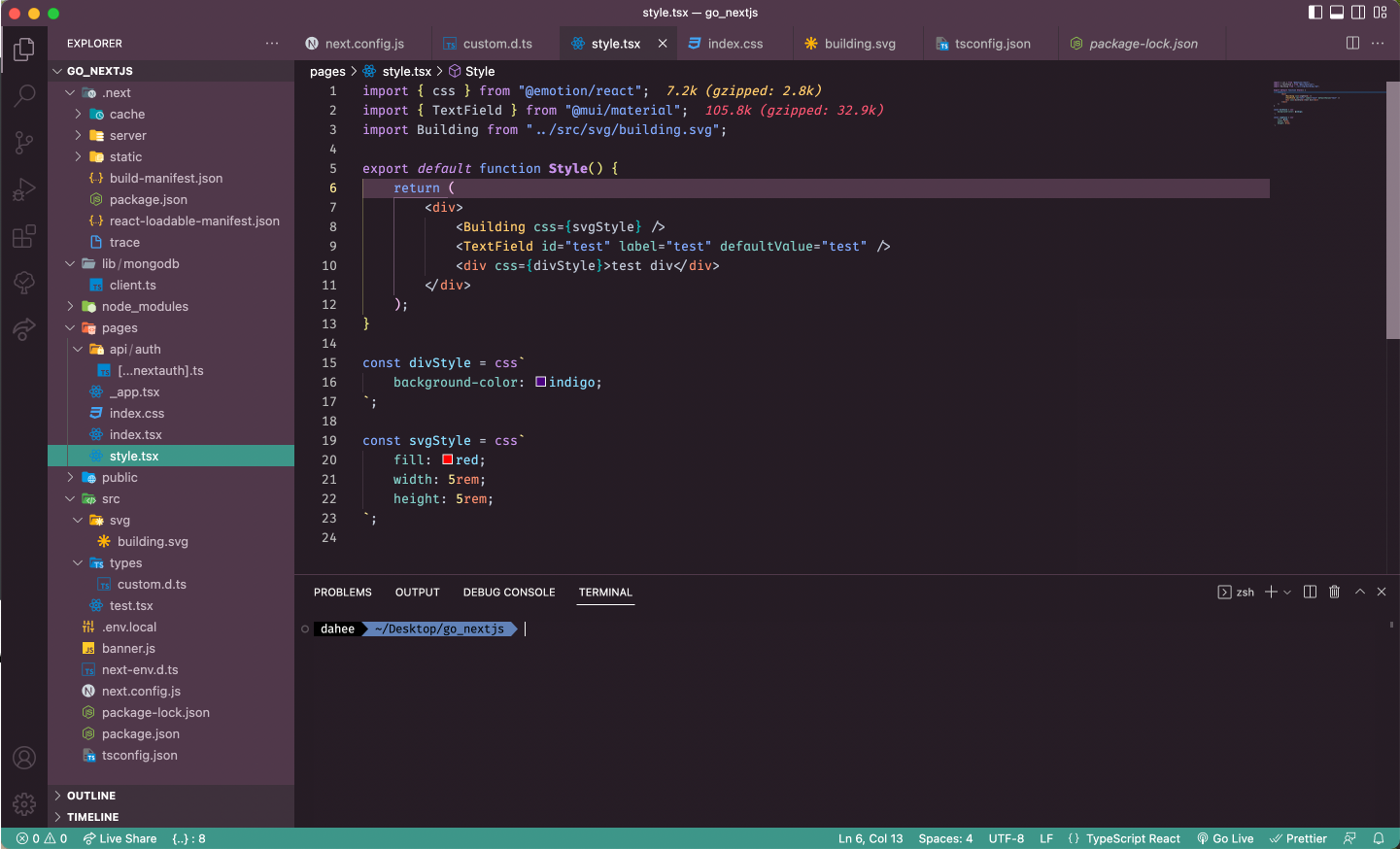
지금까지 VScode에서 기본으로 제공하는 폰트와 테마를 그대로 사용하고 있었는데 이번 기회에 폰트와 테마도 바꿔보았다.
폰트 변경
일단 폰트 크기를 변경했다. 12px에서 14px 사이가 적당할 것 같아서 세 개 다 적용해보고 13px로 변경했다. 기본 폰트 크기는 살짝 작은 느낌이 있었는데 13px이 크지도 작지도 않고 딱 적당했다.
폰트는 Fira Code로 변경했다. https://github.com/tonsky/FiraCode 로 들어가서 README에 Download & Install을 누르고 다운 받은 서체를 설치해서 VScode에 적용해주었다.
그리고 https://github.com/tonsky/FiraCode/wiki/How-to-enable-stylistic-sets 에 나와있듯이 어떤 문자는 다른 변형된 스타일도 제공해주기 때문에 setting.json에서 특정 문자는 다른 변형 문자로 바꿔주었다.
{
	"editor.fontLigatures": "'cv01', 'cv02', 'cv11', 'ss05', 'ss03', 'cv30', 'ss02'"
}
테마 변경
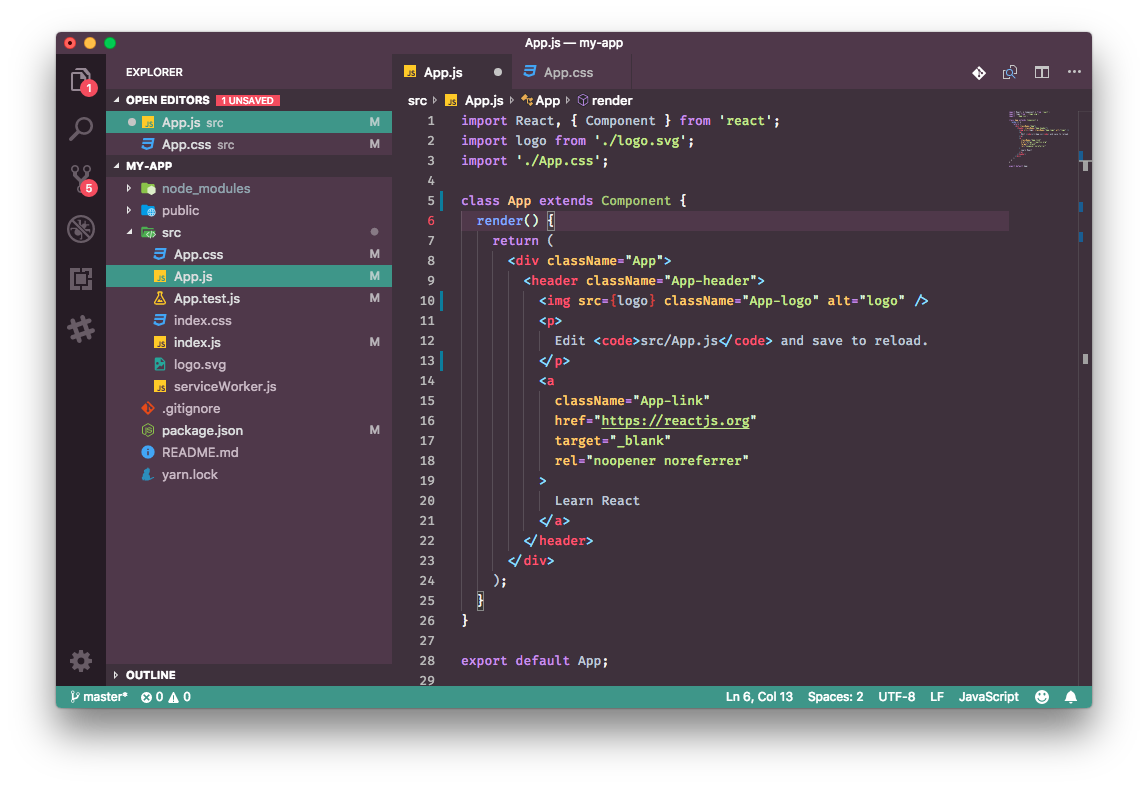
테마는 theme으로 검색해서 여러가지 보다가 Slack theme으로 결정했다. 그 중에서도 Aubergine Classic을 선택했다. 배경색이 어두운 보라색으로 차분하면서 코드 색깔도 알록달록하고 눈에 잘 띄어서 마음에 들었다.
(https://marketplace.visualstudio.com/items?itemName=felipe-mendes.slack-theme)
아래는 Slack theme overview 탭에 나와있는 Aubergine Classic 버전의 예시 이미지이다.
테마 일부 커스텀
선택한 테마에서 일부 색깔은 좀 더 잘 구분되고 눈이 편하도록 커스텀을 했다.
자세한 방법은 VScode 공식문서 중 https://code.visualstudio.com/docs/getstarted/themes#_customizing-a-color-theme 에서 Customizing a Color Theme에 자세히 적혀 있다. 커스텀하다보면 VScode의 각 구성요소의 이름에 대해 알아야 편한데 VScode 공식문서 중 https://code.visualstudio.com/docs/getstarted/userinterface 에 잘 정리되어 있다.
editor 백그라운드 색깔이 더 진하면 좋을 것 같아서 Activity Bar와 같은 색깔로 변경하고 syntax highlighting 색깔을 일부 변경해주었다. 아래는 setting.json에 적용한 코드이다.
{
 "workbench.colorCustomizations": {
      "editorBracketHighlight.foreground1": "#eae87f",
      "editorBracketHighlight.foreground2": "#fbc3f7",
      "editorBracketHighlight.foreground3": "#01C5C4",
      "[Slack Theme Aubergine Dark]": {
          "editor.background": "#261C25",
          "editorLineNumber.activeForeground": "#FFEB95",
          "editorIndentGuide.background": "#3E313C",
          "editorIndentGuide.activeBackground": "#3E313C"
      }
  },
  "editor.tokenColorCustomizations": {
      "[Slack Theme Aubergine Dark]": {
          "textMateRules": [
              {
                  "scope": [
                      "punctuation.definition",
                      "punctuation.definition.tag",
                      "punctuation.definition.parameters",
                      "punctuation.definition.binding-pattern.object",
                      "punctuation.accessor",
                      "punctuation.separator",
                      "punctuation.terminator",
                      "keyword.operator.type",
                      "keyword.operator.assignment",
                      "constant.language.null",
                      "constant.language.undefined",
                      "meta.jsx.children",
                      "variable.other.readwrite",
                      "variable.other.property"
                  ],
                  "settings": {
                      "foreground": "#BFC7D5",
                      "fontStyle": ""
                  }
              },
              {
                  "scope": [
                      "punctuation.definition.comment",
                      "comment.line.double-slash"
                  ],
                  "settings": {
                      "foreground": "#697098"
                  }
              },
              {
                  "scope": [
                      "storage.type.function.arrow",
                      "keyword.operator.new",
                      "keyword.operator.ternary"
                  ],
                  "settings": {
                      "foreground": "#FF5572"
                  }
              },
              {
                  "scope": [
                      "storage.type",
                      "keyword.control.flow",
                      "string.quoted",
                      "punctuation.definition.string",
                      "meta.var.expr storage.type"
                  ],
                  "settings": {
                      "foreground": "#82AAFF"
                  }
              },
              {
                  "scope": [
                      "keyword.operator.comparison",
                      "keyword.operator.relational",
                      "keyword.operator.logical",
                      "keyword.operator.increment",
                      "keyword.operator.decrement",
                      "storage.modifier.async",
                      "storage.modifier.await",
                      "punctuation.definition.string.template",
                      "string.template",
                      "constant.numeric.css",
                      "constant.language.boolean"
                  ],
                  "settings": {
                      "foreground": "#FFEB95"
                  }
              },
              {
                  "scope": [
                      "support.class.component.tsx",
                      "support.class.component.ts"
                  ],
                  "settings": {
                      "foreground": "#FFCB6B"
                  }
              },
              {
                  "scope": [
                      "entity.name.tag",
                      "entity.name.tag.tsx",
                      "entity.name.tag.ts",
                      "entity.name.tag.css",
                      "keyword.other.unit"
                  ],
                  "settings": {
                      "foreground": "#F78C6C"
                  }
              },
              {
                  "scope": [
                      "storage.modifier.async",
                      "storage.modifier.await",
                      "keyword.control.conditional",
                      "keyword.control.default"
                  ],
                  "settings": {
                      "fontStyle": "italic"
                  }
              },
              {
                  "scope": [
                      "meta.object-literal.key",
                      "entity.other.attribute-name"
                  ],
                  "settings": {
                      "foreground": "#80CBC4"
                  }
              },
              {
                  "scope": [
                      "variable.other.object.property",
                      "support.constant.property-value.css",
                      "punctuation.definition.template-expression"
                  ],
                  "settings": {
                      "foreground": "#C3E88D"
                  }
              },
              {
                  "scope": ["entity.name.function", "entity.name.type"],
                  "settings": {
                      "foreground": "#C792EA"
                  }
              },
              {
                  "scope": ["variable.other.constant"],
                  "settings": {
                      "foreground": "#89DDFF"
                  }
              },
              {
                  "scope": ["meta.definition.function"],
                  "settings": {
                      "foreground": "#FFEB95", // CHECK
                      "fontStyle": "bold"
                  }
              },
              {
                  "scope": ["storage.modifier"],
                  "settings": {
                      "foreground": "#F78C6C",
                      "fontStyle": "italic"
                  }
              }
          ]
      }
  },
}
최종 완성 예시