Parallel Routes
-
parallel Routes 는 더 진보된 라우팅 메커니즘으로, 하나의 레이아웃 안에 여러 페이지를 동시에 렌더링하는 것이다.
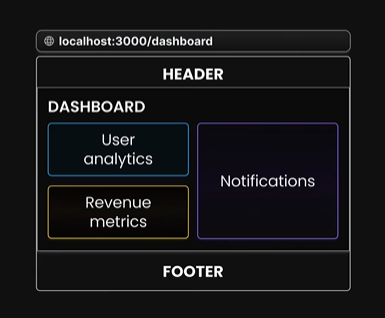
이렇게 하나의 레이아웃 안에 User analytics, Revenue metrics, Notifications 같은 여러 페이지를 렌더링 하는것이다. -
Next.js에서는 Parallel Routes(병렬 경로)를 'slot'이라고 하는 기능을 사용하여 정의함, 슬롯은 내용을 모듈식으로 구조화하는 데 도움을 줌
-
병렬 경로는 일반적으로 다른 경로가 동시에 활성화 되어있을 때 사용되며, 이를 통해 다양한 섹션 또는 컴포넌트를 동시에 렌더링할 수 있음.
-
슬롯을 정의하기 위해 '@folder' 라는 명명 규칙을 사용함, 이는 특정 폴더나 경로를 참조할 때 사용되어지는 방식임
-
그리고 각 슬롯은 prop으로 해당 layout.js파일에 전달됨
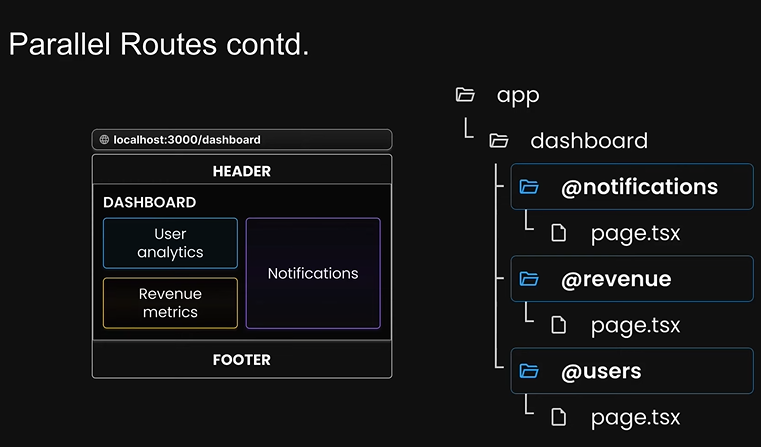
이와 같은 구조임
// app/complex-dashboard/layout.js

export default function DashboardLayout({ children, users, revenue, notifications }) {
  return (
    <div>
      <div>{children}</div>
      <div style={{ display: 'flex' }}>
        <div style={{ display: 'flex', flexDirection: 'column' }}>
          <div>{users}</div>
          <div>{revenue}</div>
        </div>
        <div style={{ display: "flex", flex: 1 }}>{notifications}</div>
      </div>
    </div>
  );
}

// app/complex-dashboard/@notification/page.js
import Card from "@/components/card"; // 스타일 컴포넌트

export default function Notifications() {
  return<Card>Notifications</Card>
}

...
이와 같은 식으로 'slot' 개념을 사용하면 prop을 따로 정의하지 않아도 폴더 이름을 보고 알아서 인식하여 가져오게 됨
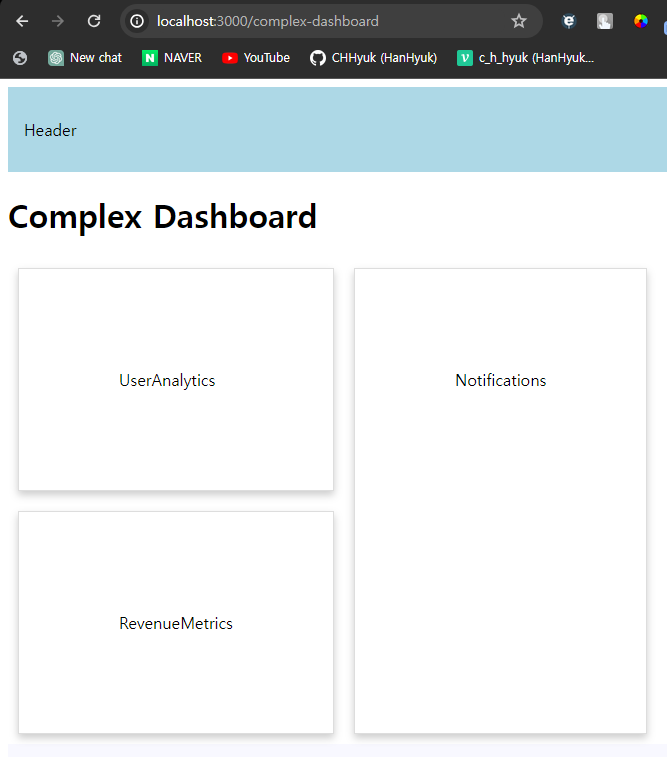
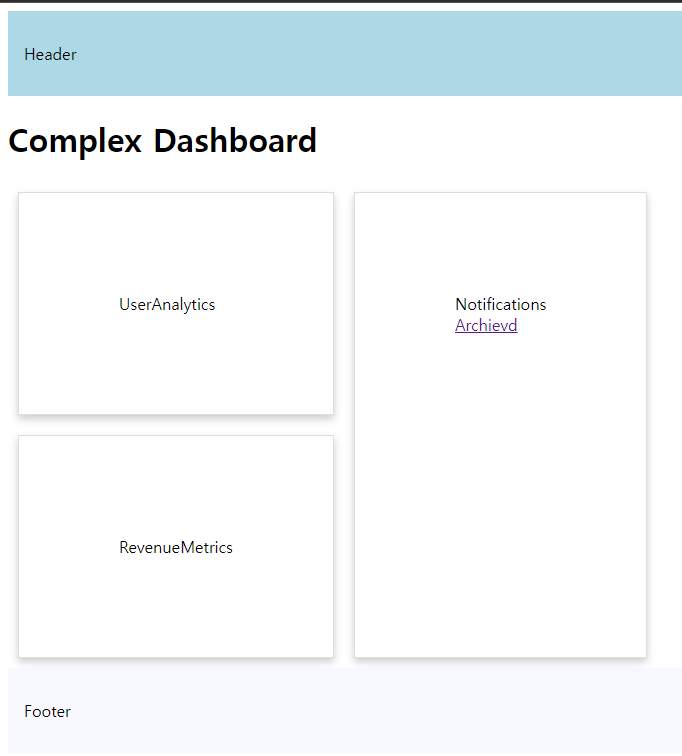
/complex-dashboard 페이지는 위와 같이 출력되게 됨
parallel routes(병렬 경로) 이점
- 코드의 관리 용이성
- 독립적인 경로 처리
- 하위 네비게이션
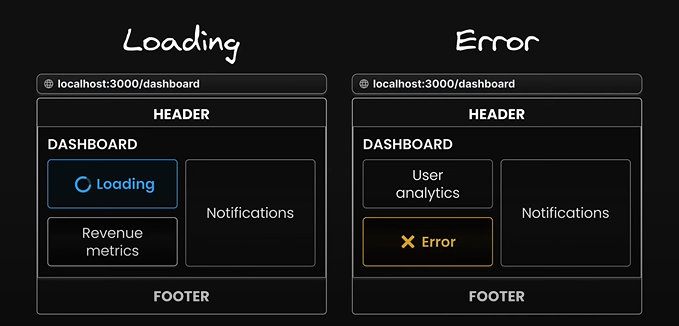
independent route handling(독립적인 경로 처리)
- 병렬 경로를 사용하는 큰 이점 중 하나
- 각 슬롯이 자체적인 로딩 상태와 오류 상태를 가질 수 있음
- 한 부분에 문제가 생기더라도 전체 페이지의 사용성에 큰 영향을 주지 않고 사용자에게 더 나은 경험을 제공할 수 있음
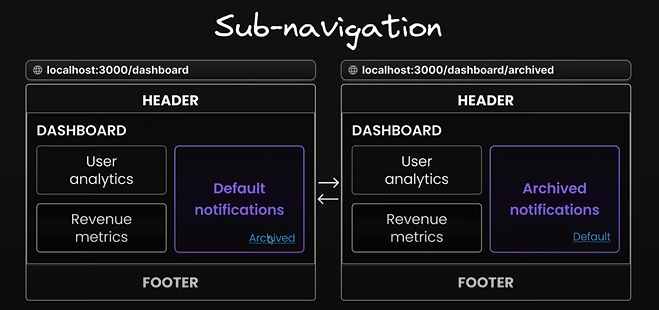
Sub-navigation in routes(라우트 내의 하위 네비게이션)
- 각 슬롯이 마치 미니 애플리케이션처럼 동작할 수 있다는 것을 의미
- 자체적인 네비게이션과 상태 관리 시스템을 갖추고 있어, 복잡한 애플리케이션 내에서 각 섹션이 독립적으로 작동할 수 있음
Unmatched Routes
- URL의 변경이 있을 경우에도 UI 내의 탐색으로 인해 특정 슬롯의 이전 활성 상태를 유지하는 기능
- 사용자가 UI 내에서 다른 페이지로 이동하더라도 특정 슬롯(병렬 라우트의 한 부분)이 로드된 상태나 사용자 상호작용의 상태를 그대로 유지하게 해줌
- 변경되지 않은 URL의 슬롯의 상태를 그대로 유지하면서 새로운 URL에 해당하는 슬롯만 업데이트하거나 변경함
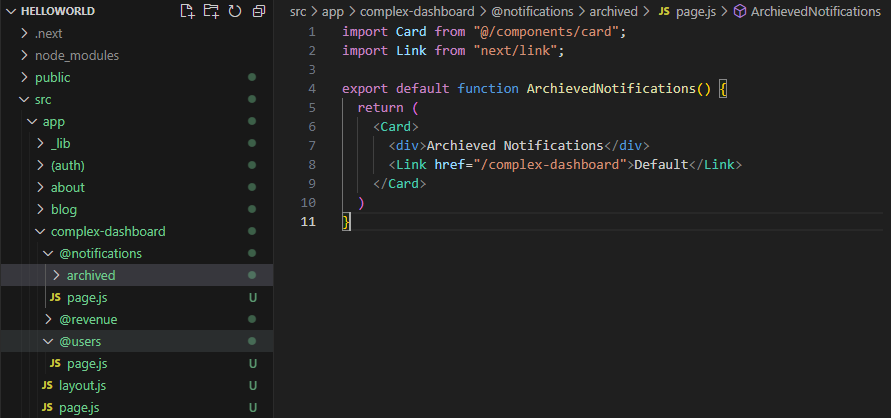
예를 들어 @notifications 폴더에 archived 폴더를 만들어 두 페이지 간에 Link를 통해 URL의 변동이 일어난다고 해도
Notifications에 해당하는 슬롯을 제외한 나머지는 상태를 유지시키는 것을 의미 - 또한 페이지를 새로 로드할 때 Next.js는 각 매칭되지 않은 슬롯에 대해 default.js(default.tsx)를 즉시 검색하여 만약 현재 라우트에서 매칭되지 않은 슬롯에 default 파일이 없다면 404오류를 렌더링함
default.js
- 특정 슬롯의 활성 상태를 현재 URL에서 검색할 수 없을 때 사용되는 대체 컨텐츠를 렌더링하기 위한 파일
- 즉 default 파일은 특정 경로에 대한 슬롯의 내용이 없을 때 보여주는 기본 뷰나 컨텐츠를 제공
- 잠재적인 라우트 문제를 우아하게 처리하고 사용자가 애플리케이션 내에서 길을 잃지 않도록 하는 데 중요한 역할을 함
- 예를 들어 /complex-dashboard 에서 각 슬롯의 page.js가 로드되지 않은 상태에서 /complex-dashboard/archived로 접근하게 되면 archived 라우트에서 정의되지 않은 users, revenue, 그리고 layout의 children은 로드 될 정보가 없으니 404 에러가 떠야 하지만 default.js를 만들어 두면 404 에러 대신 default가 출력되게 되는 구조
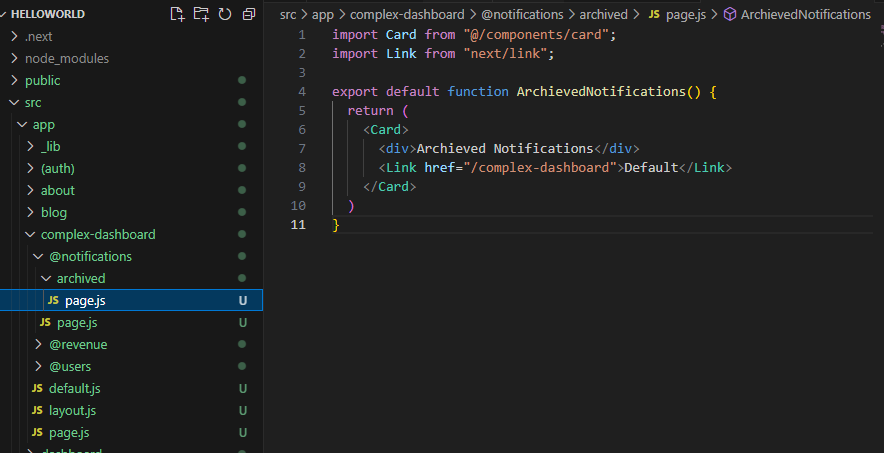
위와 같은 구조일 때
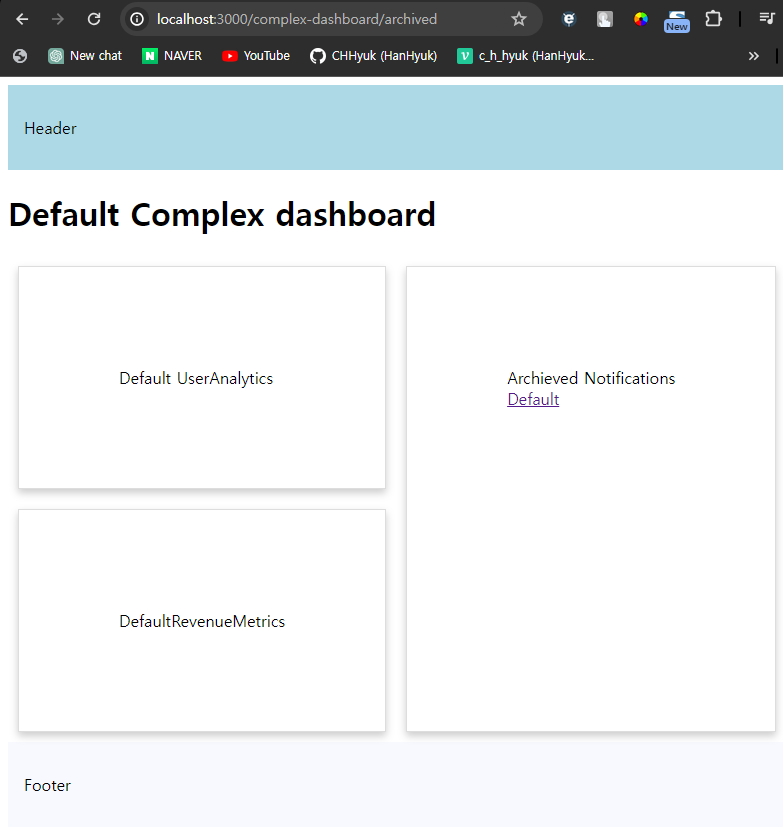
/archived로 바로 접근 시 default가 대신 출력되게 됨
Conditional Routes
- 상황에 맞는 페이지를 출력할 수도 있다.
- 만약 complex-dashboard에 로그인을 해야 진입할 수 있다면 아래와 같이 @login 페이지를 만들어 주고
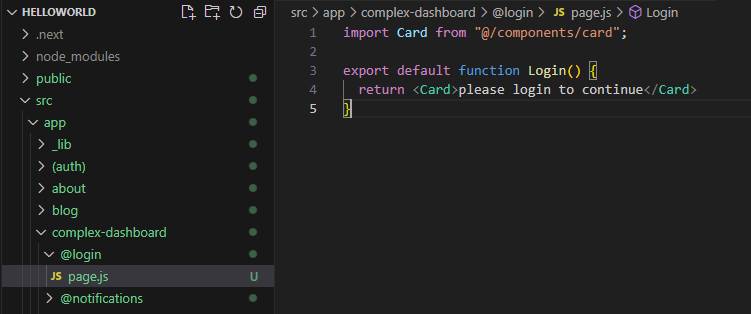
// app/complex-dashboard/layout.js

export default function DashboardLayout({ children, users, revenue, notifications, login }) {
  const isLoggedIn = true

  return isLoggedIn ? (
    <div>
      {/* app/complex-dashboard/@children/page.js */}
      <div>{children}</div>
      <div style={{ display: 'flex' }}>
        <div style={{ display: 'flex', flexDirection: 'column' }}>
          <div>{users}</div>
          <div>{revenue}</div>
        </div>
        <div style={{ display: "flex", flex: 1 }}>{notifications}</div>
      </div>
    </div>
  ) : (
    login
  );
}
이와 같이 layout.js로 login prop을 받아와 isLoggedIn이라는 불린값에 따라 login 페이지 혹은 기존의 complex-dashboard 페이지가 출력되게끔 하는 것이 가능함

선한 영향력을 펼치는 개발자가 되겠습니다.