HomeLAB 구성하기 - 6
Kubernetes 배포 환경 구성
Kubernetes 클러스터에 Argo CD를 설치하고, GitOps 기반으로 배포 환경을 구성한다.
Argo CD 설치
- control-plane 노드에 argo.yaml 파일 작성
dex:
  enabled: false
global:
  domain: argocd.<PUBLIC_IP>.nip.io # 수정 필요, 자기가 gateway를 만들때 얻은 ip 입력
configs:
  params:
    "server.insecure": true
server:
  ingress:
    enabled: true
    ingressClassName: nginx
controller:
  clusterRoleRules:
    enabled: true
    rules:
    - apiGroups:
        - '*'
      resources:
        - '*'
      verbs:
- '*'- control-plane 노드에서 설치 수행
helm repo add argo https://argoproj.github.io/argo-helm
helm install argo-cd -n argo argo/argo-cd --create-namespace --version 7.7.13 -f argo.yaml
아래 명령어로 초기 비밀번호를 확인할 수 있다.
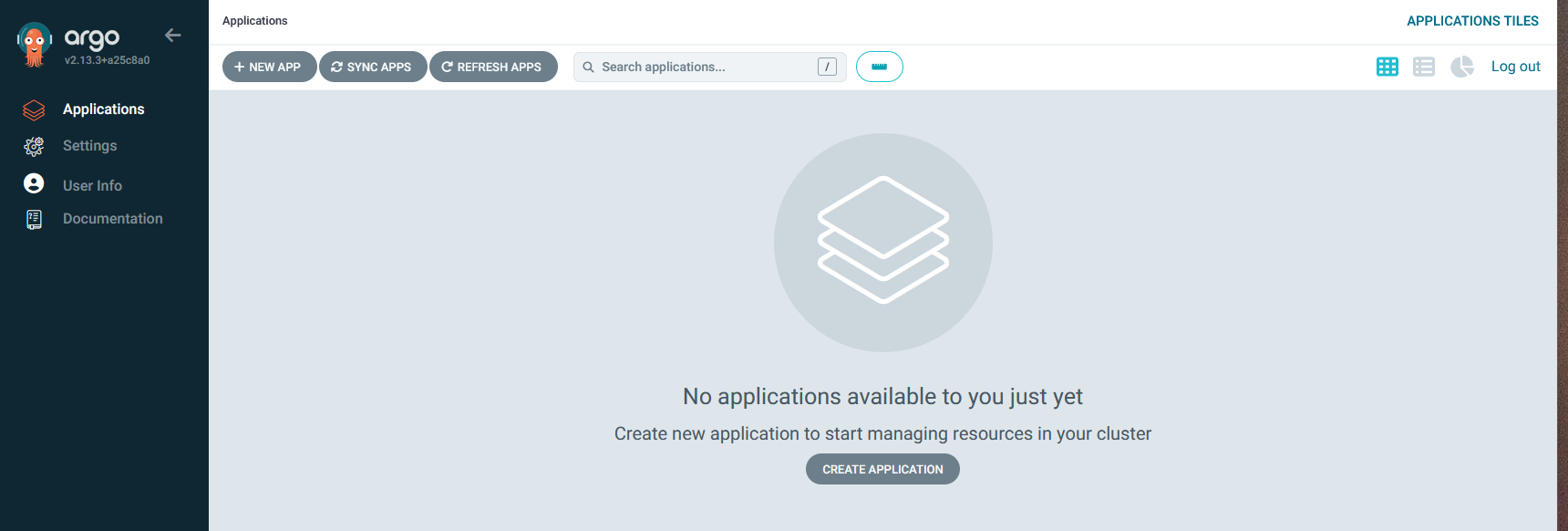
kubectl -n argo get secret argocd-initial-admin-secret -o jsonpath="{.data.password}" | base64 -d정상적으로 진행되었다면 브라우저를 통해 접속할 수 있다.
App of Apps
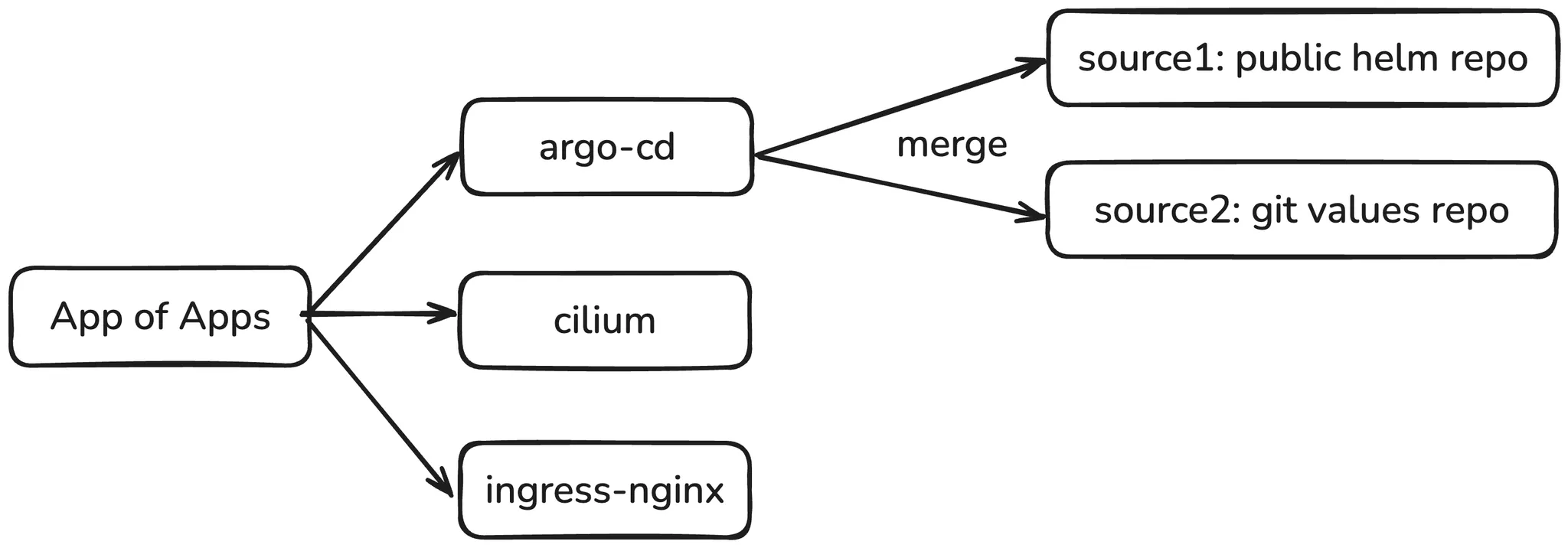
App of Apps는 Kubernetes와 Argo CD에서 사용되는 패턴으로, 여러 애플리케이션을 선언적이고 계층적으로 관리하는 방법이다.
특징
- 하나의 상위 애플리케이션(parent application)이 여러 하위 애플리케이션들을 관리
- 모든 애플리케이션의 설정을 중앙에서 버전 관리 가능
- 새로운 애플리케이션 추가나 기존 애플리케이션 변경을 Git을 통해 관리
장점
- 인프라 구성요소들을 체계적으로 관리 가능
- 여러 환경(개발, 스테이징, 프로덕션 등)에 대한 일관된 배포 가능
- GitOps 워크플로우와 완벽하게 통합
기존 helm 차트를 GitOps 기반으로 마이그레이션
Git 디렉토리 구조
git repository를 생성하고 3개의 디렉토리를 생성
- Git Repository 구조
apps/
  ├── argo-cd/
  │   └── app.yaml
  ├── ingress-nginx/
  │   └── app.yaml
  └── cilium/
      └── app.yaml
values/
  ├── argo-cd/
  │   └── values.yaml
  ├── ingress-nginx/
  │   └── values.yaml
  └── cilium/
└── values.yaml- Applications 설정
- argo-cd
apiVersion: argoproj.io/v1alpha1
kind: Application
metadata:
  name: argo-cd
  namespace: argo
spec:
  project: default
  destination:
    name: ''
    namespace: argo
    server: https://kubernetes.default.svc
  sources:
  - path: ''
    repoURL: https://argoproj.github.io/argo-helm
    targetRevision: 7.7.13
    chart: argo-cd
    helm:
      valueFiles:
      - $values/values/argo-cd/values.yaml
  - ref: values
    repoURL: https://github.com/oterte/cluster-gitops.git
targetRevision: HEAD- ingress-nginx
apiVersion: argoproj.io/v1alpha1
kind: Application
metadata:
  name: ingress-nginx
  namespace: argo
spec:
  project: default
  destination:
    name: ''
    namespace: ingress-nginx
    server: https://kubernetes.default.svc
  sources:
  - path: ''
    repoURL: https://kubernetes.github.io/ingress-nginx
    targetRevision: 4.12.0
    chart: ingress-nginx
    helm:
      valueFiles:
      - $values/values/ingress-nginx/values.yaml
  - ref: values
    repoURL: https://github.com/oterte/cluster-gitops.git
targetRevision: HEAD- cilium
apiVersion: argoproj.io/v1alpha1
kind: Application
metadata:
  name: cilium
  namespace: argo
spec:
  project: default
  destination:
    name: ''
    namespace: kube-system
    server: https://kubernetes.default.svc
  sources:
  - path: ''
    repoURL: https://helm.cilium.io/
    targetRevision: 1.16.5
    chart: cilium
    helm:
      valueFiles:
      - $values/values/cilium/values.yaml
  - ref: values
    repoURL: https://github.com/oterte/cluster-gitops.git
    targetRevision: HEAD
  # Cilium은 특정 리소스가 out of sync가 많이 발생하니
  # 무시를 위해 아래 내용을 추가할 수 있다.
  ignoreDifferences:
  - group: apps
    kind: DaemonSet
    name: cilium
    namespace: kube-system
    jsonPointers:
    - /spec/template/spec/containers/0/volumeMounts
  - group: apps
    kind: DaemonSet
    name: cilium-envoy
    namespace: kube-system
    jsonPointers:
    - /spec/template/spec/containers/0/volumeMounts
  - kind: Secret
    name: cilium-ca
    namespace: kube-system
    jsonPointers:
    - /data
  - kind: Secret
    name: cilium-ca
    namespace: kube-system
    jsonPointers:
    - /data
  - kind: Secret
    name: hubble-relay-client-certs
    namespace: kube-system
    jsonPointers:
    - /data
  - kind: Secret
    name: hubble-server-certs
    namespace: kube-system
    jsonPointers:
- /data- Values 설정
- argo-cd
dex:
  enabled: false
global:
  domain: argocd.<PUBLIC_IP>.nip.io # 자신이 얻은 퍼블릭 IP를 입력
configs:
  params:
    "server.insecure": true
server:
  ingress:
    enabled: true
    ingressClassName: nginx
controller:
  clusterRoleRules:
    enabled: true
    rules:
    - apiGroups:
        - '*'
      resources:
        - '*'
      verbs:
- '*'- ingress-nginx
controller:
  hostNetwork: true
  kind: DaemonSet
  service:
    type: ClusterIP
  dnsPolicy: ClusterFirstWithHostNet
  tolerations:
    - key: "gateway"
      effect: "NoExecute"
operator: "Exists"- cilium
hubble:
  relay:
    enabled: true
  ui:
    enabled: true
ipam:
  mode: kubernetes
mtu: 1340- 확인
- 위 설정을 완료한 후 argocd에서 New app을 통해 설정 후 생성
- 모든 설정이 정상적으로 됐다면 아래와 같은 화면을 argocd에서 확인할 수 있다.
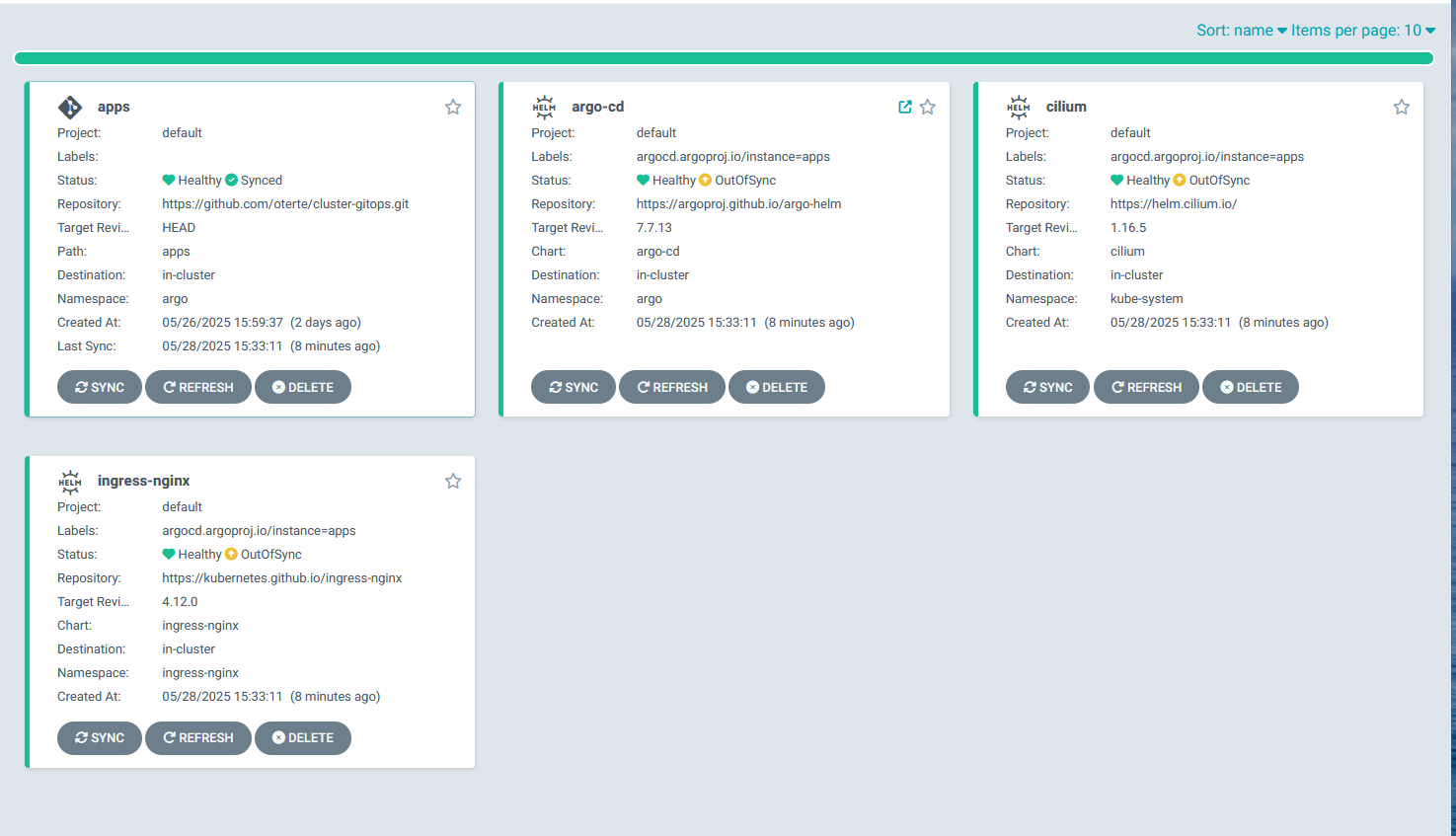
- 이후 Sync Apps를 통해 싱크해주면 된다.

개발자를 향해 달리는 사람