환경: ubuntu 22.04, ROS2 humble, 64bit
https://www.arduino.cc/en/software
arudino 1.8.13 다운로드
> 1.8.19 는 실패. 이유는 모름zip파일 압축해제 후 arduino-1.8.13 폴더로 가서 설치
> sudo ./install.shhttps://www.pjrc.com/teensy/td_download.html
teensyduino 다운로드
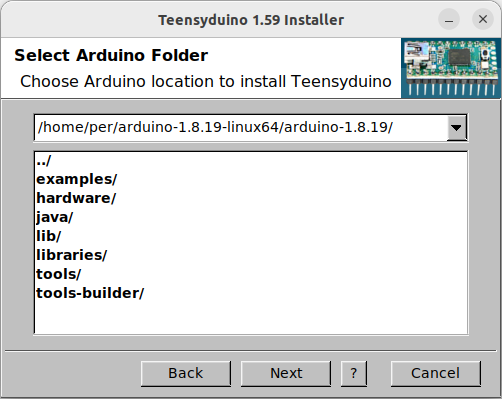
> 1.8.X 호환버전으로 다운로드 해준다.next 버튼만 클릭하다 install 누르면 설치된다.
요부분에서만 압축해제한 arduno 폴더로 경로를 지정해주면 된다.
제공하는 rule은 다음과 같다.
# UDEV Rules for Teensy boards, http://www.pjrc.com/teensy/
#
# The latest version of this file may be found at:
#   http://www.pjrc.com/teensy/00-teensy.rules
#
# This file must be placed at:
#
# /etc/udev/rules.d/00-teensy.rules    (preferred location)
#   or
# /lib/udev/rules.d/00-teensy.rules    (req'd on some broken systems)
#
# To install, type this command in a terminal:
#   sudo cp 00-teensy.rules /etc/udev/rules.d/00-teensy.rules
#
# After this file is installed, physically unplug and reconnect Teensy.
#
ATTRS{idVendor}=="16c0", ATTRS{idProduct}=="04*", ENV{ID_MM_DEVICE_IGNORE}="1", ENV{ID_MM_PORT_IGNORE}="1"
ATTRS{idVendor}=="16c0", ATTRS{idProduct}=="04[789a]*", ENV{MTP_NO_PROBE}="1"
KERNEL=="ttyACM*", ATTRS{idVendor}=="16c0", ATTRS{idProduct}=="04*", MODE:="0666", RUN:="/bin/stty -F /dev/%k raw -echo"
KERNEL=="hidraw*", ATTRS{idVendor}=="16c0", ATTRS{idProduct}=="04*", MODE:="0666"
SUBSYSTEMS=="usb", ATTRS{idVendor}=="16c0", ATTRS{idProduct}=="04*", MODE:="0666"
KERNEL=="hidraw*", ATTRS{idVendor}=="1fc9", ATTRS{idProduct}=="013*", MODE:="0666"
SUBSYSTEMS=="usb", ATTRS{idVendor}=="1fc9", ATTRS{idProduct}=="013*", MODE:="0666"

#
# If you share your linux system with other users, or just don't like the
# idea of write permission for everybody, you can replace MODE:="0666" with
# OWNER:="yourusername" to create the device owned by you, or with
# GROUP:="somegroupname" and mange access using standard unix groups.
#
# ModemManager tends to interfere with USB Serial devices like Teensy.
# Problems manifest as the Arduino Serial Monitor missing some incoming
# data, and "Unable to open /dev/ttyACM0 for reboot request" when
# uploading.  If you experience these problems, disable or remove
# ModemManager from your system.  If you must use a modem, perhaps
# try disabling the "MM_FILTER_RULE_TTY_ACM_INTERFACE" ModemManager
# rule.  Changing ModemManager's filter policy from "strict" to "default"
# may also help.  But if you don't use a modem, completely removing
# the troublesome ModemManager is the most effective solution.
00-teensy.rules 파일을 하나 만들어 주고
sudo cp 00-teensy.rules /etc/udev/rules.d/00-teensy.rules rule을 만들어준다.
위 repo의 내용 긁어서 복붙해도 되고
curl https://raw.githubusercontent.com/micro-ROS/micro_ros_arduino/main/extras/patching_boards/platform_teens.txt > platform.txt커맨드를 날려도 된다.
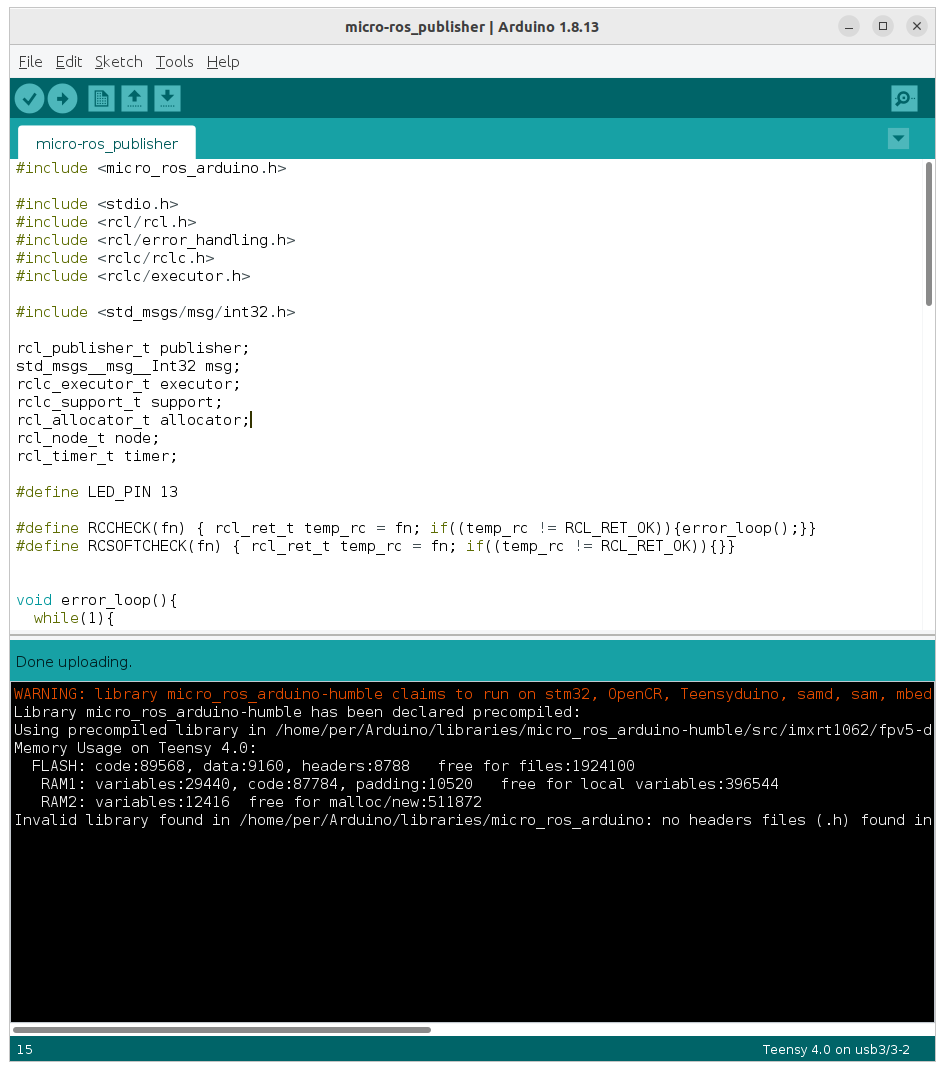
업로드된 모습
[참고]
https://stupidly-honest.tistory.com/39
https://www.pjrc.com/teensy/td_download.html
https://github.com/micro-ROS/micro_ros_arduino/releases?page=1
