Warning: A component is changing an uncontrolled input to be controlled. This is likely caused by the value changing from undefined to a defined value, which should not happen. Decide between using a controlled or uncontrolled input element for the lifetime of the component. More info: https://reactjs.org/link/controlled-components
두둥 유난히 긴 에러 등장!
이게 뭐지?
일단 이 에러가 어떻게 등장했냐면. . . 수정하기 버튼을 통해 열리는 모달이 open된 후 에러가 발생했다.
일단 무슨 에러인지 알아보자.
- 컴포넌트가 uncontrolled input을 변경하고 있는 상황이다.
- 이는 undefined에서 defined value로 변경되기 때문에 발생했다. → 이게 문제다!
- 컴포넌트의 생명주기를 위해 controlled input 혹은 uncontrolled input 중 어떤 걸 사용할지 결정하라고 한다.
우선 controlled와 uncontrolled에 대해 살펴보자.
📌 Controlled Component vs Uncontrolled Component
공식문서를 참조하여 정리해보자.
- 제어 컴포넌트
- input, textaera, select와 같은 폼 엘리먼트는 일반적으로 사용자의 입력을 기반으로 자신의 state를 관리하고 업데이트한다. → 리액트 state를
single source of truth로 만들어 두 엘리먼트를 결합할 수 있다. 그러면 폼을 렌더링하는 리액트 컴포넌트는 폼에 발생하는 유저 입력값을 제어하게 된다. *single source of truth : 모든 데이터 요소를 한 곳에서 제어하거나 편집하도록 조직하는 것
- 동작 순서
- 1) 사용자가 input에 값을 입력
- 2) 사용자가 값을 입력할 때마다 onChange 이벤트 핸들러가 발생하여, setName()을 통해 변수가 name인 state 값을 변경
- 3) 변경된 state값을 input value에 할당
- input, textaera, select와 같은 폼 엘리먼트는 일반적으로 사용자의 입력을 기반으로 자신의 state를 관리하고 업데이트한다. → 리액트 state를
- 비제어 컴포넌트
- ref와 같은 것들을 통해서 폼에 접근한다.
⇒ React가 아닌 DOM에서 처리된다는 뜻!
- 즉, 제어 컴포넌트와 달리 액션이 이루어지기 전까진 값을 알 수 없다.
- 동작 순서
- 1) 사용자가 input에 값을 입력
- 2) 사용자가 버튼을 클릭하게 되면 ref를 통해 값을 얻음
- ref와 같은 것들을 통해서 폼에 접근한다.
간단히 정리해보자.
제어 컴포넌트 → 사용자 액션에 따라 실시간으로 값이 필요할 때 사용
비제어 컴포넌트 → onSubmit과 같이 제출 시에 값이 필요할 때 사용
이제 어디서 에러가 시작됐는지 파헤쳐보자.
Warning: A component is changing an uncontrolled input to be controlled. This is likely caused by the value changing from undefined to a defined value, which should not happen. Decide between using a controlled or uncontrolled input element for the lifetime of the component. More info: https://reactjs.org/link/controlled-components
에러는 아래 코드에서 난 걸로 예상할 수 있었다.
<input type='text' className='form-control' value={data?.email} placeholder={t('text.enter.email')} readOnly={true} />감이 온다. 바로 바꿔주자!

정리하자면, 모달 내의 input 태그에서 value에 undefined가 들어갈 수 있었던 것이었다. 리액트 입장에서는 초기값이 undefined일 수도 있기에 uncontrolled input이라고 인지하게 될 것이다.
하지만 유저 액션(onChange event-handler)에 따라 input이 바뀌게 되면서 controlled input으로 변경하려는 시도가 감지되어 위와 같은 에러가 뜨게 된 것이다!!
해결은 했지만 그래도 예의상 에러와 함께 띄워준 링크에 들어가보자.
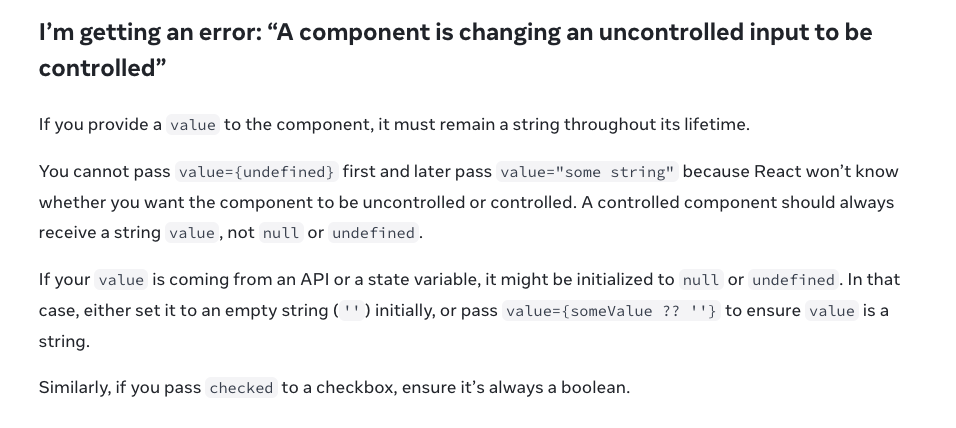
그렇다고 한다.
If you provide a
valueto the component, it must remain a string throughout its lifetime.
제일 중요한 문장인 것 같다. 컴포넌트에 value를 활용한다면, 이건 리액트 생명주기 동안에는 무조건 string으로 존재해야 한다!
나와있는 솔루션을 보니 이미 잘 고친 듯 하다. ㅎㅎ