
id 유효성 검사 필요한것
- 아이디 입력값이 4~ 12 의 길이 일것
- 입력값의 조건이 영어 소문자 숫자만 가능 일것
- 이 조건이 참이 아니면 밑에 있는 안내 문구가 빨간색 글자로 바뀌게 할것
그리고 확인 버튼을 눌렀을때
- 있는 배열에서 확인후 있으면 이미 등록된 아이디 입니다 라고 팝업창이나
알람창을 뜨게 할것
- 배열에 없으면 배열 맨끝에 추가하게 할것
1.아이디의 입력값이 길이가 4~ 12 로 되게 하는 것
[Javascript] input 에서 입력 글자수 제한하는 2가지 방법
<input
  type="text"
  id="s"
  [(ngModel)]="signidInputValue"
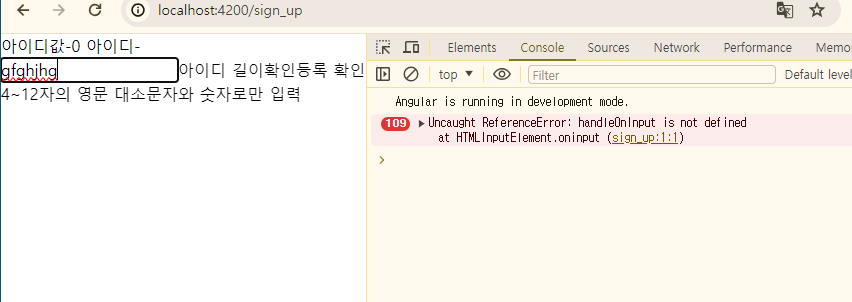
  oninput="handleOnInput()"
/>
//아이디의 길이가 4-12 길이 oninput 이벤트 함수
handleOnInput() {
let signidInputValue = (event?.target as HTMLInputElement).value;
if (this.signidInputValue.length > this.maxLength) {
signidInputValue = this.signidInputValue.slice(0, this.maxLength);
}
// HTMLInputElement.value = signidInputValue;
}
// HTMLInputElement.oninput = this.handleOnInput
🚨이슈
< 사용자 입력 이벤트>
//
- ( click)=” onclick()” ⇒ 사용자가 버튼을 클릭하면 onclick에서 메서드를 호출
<button type="button" (click)="onClickMe()">Click me!</button>
{{ clickMessage }}`,

export class ClickMeComponent {
clickMessage = '';

onClickMe() {
this.clickMessage = 'You are my hero!';
}- (keyup) = “ onkey($event)”
⇒ 사용자가 키를 눌렀다가 떼면 keyup 이벤트가 발생 한다.
<input (keyup)="onKey($event)" />
<p>{{ values }}</p>

export class KeyUpComponent_v1 {

values = '';

onKey(event: any) { // without type info
this.values += event.target.value + ' | ';
}
길이 4-12 하기!!
버튼 클릭해서 확인하기!!
@for (id of profile; track $index) {
  <div>아이디값-{{ id.id }} 아이디-{{ id.logId }}</div>
}
<input type="text" id="s" [(ngModel)]="signidInputValue" maxlength="12" />

<button (click)="idlength()">아이디 길이확인</button>
<br />
<button (click)="check()">등록 확인</button>
  color() {}
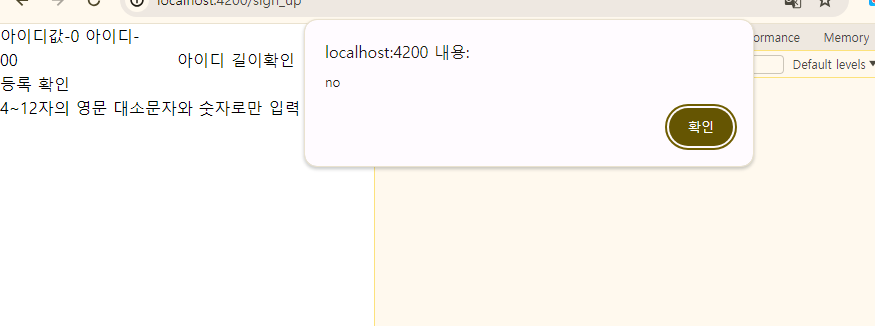
  idlength() {
    if (this.signidInputValue.length < 4) {
      // 4 미만이면 알람창 뜨게 함
      alert('no');
      return;
    } else {
    }
  }
글자 색깔 바꿔서 확인 하게 못하나?

chan