1. API Spec
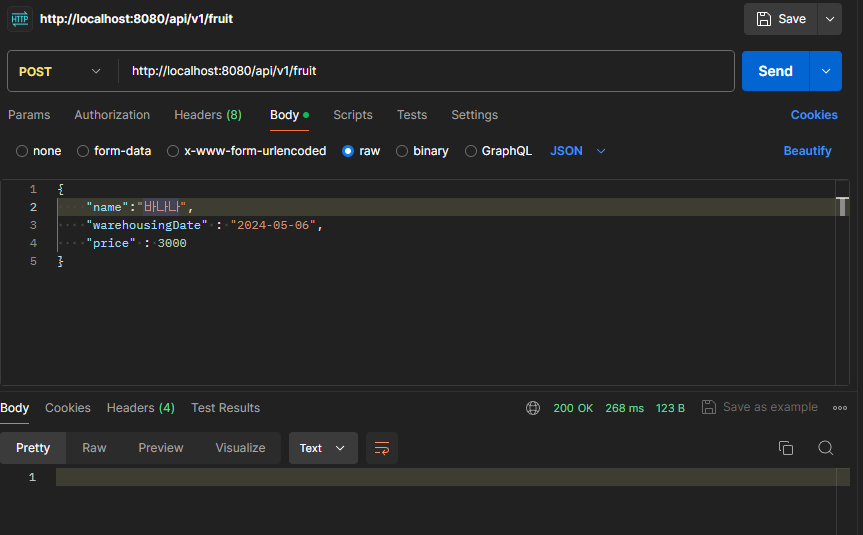
- HTTP Method : POST
- HTTP Path : /api/vi/fruit
- HTTP Request Body
{ "name" : String, "warehousingDate" : LocalDate, "price" : Long } - 응답 : 성공시 상태 코드 200
createDTO

package com.group.libraryapp.practice;

import java.time.LocalDate;

public class FruitCreateRequest {

    private long id;
    private String name;
    private LocalDate warehousingDate;
    private Long price;

    public long getId() {
        return id;
    }

    public String getName() {
        return name;
    }

    public LocalDate getWarehousingDate() {
        return warehousingDate;
    }

    public long getPrice() {
        return price;
    }
}
Controller

package com.group.libraryapp.practice;

import org.springframework.jdbc.core.JdbcTemplate;
import org.springframework.web.bind.annotation.*;

@RestController
public class FruitController {

    private final JdbcTemplate jdbcTemplate;

    public FruitController(JdbcTemplate jdbcTemplate) {
        this.jdbcTemplate = jdbcTemplate;
    }

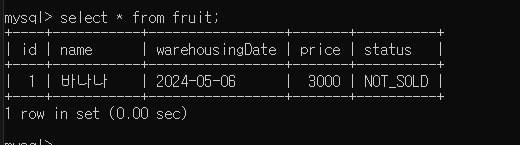
    @PostMapping("/api/v1/fruit")
    public void saveFruit(@RequestBody FruitCreateRequest request) {
        String sql = "INSERT INTO fruit (name, warehousingDate, price) VALUES (?, ?, ?)";
        jdbcTemplate.update(sql, request.getName(), request.getWarehousingDate(), request.getPrice()
        );
    }
API에서 int 대신 long을 사용한 이유
- 1) int 보다는 long이 더 많은 값을 저장할 수 있다.
- int
- 저장 공간: 32 bit
- 값의 범위 : -2147483648 ~ 2147483647
- long
- 저장 공간: 64 bit
- 값의 범위: -9223372036854775808 ~ 9223372036854775807
- 2) long 대신 Long 쓰는 이유
long은 primitive type으로, 값이 없을 경우 0으로 초기화된다.
따라서, id가 없어서 0으로 세팅이 된 것인지, 아니면 실제 값이 0인지 데이터만 보고 판별할 수 없다. 반면 Long은 wrapper type으로, 값이 없을 경우 null로 초기화 된다. 따라서 값이 0이라면, id가 0으로 저장됐음을 알 수 았다.
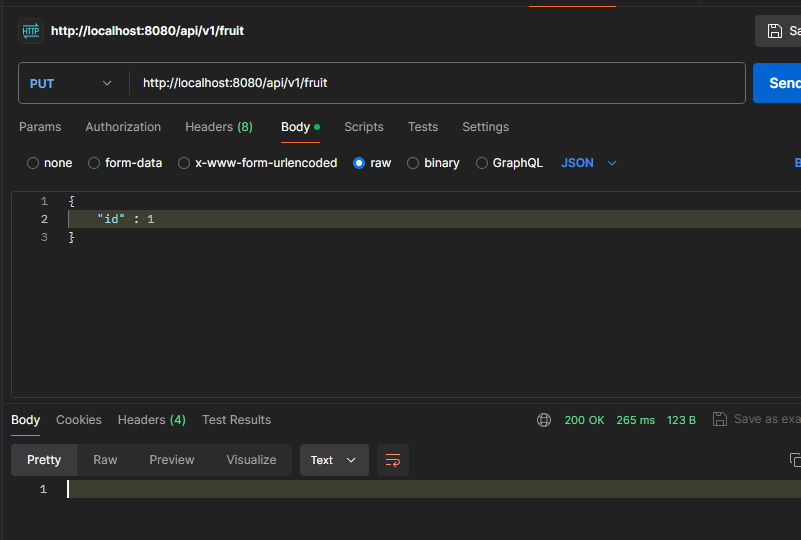
2. API Spec
- HTTP Method : PUT
- HTTP Path : /api/v1/fruit
- HTTP Request Body
{ "id" : long } - 응답 : 성공시 상태 코드 200
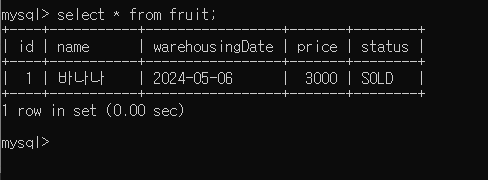
@PutMapping("/api/v1/fruit")
    public void updateFruit(@RequestBody FruitCreateRequest request) {

        String readSql = "SELECT * FROM fruit WHERE id = ?";
        boolean isFruitNotExist = jdbcTemplate.query(readSql, (rs, rowNum) -> 0, request.getId()).isEmpty();
        if (isFruitNotExist) {
            throw new IllegalStateException();
        }
        String sql = "UPDATE fruit SET status = 'SOLD' WHERE id = ?";
        jdbcTemplate.update(sql, request.getId());
    }
3. API Spec
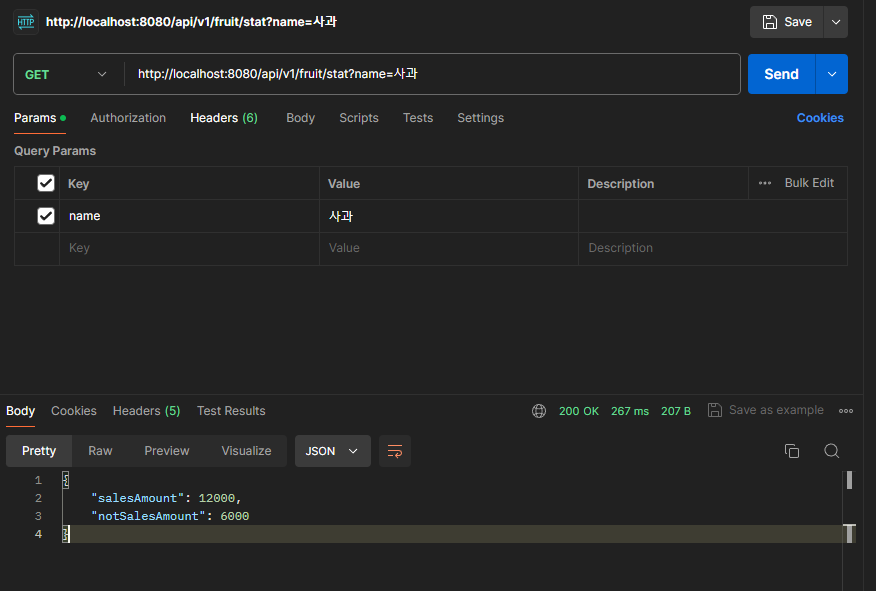
- HTTP Method : GET
- HTTP Path : /api/vi/fruit/stat
- Query : name=과일이름
- HTTP Response Body
{
"salesAmount" : long
"notSalseAmout" : long
}
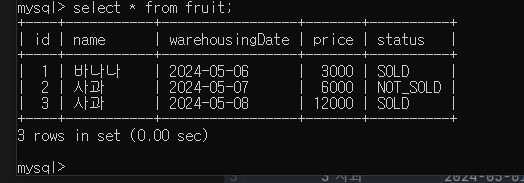
@GetMapping("/api/v1/fruit/stat")
    public FruitTotalPriceResponse getAmountInfo(@RequestParam String name) {
        String sqlForSold = "SELECT SUM(price) FROM fruit WHERE name = ? AND status = 'SOLD'";
        String sqlForNotSold = "SELECT SUM(price) FROM fruit WHERE name = ? AND status = 'NOT_SOLD'";

        int salesAmount = jdbcTemplate.queryForObject(sqlForSold, Integer.class, name);
        int notSalesAmount = jdbcTemplate.queryForObject(sqlForNotSold, Integer.class, name);

        return new FruitTotalPriceResponse(salesAmount, notSalesAmount);
    }