
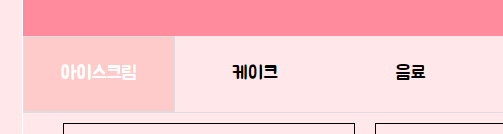
📒 html에서 탭 박스 만들기
 <div id="tab_box">

        <input type="radio" id="tab1" name="tabs" checked>
        <label for="tab1">탭 이름1</label>
        <input type="radio" id="tab2" name="tabs">
        <label for="tab2">탭 이름1</label>
        <input type="radio" id="tab3" name="tabs">
        <label for="tab3">탭 이름1</label>
        <div id="gallery1" class="tabContent"><div>
📒 css에서 탭 박스 수정하기
 #tab_box{ /*탭 박스 사이즈*/
          width: 1050px; height: 600px;
          float: left;
        }

        #tab_box input[type="radio"]{
          display: none;
        }

        #tab_box label{ /*탭 이름 사이즈와 폰트 색상*/
          display: inline-block;
          padding: 15px 25px;
          font-weight: 600;
          text-align: center;
          color: black;
        }

        #tab_box label:hover{ /*탭 이름 마우스를 올렸을 때*/
          color: wheat;
          cursor: pointer;
        }

        #tab_box input:checked + label{ /*탭 누르면 바뀌는 모습*/
          color: #b00;
          border: 1px solid #ddd;
          background-color: #eee;
        }

        .tabContent{ /*탭 내용 스타일*/
          display: none;
          border-top: 1px solid #ddd;
        }


        #tab1:checked ~ #gallery1 /*탭 눌렀을 때 나오는 모습 연결*/
        #tab2:checked ~ #gallery2,
        #tab3:checked ~ #gallery3 {
          display: block;
        }
비전공자 Java, JavaScript, Html, Css, C++ 공부중