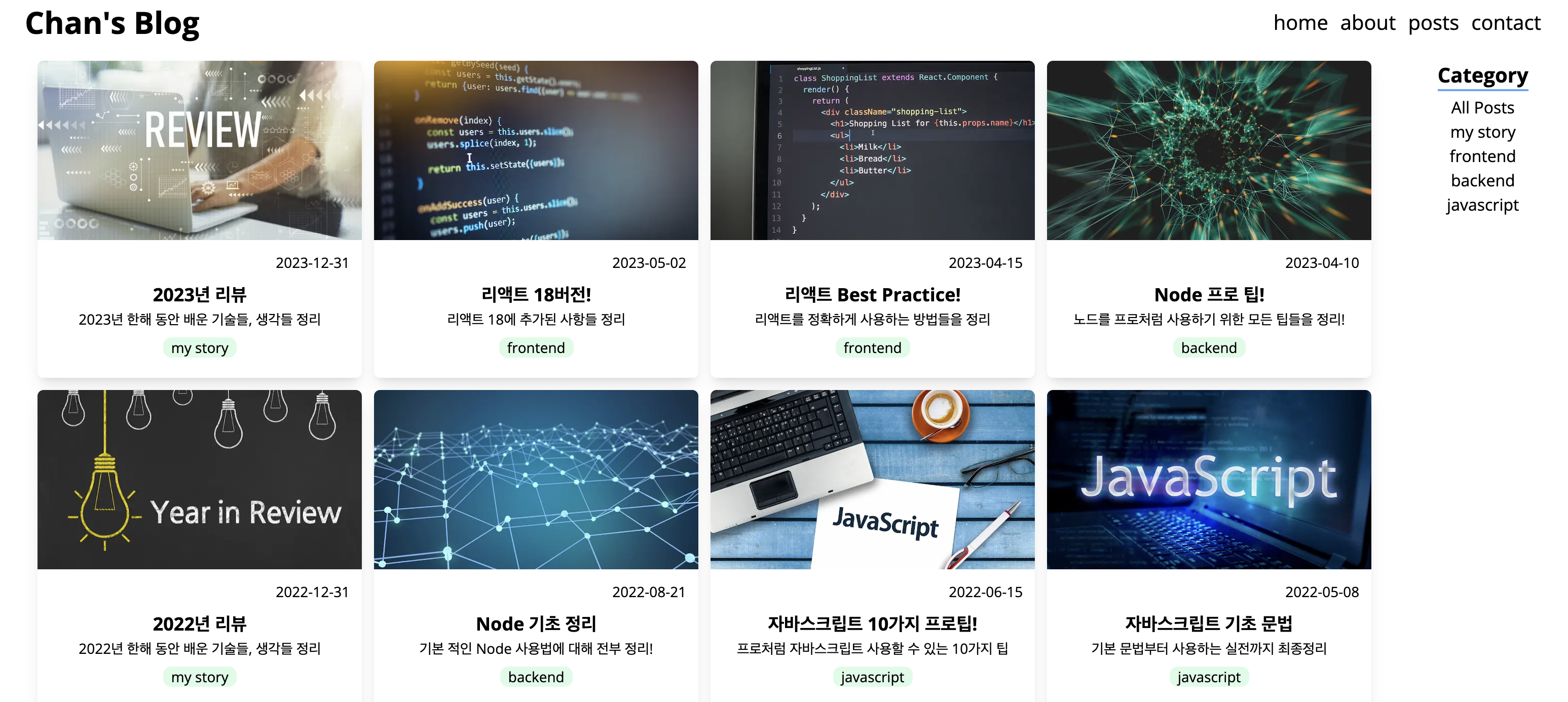
사진과 같이 nextjs 블로그 프로젝트를 진행하면서, 카테고리별 포스터를 필터링 하는 기능에 대해 기억하고자 기록해 두려고 작성하게 되었다..😅
⚒️ 사용스택 : nextjs , tailwindcss, typescript
1. 카테고리 배열 불러오기
const categories = [...new Set(posts.map(post) => post.category))];Set메소드 : 중복을 막아주는 역할로, 특정 속성에 대한 값을 중복 없이 받아올 수 있다.map메소드 : post 객체 내 category 속성 값만 받아올 수 있다.
2. 필터링 된 포스트만 보여주는 컴포넌트 생성
FilterablePosts 컴포넌트를 생성하여 선택된 카테고리에 맞는 포스트만 렌더링 할 수 있도록 코드를 작성한다.
// 1
"use client";
import { Post } from "@/service/posts";
import { useState } from "react";
import Card from "./Card";
import Categories from "./Categories";

// 2
type Props = {
  posts: Post[];
  categories: string[];
};

const ALL_POSTS = "All Posts";

export default function FilterablePosts({ posts, categories }: Props) {
  const [selected, setSelected] = useState(ALL_POSTS);
  // 3
  const filtered =
    selected === ALL_POSTS
      ? posts
      : posts.filter((post) => post.category === selected);

  return (
    <section className="flex justify-around">
      <ul className="grid grid-cols-1 sm:grid-cols-2 md:grid-cols-3 lg:grid-cols-4 gap-3">
        // 4
        {filtered.map((post) => (
          <li key={post.path}>
            <Card post={post} />
          </li>
        ))}
      </ul>
      <Categories
        categories={[ALL_POSTS, ...categories]}
        onClick={(selected) => setSelected(selected)}
      />
    </section>
  );
}- 'use client' :
useState로 상태를 관리하기 때문에 클라이언트 컴포넌트로 관리 - 타입지정 : 매개변수
posts,categories에 대한 Props 타입 지정 - 필터링 기준 정하기 :
filtered변수에는posts변수에 담겨있는 배열 내 객체들을map메소드를 통해 배열 내 객체를 돌며 해당post의category의 값이selected와 동일한 객체만 필터링한다.
(state 값이 변경되면 리렌더링 되기 때문에 해당 조건에 맞는 포스트가 렌더링 된다.) - 필터링 포스트 렌더링 : 필터링 된 객체가 들어있는 filtered를 map 메소드를 사용하여 Card 컴포넌트로 전달하여 포스트를 렌더링한다.
3. 카테고리 메뉴 컴포넌트 생성
Categories 컴포넌트를 생성하여 카테고리를 선택할 수 있는 메뉴 컴포넌트를 생성한다.
// 1
type Props = {
  categories: string[];
  onClick: (category: string) => void;
};
// 2
export default function Categories({ categories, onClick }: Props) {
  return (
    <section className="flex flex-col items-center">
      <h2 className="text-xl font-bold border-b-2 border-blue-400 mb-1">
        Category
      </h2>
      <ul className="flex flex-col items-center">
        // 3
        {categories.map((category) => (
          <li
            key={category}
            onClick={() => onClick(category)}
            className="cursor-pointer hover:text-blue-400"
          >
            {category}
          </li>
        ))}
      </ul>
    </section>
  );
}- 타입지정 : 매개변수
categories,onClick대한 Props 타입 지정- void : 반환값이 없는 경우의 타입
- categories 렌더링 : 매개변수로 받아온 카테고리 목록을 map 메소드를 통해 렌더링한다.
onClick: 카테고리 항목 클릭 이벤트 발생시 매개변수로 받아온onClick함수(setSelected)에 해당 category 항목을 전달하여 실행시킨다.

개발 기록 공간