우리가 익히 알고 있는 파일에 대해 알아보자
오늘은 텍스트 파일에 대해서만 알아보겠다
파일이란?
컴퓨터 보조장치에 저장되는 데이터를 담는 논리적인 저장 용기
📌 디렉토리(폴더)
- 많은 수의 파일을 관리하기 위해 디렉토리(폴더)를 이용해 파일을 넣는 공간을 분리
📌 상대경로
- 현재 작업 디렉토리 or 현재 운영체제에서 기억하고 있는 위치(디렉토리/폴더)
./temp/a.text >> c:/users/ycho/temp/a.text)
../a.text >> c:/users/a.text) #지금보다 상위 '..' 사용- 현재 위치 확인: terminal-pwd (ubuntu기준) / os.getcwd(python 기준)
- 전체 파일 위치 확인: terminal -ll or ls
📌 파일 입출력
- 파일 열기 - 파일 입출력(read, write) - 파일 닫기(생략가능)
- 파일 열기
  파일_변수 = open(파일_이름)


f = open("C:\temp\data.text")
- 파일 닫기
  파일_변수 = close()

f.close()
📌 파일 읽기
f= open("t.txt", "w") #파일에 텍스트 쓰기
f.write("hello world")
f.close

f = open("t.txt")
s = f.read()
print(s)
f.close

>> hello world- 한줄씩 읽기 : readline()
- 전체 줄 읽기: readlines()
동일한 출력 결과를 얻어올 수 있다
읽기 방식이 다르기 때문에 readlines를 쓸 때 큰 파일의 경우 메모리 사용량이 많아 질 수 있디
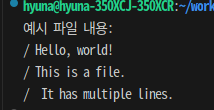
 예시 파일 내용:
 Hello, world!
 This is a file.
 It has multiple lines.

#1 readline 예시

with open('example.txt', 'r') as file:
    line = file.readline()
    while line:
        print(line, end='/')
        line = file.readline()

#2 readlines 예시
with open('example.txt', 'r') as file:
    lines = file.readlines()
    for line in lines:
        print(line, end='/')
📌 파일 쓰기
- write(): 파일에 저장한 글자의 개수를 반환
파일_변수 = open("파일 이름", 'a')
f.write(' ') #파일에 내용 추가로 쓰기


f = open('t.txt', 'w')
f.write('I know how it feels to have a broken heart')
f.close() # 내용 저장 후 닫기
- 'a': 파일 맨 끝 줄에 다른 문자열 추가하기
with open("data.txt", "a", encoding="utf-8") as f:
f.write("Here comes to the end.\n"
📌 with문
- 두개의 관련된 연산들 사이에서 작업 수행
ex) open()-close(), save()-restore
with open("t.txt") as f:
    for line in f:
print(line, end = '')
# close()를 따로 부르지 않아도 된다
📌 문자 인코딩
- UTF-8 형식으로 저장된 파일 읽기
f = open(filename, encoding = 'utf-8')


with open('example.txt', encoding = 'utf-8') as f:
s= f.read()
print(s)
💡 사용자로부터 입력받은 문자열을 텍스트 파일에 저장하는 프로그램을 작성해보자
>> 파일은 기본 인코딩 방식으로 저장되었다고 가정
>> 'output.txt' 파일에 쓰기
def write_file():
    text = input("저장할 문자열을 입력하세요: ")
    with open('output.txt','w', encoding = 'utf-8') as f:
        f.write(text)
    print("저장완료")

write_file()
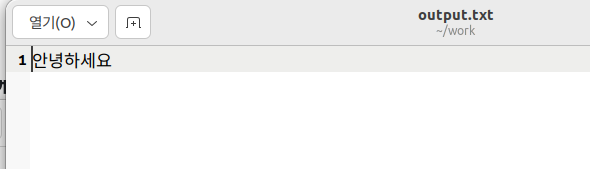
💡 생성된 'output.txt' 파일 내용을 읽고 화면에 출력해보자
def read_file():
    with open('output.txt','r') as f:
        s = f.read()
        print(s)

read_file()
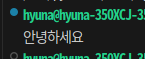
💡 여러 줄의 텍스트를 입력받아 기존 파일에 추가하는 프로그램을 작성해보자
>>> 'stop'이라고 입력하면 입력 중단
def add_line():
    with open('output.txt','w') as f:
        while True:
            txt = input("추가할 문자열을 입력하세요(중단하려면 'stop입력'): ")
            if txt == 'stop':
                break
            f.write(txt+ '\n')

add_line()

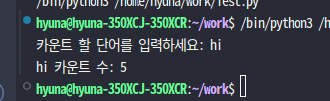
💡 파일 내에 지정한 단어가 몇번 나오는지 카운트해보자
def count_line():
    count = 0
    txt = input("카운트 할 단어를 입력하세요: ")
    with open('output.txt','r') as f:
        content = f.read()
        count = content.count(txt)
        print(f"{txt} 카운트 수: {count}")


count_line()
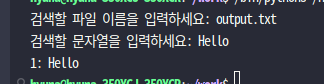
💡 파일에서 문자열을 검색하는 프로그램믈 작성해보자
>> 검색된 줄은 "줄번호:검색할 단어가 있는 문자열" 형태로 화면에 출력
lineNumber = 1
found = False

file_name = input("검색할 파일 이름을 입력하세요: ")
findStr = input("검색할 문자열을 입력하세요: ")

with open(file_name,'r') as f:
    line = f.readline()
    while line:
        if findStr in line:
            found = True
            print(f"{lineNumber}: {line.strip()}")
            lineNumber +=1
            line = f.readline()

        if not found:
            print("해당 문자열을 찾지 못했습니다")
break