[VR/Unity] Raycast 총알 쏘기
발사체는 크게 레이캐스팅(Hitscan 방식) 혹은 프리팹(Projectile 방식)으로 구현할 수 있다.
지난 프로젝트에서는 프리팹 방식으로 구현했다.
이유는 간단함... 총알에 고기 오브젝트를 넣고 싶었다.
그러나 이번에는 레이캐스팅 방식을 사용해보려고 한다.
엊그제 4번째로 한 오큘러스2 튜토리얼에서 나오는 총알에 갑자기 꽂힘ㅜ
일단 내가 생각한 과정은 아래와 같다.
1. raycast 선이 있을 것.
2. 트리거를 누르면 raycast hit이 발생할 것
3. 이때 총구 vfx, hit vfx 넣기
4. 총알이 맞았다는 모션이 있어야 한다.
트리거 눌렀을 때 총알 발사 (Raycast)
정확히 말하자면 총알이 발사되는 게 아니라, raycasthit을 사용해서 해당 ray에 타격대상이 닿으면 총알이 맞았다고 판단하는 것이다.
시각적으로 '총알'이 나가는 모습이 보고 싶다면 Projectile 방식을 사용하도록 하자.
(다른 프로젝트에서 구현한 링크 추후 추가)
[SerializeField] private GameObject firePos;  //총알 생성 위치

void Update()
    {
        //trigger 누를 때
        if (OVRInput.GetDown(OVRInput.Button.SecondaryIndexTrigger))
        {
            TriggerShoot();
        }
    }

    public void TriggerShoot()
    {
        Ray ray = new Ray(firePos.transform.position, firePos.transform.forward);
        RaycastHit hitInfo;
        //크리스털에 총알이 맞았으면
        if(Physics.Raycast(ray, out hitInfo))
        {
            if(hitInfo.collider.tag == "crystal")
            {
                Destroy(hitInfo.transform.gameObject);
            }
        }

    }
벨로그 처음 써봐서......... 코드... 잘 보이시죠 다들?
총알 맞은 효과
[SerializeField] private GameObject hitFx; //총알 맞았다는 효과

public void BulletImpact(RaycastHit hitInfo) {
    ParticleSystem ps = hitFx.GetComponent<ParticleSystem>();
    ps.Play();
}
ray 선 그리기
void DrawRay() {
    Debug.DrawRay(firePos.transform.position, swanPoint.forward * 30, Color.red);
}
https://202psj.tistory.com/1286
https://dev-repository.tistory.com/101
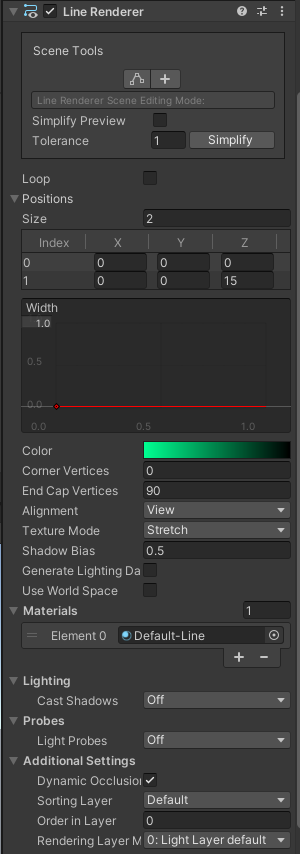
중요한 부분
- width는 최소화
- use world space 해제
- lighting off
- meterials 는 default-line으로 설정하고 color 원하는 대로 바꿔주기
오케이. 대충 다 되었음.
남은 문제
- 왼손으로 트리거 클릭하면 발사되지 않음
- 그랩 하지 않을 때도 발사 됨
- 오른손으로 슈팅하면 왼손에도 똑같이 슈팅한 vfx 효과가 나타남
- 왼손 오른손 grab 구분해야함

왼손으로 트리거 클릭하면 발사되지 않음
        if (OVRInput.GetDown(OVRInput.Button.PrimaryIndexTrigger, OVRInput.Controller.RTouch) && rightIsGrabbed)    //오른손
        {

        }

        if (OVRInput.GetDown(OVRInput.Button.PrimaryIndexTrigger, OVRInput.Controller.LTouch) && leftIsGrabbed)    //왼손
        {

        }
왼손, 오른손 if문을 따로 만들어줌
진동
OVRInput.SetControllerVibration(float frequency, float amplitude, Controller controllerMask)
OVRInput.SetControllerVibration(0.1f, 0.1f, OVRInput.Controller.LTouch); //진동그랩 판별
https://seongju0007.tistory.com/103
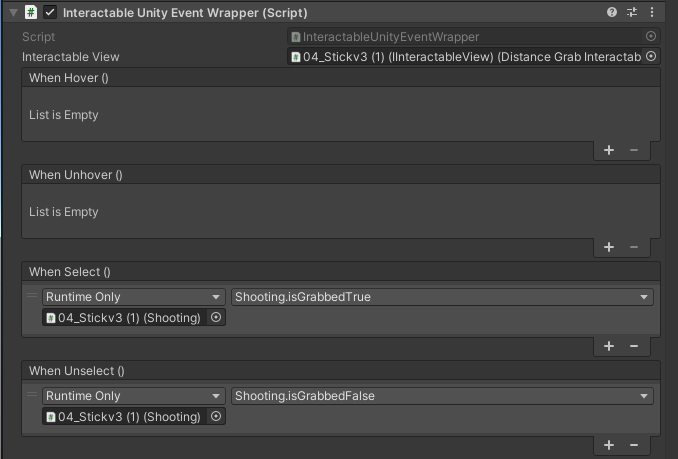
    public void isGrabbedTrue()
    {
        if (OVRInput.GetDown(OVRInput.Button.PrimaryHandTrigger, OVRInput.Controller.LTouch))
        {
            leftIsGrabbed = true;
        }
        if (OVRInput.GetDown(OVRInput.Button.PrimaryHandTrigger, OVRInput.Controller.RTouch))
        {
            rightIsGrabbed = true;
        }
    }

    public void isGrabbedFalse()
    {
        if (OVRInput.GetUp(OVRInput.Button.PrimaryHandTrigger, OVRInput.Controller.LTouch))
        {
            leftIsGrabbed = false;
        }
        if (OVRInput.GetUp(OVRInput.Button.PrimaryHandTrigger, OVRInput.Controller.RTouch))
        {
            rightIsGrabbed = false;
        }
} 
오른손으로 슈팅하면 왼손에도 똑같이 슈팅한 vfx 효과가 나타남
unity 차원에서 맵핑을 따로 해줌
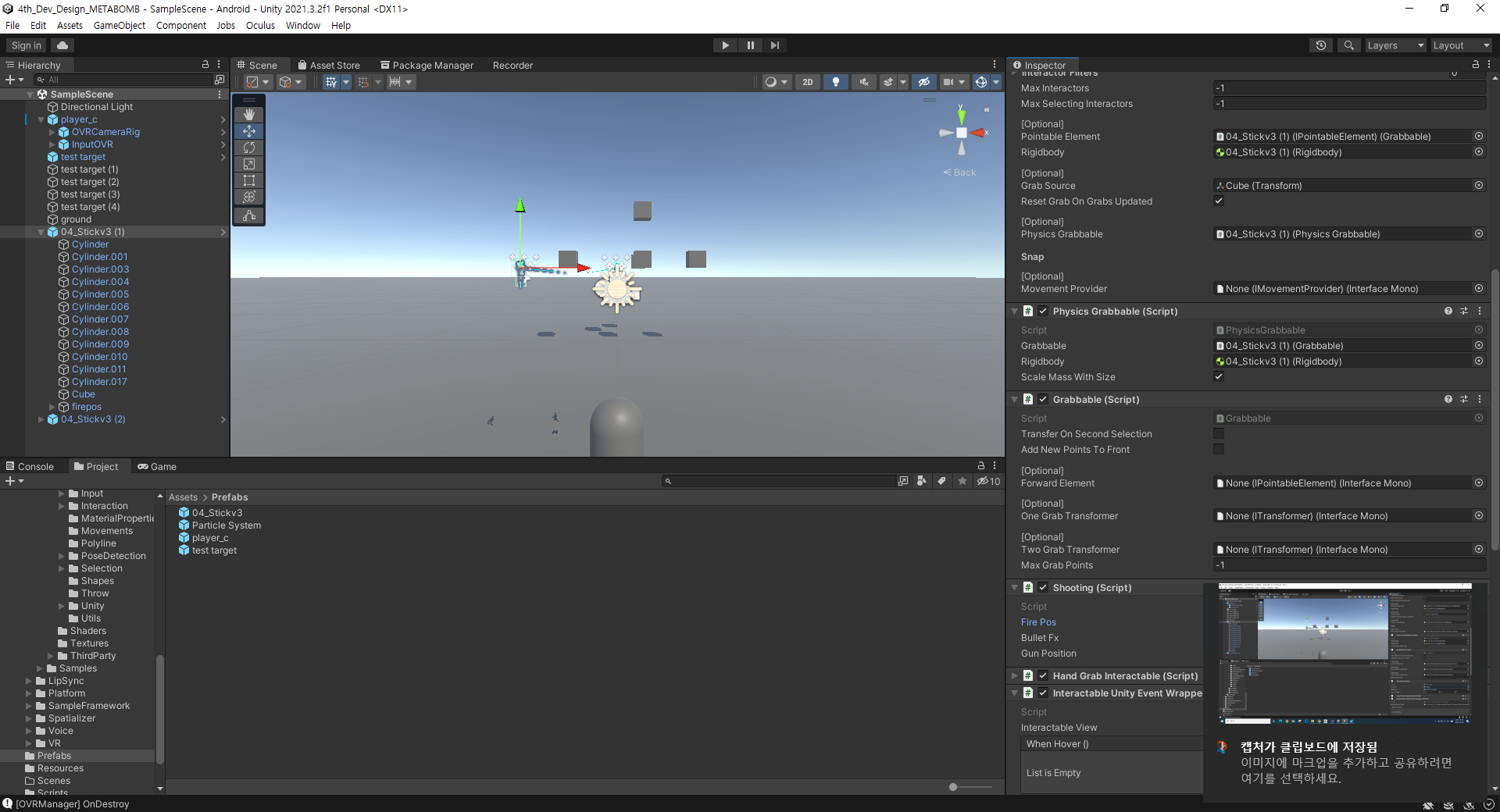
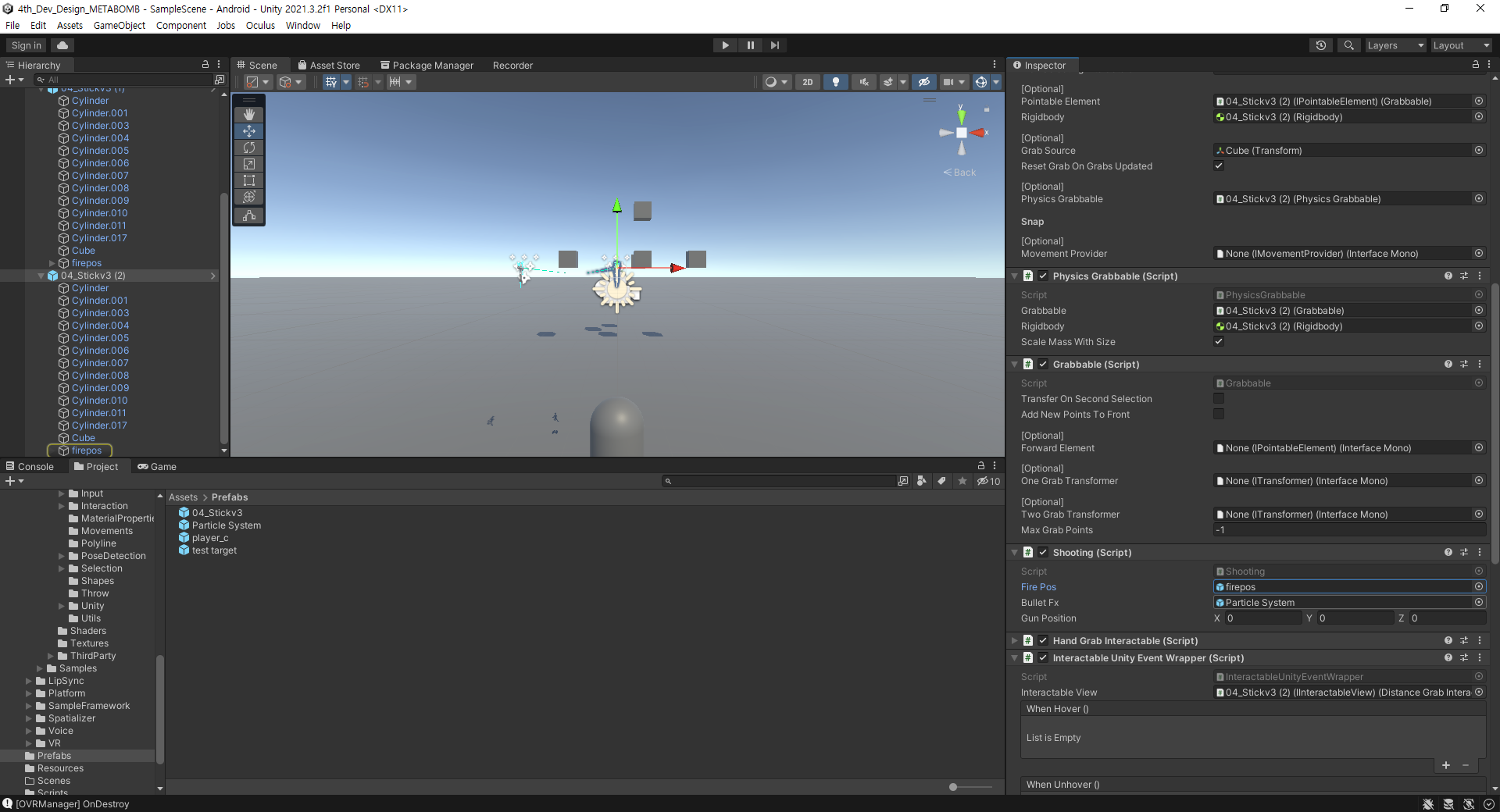
그랩 부분 상세 설정
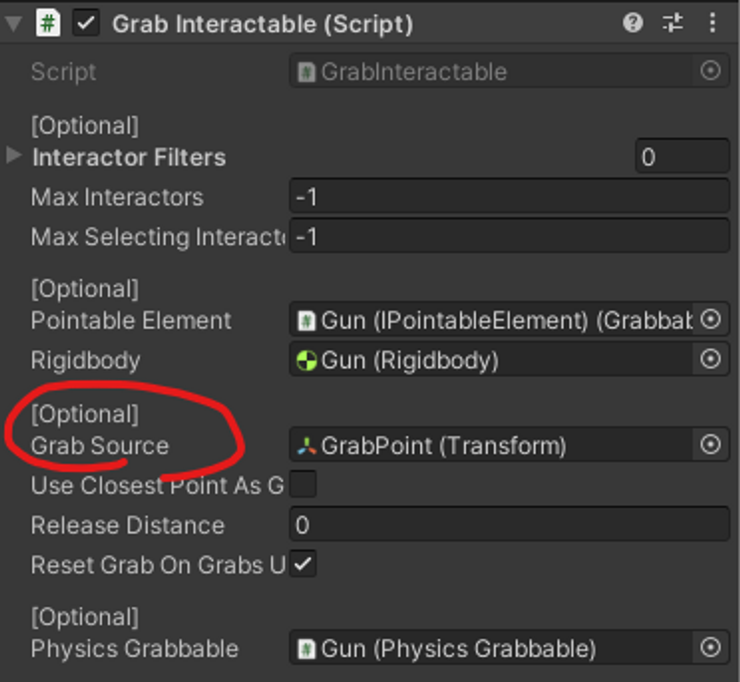
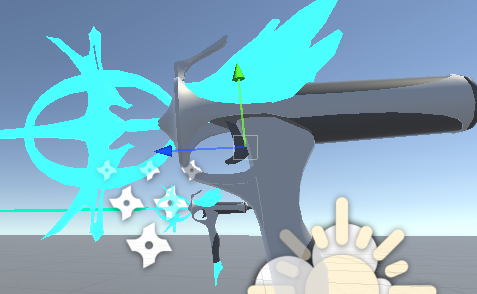
에.. 결국 마지막에는 그냥 모델을 컨트롤러와 일치시키는 방식으로 해서 grab이 필요없어졌지만 넣어봅니당