문자열에 문자가 포함되어있는지 확인하는 함수 indexOf(), includes()🤔
+ startsWith(), endsWith()
▪️ indexOf()
문자열에서 인자로 받은 문자열과 일치하는 위치의 인덱스 값을 반환한다. 일치하는 문자열이 없으면 -1을 반환한다.
const str = "Hello, coding world!";
console.log(str.indexOf('world'));  // 14
console.log(str.indexOf('JavaScript'));  // -1
찾는 문자열의 포함 여부를 확인하려면 if문을 사용한다.
let string = "Hello, coding world!";
let substring = "coding";
if(string.indexOf(substring) !== -1){
  	console.log('찾는 문자열 있음')
}else{
  	console.log('찾는 문자열 없음')
}


// ex) 만약 substring = "Coding"; 대문자라면
// => 출력 : 찾는 문자열 없음

if(string.indexOf(substring.toLowerCase()) !== -1){ 👈
  	console.log('찾는 문자열 있음')
}
⚠️ indexOf() 함수는 대소문자를 구분함으로 toLowerCase(), toUpperCase() 함수를 사용하여 변환 후 사용해야한다.
👇indexOf() 두번째 인자 사용시,
indexOf(찾을 문자, 찾을 시작점)
const str = [a, b, c, d, a, a]
console.log(str.indexOf('a', 4));  // 4

위처럼 4번째 인덱스부터 일치하는 문자를 찾아 인덱스를 반환한다.
+(추가수정)
▪️ lastIndexOf()
배열에서 특정 값(인자로 받은 문자)이 마지막으로 일치하는 위치의 인덱스를 반환한다.
const str = [a, b, c, d, a, a]
console.log(str.indexOf('a'));  // 0
console.log(str.lastIndexOf('a'));  // 5
▪️ includes()
문자열에서 인자로 받은 문자열과 일치하면(찾는 문자열 있으면) true를 반환, 없으면 false를 반환한다.
const str = "Hello, coding world!";
console.log(str.includes('world'));  // true
console.log(str.includes('JavaScript'));  // false
⚠️ includes() 함수 또한 대소문자를 구분한다.
🤔 startsWith(), endsWith()
문자열이 어떤 문자열로 시작하거나, 끝나는지 확인하는 함수
▪️ startsWith(searchString, position)
문자열이 인자로 받은 문자열로 시작하면 true, 아니라면 false를 반환한다.
(position: 검색을 시작할 위치, 기본값은 0)
const str = "Hello, coding world!";
console.log(str.startsWith('Hello'));  // true
console.log(str.startsWith('world'));  // false

const str2 = "JavaScript is awesome";
console.log(str2.startsWith('Script', 4));  // true (인덱스 4에서 검색 시작)
console.log(str2.startsWith('is', 11));  // true (인덱스 11에서 검색 시작)
▪️ endsWith(searchString, length)
문자열이 인자로 받은 문자열로 끝나면 true, 아니라면 false를 반환한다.
(length: 문자열의 특정 길이까지 잘라낸 후, 그 잘라낸 부분이 searchString으로 끝나는지를 확인)
const str = "Hello, coding world!";
console.log(str.endsWith('world!'));  // true
console.log(str.endsWith('Hello'));  // false

const str2 = "JavaScript is awesome";
console.log(str2.endsWith('some'));  // true
console.log(str2.endsWith('JavaScript', 10));  // true (문자열을 처음 10글자까지로 잘라서 검사)
console.log(str2.endsWith('is', 14));  // true (문자열을 처음 14글자까지로 잘라서 검사)
console.log(str2.endsWith('some', 17));  // false (문자열을 처음 17글자까지로 잘라서 검사)
✍️프로그래머스 접두사 확인 문제를 풀다가 알게된 startsWith() 함수.
바로 풀긴했는데 더 간결한 답을 발견했다.
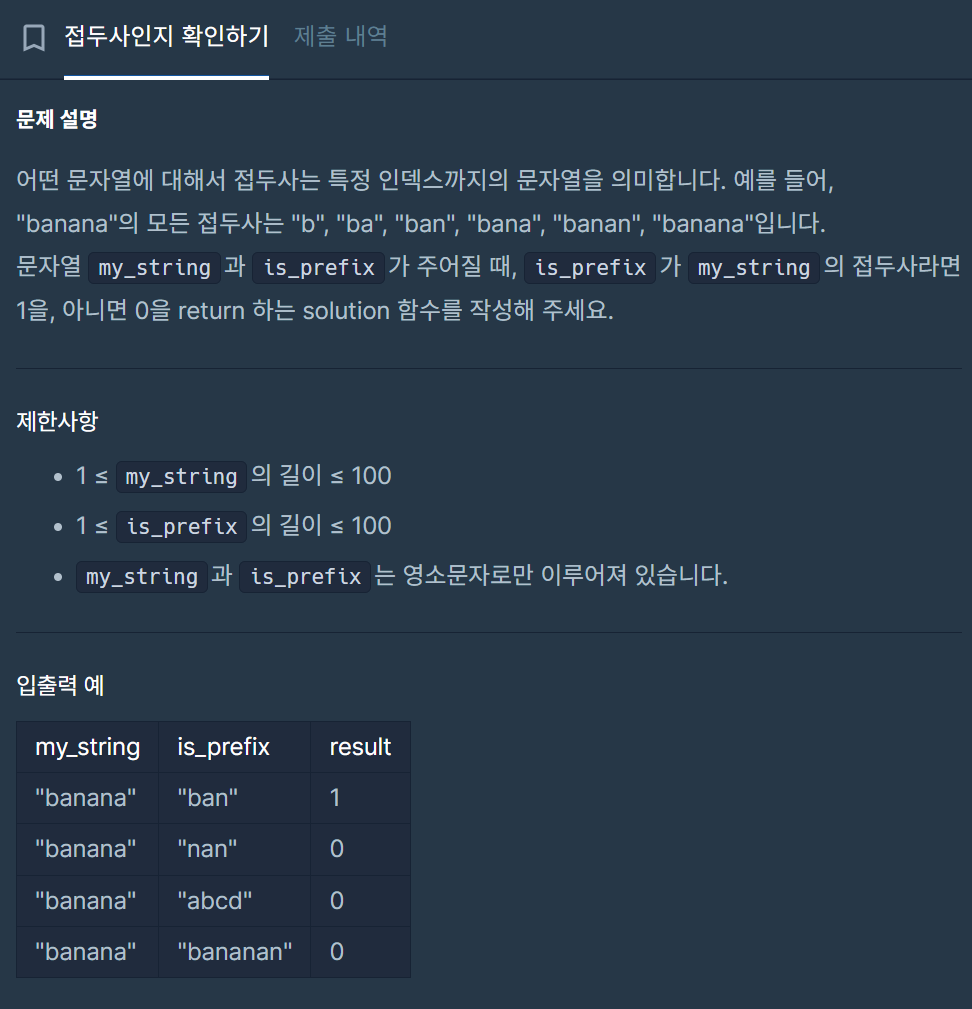
내 답👇
function solution(my_string, is_prefix) {
    let answer = [];
    let result = 0;
        [...my_string].forEach((str,i)=>{
            answer.push(my_string.substr(0, i+1))
            if(answer[i] == is_prefix){
                return result = 1
            }
        })
   return result
}
다른분 답👇
function solution(my_string, is_prefix) {
  return +my_string.startsWith(is_prefix);
}
이렇게 간결해지다니...🫠 아직 모르는 함수가 많다는 걸 느낀다.

어느덧 3년차 퍼블... 왜 벌써 2026년이냐