React 프로젝트에서 카드를 넘길 수 있는 뷰를 만드는 것이 필요해서 검색해보던 중 Swiper.js라는 효자를 찾았다... 덕분에 카드 뷰를 쉽게 구현할 수 있었다! 공식 사이트에 demo 소스 코드도 많아서 참고하기 좋았다.
공식 사이트
https://swiperjs.com/react
https://swiperjs.com/demos
아무튼 Swiper.js로 이걸 만들 것임 .....👇렛츠고
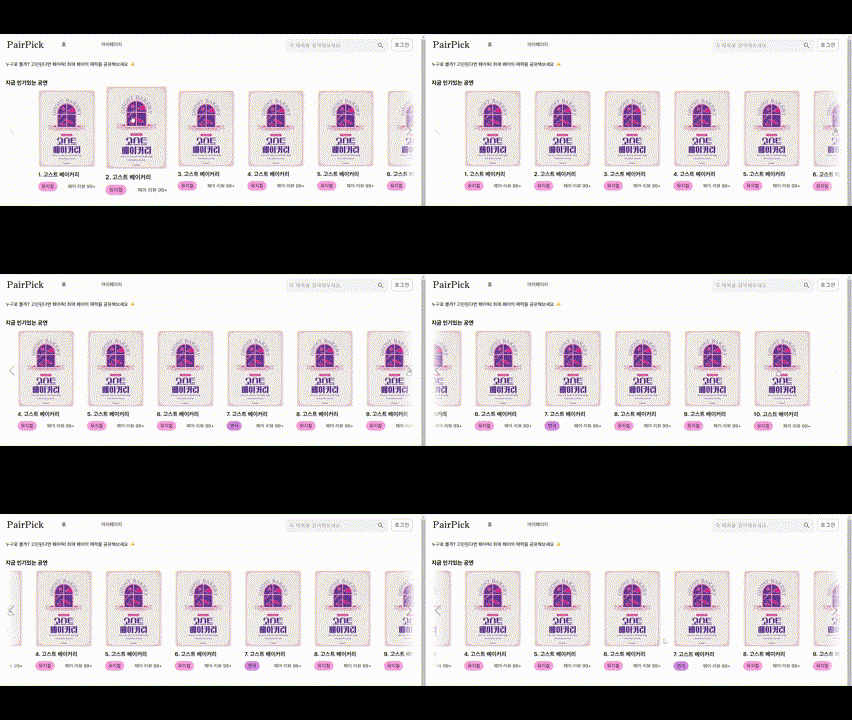
화질이 이렇게 깨질줄은 몰랐는데
1. 설치
npm i swiper명령어로 설치해주면 된다.
2. 사용
import { Swiper, SwiperSlide } from 'swiper/react';
import 'swiper/css';
필수로 import 해야하는 것은 Swiper, SwiperSlide, css파일이고
import { Navigation, Pagination} from 'swiper/modules';
import 'swiper/css/navigation';
import 'swiper/css/pagination';
이것들은 필요에 따라 선택적으로 import하면 된다.
navigation은 카드 슬라이드 양 옆에 화살표를 표시하는 모듈이고, Pagination은 카드 슬라이드 아래쪽에 점 표시로 페이지를 표시하는 모듈이다. 나머지 모듈은 공식 문서를 참고하면 설명이 잘 되어있다.
const Home = () => {
    return (
        <div className="home">

            /* 생략 */

                    <div className="play-cards">
                        <Swiper
                            spaceBetween={30}
                            slidesPerView={6}
                            modules={[Navigation]}
                            navigation={true}
                            className="mySwiper"
                            slidesOffsetAfter={100}
                            slidesOffsetBefore={100}
                            >
                            {
                            playList.map((play, index) => (
                                <SwiperSlide key={index}>
                                    <PlayCard
                                    number={index + 1}
                                    image={play.image}
                                    title={play.title}
                                    genre={play.genre}
                                    review_num={play.review_num}
                                    />
                                </SwiperSlide>
                            ))
                            }
                        </Swiper>
                </div>
            </div>
        </div>
    );
}
Swiper 컴포넌트 안에 필요한 슬라이드 카드 수 만큼 SwiperSlide를 생성하면된다. 슬라이드 카드의 내용은 SwiperSlide 안에 작성하면 된다.
3. 응용 (css 수정)
디테일한 디자인을 수정하고 싶다면 css 파일을 생성하여 다음과 같이 작성하면된다.
.mySwiper {
    position: relative;
  }

 /*카드의 양옆에 흰색 그라데이션 삽입*/
.mySwiper::before,
.mySwiper::after {
  content: '';
  position: absolute;
  top: 0;
  bottom: 0;
  width: 50px;
  z-index: 5;
  pointer-events: none;
}

.mySwiper::before {
  left: 0;
  background: linear-gradient(to right, rgba(255, 255, 255, 1), rgba(255, 255, 255, 0));
}

.mySwiper::after {
  right: 0;
  background: linear-gradient(to left, rgba(255, 255, 255, 1), rgba(255, 255, 255, 0));
}

/*화살표 설정*/
.swiper-button-prev,
.swiper-button-next {
  --swiper-navigation-color: #9F9F9F;
  --swiper-navigation-size: 35px;
  position:absolute;
  transform: translateY(-100%);
}
demo를 참고하여 몇 가지 부분을 더 수정하면 원하는 카드 뷰를 쉽게 만들 수 있다!!

차근차근