Next.js
1 Why Next.js
Web page
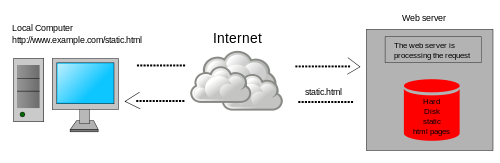
An information system enabling static information to be shared over the Internet
- URL - a reference to a web resource that specifies its location on a computer network
- HTTP - application layer protocol for transferring HTML
- HTML - markup language for documents designed to be displayed in a web browser
- Browser - an application for accessing websites
Web Application
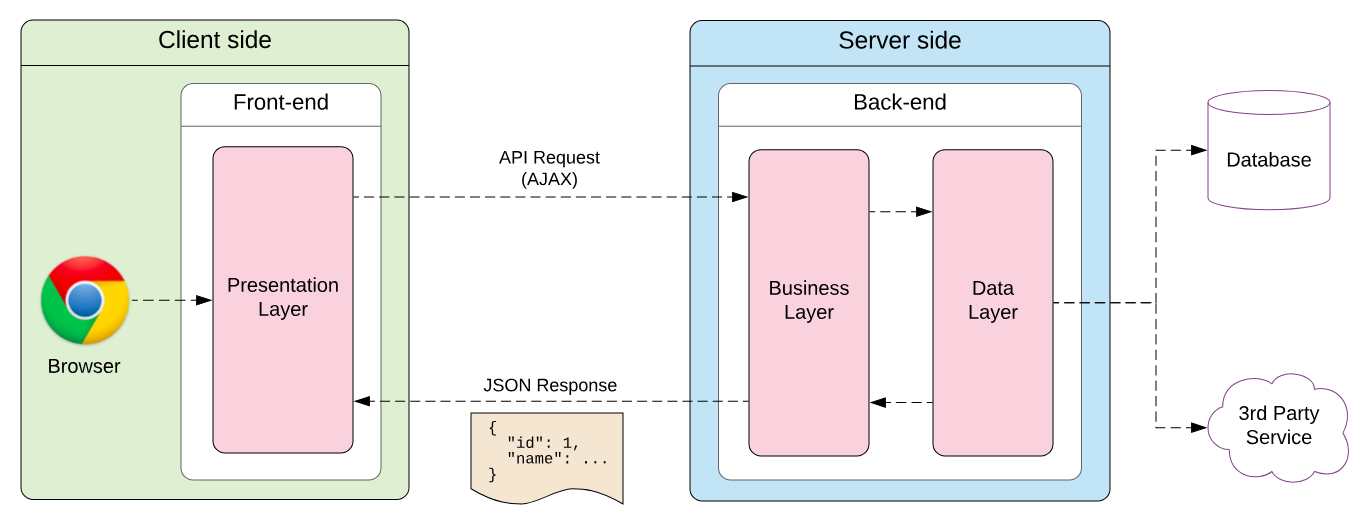
An application software added some dynamic elements to the user interface
There are a few things you need to consider when building modern applications
- User Interface - how users will consume and interact with your application.
- Routing - how users navigate between different parts of your application.
- Data Fetching - where your data lives and how to get it.
- Rendering - when and where you render static or dynamic content.
- Integrations - what third-party services you use (CMS, auth, payments, etc) and how you connect to them.
- Infrastructure - where you deploy, store, and run your application code (Serverless, CDN, Edge, etc).
- Performance - how to optimize your application for end-users.
- Scalability - how your application adapts as your team, data, and traffic grow.
- Developer Experience - your team’s experience building and maintaining your application.
React.js

A JavaScript library for building user interfaces
-
JavaScript library for building user interfaces
-
declarative DOM manipulating
// imperative <script type="text/javascript"> const app = document.getElementById('app'); const header = document.createElement('h1'); const headerContent = document.createTextNode('Develop. Preview. Ship. 🚀'); header.appendChild(headerContent); app.appendChild(header); </script> // declarative <script type="text/jsx"> const app = document.getElementById("app") ReactDOM.render(<h1>Develop. Preview. Ship. 🚀</h1>, app) </script> -
Core Concepts for UI Building
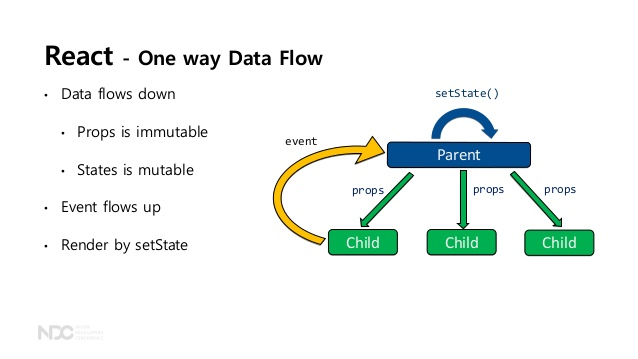
- Component
- self-contained, reusable snippets of UI element code
- Props
- static information as properties passed to React components
- State & Hook
- dynamic information changed over time, usually triggered by user interaction
- Component
-
LifeCycle For UI Building
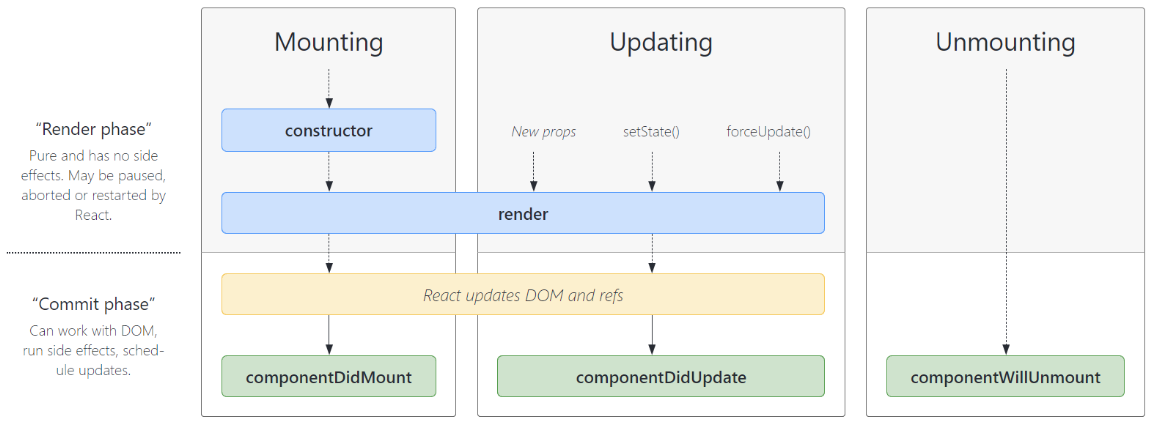
- Render
- React Code to Virtual DOM
- Commit
- Virturl DOM to Real DOM
- Render
-
Optimization for Auto UI Update
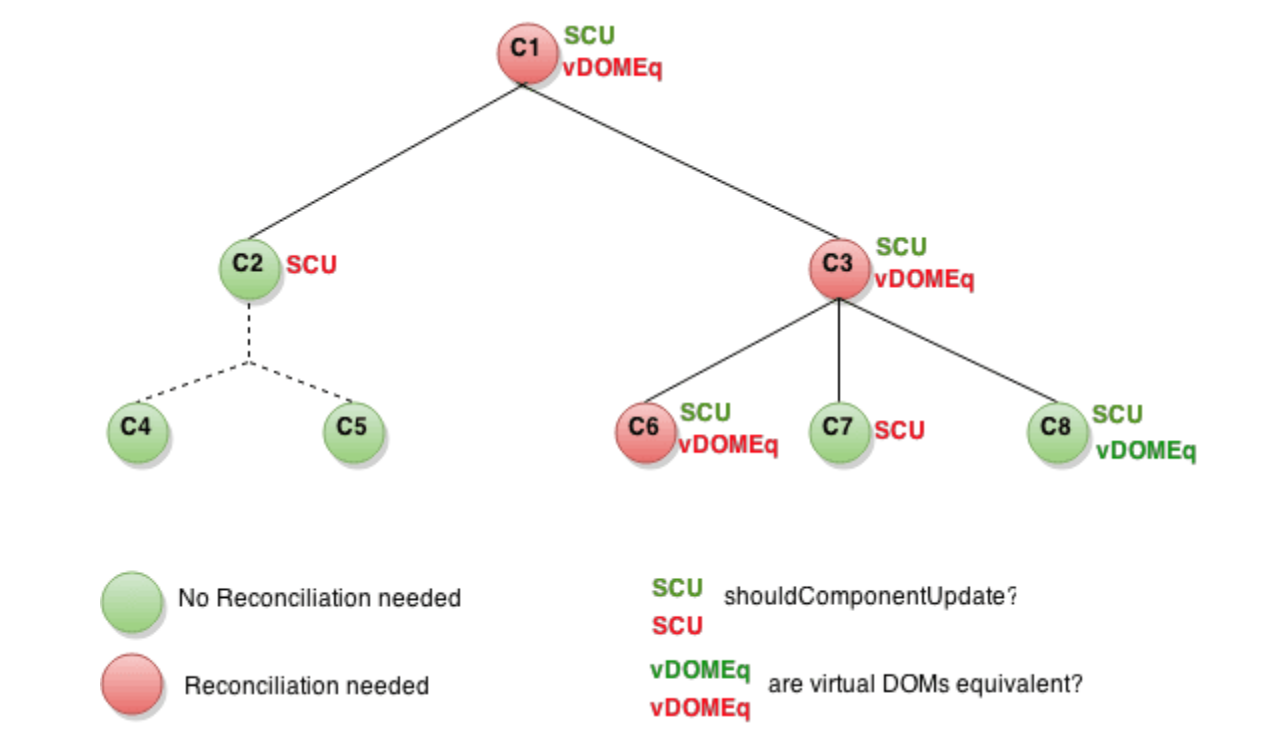
But, React.js is unopinionated about the other aspects of building applications.
- ✅ User Interface - how users will consume and interact with your application.
- ❌ Routing - how users navigate between different parts of your application.
- ❌ Data Fetching - where your data lives and how to get it.
- ❌ Rendering - when and where you render static or dynamic content.
- ❌ Integrations - what third-party services you use (CMS, auth, payments, etc) and how you connect to them.
- ❌ Infrastructure - where you deploy, store, and run your application code (Serverless, CDN, Edge, etc).
- ❌ Performance - how to optimize your application for end-users.
- ❌ Scalability - how your application adapts as your team, data, and traffic grow.
- ❌ Developer Experience - your team’s experience building and maintaining your application.
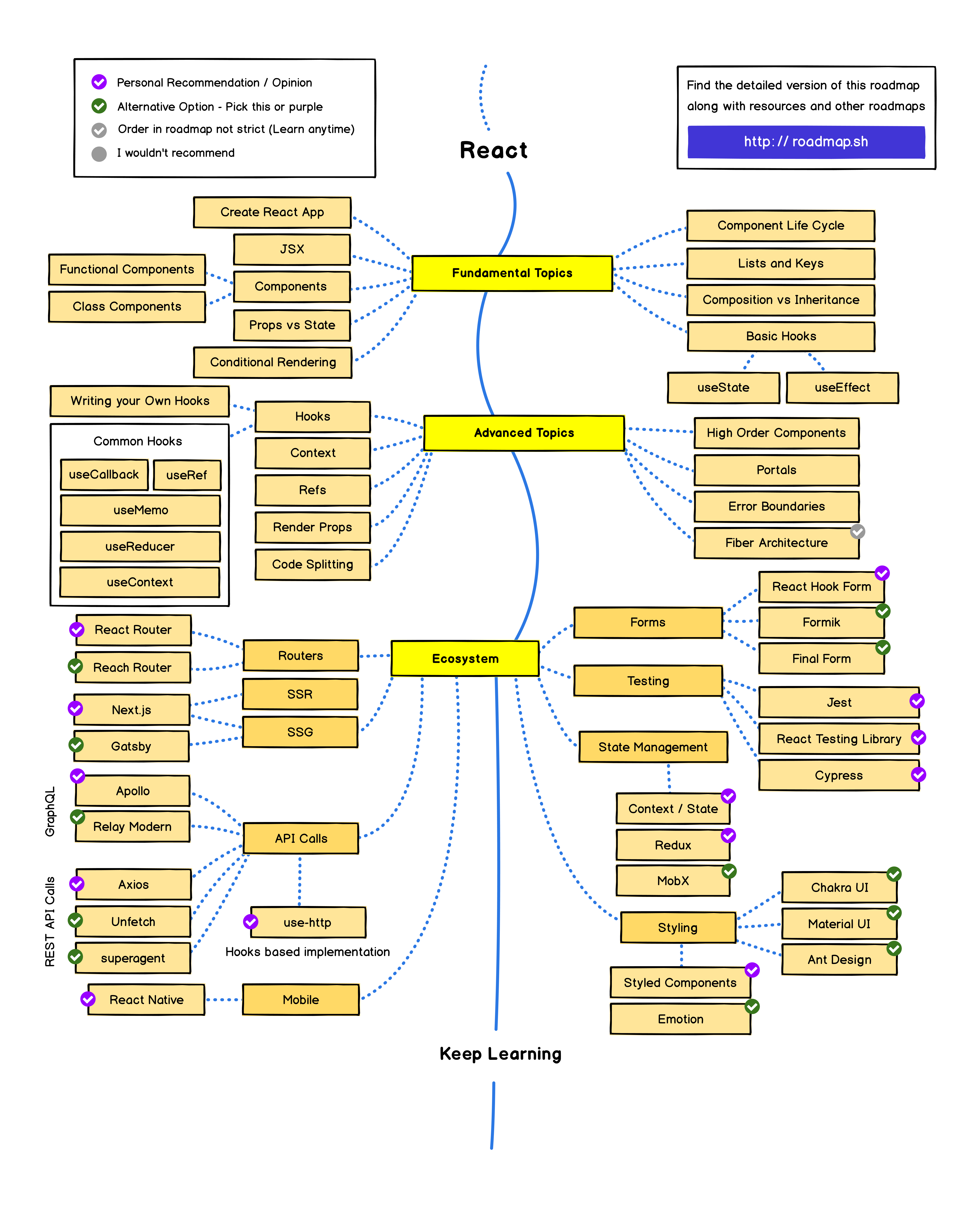 This has resulted in a flourishing ecosystem of third-party tools and solutions.
2 What Next.js
Next.js
Next.js is a React framework that gives you building blocks to create web applications.

- ✅ User Interface - how users will consume and interact with your application.
- with React.js
- ✅ Routing - how users navigate between different parts of your application.
- page folder structure
- ✅ Data Fetching - where your data lives and how to get it.
- ✅ Rendering - when and where you render static or dynamic content.
- CSR
- SSR
- SSG
- ✅ Integrations - what third-party services you use (CMS, auth, payments, etc) and how you connect to them.
- ✅ Infrastructure - where you deploy, store, and run your application code (Serverless, CDN, Edge, etc).
- ✅ Performance - how to optimize your application for end-users.
- ✅ Scalability - how your application adapts as your team, data, and traffic grow.
- ✅ Developer Experience - your team’s experience building and maintaining your application.
- Compiling
- Minifying
- Bundling
- Code Splitting
How it works
Next.js provides a framework to structure your application, and optimizations that help make both the development process and final application faster.
- Environment
- Development
- to improve the Developer Experience such the TypeScript and ESLint integration, Fast Refresh, and more.
- Production
- the application code needs to be compiled, bundled, minified, and code split.
- Development
- Code runs
- Build time
- Run time
- Rendering // React to HTML
- Client
- Client rendering + hydration
- TTFB(Time to First Bytes) High
- TTV, TTI Low
- Server
- Server rendering + hydration
- TTFB(Time to First Bytes) Low
- TTV, TTI High
- Client
3 How Next.js
- T.B.D

개발자로서 배울 점이 많은 글이었습니다. 감사합니다.