출처 : 김영한
thymeleaf 템플릿엔진 동작 확인
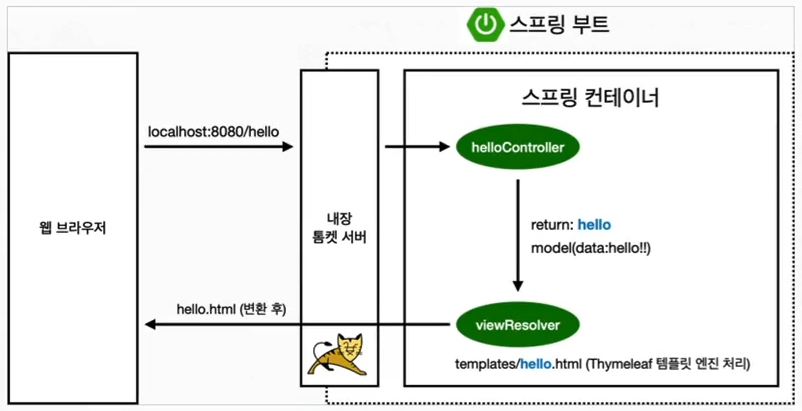
컨트롤러에서 리턴 값으로 문자를 반환하면 뷰 리졸버('viewResolver')가 화면을 찾아서 처리한다.
- 스프링 부트 템플릿엔진 기본 viewName 매핑
'resources:templates/'+ {ViewName} +'.html'
Controller
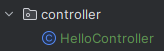
package hello.hellospring.controller;

import org.springframework.stereotype.Controller;
import org.springframework.ui.Model;
import org.springframework.web.bind.annotation.GetMapping;

@Controller
public class HelloController {
    @GetMapping("hello")
    public String hello(Model model){
        model.addAttribute("data", "hello!!");
        return "hello";
    }
}
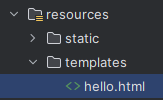
return으로 "hello" 문자로 반환했기 때문에 뷰 리졸버가 'resourecs:templates' 폴더안에서 "hello" 이름으로된 .html 파일을 찾는다.
templates
<!doctype html>
<html xmlns:th="http://www.thymeleaf.org">
<head>
    <meta charset="UTF-8">
    <meta name="viewport"
          content="width=device-width, user-scalable=no, initial-scale=1.0, maximum-scale=1.0, minimum-scale=1.0">
    <meta http-equiv="X-UA-Compatible" content="ie=edge">
    <title>Document</title>
</head>
<body>
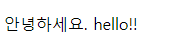
<p th:text=" '안녕하세요. ' + ${data}">안녕하세요 . 손님</p>
</body>
</html>
html 파일안에서 th문법을 사용하여 model.addAttribute("data", "hello!!");로 설정된 값을 가져와 화면에 출력한다.

Better Than Yesterday