
이전 장에서는 서버 작업을 사용하여 데이터를 변경하는 방법을 배웠습니다. JavaScript의 try/catch 명령문과 Next.js API를 사용하여 오류를 우아하게 처리하는 방법을 살펴보겠습니다.
- 특수
error.tsx파일을 사용하여 경로 세그먼트에서 오류를 포착하고 사용자에게 대체 UI를 표시하는 방법. notFound함수와not-found파일을 사용하여 404 오류(존재하지 않는 리소스의 경우)를 처리하는 방법.
1. 서버 작업에 try/catch 추가
먼저 오류를 적절하게 처리할 수 있도록 서버 작업에 JavaScript의 try/catch문을 추가해 보겠습니다.
이를 수행하는 방법을 알고 있다면 서버 작업을 업데이트하는 데 몇 분 정도 시간을 투자하거나 아래 코드를 복사할 수 있습니다.
// /app/lib/actions.ts

export async function createInvoice(formData: FormData) {
  const { customerId, amount, status } = CreateInvoice.parse({
    customerId: formData.get('customerId'),
    amount: formData.get('amount'),
    status: formData.get('status'),
  });

  const amountInCents = amount * 100;
  const date = new Date().toISOString().split('T')[0];

  try {
    await sql`
      INSERT INTO invoices (customer_id, amount, status, date)
      VALUES (${customerId}, ${amountInCents}, ${status}, ${date})
    `;
  } catch (error) {
    return {
      message: 'Database Error: Failed to Create Invoice.',
    };
  }

  revalidatePath('/dashboard/invoices');
  redirect('/dashboard/invoices');
}
// /app/lib/actions.ts
export async function updateInvoice(id: string, formData: FormData) {
const { customerId, amount, status } = UpdateInvoice.parse({
customerId: formData.get('customerId'),
amount: formData.get('amount'),
status: formData.get('status'),
});
const amountInCents = amount * 100;
try {
await sql`
UPDATE invoices
SET customer_id = ${customerId}, amount = ${amountInCents}, status = ${status}
WHERE id = ${id}
`;
} catch (error) {
return { message: 'Database Error: Failed to Update Invoice.' };
}
revalidatePath('/dashboard/invoices');
redirect('/dashboard/invoices');
}// /app/lib/actions.ts
export async function deleteInvoice(id: string) {
try {
await sql`DELETE FROM invoices WHERE id = ${id}`;
revalidatePath('/dashboard/invoices');
return { message: 'Deleted Invoice.' };
} catch (error) {
return { message: 'Database Error: Failed to Delete Invoice.' };
}
}try/catch 블록 외부에서 어떻게 redirect가 호출되는지 확인하세요. 이는 catch 블록에 의해 포착될 오류를 발생시키는 방식으로 redirect가 작동하기 때문입니다. 이를 방지하려면, try/catch 후에 redirect를 호출할 수 있습니다. redirect는 try가 성공한 경우에만 연결할 수 있습니다.
이제 서버 작업에서 오류가 발생하면 어떤 일이 발생하는지 확인해 보겠습니다. 이전에 오류를 발생시켜 이를 수행할 수 있습니다. 예를 들어 deleteInvoice 작업에서 함수 상단에 오류를 발생시킵니다.
// /app/lib/actions.ts

export async function deleteInvoice(id: string) {
  throw new Error('Failed to Delete Invoice'); // 에러 생성

  // 연결할 수 없는 코드 블록
  try {
    await sql`DELETE FROM invoices WHERE id = ${id}`;
    revalidatePath('/dashboard/invoices');
    return { message: 'Deleted Invoice' };
  } catch (error) {
    return { message: 'Database Error: Failed to Delete Invoice' };
  }
}
송장을 삭제하려고 하면 localhost에 오류가 표시됩니다.
이러한 오류를 확인하면 잠재적인 문제를 조기에 발견할 수 있으므로 개발 중에 도움이 됩니다. 그러나 갑작스러운 오류를 방지하고 애플리케이션이 계속 실행될 수 있도록 사용자에게 오류를 표시할 수도 있습니다.
여기에 Next.js error.tsx 파일이 들어옵니다.
2. error.tsx로 모든 오류 처리
이 error.tsx 파일은 경로 세그먼트에 대한 UI 경계를 정의하는 데 사용할 수 있습니다. 예상치 못한 오류에 대한 포괄적인 역할을 하며 사용자에게 대체 UI를 표시할 수 있습니다.
/dashboard/invoices 폴더 안에 error.tsx라는 새 파일을 만들고 다음 코드를 붙여넣습니다.
// /dashboard/invoices/error.tsx

'use client';

import { useEffect } from 'react';

export default function Error({
  error,
  reset,
}: {
  error: Error & { digest?: string };
  reset: () => void;
}) {
  useEffect(() => {
    // 선택적으로 오류 보고 서비스에 오류 기록
    console.error(error);
  }, [error]);

  return (
    <main className="flex h-full flex-col items-center justify-center">
      <h2 className="text-center">Something went wrong!</h2>
      <button
        className="mt-4 rounded-md bg-blue-500 px-4 py-2 text-sm text-white transition-colors hover:bg-blue-400"
        onClick={
          // 송장 경로를 다시 입력하여 복구 시도
          () => reset()
        }
      >
        Try again
      </button>
    </main>
  );
}
위의 코드에서 알 수 있는 몇 가지 사항이 있습니다.
- "클라이언트 사용" -
error.tsx는 클라이언트 구성 요소여야 합니다. - 두 가지 props를 허용합니다:
- error: 이 개체는 JavaScript 기본
Error개체의 인스턴스입니다. - reset: 오류 범위를 재설정하는 함수입니다. 실행되면 함수는 경로 세그먼트를 다시 렌더링하려고 시도합니다.
- error: 이 개체는 JavaScript 기본
송장을 다시 삭제하려고 하면 다음 UI가 표시됩니다.
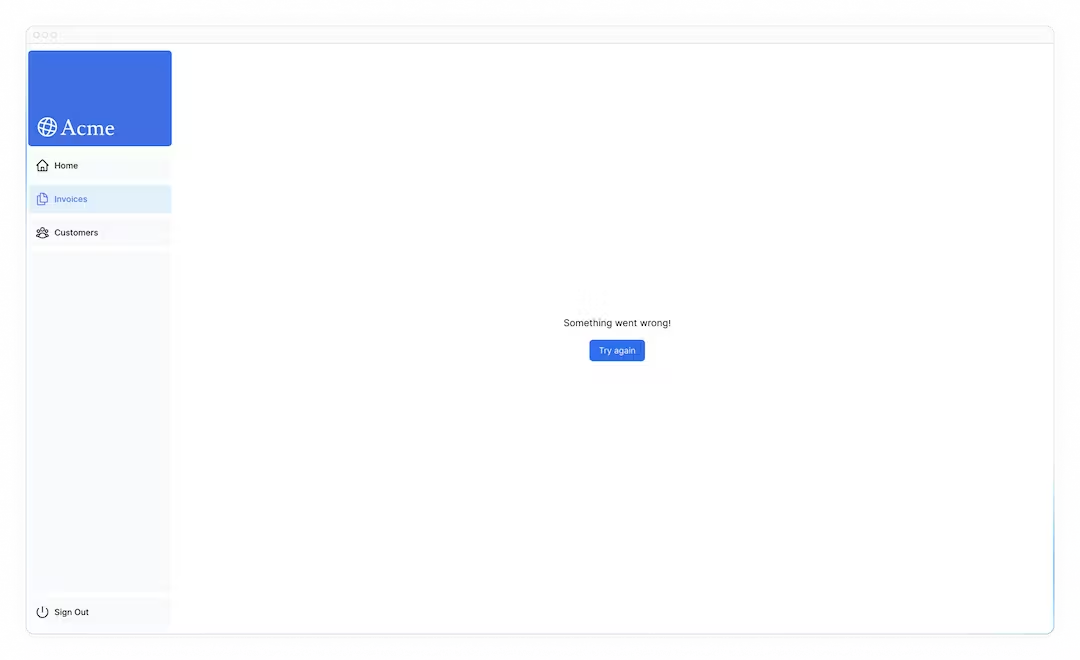
3. notFound 함수를 사용하여 404 오류 처리
오류를 적절하게 처리할 수 있는 또 다른 방법은 notFound 함수를 사용하는 것입니다. error.tsx는 모든 오류를 잡는 데 유용하지만, notFound는 존재하지 않는 리소스를 가져오려고 할 때 사용할 수 있습니다.
예를 들어 http://localhost:3000/dashboard/invoices/2e94d1ed-d220-449f-9f11-f0bbceed9645/edit 를 방문하세요.
이는 데이터베이스에 존재하지 않는 가짜 UUID입니다.
이것은 error.tsx가 정의된 /invoices의 하위 경로이기 때문에 error.tsx가 즉시 시작되는 것을 볼 수 있습니다.
그러나 좀 더 구체적으로 설명하고 싶다면 404 오류를 표시하여 사용자가 액세스하려는 리소스를 찾을 수 없음을 알릴 수 있습니다.
data.ts 안의 fetchInvoiceById 함수로 이동하고 반환된 invoice를 콘솔 로깅하여 리소스를 찾을 수 없음을 확인할 수 있습니다.
// /app/lib/data.ts

export async function fetchInvoiceById(id: string) {
  noStore();
  try {
    // ...

    console.log(invoice); // Invoice는 빈 배열[]입니다
    return invoice[0];
  } catch (error) {
    console.error('Database Error:', error);
    throw new Error('Failed to fetch invoice.');
  }
}
이제 데이터베이스에 송장이 없다는 것을 알았으므로 이를 처리하는 데 notFound를 사용하겠습니다. /dashboard/invoices/[id]/edit/page.tsx로 이동 하고 'next/navigation'에서 { notFound }를 가져옵니다.
그런 다음 송장이 존재하지 않는 경우, 조건문을 사용하여 notFound를 호출할 수 있습니다.
// /dashboard/invoices/[id]/edit/page.tsx

import { fetchInvoiceById, fetchCustomers } from '@/app/lib/data';
import { updateInvoice } from '@/app/lib/actions';
import { notFound } from 'next/navigation'; // notFound 불러오기

export default async function Page({ params }: { params: { id: string } }) {
  const id = params.id;
  const [invoice, customers] = await Promise.all([
    fetchInvoiceById(id),
    fetchCustomers(),
  ]);
  // 조건문 사용
  if (!invoice) {
    notFound();
  }

  // ...
}
완벽합니다. <Page>는 이제 특정 송장을 찾을 수 없으면 오류가 발생합니다. 사용자에게 오류 UI를 표시합니다. /edit 폴더 안에 not-found.tsx 파일을 만듭니다.

그런 다음 not-found.tsx 파일 내부에 다음 코드를 붙여넣습니다.
// /dashboard/invoices/[id]/edit/not-found.tsx

import Link from 'next/link';
import { FaceFrownIcon } from '@heroicons/react/24/outline';

export default function NotFound() {
  return (
    <main className="flex h-full flex-col items-center justify-center gap-2">
      <FaceFrownIcon className="w-10 text-gray-400" />
      <h2 className="text-xl font-semibold">404 Not Found</h2>
      <p>Could not find the requested invoice.</p>
      <Link
        href="/dashboard/invoices"
        className="mt-4 rounded-md bg-blue-500 px-4 py-2 text-sm text-white transition-colors hover:bg-blue-400"
      >
        Go Back
      </Link>
    </main>
  );
}
경로를 새로 고치면 이제 다음 UI가 표시됩니다.
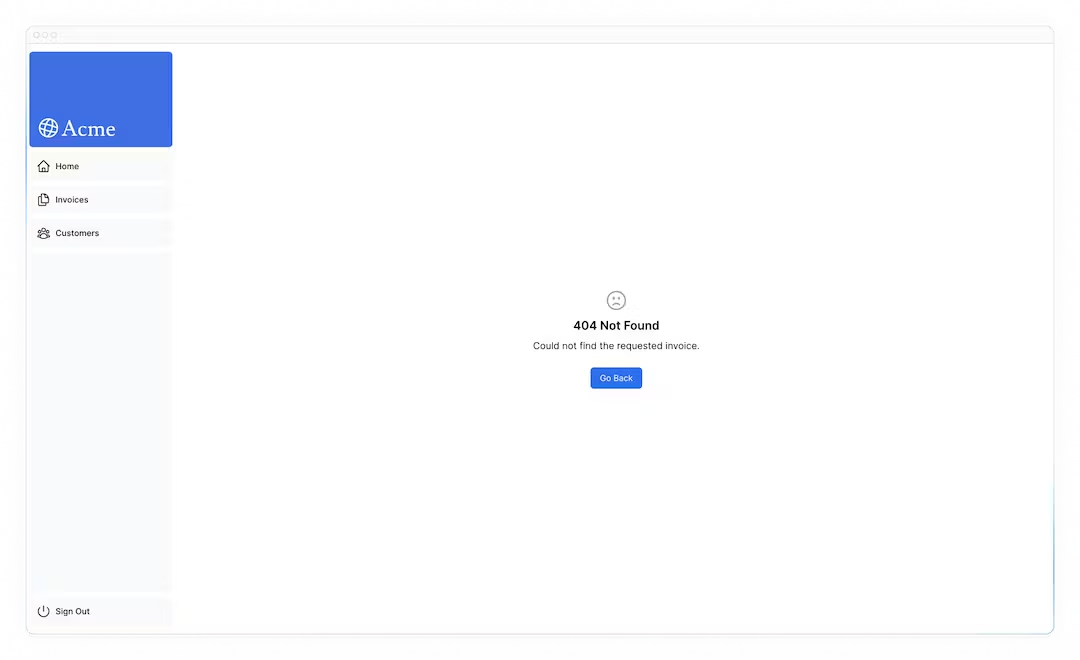
이는 명심해야 할 사항이며, notFound는 error.tsx보다 우선하므로, 보다 구체적인 오류를 처리하고 싶을 때 접근할 수 있습니다.
🔍 퀴즈
- Next.js의 어떤 파일이 경로 세그먼트에서 예상치 못한 오류를 포착하는 역할을 합니까?
a. 404.tsx
b. not-found.tsx
c. error.tsx
d. catch-all.tsx
4. 추가 읽기
Next.js의 오류 처리에 대해 자세히 알아보려면 다음 문서를 확인하세요.
