https://nextjs.org/learn/dashboard-app/getting-started
대시보드를 통해 Next.js에 대해 배운다.
Creating a new project
다음 cmd 입력
npx create-next-app@latest nextjs-dashboard --use-npm --example "https://github.com/vercel/next-learn/tree/main/dashboard/starter-example"이 코스에 대한 start 예시에 대해 --example flag를 씀
Exploring the project
설치 후, 코드 에디터에 다음 cmd 입력
cd nextjs-dashboardFolder structure
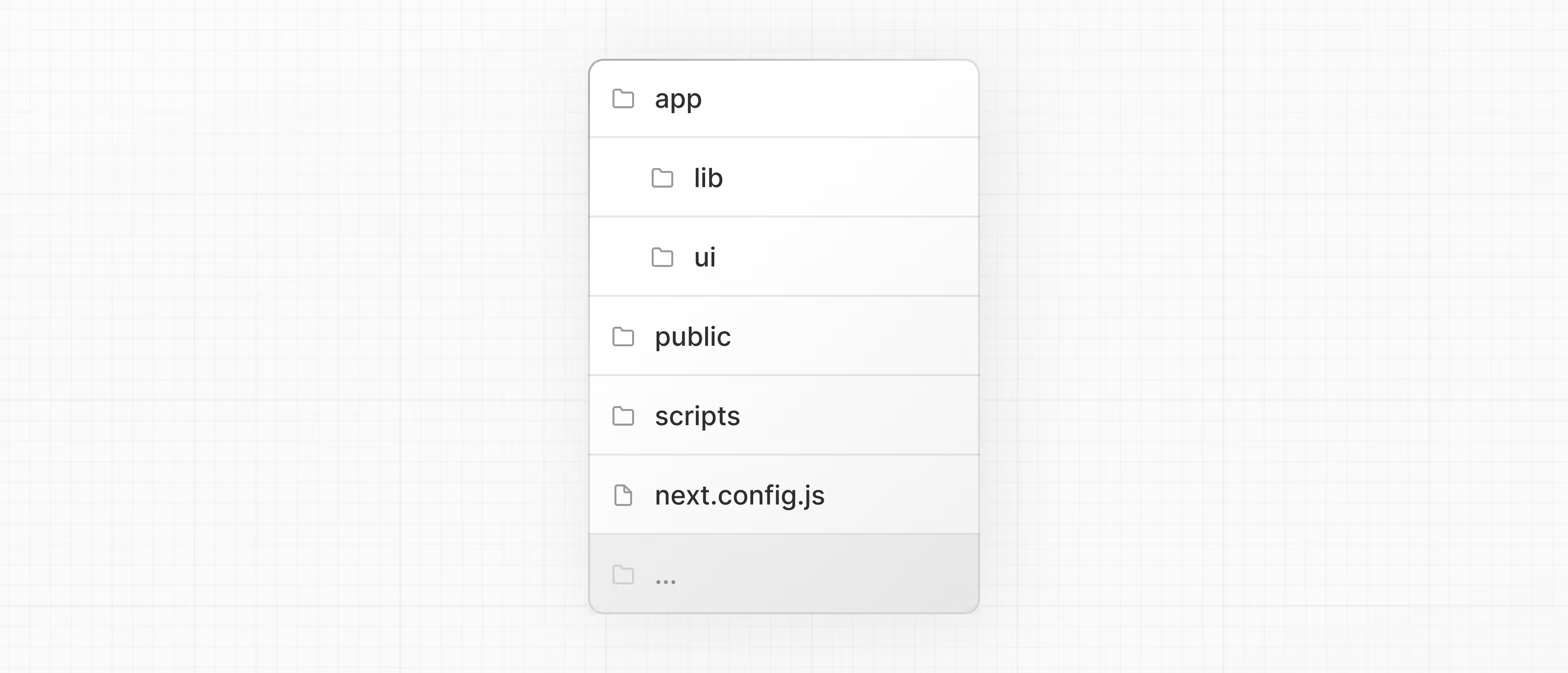
/app
모든 루트,컴포넌트,로직 포함. 가장 작업 많이 하는 위치
/app/lib
재사용, 데이터 fetching 기는과 같은 앱에서 쓰이는 기능 포함
/app/ui
카드, 테이블, 폼 같은 모든 앱 UI 컴포넌트 포함.
/public
이미지 같은 앱에 대한 모든 정적 애셋 포함
/scripts
마지막에 데이터베이스를 채울 때 쓰는 스크립트 포합
Config Files
앱의 루트에서의 next.config.js 같은 config 파일
대부분의 파일들은 create-next-app을 사용해 새 프로젝트를 시작할 때 생성되고
설정 됨
Placeholder data
UI 빌딩 시, 몇 placeholder 데이터를 갖게 됨.
데이터베이스 | API가 불가할 때, 다음 가능
- JSON | JS 객체 형식으로 사용
- mockAPI 같은 3rd 파티 서비스 사용
이 프로젝트에는 app/lib/placeholder-data.js에 있음
각 JS 객체는 데이터베이스 내 테이블 뜻함
const invoices = [
  {
    customer_id: customers[0].id,
    amount: 15795,
    status: 'pending',
    date: '2022-12-06',
  },
  {
    customer_id: customers[1].id,
    amount: 20348,
    status: 'pending',
    date: '2022-11-14',
  },
  // ...
];
TypeScript
.ts | .tsx 확장자 파일
/app/lib/definitions.ts
- 데이터베이스에서 반환되는 타입 정의
export type Invoice = {
  id: string;
  customer_id: string;
  amount: number;
  date: string;
  // In TypeScript, this is called a string union type.
  // It means that the "status" property can only be one of the two strings: 'pending' or 'paid'.
  status: 'pending' | 'paid';
};
TS 를 통해, number 타입 대신 string을 전달하는 것처럼, 컴포넌트나 데이터베이스에 우연히 잘못된 데이터 포맷을 사용하는 것을 방지할 수 있다.
Running the development server
npm inpm run dev