이슈 내용
- 재생목록 리스트에서 해당하는 div를 클릭할 때 마다 옆 화면에 div에 대한 정보를 보여주고 싶다
- 컴포넌트에 props로 이미지를 전달하려고 한다
- 동적으로 이미지가 변경될 때 어떻게 적용해야 하는지 모르겠다
해결 방법
- 이미지 파일을 따로 분리하는 것이 재사용성에 용이할 것 같아서 따로 분리했다
- imagePath.js
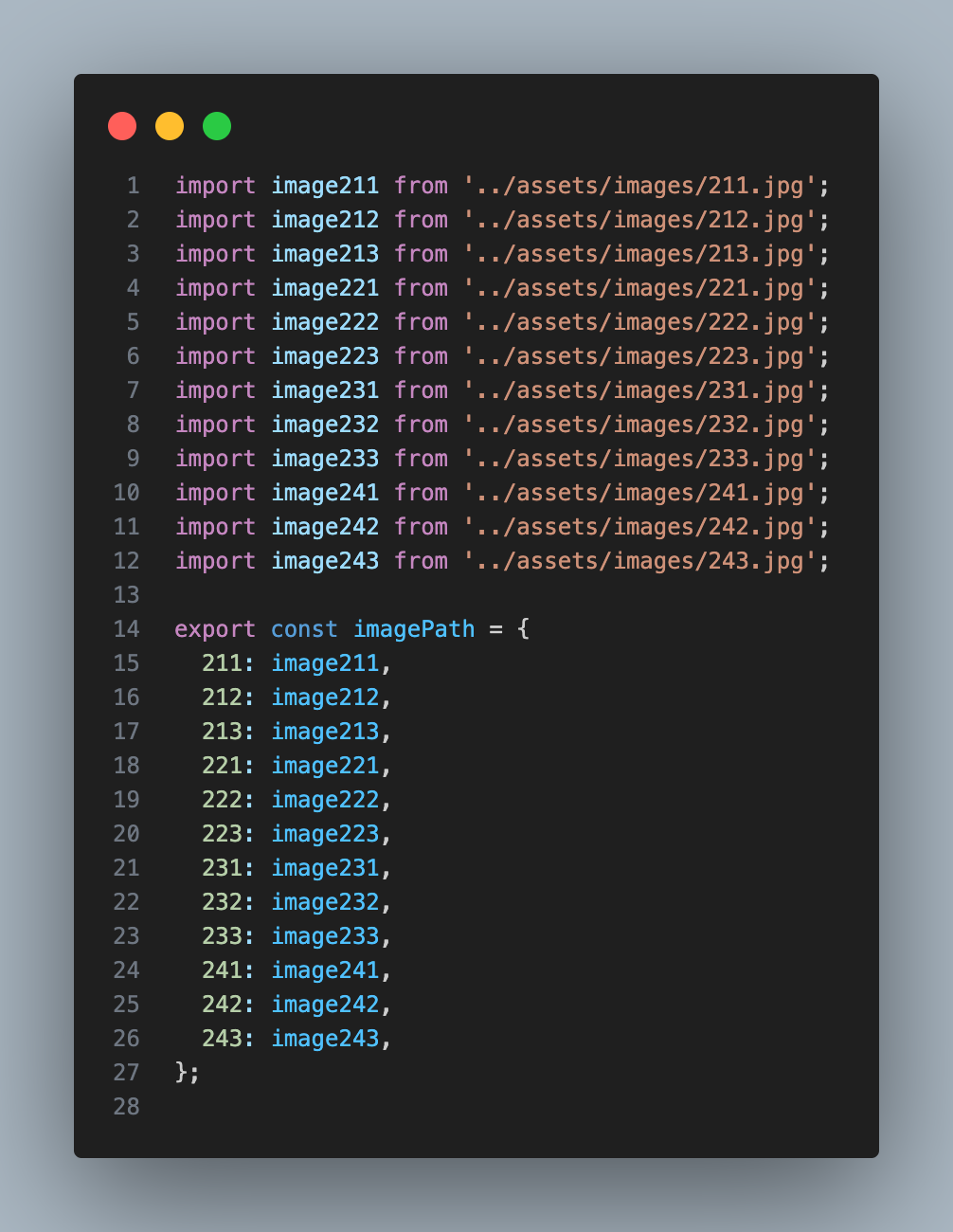
- 이미지를 사용하려는 곳에서 imagePath를 import
→imagePath[songID]로 이미지를 받아오면 된다<img src={imagePath[songID]} alt={songID} className={style.image} />
TIL
- 정적으로 로드하는 법
- 고정된 이미지처럼 딱히 변경될 필요가 없는 이미지
import poster from "../images/슬의.png"

...
<img id="poster" src={poster} alt="슬의"/>
...
- 동적으로 로드하는 법
- require(…).default ☹️
-
require() 함수가 객체를 리턴하므로 .default 설정을 붙여야 이미지의 경로를 가져온다
<img
	src={require(`../images/${imageName}.png`).default}
	alt={imageName}
/>
-
- js 상단에 이미지 경로를 변수에 담은 후 사용
const icon = require('./img/icon.png'); const activeIcon = require('./img/activeIcon.png'); ... <Image source={bool?activeIcon:icon}/> - 이미지 경로를 위한 js 파일을 생성하여 사용
// iconPath.js
export const iconPath = {
  icon: require("./img/icon.png"),
  activeIcon: require("./img/activeIcon.png"),
};

// app.js
import { iconPath } from "./iconPath.js";
...
<Image source={imagePath.icon} />;