8일차
IntelliJ 에서 GitHub 연결하기
참고한 블로그
-
GitHub에서 repository를 생성하거나 기존에 있는 url을 복사해둔다.
예) https://github.com/ironshine/github-test.git -
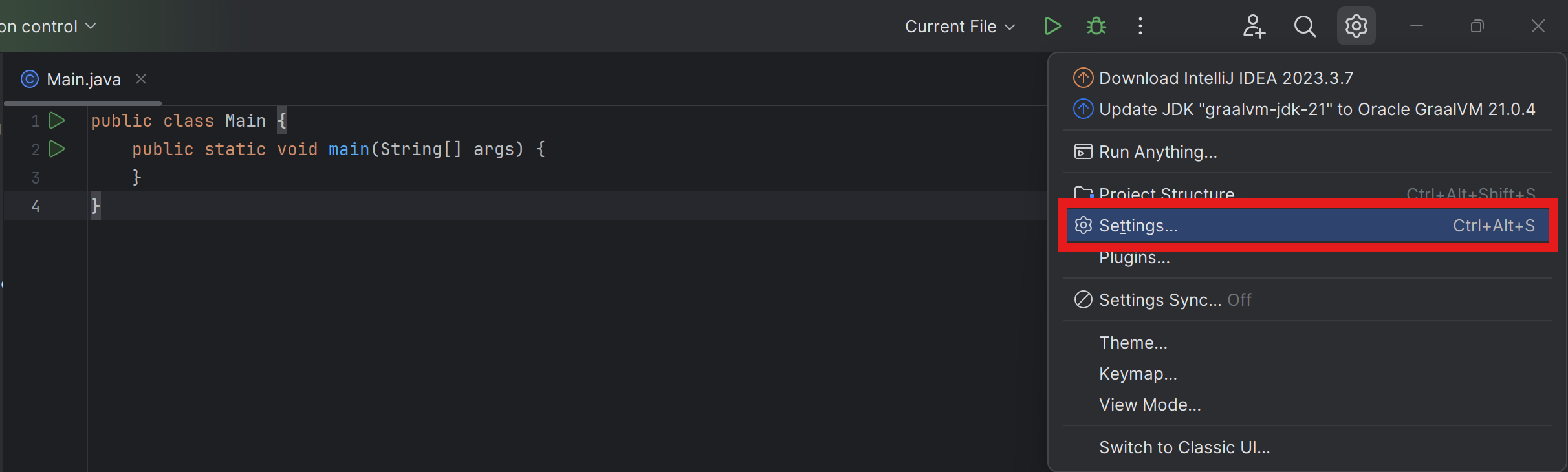
Intellij에서 우측상단톱니바퀴를 누르고Settings...을 클릭한다.
-
Settings창이 열리면Version Control>Git>Test>OK순으로 클릭한다.Git이 설치되어있지 않으면 빨간박스위치에
Git is not installedDownload and install이 뜬다. 눌러서 Git을 설치하면된다.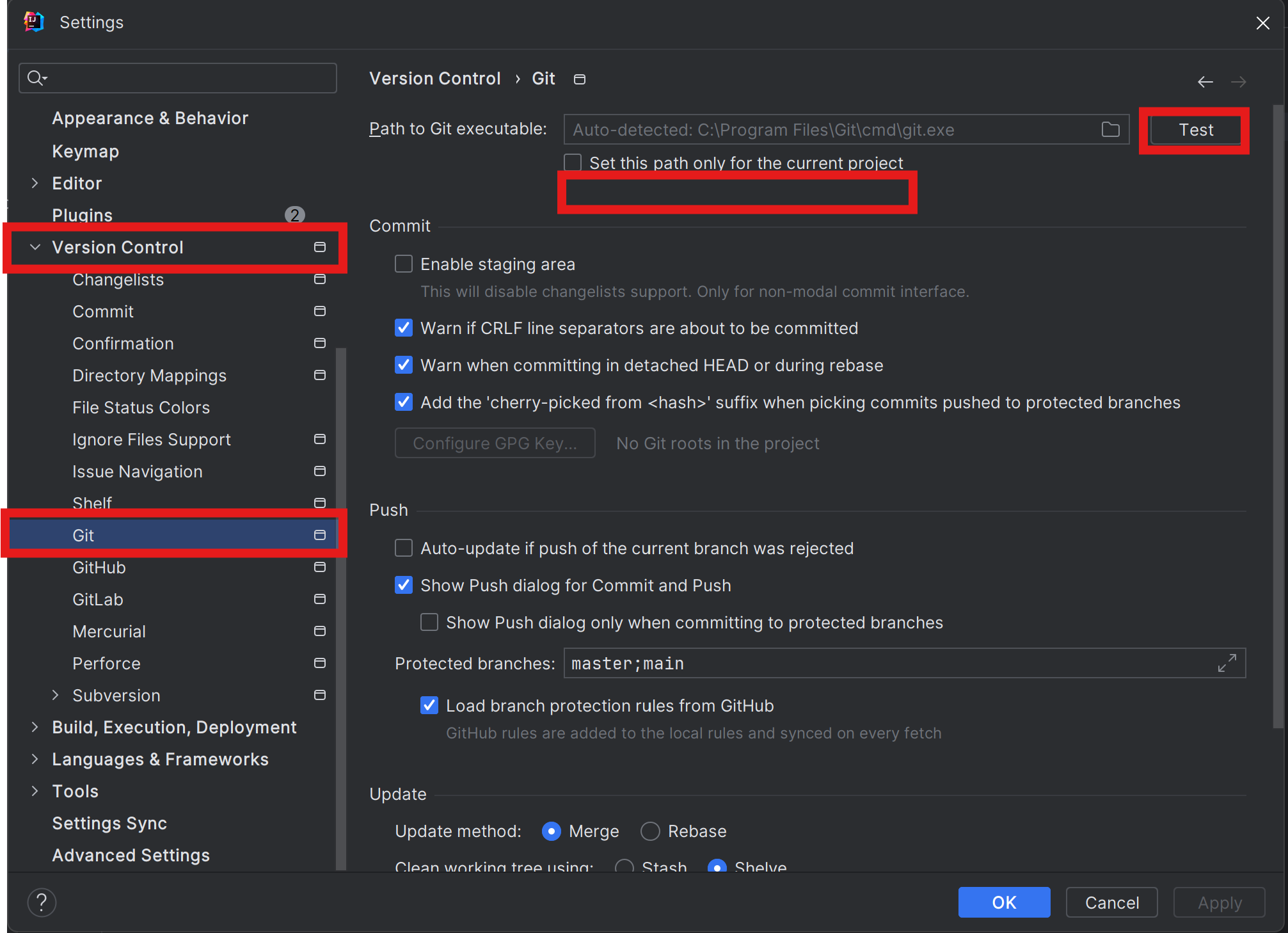
-
Git바로 아래에GitHub>Add account...>Log In via GitHub순으로 클릭한다.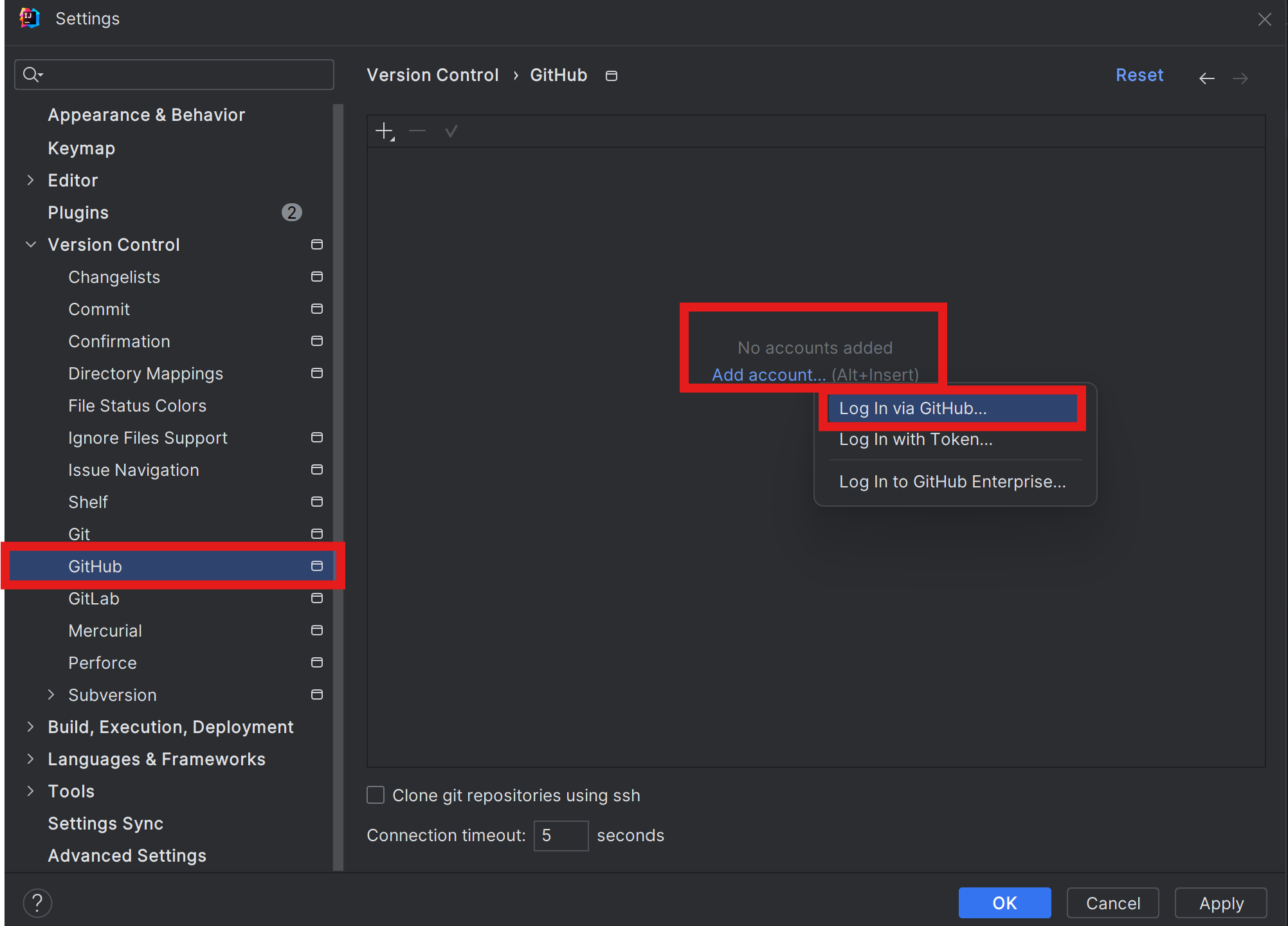
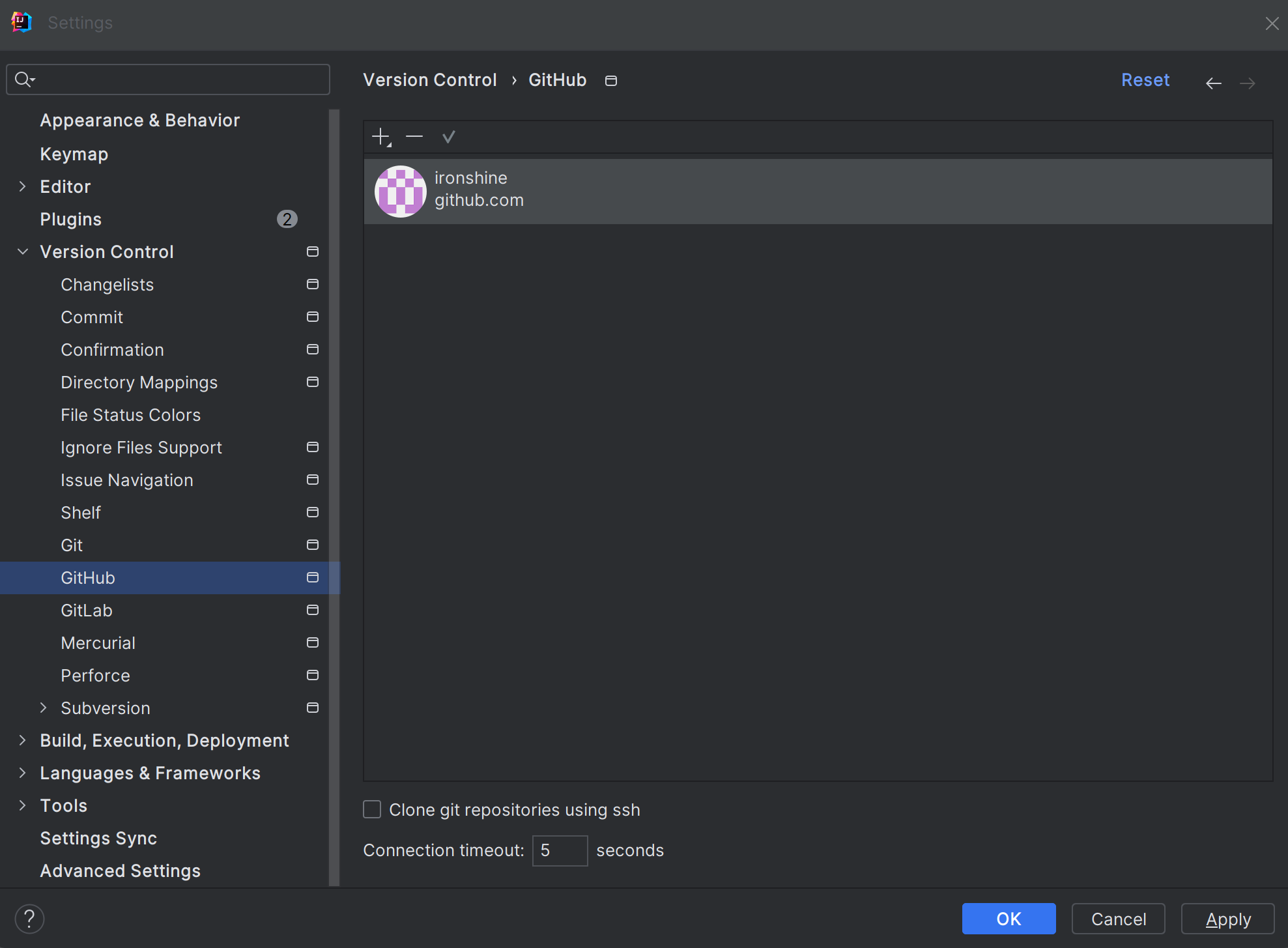
클릭하면 브라우저가 열린다 파란버튼들만 눌러주면 로그인이 된다.
-
Alt+\눌러 메인메뉴를 열어준다.
VCS>Enable Version Control Integeration...클릭.
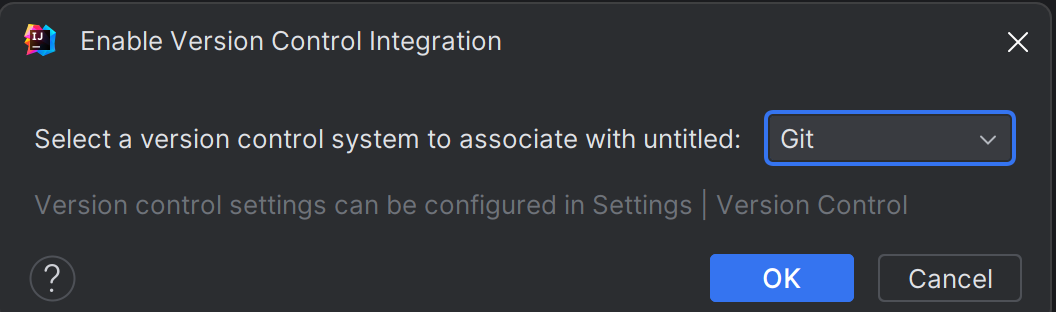
Git등록된거 확인후OK눌러준다.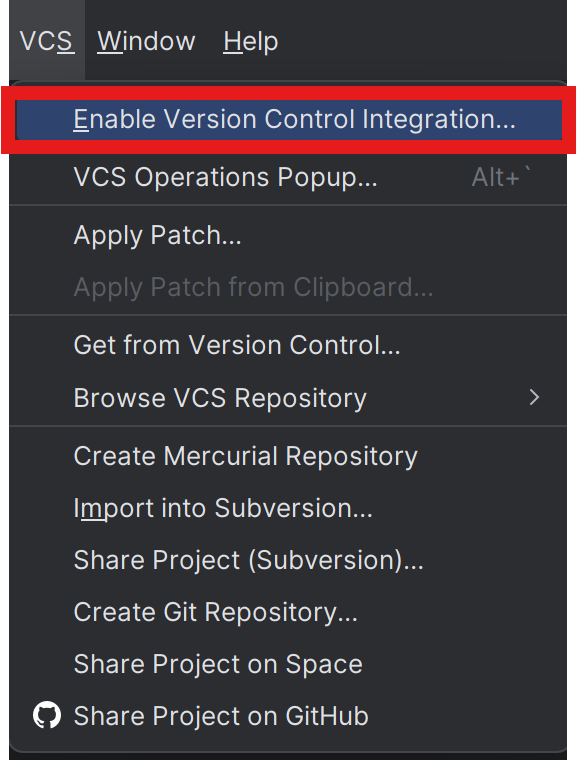
-
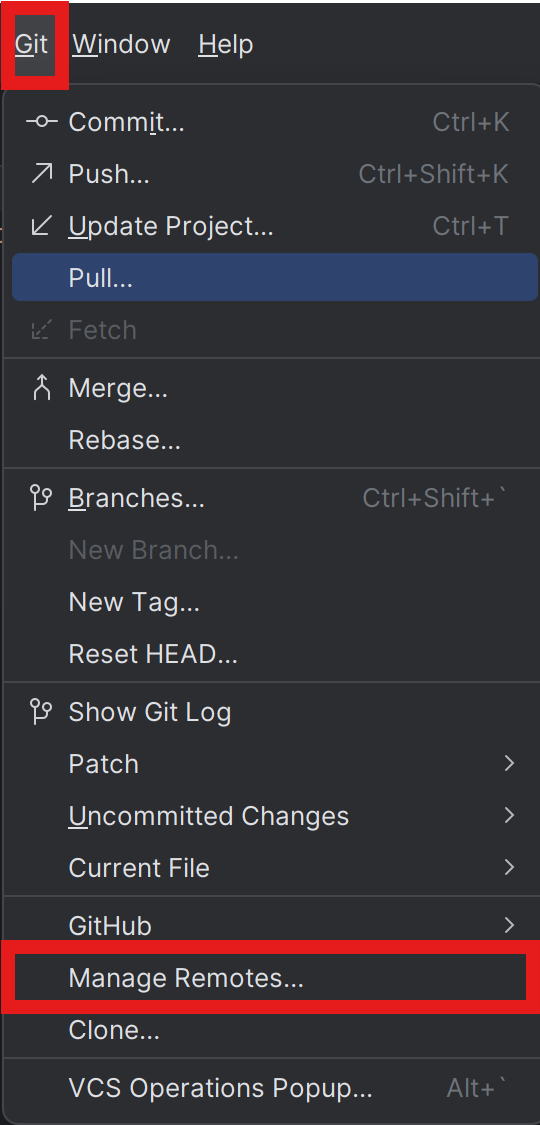
Alt+\로 메인메뉴 열면VCS가Git으로 변경되어있다.
Git>Manage Remotes
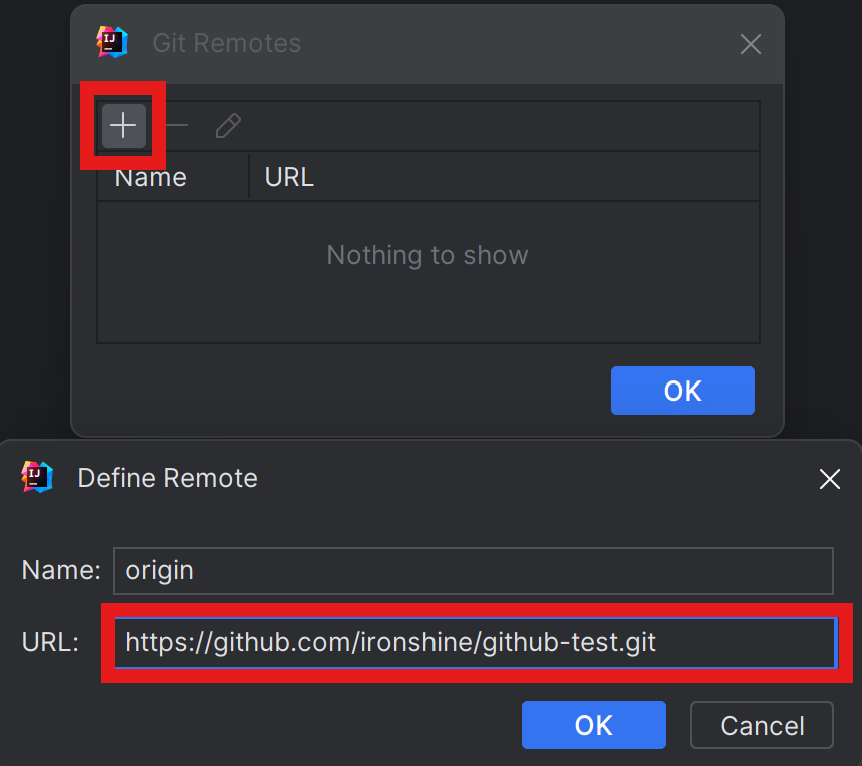
Git Remotes가 열리면+>URL에 복사해둔 깃url을 붙여넣는다.
OK>OK
-
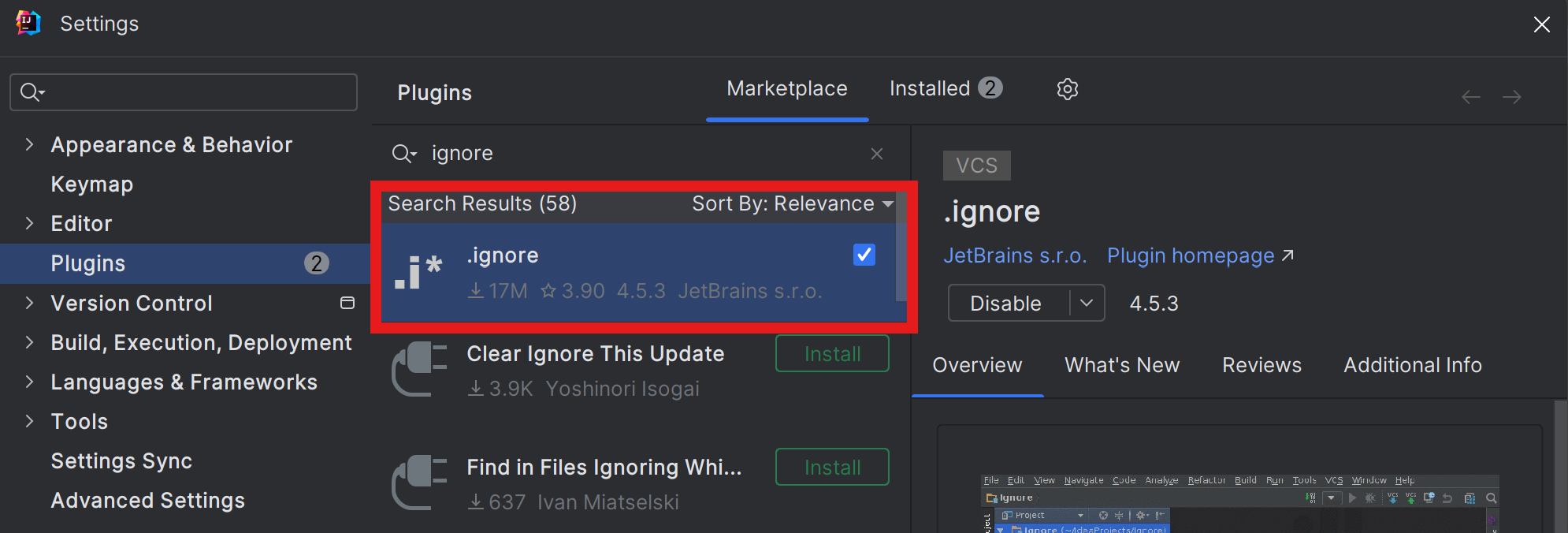
Settings>Plugins에서ignore검색하고.ignore를install한다.
-
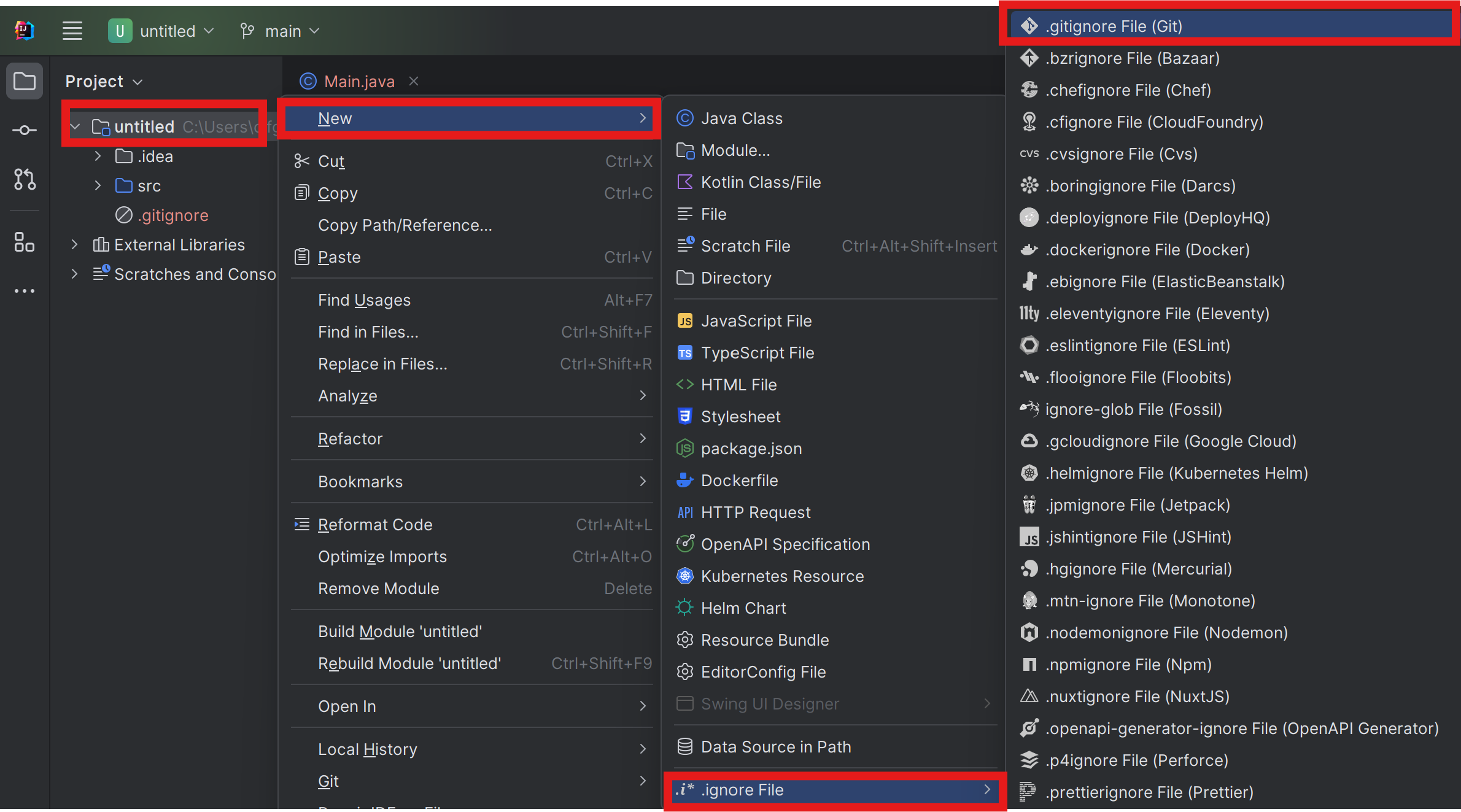
프로젝트에서
우클릭>New>
.ignore File>.gitignore File (Git)
-
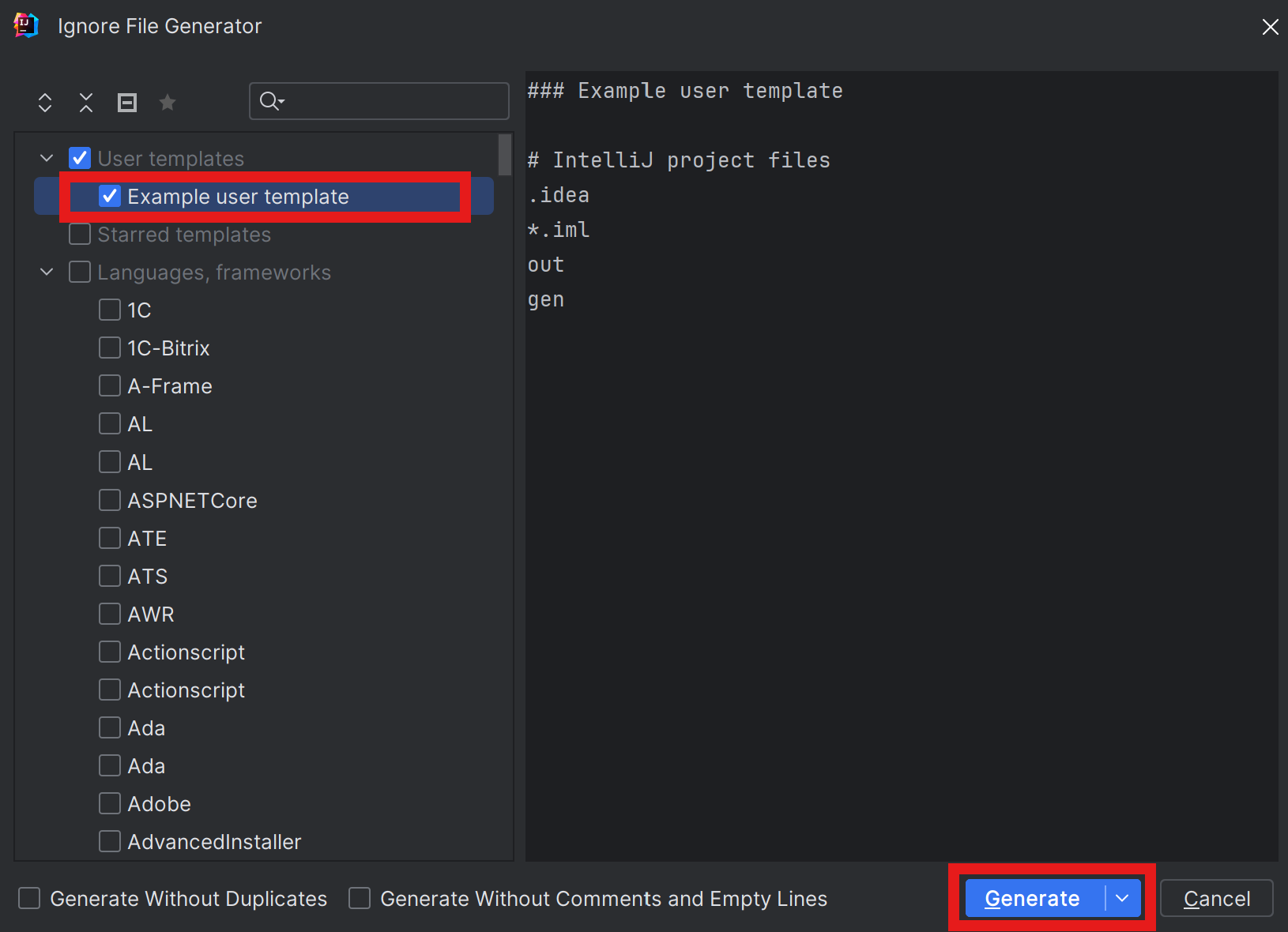
Ignore File Generator창이 열리면
Example user template>Generate클릭해서add해준다.
(본인에 맞는 설정을 찾아서 선택해도 문제없다)
-
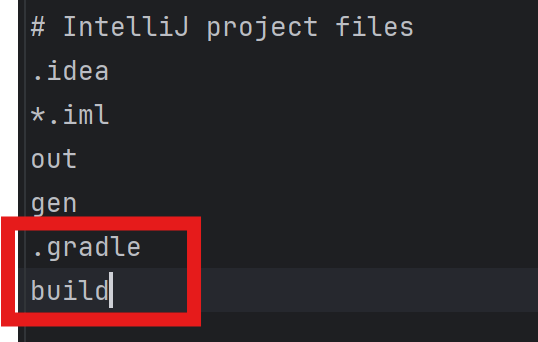
add해주면 바로 파일이 뜨는데 그 파일에서
.gradle
build를 추가해준다.
-
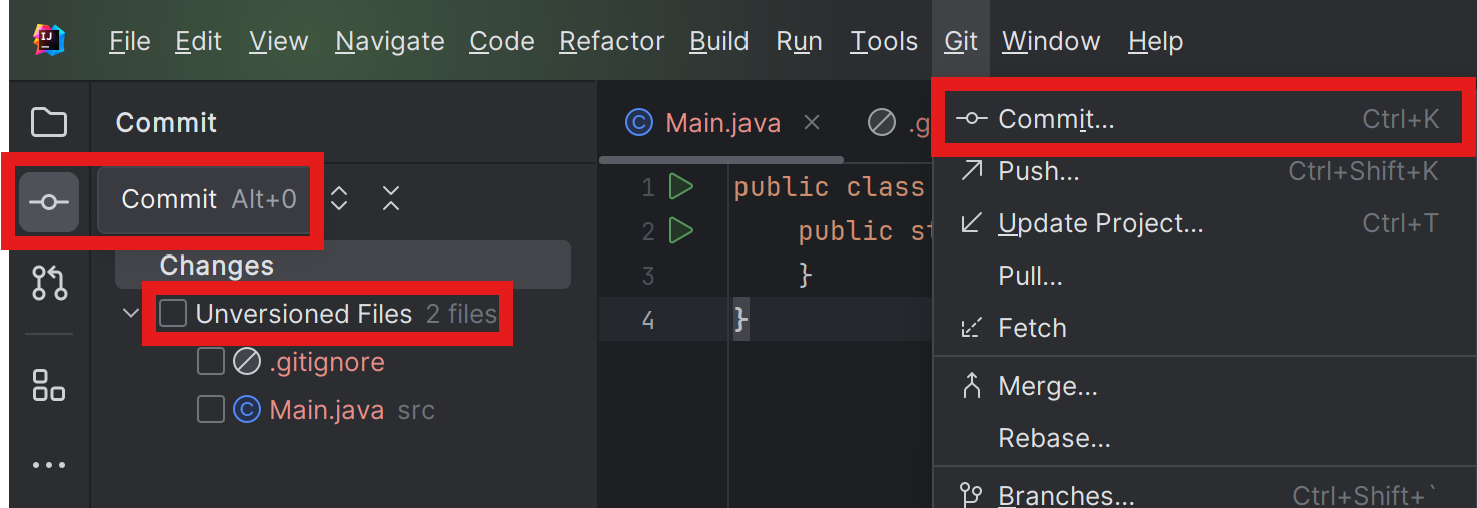
좌측
Commit을 누르거나Git>Commit을 눌러 열면
좌측에Commit창이 열린다 그안에Unversioned Files체크박스를 눌러 전체 체킹이 되게한다.
-
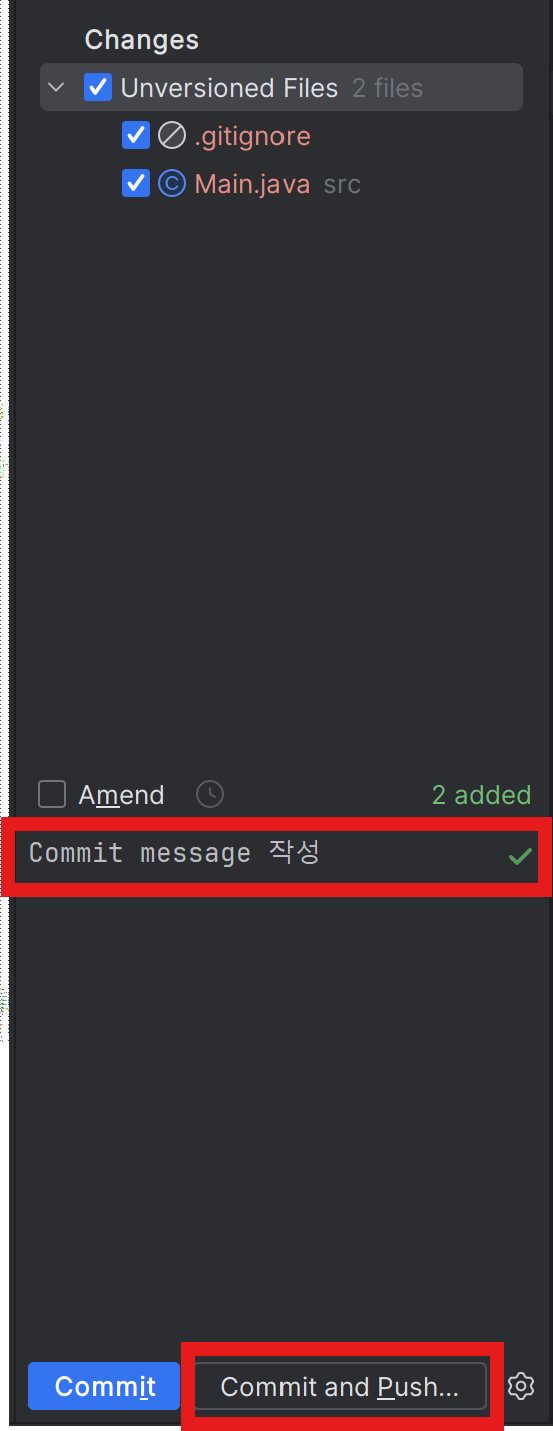
빨간박스 위치에
commit message 작성>Commit and Push
IntelliJ 한글깨짐 해결하기
참고한 블로그
-
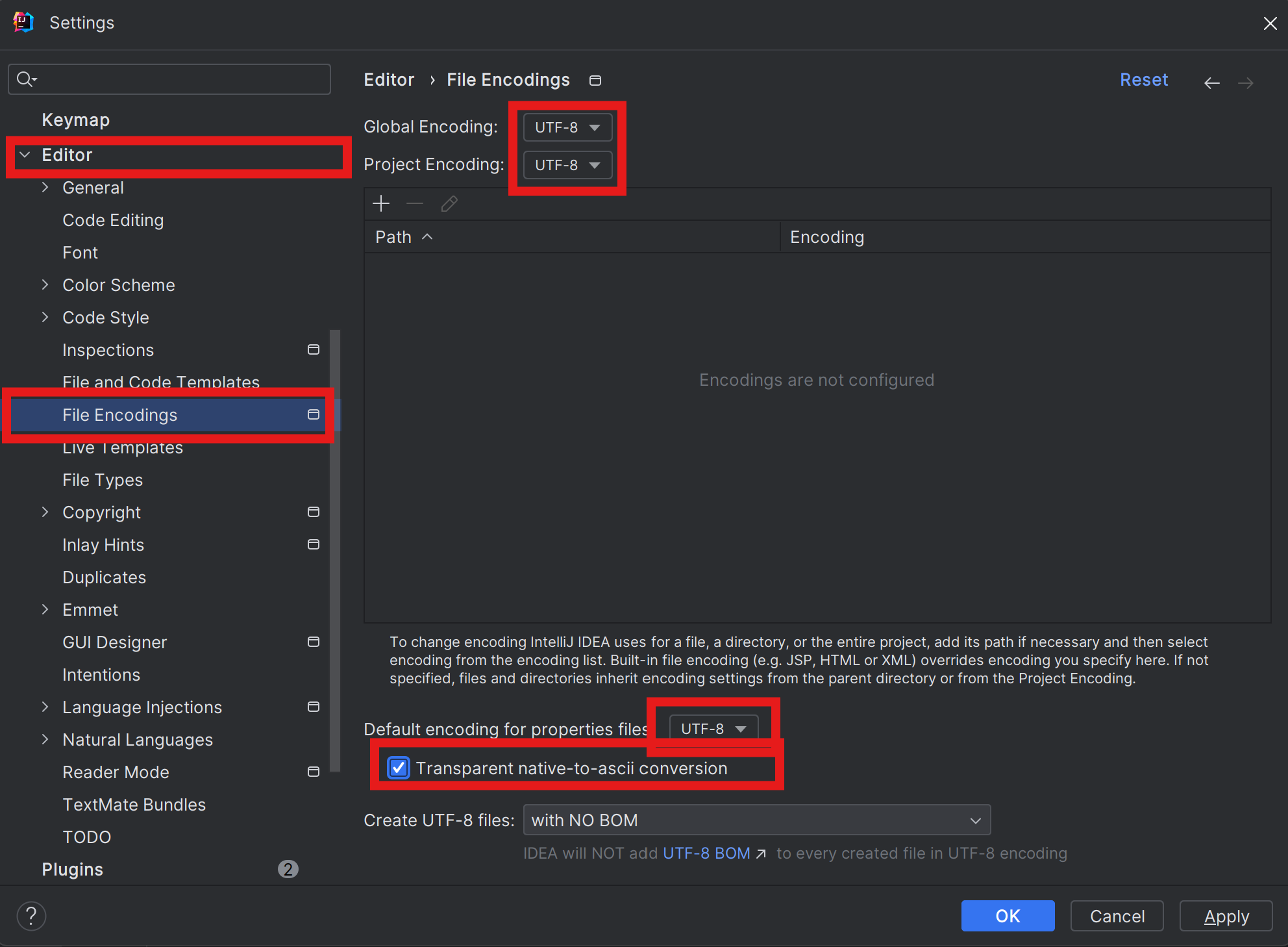
Settings>Editor>File Encodings>UTF-8변경 >Tranparent native-to-ascii conversion체크 >OK
-
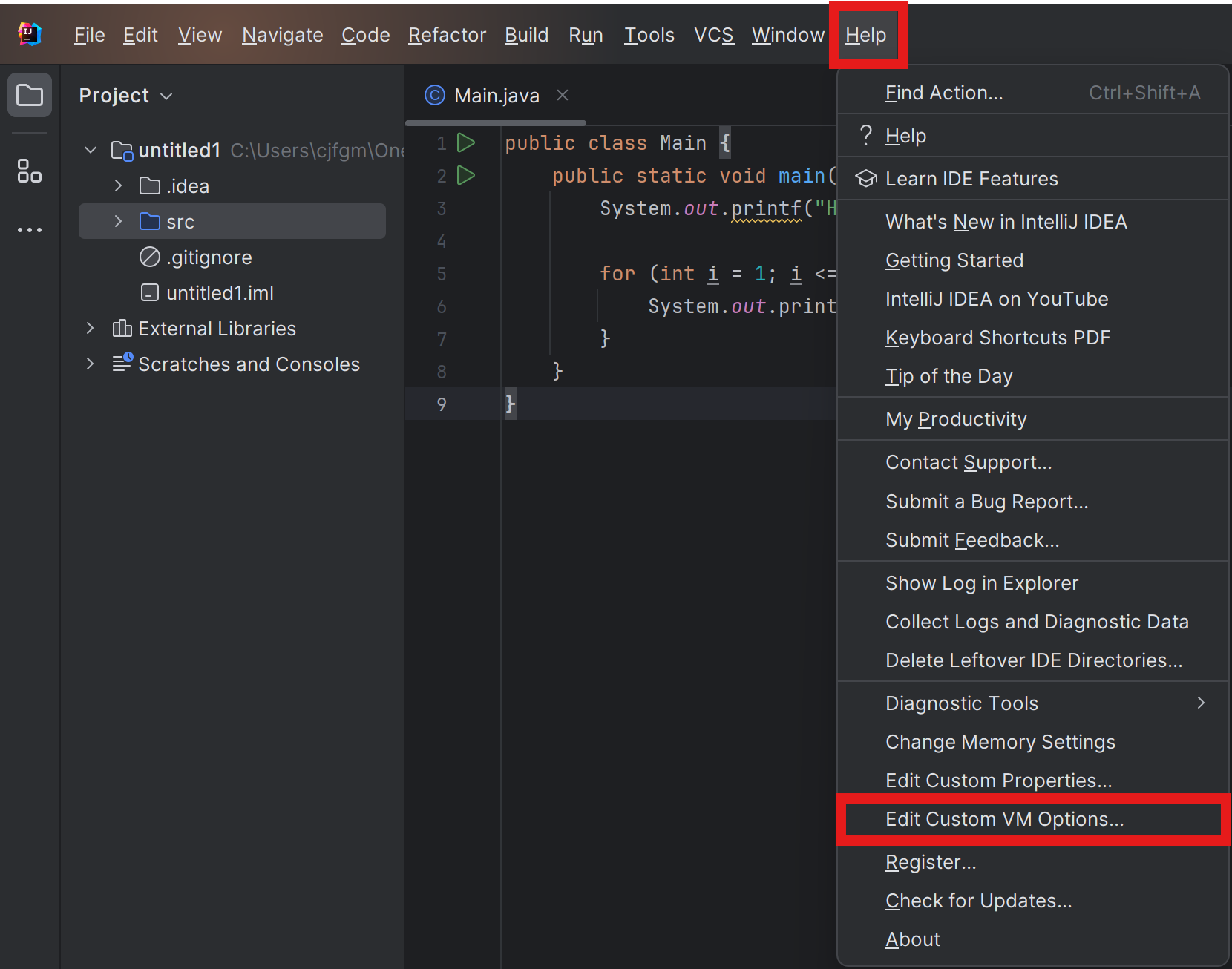
Help>Edit Custom VM options
-
vmoptions에
-Dfile.encoding=UTF-8,-Dconsole.encoding=UTF-8입력.-Dfile.encoding=UTF-8
-Dconsole.encoding=UTF-8

-
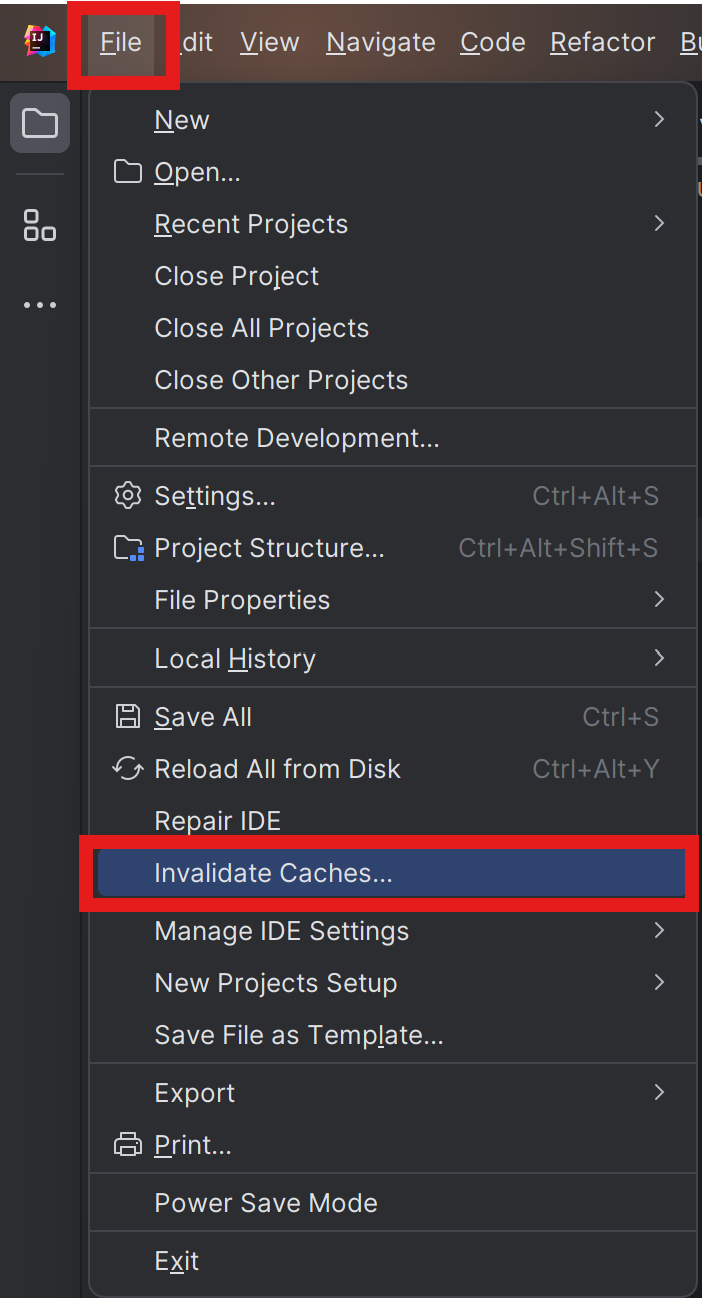
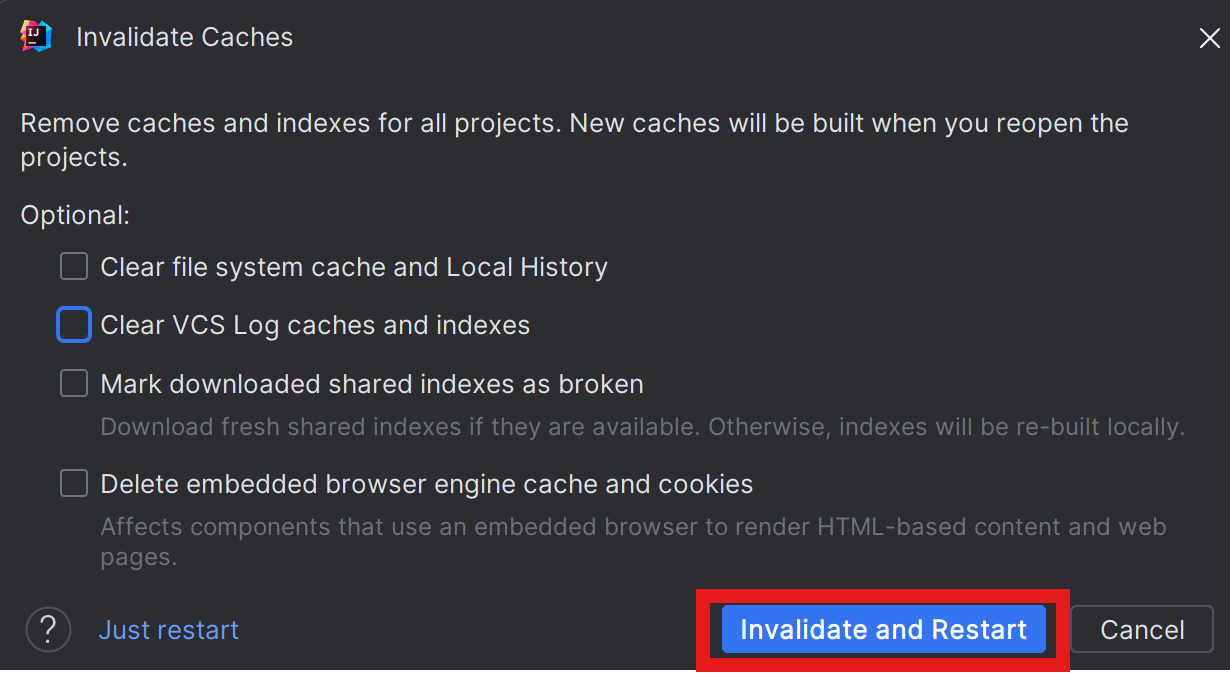
File>Invalidate Caches>Invalidate and Restart
 한글깨짐 해결.