[AWS] Private Subnet에 위치한 애플리케이션의 로그가 Cloud Watch로 전송이 되지 않는 문제
AWS Beanstalk를 이용해 private subnet에 애플리케이션을 생성했고
이 애플리케이션의 로그를 Cloud Watch로 스트리밍 하려고 했다.
하지만 정상적으로 들어오지 않아 로그를 확인해 보니 아래와 같은 에러를 확인할 수 있었다.
sudo cat /opt/aws/amazon-cloudwatch-agent/logs/amazon-cloudwatch-agent.log...
2023-09-13T13:43:48Z I! [logagent] piping log from beanstalk_docker_info.log/i-07a34206311ba9f4e_stream_info.log(/var/log/info/2023-09-13.info.log) to cloudwatchlogs with retention -1
2023-09-13T13:43:48Z I! [logagent] piping log from beanstalk_docker_warn.log/i-07a34206311ba9f4e_stream_warn.log(/var/log/warn/2023-09-13.warn.log) to cloudwatchlogs with retention -1
2023-09-13T13:43:48Z I! [logagent] piping log from beanstalk_docker_error.log/i-07a34206311ba9f4e_stream_error.log(/var/log/error/2023-09-13.error.log) to cloudwatchlogs with retention -1
2023-09-13T13:45:53Z E! [outputs.cloudwatchlogs] Aws error received when sending logs to beanstalk_docker_info.log/i-07a34206311ba9f4e_stream_info.log: RequestError: send request failed
caused by: Post "https://logs.ap-northeast-2.amazonaws.com/": dial tcp 10.0.135.121:443: i/o timeout
2023-09-13T13:45:53Z W! [outputs.cloudwatchlogs] Retried 0 time, going to sleep 137.613912ms before retrying.
2023-09-13T13:47:53Z E! [outputs.cloudwatchlogs] Aws error received when sending logs to beanstalk_docker_info.log/i-07a34206311ba9f4e_stream_info.log: RequestError: send request failed
caused by: Post "https://logs.ap-northeast-2.amazonaws.com/": dial tcp 10.0.153.238:443: i/o timeout
2023-09-13T13:47:53Z W! [outputs.cloudwatchlogs] Retried 1 time, going to sleep 277.907243ms before retrying.
2023-09-13T13:49:54Z E! [outputs.cloudwatchlogs] Aws error received when sending logs to beanstalk_docker_info.log/i-07a34206311ba9f4e_stream_info.log: RequestError: send request failed
caused by: Post "https://logs.ap-northeast-2.amazonaws.com/": dial tcp 10.0.153.238:443: i/o timeout
2023-09-13T13:49:54Z W! [outputs.cloudwatchlogs] Retried 2 time, going to sleep 521.392613ms before retrying.
2023-09-13T13:51:55Z E! [outputs.cloudwatchlogs] Aws error received when sending logs to beanstalk_docker_info.log/i-07a34206311ba9f4e_stream_info.log: RequestError: send request failed
caused by: Post "https://logs.ap-northeast-2.amazonaws.com/": dial tcp 10.0.153.238:443: i/o timeout
2023-09-13T13:51:55Z W! [outputs.cloudwatchlogs] Retried 3 time, going to sleep 916.90171ms before retrying.
2023-09-13T13:53:56Z E! [outputs.cloudwatchlogs] Aws error received when sending logs to beanstalk_docker_info.log/i-07a34206311ba9f4e_stream_info.log: RequestError: send request failed
caused by: Post "https://logs.ap-northeast-2.amazonaws.com/": dial tcp 10.0.135.121:443: i/o timeout
2023-09-13T13:53:56Z W! [outputs.cloudwatchlogs] Retried 4 time, going to sleep 2.447891198s before retrying.
2023-09-13T13:55:59Z E! [outputs.cloudwatchlogs] Aws error received when sending logs to beanstalk_docker_info.log/i-07a34206311ba9f4e_stream_info.log: RequestError: send request failed
caused by: Post "https://logs.ap-northeast-2.amazonaws.com/": dial tcp 10.0.135.121:443: i/o timeout
2023-09-13T13:55:59Z W! [outputs.cloudwatchlogs] Retried 5 time, going to sleep 55.918386578s before retrying.
2023-09-13T13:58:55Z E! [outputs.cloudwatchlogs] Aws error received when sending logs to beanstalk_docker_info.log/i-07a34206311ba9f4e_stream_info.log: RequestError: send request failed
caused by: Post "https://logs.ap-northeast-2.amazonaws.com/": dial tcp 10.0.135.121:443: i/o timeout
2023-09-13T13:58:55Z W! [outputs.cloudwatchlogs] Retried 6 time, going to sleep 31.477835523s before retrying.
2023-09-13T13:59:27Z W! [outputs.cloudwatchlogs] Retried 7 time, going to sleep 32.967307078s before retrying.
...해결 - PrivateLink
Cloud Watch는 VPC 내부에 위치한 것이 아니기 때문에 퍼블릭 네트워크를 거쳐야 사용이 가능하다고 한다.
보안을 위해 Private Subnet을 사용하고 있기 때문에 퍼블릭 인터넷에 트래픽을 노출하지 않고 VPC와의 통신을 위해 End Point를 설정해 PrivateLink를 사용할 수 있다.
End Point 설정
- 보안 그룹 생성
Cloud Watch는 443 포트로 통신을 하기 때문에 인바운드 규칙에 443 포트를 열어 준다.


- 엔드포인트 생성
- cw-monitoring-ep
- 서비스 범주 : AWS 서비스
- 서비스 이름 : monitoring
- VPC : Beanstalk가 속해 있는 VPC
- Subenet : private 서브넷 선택
- 보안 그룹 : 위에서 생성한 보안 그룹 연결
- 정책 :
{
"Statement": [
 {
   "Sid": "PutOnly",
   "Principal": "*",
   "Action": [
     "logs:CreateLogStream",
     "logs:PutLogEvents"
   ],
   "Effect": "Allow",
   "Resource": "*"
 }
]
}
Beanstalk 앱 서버 재시작
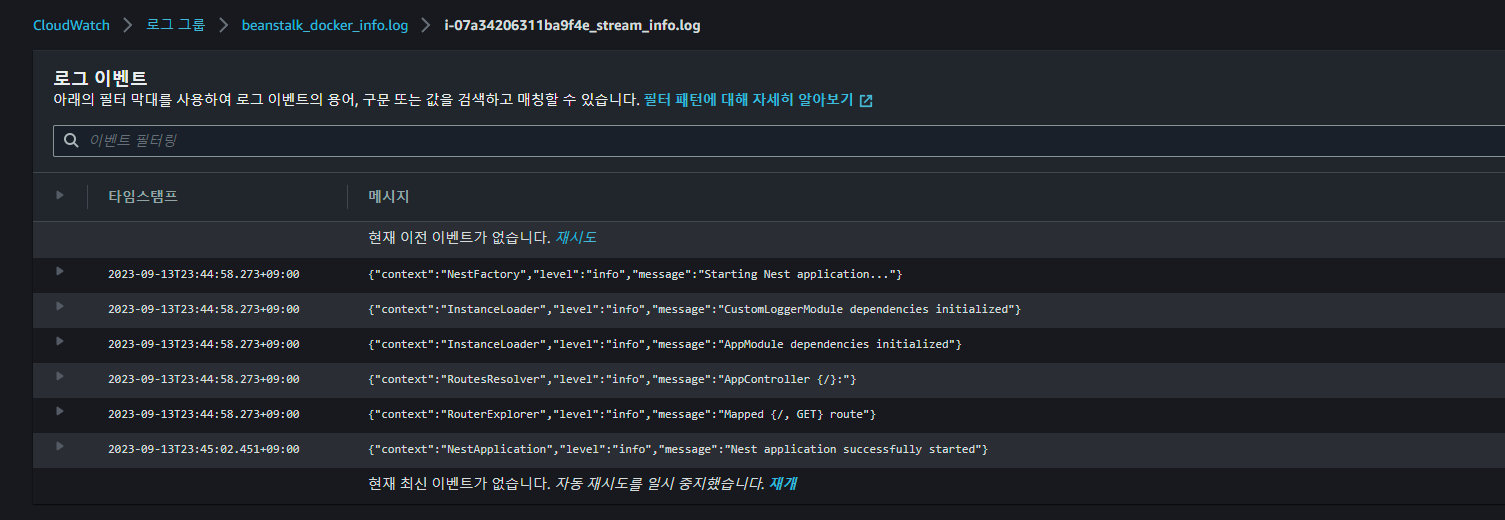
sudo systemctl restart amazon-cloudwatch-agent.service앱 서버 재시작을 하면 로그 스트림이 정상적으로 생성되고
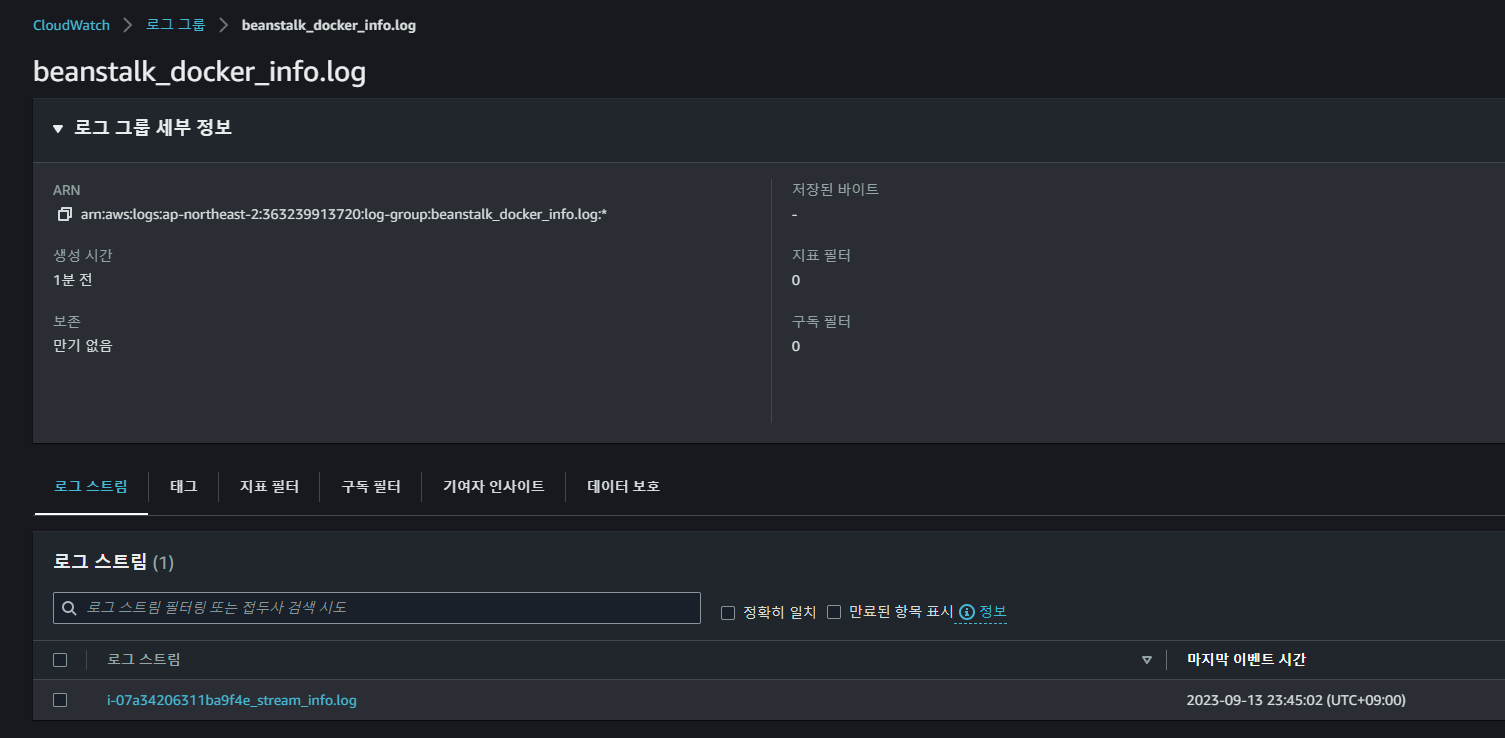
로그들이 정상적올 들어오는 것을 확인할 수 있다.
참고
- https://sh-t.tistory.com/10
- https://repost.aws/ko/knowledge-center/cloudwatch-unified-agent-metrics-issues
- https://awstut.com/en/2022/07/24/deliver-logs-of-fargate-containers-in-private-subnets-to-cloudwatch-logs-en/
- https://cloudest.oopy.io/posting/083
- https://docs.aws.amazon.com/ko_kr/AmazonCloudWatch/latest/monitoring/cloudwatch-and-interface-VPC.html
- https://docs.aws.amazon.com/ko_kr/general/latest/gr/cw_region.html
- https://moonganzi.tistory.com/50