
개발환경
package -m  : pnpm
tool : vite
react - ts
pnpm 과 vite로 react-ts 프로젝트를 만든 이후
shadcn/ui 를 설치하였다.
shadcn/ui를 설치하기 전 tailwind를 설치를 우선 하라고 shadcn/ui 공식문서에 나와있었고 tailwind설치를 shadcn/ui에서 알려주는 방법 그대로 설정을 하였다.
tailwind 설치 후 shadcn/ui component를 설치 후 test용으로 작성해보았고,
브라우저를 봤는데 tailwind가 안먹는다.
그래서 우선 다시
vscode를 껐다가 다시 명령어로 실행을 시켰는데
[Failed to load PostCSS config: Failed to load PostCSS config (searchPath: C:/Users/admin/Desktop/dev-camp/dev-camp-login): [ReferenceError] module is not defined in ES module scope
This file is being treated as an ES module because it has a '.js' file extension and 'C:\Users\admin\Desktop\dev-camp\dev-camp-login\package.json' contains "type": "module". To treat it as a CommonJS script, rename it to use the '.cjs' file extension.
이렇게 ES module을 PostCSS.config에서 사용중이니 ES module 그대로 사용하고 싶으면 .js 를 .cjs로 바꾸라고 알려준다.
내 postcss.config.js
/** @type {import('tailwindcss').Config} */
module.exports = {
  theme: {
    extend: {
      keyframes: {
        "accordion-down": {
          from: { height: "0" },
          to: { height: "var(--radix-accordion-content-height)" },
        },
        "accordion-up": {
          from: { height: "var(--radix-accordion-content-height)" },
          to: { height: "0" },
        },
      },
      animation: {
        "accordion-down": "accordion-down 0.2s ease-out",
        "accordion-up": "accordion-up 0.2s ease-out",
      },
    },
  },
};
그러므로 postcss.config.js -> postcss.config.cjs 로 바꿔서 실행은 시킬 수 있었으나
.cjs가 아니라.js로 사용하고 싶다면module.exports =를 export default {... } 로 바꾸면 된다.
tailwind가 적용이 되지 않았다.
원인은 postcss.config 에서 plugins가 빠져있기 때문인데... 왜 빠졌는지는 나중에 다시 디버깅 해봐야겠다.
export default {
  plugins: {
    tailwindcss: {},
    autoprefixer: {},
  },
  //...
};
plugins를 추가하면 tailwind 적용이 된다.
또한
혹시나 index.css에서
@tailwind base; // Unknown Rules ~~
@tailwind components; // Unknown Rules ~~
@tailwind utilities; // Unknown Rules ~~
이런 경고문이 뜬다면
vscode에서
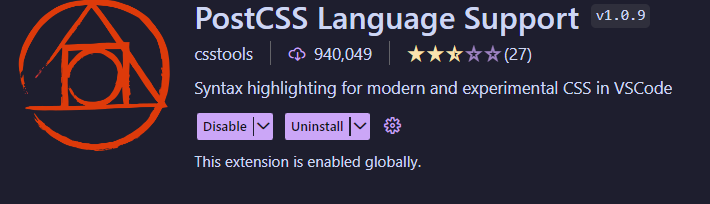
이 extension을 깔아주자
