1. variable(mutable)
- let
- let (added in ES6)
- block scope
- read && write
- var
- var (don't ever use this!)
- var hoisting (move declaration from bottom to the top)
=> 값을 선언 하기도 전에 사용 할 수 있음(선언 전에 print, 수 대입) - has no block scope
2. Constant(immutable)
- const
- for security
- for thread safety
- for reducing human mistakes
- read only
3. variable types
-
primitive, single item: number, string, boolean, null, undefined, symbol
primitive type 메모리 저장 방식
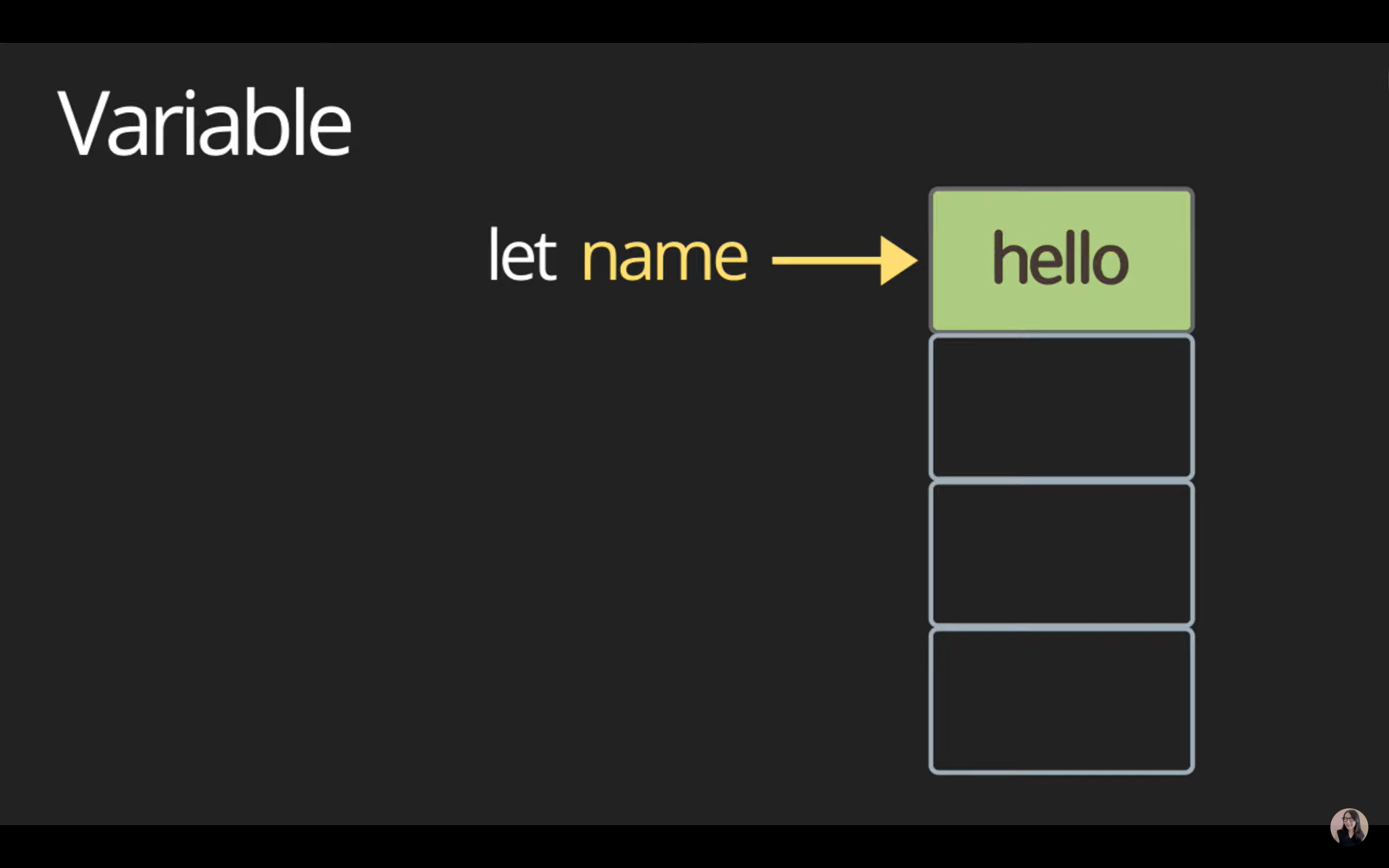
-
object, box container
object란 single item들을 묶어 한 단위로 box로 관리 할 수 있게 한 것
object type 메모리 저장 방식
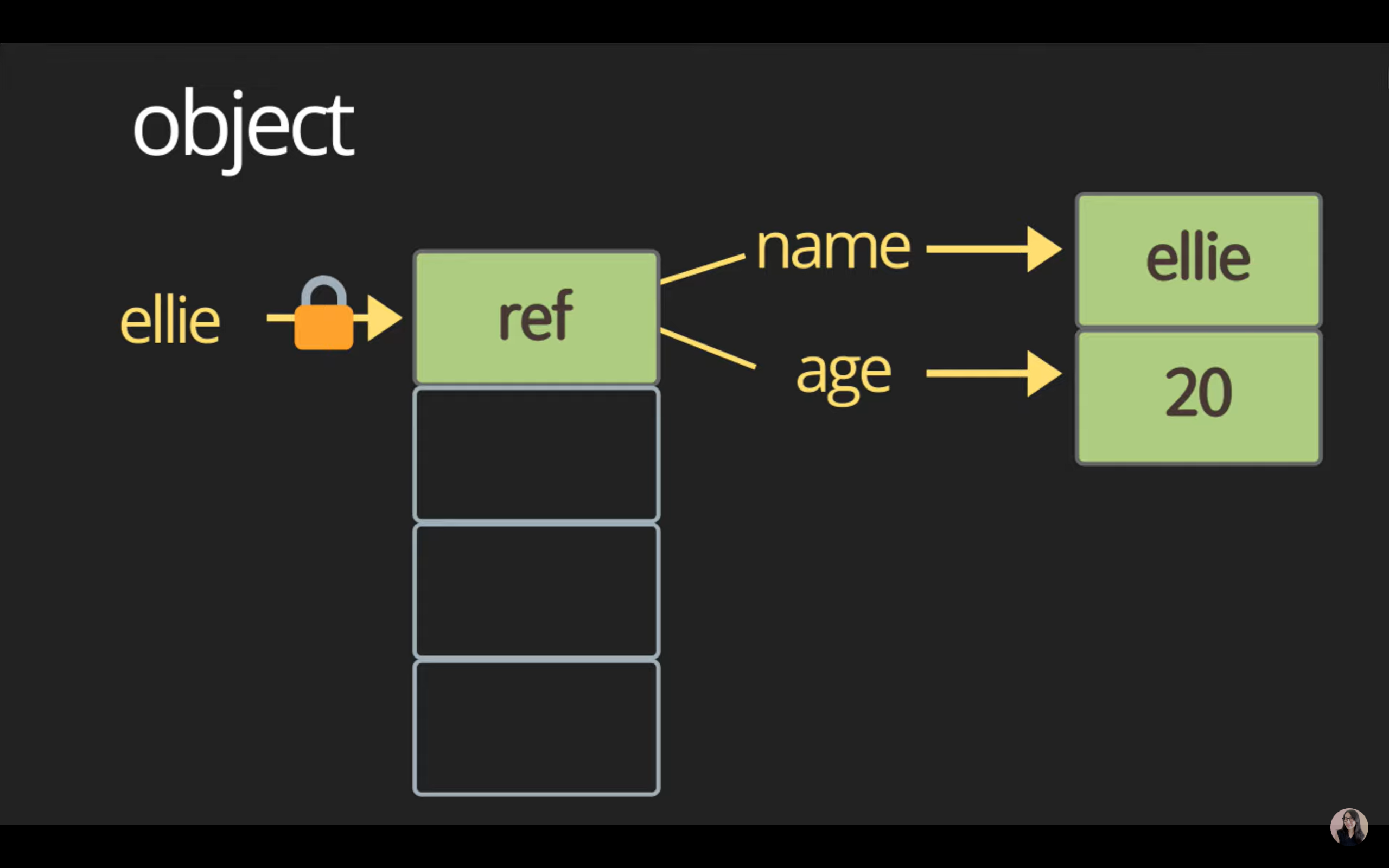
-
function, first-class function
js에서는 function도 data type 중 하나
first-class function
== function도 변수에 할당 가능, 함수의 파라메터 or 리턴타입으로 사용 가능 -
data types for number
type: number
// ex) type script let a: number = 12; let b: number = 11.11; // number - special numeric values: infinity, -infinity, NaN const infinity = 1 / 0; == Infinity const negativeInfinity = -1 / 0; == -Infinity const NaN = 'not a number' / 2; == NaN -
data types for string
type: string
const lee = 'lee'; const greeting = 'hello' + lee; console.log(`value: ${lee}, type: ${typeof greeting}`); const helloLee = 'hi ${lee}!; // template literals (string) console.log(`value: ${helloLee}, type: ${typeof helloLee}`); -
data types for boolean
type: boolean
- false: 0, null, undefined, NaN, ' '
- true: any other values
const isTrue = 3 > 1 // true const isFalse = 3 < 1 // false -
data types for null && undefined
type: null
type: undefinedconst nothing = null // null const x // undefined -
data types for symbol
type: symbol
(create unique identifiers for objects)const symbol1 = Symbol('id'); const symbol2 = Symbol('id'); console.log(symbol1 === symbol2); // falseSymbol('string') 호출 시 string이 똑같을 때 동일한 symbol을 만들고 싶다면
const symbol1 = Symbol.for('id');
const symbol2 = Symbol.for('id');
console.log(symbol1 === symbol2); // true
//symbol 출력 시 .description을 활용 해 string으로 형변환
console.log(`value: ${symbol1.description}, type: ${typeof helloLee}`);
4. dynamic typing
-
data types for symbol
dynamically typed language
let text = 'hello';
console.log(text.charAt(0)); // h
console.log(`value: ${text}, type: ${typeof text}`); // value: hello, type: String
text = 1
console.log(`value: ${text}, type: ${typeof text}`); // value: 1, type: number
text = '7' + 5;
console.log(`value: ${text}, type: ${typeof text}`); // value: 75, type: string
text = '8' / '2';
console.log(`value: ${text}, type: ${typeof text}`); // value: 4, type: number
console.log(text.charAt(0)); // TypeError
Runtime 동안에 할당된 값에 따라서 type이 변경 될 수 있다
(type script 사용해 type error 방지)

이창목