인텔리제이 devtools 적용방법
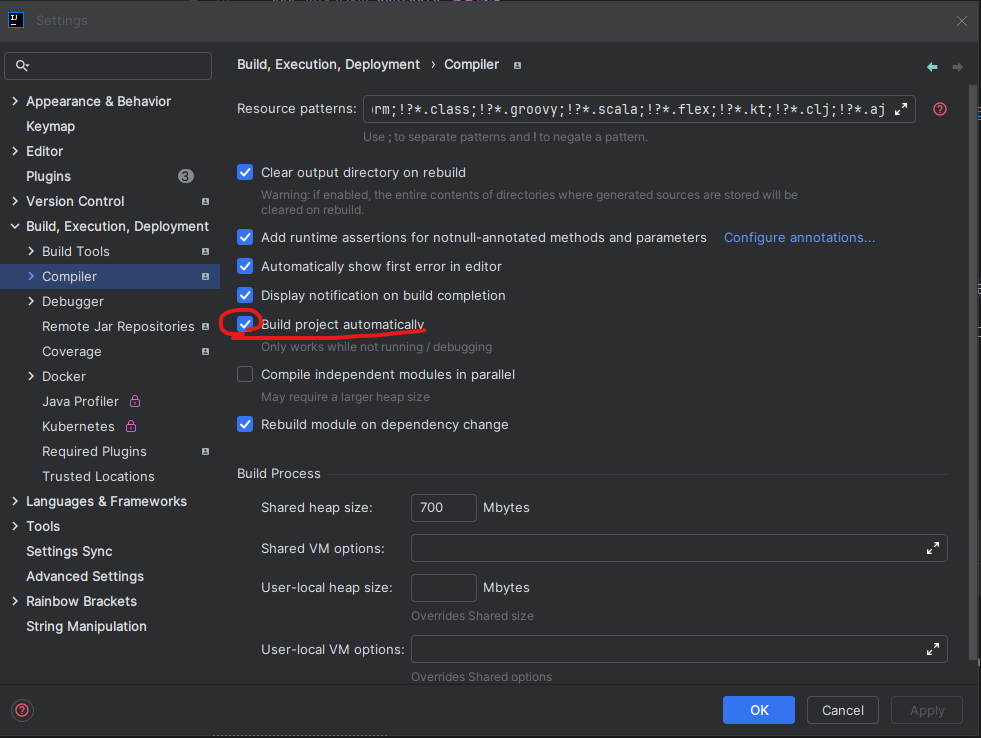
- settings -> Build,Execution -> Compiler 를 들어가서 build project 를 클릭해주면 이미지 처럼 파란색으로 체크가 된다.
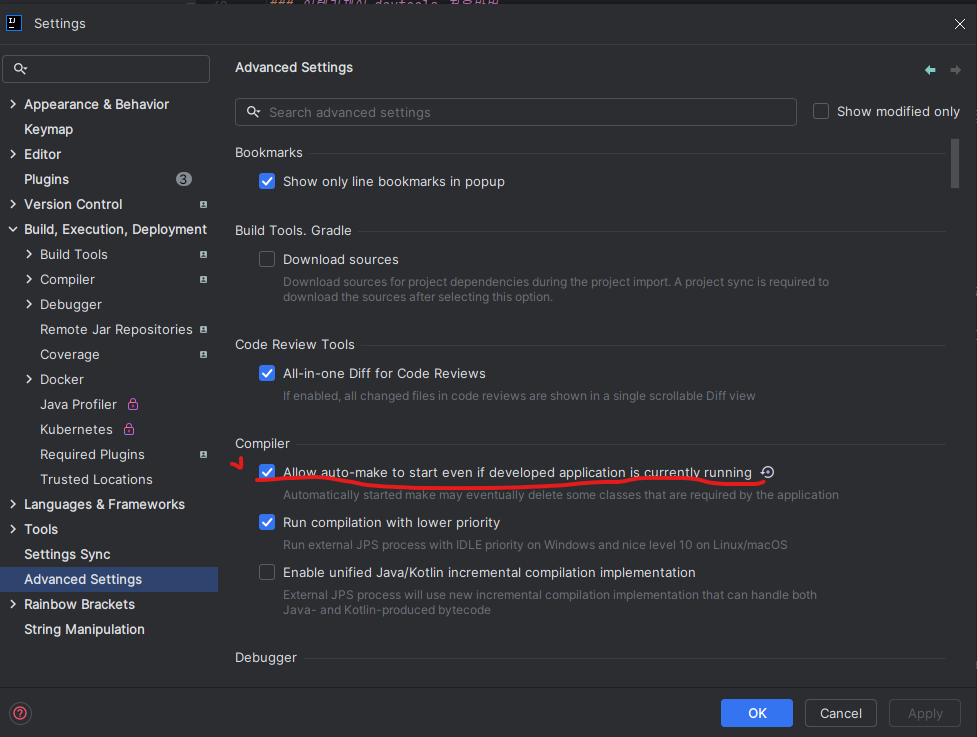
- settings -> Advanced Settings 에서 allow auto-make to start를 클릭하면 이미지 처럼 파라색으로 체크가 된다.
-
다 체크를 했으면 apply를 해준다.
-
yml , properties 파일에서 이미지 대로 설정 해주면 된다.
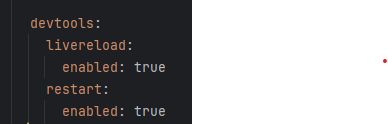
복사용

  devtools:
    livereload:
      enabled: true
    restart:
      enabled: true
    thymeleaf: // thymeleaf 사용안한면 지우기
      cache: false
시작