
intro
협업 프로젝트시에 코딩룰이 적용된 소스는 인체에 유익 하다는 전제 하에 강제하는 방법을 알아 본다.
확실히 쌩 리액트 프로젝트를 구성을 위해서는 webpack을 만저볼수 밖에 없는데 이점이 상당히 도움이 된다는 것을 몸소 체험한다.
CAR-ESLint & prettier 세팅 할때는 구성 요소중 30%정도는 남들이 하니깐 가이드에 나와 있으니깐 대충 넘어 갔던것들이 눈에 들어 온다.
1. Terms
Is prettier ?
MIT license를 가진 code formatter 모듈입니다. Code format이란 줄 바꿈, 줄간격, 괄호의 위치 등 여러 가지 Style을 의미하며, Prettier는 이런 code style을 자동적으로 정리해 줍니다.
Is eslint?
javascript 정적 분석 도구
ESLint란? ECMAScript Lint의 줄임말로, javascript의 표준을 다루는 협회가 바로 ECMA입니다. Lint는 유닉스 시절에 정적코드 분석 프로그램인 'Linter"에서 따온 이름입니다.
2. Install Plugins
yarn add -D prettier eslint-plugin-prettier eslint-plugin-react eslint-plugin-react-hooks eslint-plugin-jsx-a11y eslint-config-prettier
prettier : auto code formatter module
eslint-plugin-prettier : eslint와 prettier간 충돌방지 플러그인
eslint-plugin-react : for react 구문
eslint-plugin-react-hooks : for react hooks 구문
eslint-plugin-jsx-a11y : for jsx(xml) 정적 분석
eslint-config-prettier : prettier 설정
3. Set Config
3-1 root/.prettierrc
{
  "endOfLine": "auto",
  "semi": true,
  "singleQuote": false,
  "printWidth": 80,
  "tabWidth": 2,
  "useTabs": false,
  "arrowParens": "avoid",
  "bracketSpacing": true,
  "htmlWhitespaceSensitivity": "css",
  "jsxBracketSameLine": false,
  "jsxSingleQuote": false,
  "proseWrap": "preserve",
  "quoteProps": "as-needed",
  "trailingComma": "none",
  "vueIndentScriptAndStyle": false,
  "filepath": "",
  "requirePragma": false,
  "insertPragma": false,
  "overrides": [
    {
      "files": "*.json",
      "options": { "printWidth": 80, "trailingComma": "none" }
    },
    {
      "files": "*.prettierrc",
      "options": { "printWidth": 80, "trailingComma": "none" }
    }
  ]
}
아래 사이트를 통해 룰 설정을 미리 체험 할 수 있다.
https://prettier.io/playground/
3.2 add line .eslintrc.json
- 위에서 설치한 plugin을 .eslintrc.json의 extends에 추가 해준다.
// .eslintrc.json
...
{
  ...
  "extends": [
    + "prettier",
    "eslint:recommended",
    "plugin:react/recommended",
    + "plugin:jsx-a11y/recommended",
    + "plugin:prettier/recommended",
    + "plugin:react-hooks/recommended"
  ],
  ...
}- eslint 룰 관련 테스틑 아래 링크를 통해 체험 할수 있다.
https://eslint.org/play/
4. 문법 검사 테스트
yarn dev

- App.js 소스에 에러 구문을 추가 해본다.
function App() {
  const a = 10;
  asdfasdfsafas;
...- 브라우저와 vscode 터미널에 에러가 출력 된다.
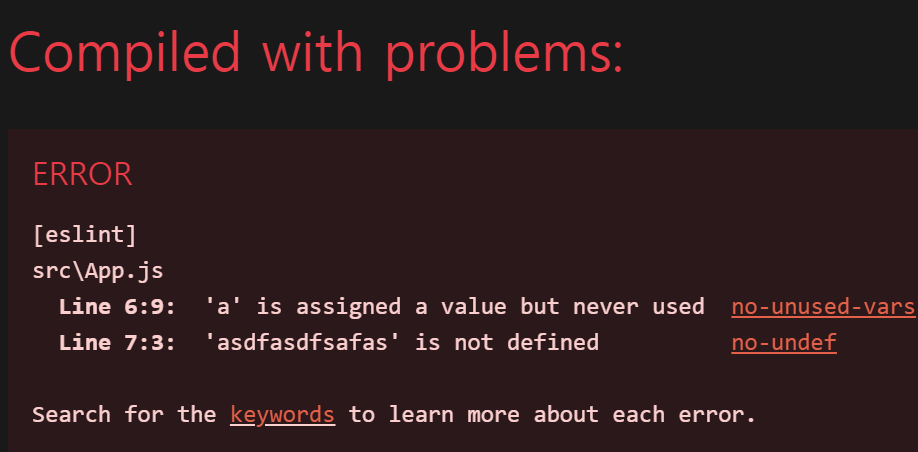
- terminal
[eslint]
src\App.js
  Line 6:9:  'a' is assigned a value but never used  no-unused-vars
  Line 7:3:  'asdfasdfsafas' is not defined          no-undef

Search for the keywords to learn more about each error.
ERROR in [eslint]
src\App.js
  Line 6:9:  'a' is assigned a value but never used  no-unused-vars
  Line 7:3:  'asdfasdfsafas' is not defined          no-undef

Search for the keywords to learn more about each error.

webpack compiled with 1 error
5. VSCode Extention ESLint
- complie 전 코딩단계에서도 문법 오류 힌트가 발생하게 해준다.
- Ctrl + Shift + X를 통해 Extention으로 이동
- 검색 창에 ESLint 검색 후 설치
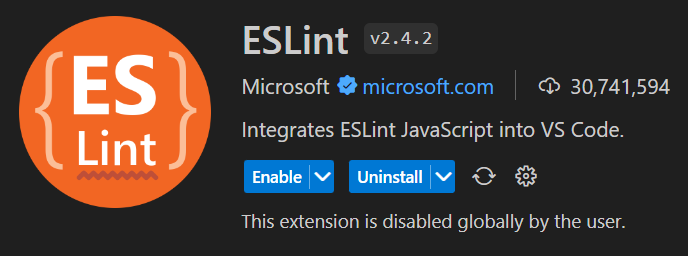
- ctrl + shift + p > reload window 재실행
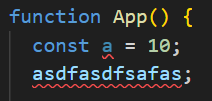
- App.js 아래와 같이 오류 구문에 밑줄 발생
6. VSCode Extention Prettier
- 세미콜론, 줄간격, 내려쓰기등 간단한 규칙을 자동으로 수정 해주는 툴
- Extention > Prettier 검색 후 Prettier-code formatter 설치

- setting.json
- open setting json (ctrl + shift + p)
- input "open user setting"
- add line ------
"editor.defaultFormatter": "esbenp.prettier-vscode",
"editor.formatOnSave": true,
"editor.codeActionsOnSave": {
"source.fixAll.eslint": true
}
- set settings
- open setting(ctrl + ,)
- search "default formatter" > select Prettier-Code fromatter
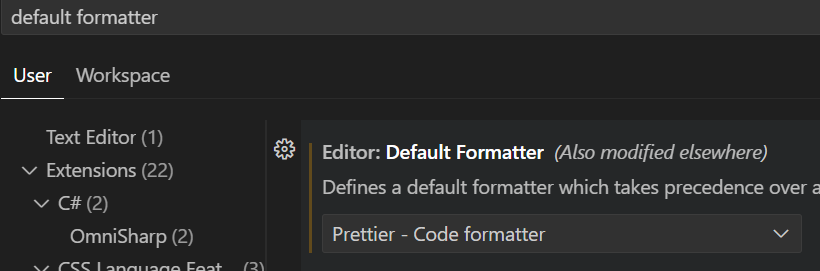
- search "FormatOnSave" > check box: true
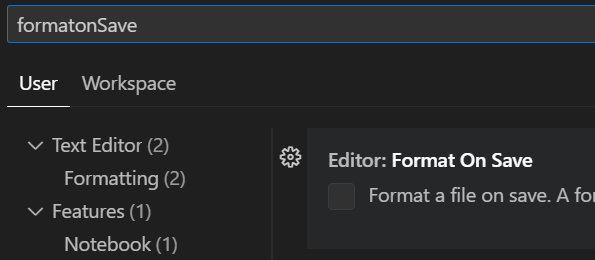
- 저장시 변경 기능을 사용 하지 않을 경우 shift + alt + f 키를 통해 자동 수정 이용 가능
- App.js에서 아래와 같이 시작 p 태그 라인이 맞지 않는 경우
<img src={logo} className="App-logo" alt="logo" />
                  <p>
		Edit <code>src/App.js</code> and save to reload.
	</p>
shift + alt + f를 누르면 아래와 같이 자동으로 잡아 준다.
<img src={logo} className="App-logo" alt="logo" />
	<p>
		Edit <code>src/App.js</code> and save to reload.
	</p>
Source
https://bitbucket.org/code7004/react-webpack/src/62904498b9b6b8132100d75f8c382a64df0abe65/