
1. INTRO
React Router Library v6를 이용 하여 라우팅 하는 방법을 소개한다.
2. What is react-router and react-router-dom?
- react-router: This package implements common core logic for react-router-dom and react-router-native packages by including React-specific code
- react-router-dom: This package offers routing features for React web applications by importing code from the react-router and @remix-run/router packages
react-router-dom은 react-router 핵심 코드 팩키지를 이용한 Web용 팩키지.
<BrwoserRouter>
  <Routes>
<Route path="/" element={<Home />} /> // rendering- BrwoserRouter: It is used to wrap different routes.
- Routes: It includes features like relative routing and linking, automatic route ranking, nested routes, and layouts.
- Route: element rendering
3. Install Package
yarn add react-router-dom @types/react-router-dom
4. Config
touch ./src/components/PageLayout.tsx
mkdir ./src/pages &
touch ./src/pages/Dashboard.tsx
touch ./src/pages/Category2.tsx
touch ./src/pages/NotFound.tsx
./config/webpack.dev.js
- 본작업을 해야만 localhost:3000/이후 작업이 가능해진다.
devServer: {
  host: "localhost",
  historyApiFallback: true,
  open: true
  ...
},
5. Add Page
./src/components/PageLayout.tsx
// src/components/Layout/PageLayout.tsx
import React from "react";

interface PageLayoutProps {
  children: React.ReactNode;
  className?: string;
}

const PageLayout = ({ children, className = "flex-col p-2" }: PageLayoutProps) => {
  return <div className={`flex-1 flex ${className}`}>{children}</div>;
};

export default PageLayout;
./src/pages/Dashboard.tsx
import PageLayout from "@/components/PageLayout";
import React from "react";

export default function Dashboard() {
  return (
    <PageLayout>
      <h1 className="text-2xl font-bold">📊 대시보드</h1>
      <p className="mt-2 text-gray-600">이 페이지는 📊 대시보드용 템플릿입니다.</p>
    </PageLayout>
  );
}
@/App.tsx
import Dashboard from "@/pages/Dashboard";
import React from "react";
import { Route, BrowserRouter as Router, Routes } from "react-router-dom";

const App = () => {
  return (
    <div className="p-6">
      <Router>
        <Routes>
          <Route path="/" element={<Dashboard />} />
        </Routes>
      </Router>
    </div>
  );
};

export default App;
yarn start or open browser http://localhost:3000/
6. Add Categorey Route
@/Pages/Category2.tsx
import React from "react";

import PageLayout from "@/components/PageLayout";

import { Outlet, useLocation } from "react-router-dom";

const Category2 = () => {
  const location = useLocation();
  return (
    <PageLayout>
      <h1 className="text-2xl font-bold">🧠 {location.pathname}</h1>
      <p className="mt-2 text-gray-600">이 페이지는 🧠 {location.pathname} 페이지 템플릿입니다.</p>
      <Outlet />
    </PageLayout>
  );
};

export default Category2;
@/src/App.tsx
add the Route for the Page1 component:
import React from "react";

import Dashboard from "@/pages/Dashboard";
import { Route, BrowserRouter as Router, Routes } from "react-router-dom";
import Category2 from "./pages/Category2";

const App = () => {
  return (
    <div className="p-6">
      <Router>
        <Routes>
          <Route path="/" element={<Dashboard />} />
          <Route path="/dashboard" element={<Dashboard />} />
          <Route path="/category2" element={<Category2 />} />
        </Routes>
      </Router>
    </div>
  );
};

export default App;
browser test localhost:3000/category1
7. Implementing a 404
@/pages/NotFound.tsx
import React, { SVGProps } from "react";

const NotFound = () => {
  return (
    <div className="flex flex-col items-center justify-center flex-1 min-h-screen p-6 text-center bg-gray-50">
      <ConfoundedFace className="mb-8  animate-bounce" />
      <h1 className="mb-2 text-4xl font-bold text-gray-800">404: Page Not Found<</h1>
      <p className="max-w-md text-lg text-gray-500">Sorry, the page you are looking for doesn’t exist or has been moved.</p>
    </div>
  );
};

export default NotFound;

export function ConfoundedFace(props: SVGProps<SVGSVGElement>) {
  return (
    <svg xmlns="http://www.w3.org/2000/svg" viewBox="0 0 64 64" width="20em" height="20em" {...props}>
      <path fill="currentColor" d="M32 2C15.432 2 2 15.432 2 32s13.432 30 30 30s30-13.432 30-30S48.568 2 32 2m0 57.5C16.836 59.5 4.5 47.164 4.5 32S16.836 4.5 32 4.5S59.5 16.836 59.5 32S47.164 59.5 32 59.5"></path>
      <path
        fill="currentColor"
        d="M23.992 19.865c.541-.469-.971-2.061-1.414-1.674a14.23 14.23 0 0 1-11.693 3.133c-.578-.113-1.088 2.021-.385 2.156c4.809.864 9.756-.46 13.492-3.615m29.121 1.307c-4.168.748-8.455-.4-11.691-3.133c-.443-.389-1.955 1.205-1.412 1.674a16.42 16.42 0 0 0 13.492 3.615c.703-.135.191-2.269-.389-2.156m-6.547 21.224c-.535-.629-1.533-.768-2.219-.309L40.1 44.928c-.686.459-1.758.394-2.383-.146l-4.582-3.947c-.625-.538-1.648-.537-2.273.001l-4.563 3.938c-.625.538-1.697.604-2.383.146l-4.262-2.847c-.686-.458-1.686-.318-2.219.31l-4.463 5.251c-.535.628-.381.816.342.418l3.775-2.082c.723-.398 1.797-.253 2.387.323l4.627 4.516c.59.576 1.609.638 2.264.136l4.465-3.42c.654-.502 1.727-.502 2.383 0l4.443 3.402c.654.502 1.674.44 2.264-.137l4.6-4.494c.59-.577 1.664-.723 2.387-.325l3.779 2.082c.723.397.875.21.34-.419zM43.248 31.55c2.709-1.5 5.563-1.958 8.256-2.361a.584.584 0 0 0 .166-1.094c-5.697-3.397-14.963-.679-16.609 6.525c-.104.446.314.728.801.678c6.168-.634 11.074.304 15.846 2.036c.443.161.938-.481.543-.955c-1.753-2.1-4.981-4.162-9.003-4.829m-15.107 3.748c.486.05.902-.231.801-.678c-1.646-7.204-10.912-9.923-16.611-6.525a.584.584 0 0 0 .168 1.094c2.693.403 5.547.861 8.256 2.361c-4.021.667-7.25 2.729-9.002 4.829c-.396.474.1 1.116.541.955c4.772-1.732 9.679-2.67 15.847-2.036"
      ></path>
    </svg>
  );
}
@/App.tsx
import React from "react";
import { BrowserRouter as Router, Routes, Route } from "react-router-dom";
import Home from "@/pages/Home";
import Category1 from "@/pages/Category1";
import NotFound from "@/pages/NotFound";

function App() {
  return (
    <div className="p-6">
      <Router>
        <Routes>
          <Route path="/" element={<Home />} />
          <Route path="/category1" element={<Category1 />} />
          <Route path="*" element={<NotFound />} />
        </Routes>
      </Router>
    </div>
  );
}

export default App;
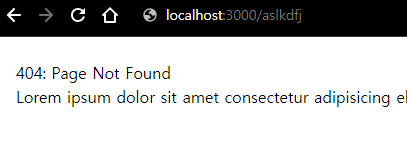
test localhost:3000/잘못된주소입력
8. Adding a navigation
작성된 두개의 페이지 (Home, Page1)의 링크를 나타내는 Navigation 컴포넌트를 작성한다.
@/App.tsx
import React from "react";

import Dashboard from "@/pages/Dashboard";
import { Link, Route, BrowserRouter as Router, Routes } from "react-router-dom";
import Category2 from "./pages/Category2";
import NotFound from "./pages/NotFound";

const App = () => {
  return (
    <div className="p-6">
      <Router>
        <nav className="px-10 border-b">
          <Link to="/" className="p-5">
            Dashboard
          </Link>
          <Link to="/category2" className="p-5">
            CATEGORY 2
          </Link>
        </nav>
        <Routes>
          <Route path="/" element={<Dashboard />} />
          <Route path="/dashboard" element={<Dashboard />} />
          <Route path="/category2" element={<Category2 />} />
          <Route path="*" element={<NotFound />} />
        </Routes>
      </Router>
    </div>
  );
};

export default App;
9. navigation 분리
mkdir ./src/components/Navigations
touch ./src/components/Navigations/GNB.tsx
@/components/Navigations/GNB.tsx
import React from "react";

import { Link } from "react-router-dom";

export default function GNB() {
  return (
    <nav className="px-10 border-b">
      <Link to="/" className="p-5">
        Dashboard
      </Link>
      <Link to="/category2" className="p-5"<>
        CATEGORY 2
      </Link>
    </nav>
  );
}
@/App.tsx
import React from "react";
import { Route, BrowserRouter as Router, Routes } from "react-router-dom";

import GNB from "@/components/Navigations/GNB";
import Category2 from "@/pages/Category2";
import Dashboard from "@/pages/Dashboard";
import NotFound from "@/pages/NotFound";

function App() {
  return (
    <div className="p-6">
      <Router>
        <GNB />
        <Routes>
          <Route path="/" element={<Dashboard />} />
          <Route path="/category2" element={<Category2 />} />
          <Route path="*" element={<NotFound />} />
        </Routes>
      </Router>
    </div>
  );
}

export default App;
10. check
- App.jsx
- Dashboard와 Category2을 클릭하여 잘 이동 하는지 검사
- Category3 확장 해보기
- nav 부분 component로 분리하기
- props인자로 받아 style 하기
- Category4 추가 > 메뉴 추가 하기
- 다음과 같은 에러가 발생 할수 있다.
ERROR
[eslint]
src\App.jsx
  Line 25:22:  'className' is missing in props validation  react/prop-types

Search for the keywords to learn more about each error.
Navigation component의 인자에 대한 prototype 정의가 없을 경우 eslint에서 발생 시키는 에러 코드이다.
PropTypes 모듈을 이용하여 정의를 할수 있지만 여기서는 에러코드 발생하지 않는 선에서 처리
// .eslintrc
"rules": {
    "react/prop-types": "off"
  }
다음 문서에서는 Nested Router와 useRoutes hook에 대해 작성함으로써
React Project에 꼭 필요한 프레임 구성을 완성 한다.
10. References