서브쿼리는 조인보다 이해하기 쉬움
인간이 수행 계획에 개입하기에
동일하다면 조인으로 짜는 것이 더 좋음.
여러개는 in 사용
수업을 2일 빠지고 참여하니 그 전 데이터가 없어서 넣는다고 고생했다.
1. sql 파일 만들기
메모장에 작성하고 .sql로 만들었다
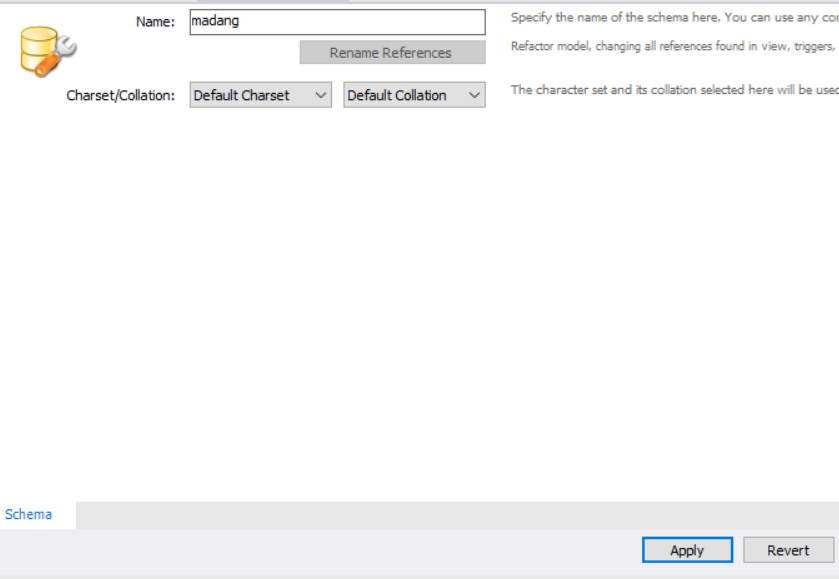
mysql workbench 실행 후, [Schemas 탭] ⇢ [schemas 생성] ⇢ [file] ⇢ [Open SQL Script] ⇢ sql파일 선택 ⇢ 해당 스키마에서 sql 파일 실행


-- 3 - 28
select * from book;
select max(price) from book;
select * from book where price = 35000;
select * from book where price = (select max(price) from book);
select * from book where price in (select price from book where publisher='대한미디어');
select * from book where (bookid, price) in (select bookid, price from book where publisher='대한미디어');
-- 3-29
select custid from orders;
select * from customer where custid in (select distinct custid from orders);

-- 3-30
select bookid from book where publisher = '대한미디어';
select custid from orders where bookid in (select bookid from book where publisher = '대한미디어');
select * from customer where custid in (
	select custid from orders where bookid in
		(select bookid from book where publisher = '대한미디어')
	);

-- join
select c.* from customer c, orders o, book b where b.publisher = '대한미디어' and o.bookid = b.bookid and o.custid = c.custid;

-- join + subquery
select * from customer where custid in (
	select o.custid from orders o, book b
    where b.publisher = '대한미디어'
		and o.bookid = b.bookid
	);

-- 3-31
-- corelated subquery
select * from book b1 where b1.price > (
	select avg(b2.price) from book b2 where b2.publisher = b1.publisher
);
부속 질의
p.232~)
DBMS를 바르게 처리 => join 사용
종류 - where, select(scalar), from(inline view)
where
비교, 집합, 한정, 존재
-- 4-12 비교 연산자
select avg(saleprice) from orders;
select orderid, saleprice from orders
	where saleprice <= (select avg(saleprice) from orders);

-- 4-13
select * from orders o1 where saleprice >
	(select avg(saleprice) from orders o2 where o1.custid = o2.custid);
-- 4-14 집합 연산자
select sum(saleprice) 'in total' from orders where custid in (select custid from customer where address like '%대한민국%');

select sum(saleprice) 'not in total' from orders where custid not in (select custid from customer where address like '%대한민국%');

select sum(saleprice) from orders;
-- 4-15 한정 연산자
-- all vs max
select * from orders where saleprice > all (select saleprice from orders where custid = 3);
select * from orders where saleprice > (select max(saleprice) from orders where custid = 3);
-- some(any) vs min
select * from orders where saleprice > some (select saleprice from orders where custid = 3);
select * from orders where saleprice > (select min(saleprice) from orders where custid = 3);
select(scalar)
단일행, 단일열로 반환
데이터를 먼저 추리고 거기서 비교
-- select-subquery
select o.custid, (select name from customer c where c.custid=o.custid)custnm, sum(o.saleprice)
	from orders o group by custid;
primary key값으로 update해야 함 => sql_safe_updates=0으로 바꾸고 변경 가능
-- 4-17
select o.custid, (select name from customer c where c.custid=o.custid) 'name', sum(saleprice) 'total' from orders o group by o.custid;

alter table orders ADD bname VARCHAR(40);
update orders set bname = '과거 교본' where bookid=1; -- error
select @@sql_safe_updates; -- 1
set sql_safe_updates=0;
update orders set bname = '과거 교본' where bookid=1;
일괄 업데이트는 위험함
-- 4-18
update orders o set o.bname = (select b.bookname from book b where b.bookid = o.bookid);
from(inline view)
완전히 독립적이어야 함. 가상의 테이블
무거움 => 건수가 줄었을때(ex. 1/100) 사용이 유리함
아니면 차라리 join이 나음
-- inline view
-- 4-19
select * from customer where custid <= 2; -- 고객 번호 2 이하
select c.name, sum(o.saleprice) from orders o,
	(select custid, name from customer where custid <= 2) c
    where o.custid = c.custid
 group by c.custid;
 -- => join
 select c.name, sum(o.saleprice) from orders o, customer c
    where o.custid = c.custid
    and c.custid <= 2
 group by c.custid;
DB 관련 추천 책
https://product.kyobobook.co.kr/detail/S000001562334
집합
union - 서로 다른 테이블들의 수행 결과를 하나로 합칠때 사용
 -- union 중복 제거
select name from customer where address like '대한%'
union
select name from customer where custid in(select custid from orders);

select name from customer where address like '대한%'
union all -- 중복 허용
select name from customer where custid in(select custid from orders);
데이터 정의어(DDL)
DB마다 다른 경우가 많음
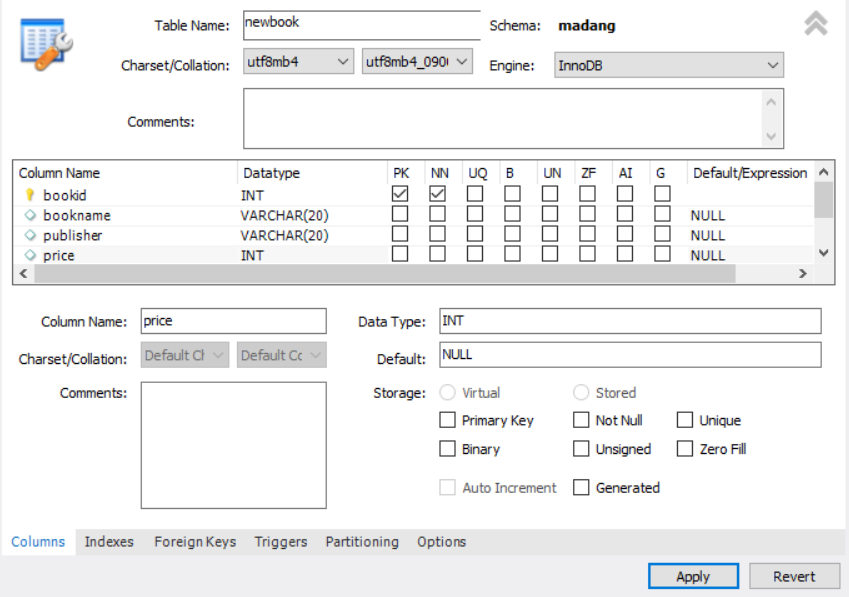
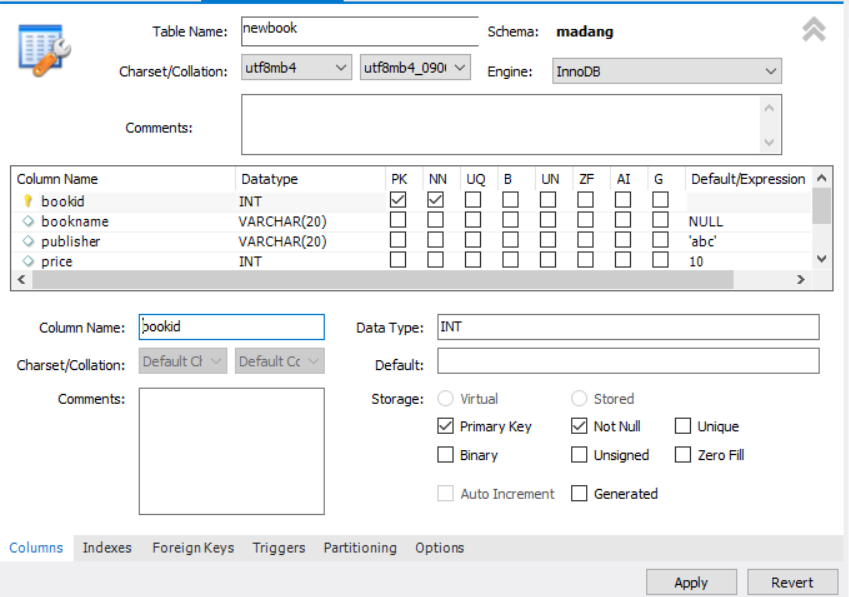
DBMS에서 NULL이 많은 것은 좋지 않음 => 가능하면 default 값 정해주기
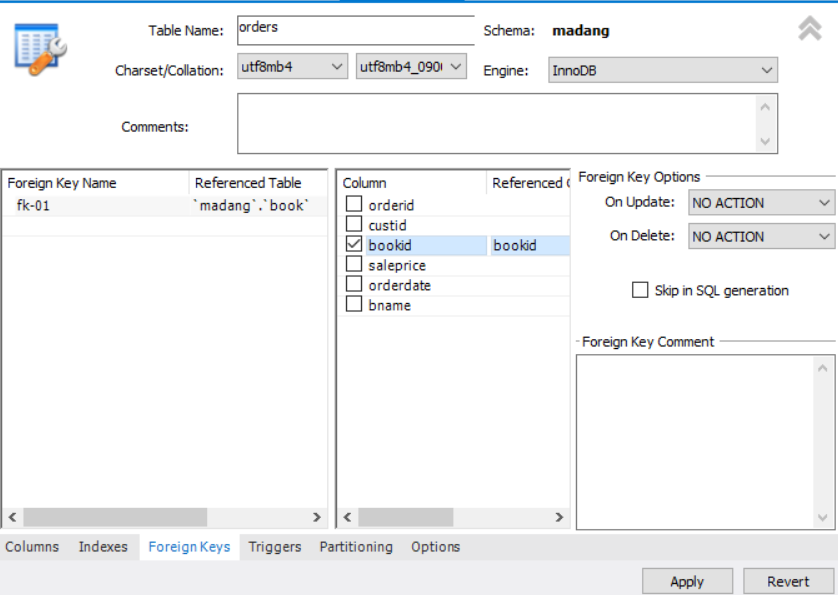
fk 설정
varchar가 char보다 느리지만 요새는 hw가 좋아서 엄청 큰 데이터를 다루는 것이 아니라면 성능 차이 크게 없음
데이터 타입 종류가 굉장히 많음 => 적절한 것 선택 - 설계자의 역할
ALTER
DROP
데이터 조작어(DML)
insert
insert into book values(12, 'sports medicine', '한솔의학서적', 90000);
insert into book (bookid, bookname, price) values(13, 'sports medicine', 90000);
insert into book (bookid, bookname, price) values(14, 'sports medicine2', 90000);
insert into book(bookname, price) values('sports medicine3', 7000);
select*from madang.book;
insert into book2 (bookid, bookname, price, publisher)
	select bookid, bookname, price, publisher from book;

insert book2 (bookid, name, price, publisher)
	select bookid, concat(first_name, lat_name), price+9, publisher from book;

select *from book2;
update book2 set price = price-9, publiser= concat('(주)', publiser)
where bookid>5;
delete - 트랜잭션 영향을 받음
delete from book2
	where bookid in (12,14,15);
전체 삭제는 위험함
- select를 잘해야함. DDL은 개발자가 안 건드림