플러터에는 3가지의 버튼이 존재하는데 TextButton, OutlinedButton, ElevatedButton이 있다.
그중에서 나는 OutlinedButton에서 icon을 사용할 수 있게 OutlinedButton.icon을 사용한다.
버튼에 svg 파일을 넣기 위해 pubspec.yaml 파일에 에셋이미지의 경로를 넣어준뒤,
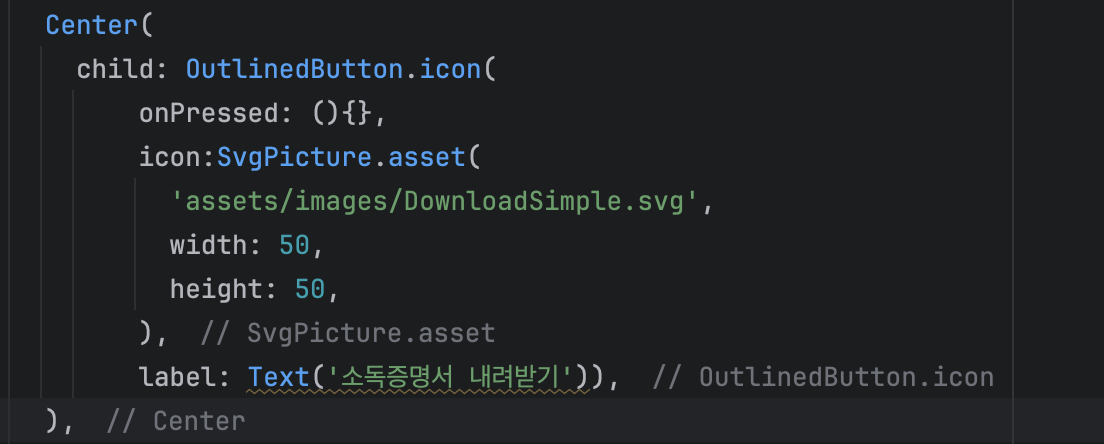
이런식으로 icon 자리에는 svgpicture를 사용해 svg파일을 넣고, 사이즈를 정해준다.
텍스트도 필요하다면 label 을 사용하자.
  Center(
   	child: OutlinedButton.icon(
    	onPressed: (){},
     	style: OutlinedButton.styleFrom(
     		padding: EdgeInsets.symmetric(horizontal: 20, vertical: 12),
     		foregroundColor: Color(0xFF254AF3),
        	shape: RoundedRectangleBorder(
        	borderRadius: BorderRadius.circular(8), // 0으로 하면 완전 직각
        	),
        side: BorderSide(color: Color(0xFF254AF3)),
             minimumSize: Size(320, 45),
             ),
        icon:SvgPicture.asset(
             'assets/images/DownloadSimple.svg',
              width: 15,
              height: 15,
              color:Color(0xFF254AF3),
             ),
        label: Text(
              '소독증명서 내려받기',
              style: TextStyle(
                       fontSize: 18,
                       fontWeight: FontWeight.w500,
                       fontFamily: 'Pretendard',
                       ),
                     ),
                   ),
                ),
style을 지정해주고, 버튼을 완성시켜주자.

말하는 감자 🥔 의 개발 기록과 소소한 일상들