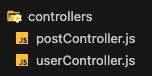
controllers 폴더 안의 postsController.js 파일
const postService = require("../services/postService");

const createPosts = async (req, res) => {
  const { title, content, userId } = req.body;

  if (!title || !content || !userId) {
    return res.status(400).json({ message: "KEY_ERROR" });
  }
  await postService.createPosts(title, content, userId);
  return res.status(201).json({ message: "Created Posts" });
};

const getPosts = async (req, res) => {
  const posts = await postService.getPosts();
  return res.status(200).json({ data: posts });
};

const modifyPosts = async (req, res) => {
  const { title, content } = req.body;
  const { postId } = req.params;
  const modify =
  await postService.modifyPosts(title, content, postId);
  return res.status(201).json({ data: modify });
};

const deletePosts = async (req, res) => {
  const { postId } = req.params;
  await postService.deletePosts(postId);
  return res.status(200).json({ message: "Successfully deleted" });
};

const postsLikes = async (req, res) => {
  const { userId, postId } = req.params;
  await postService.postsLikes(userId, postId);
  return res.status(201).json({ message: "likes created" });
};

module.exports = {
  createPosts,
  getPosts,
  modifyPosts,
  deletePosts,
  postsLikes,
};
주어진 코드는 '/posts' 경로에 대한 요청을 처리하기 위한
컨트롤러 함수들을 정의하는 모듈이다.
각 함수는 해당하는 서비스 함수를 호출하여 요청을 처리하고
적절한 응답을 반환한다.
const postService = require("../services/postService");
= postService.js 파일에서 postService 객체를 가져온다.
이 객체는 '/posts' 경로에 대한 비즈니스 로직을 수행하는 서비스 함수들을 포함한다.
const createPosts = async (req, res) => {
const { title, content, userId } = req.body;
if (!title || !content || !userId) {
return res.status(400).json({ message: "KEY_ERROR" });
}
await postService.createPosts(title, content, userId);
return res.status(201).json({ message: "Created Posts" });
};
=createPosts 함수는 POST 요청을 처리하는 컨트롤러 함수이다
요청의 'title', 'content', 'userId'를 추출하여 유효성을 검사하고,
필요한 데이터가 누락된 경우 400 상태 코드와 함께 오류 응답을 반환한다.
그렇지 않은 경우 'postService.createPosts' 함수를 호출하여
게시물을 생성하고 201상태 코드와 함께 성공 응답을 반환한다.이와 같이 getPosts, modiftPosts 등 다 비슷한 내용이다.
여기서 만약에 /:postId 와 같이 변하는 변수를 적용하려면
req.body 가 아닌 req.params를 사용해 준다.
req.body는 본문에 내용을 적을 것들..
req.params는 변수로서 로컬 호스트 주소에 넣을 변수를 뜻한다..
예를 들어, 포스트맨에 get 을 설정한 후
127.0.0.1:3000/users/3/posts
이런 식으로 설정하여 사용할 수 있다.
혹시나 설정을 했을 때 내용들이 mysql 상에서 데이터가 있는데
데이터 값이 null로 나온다면..
message 넣는 곳에 {data: 변수명}으로 바꿔주면
데이터가 나오는 것을 확인 할 수 있었다.
module.exports = {
  createPosts,
  getPosts,
  modifyPosts,
  deletePosts,
  postsLikes,
};

= 정의한 컨트롤러 함수들을 객체 형태로 내보낸다.
이를 통해 다른 파일에서 해당 객체를 가져와서 컨트롤러 함수들을 사용할 수 있다.
Backend Delveloper