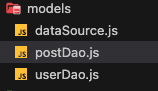
models 폴더 안의 dataSource.js 파일
const { DataSource } = require("typeorm");

const appDataSource = new DataSource({
  type: process.env.TYPEORM_CONNECTION,
  host: process.env.TYPEORM_HOST,
  port: process.env.TYPEORM_PORT,
  username: process.env.TYPEORM_USERNAME,
  password: process.env.TYPEORM_PASSWORD,
  database: process.env.TYPEORM_DATABASE,
});

module.exports = { appDataSource };
주어진 코드는 TypeORM을 사용하여 데이터베이스에 연결하기 위한 데이터 소스를 정의하는 모듈이다.
const { DataSource } = require("typeorm");
=typeorm 모듈에서 DataSource 객체를 가져온다
(DataSource는 TypeORM에서 제공하는 데이터 소스 클래스이다.)
const appDataSource = new DataSource({
=새로운 DataSource 인스턴스인 'appDataSource'를 생성한다.
생성자에는 데이터베이스 연결에 필요한 구성 옵션을 전달한다.
type: process.env.TYPEORM_CONNECTION,
=환경 변수에서 'typeorm_connection'값을 가져와서
데이터 소스의 'type'에 설정한다.
'TYPEORM_CONNECTION' 환경 변수는 사용하는
데이터베이스 종류를 지정하는 데 사용된다.
예를 들어, "mysql", "postsgres", "sqlite"등이 있다.
host: process.env.TYPEORM_HOST,
=환경 변수에서 'TYPEORM_HOST' 값을 가져와서 데이터 소스의 'host'에 설정한다.
port: process.env.TYPEORM_PORT,
=환경변수에서 'TYPEORM_PORT' 값을 가져와서 데이터 소스의 'port'에 설정한다.
username: process.env.TYPEORM_USERNAME,
password: process.env.TYPEORM_PASSWORD,
database: process.env.TYPEORM_DATABASE,
=위와 같이 환경 변수에서 가져와
사용자이름, 비밀번호, 데이터베이스 이름을 지정하는데 사용한다.
module.exports = { appDataSource };
= appDataSource를 모듈로 내보낸다.
이를 통해 다른 파일에서 해당 데이터 소스 객체를 가져와서
데이터베이스 연결을 설정할 수 있다.
models 폴더 안의 postDao.js 파일
const { appDataSource } = require("./dataSource");

const createPosts = async (title, content, userId) => {
  await appDataSource.query(
    ` INSERT INTO posts(
        title,
        content,
        user_id
      ) VALUES (?,?,?);`,
    [title, content, userId]
  );
};

const getPosts = async () => {
  const getPostsResult = await appDataSource.query(
    ` SELECT
    users.id,
    users.profile_image AS userProfileImage,
    posts.id AS postingId,
    posts.post_image_url AS postImage,
    posts.content AS postingContent
  FROM
  users, posts
  WHERE
  users.id = posts.user_id`
  );
  return getPostsResult;
};

const modifyPosts = async (title, content, postId) => {
  await appDataSource.query(
    `
    UPDATE
     posts
    SET
     title = ?,
     content = ?
    WHERE
     id = ?;
  `,
    [title, content, postId]
  );
  const selectResult = await appDataSource.query(
    `
    SELECT
     users.id AS userId,
     users.name AS userName,
     posts.id AS postingId,
     posts.title AS postingTitle,
     posts.content AS postingContent
    FROM
     users
    JOIN
     posts ON users.id = posts.user_id
    WHERE
     posts.id = ?;
  `,
    [postId]
  );
  console.log(selectResult);
  return selectResult;
};

const deletePosts = async (postId) => {
  const postsDelete = await appDataSource.query(
    `
    DELETE FROM posts
    WHERE id = ?;
  `,
    [postId]
  );
  return postsDelete;
};

const postsLikes = async (userId, postId) => {
  const personLikes = await appDataSource.query(
    `
    INSERT INTO likes(
    user_id,
    post_id
    )VALUES(?,?)
  `,
    [userId, postId]
  );
  return personLikes;
};

module.exports = {
  createPosts,
  getPosts,
  modifyPosts,
  deletePosts,
  postsLikes,
};

Backend Delveloper