리액트 앱을 생성하고 제작할 때, 기본적으로 브라우저에 적용해 있는 Padding, Margin 값을
초기화하기 위해 Reset CSS를 사용하고 있다.
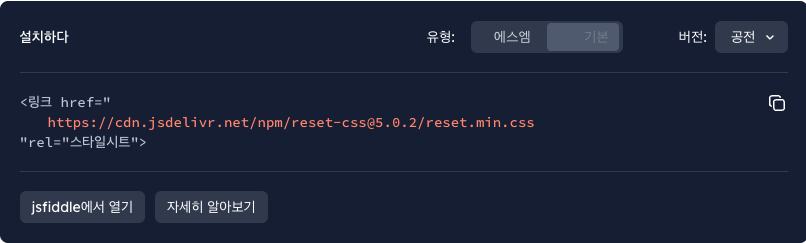
html 깡통 페이지 제작 시에는 reset css cdn을 사용하고 있다.
React에서는 Styled-component에서 Reset CSS 스타일을 복사해서 사용할 것이다.
https://meyerweb.com/eric/tools/css/reset/
Eric Meyer의 Reset CSS 스타일을 그대로 복사해와 사용한다.
/* http://meyerweb.com/eric/tools/css/reset/
   v2.0 | 20110126
   License: none (public domain)
*/

html, body, div, span, applet, object, iframe,
h1, h2, h3, h4, h5, h6, p, blockquote, pre,
a, abbr, acronym, address, big, cite, code,
del, dfn, em, img, ins, kbd, q, s, samp,
small, strike, strong, sub, sup, tt, var,
b, u, i, center,
dl, dt, dd, ol, ul, li,
fieldset, form, label, legend,
table, caption, tbody, tfoot, thead, tr, th, td,
article, aside, canvas, details, embed,
figure, figcaption, footer, header, hgroup,
menu, nav, output, ruby, section, summary,
time, mark, audio, video {
	margin: 0;
	padding: 0;
	border: 0;
	font-size: 100%;
	font: inherit;
	vertical-align: baseline;
}
/* HTML5 display-role reset for older browsers */
article, aside, details, figcaption, figure,
footer, header, hgroup, menu, nav, section {
	display: block;
}
body {
	line-height: 1;
}
ol, ul {
	list-style: none;
}
blockquote, q {
	quotes: none;
}
blockquote:before, blockquote:after,
q:before, q:after {
	content: '';
	content: none;
}
table {
	border-collapse: collapse;
	border-spacing: 0;
}
본격적으로 React에서 적용하는 법을 알아보자.
(언어는 Typescript 기준으로 할 것이다)
Styled-Component를 이용해 모듈화
GlobalStyle.ts 파일을 만든 후, App.tsx 파일에서 import해서 전역에서 사용한다.
import { createGlobalStyle } from "styled-components";

const GlobalStyle = createGlobalStyle`
html, body, div, span, applet, object, iframe,
h1, h2, h3, h4, h5, h6, p, blockquote, pre,
a, abbr, acronym, address, big, cite, code,
del, dfn, em, img, ins, kbd, q, s, samp,
small, strike, strong, sub, sup, tt, var,
b, u, i, center,
dl, dt, dd, ol, ul, li,
fieldset, form, label, legend,
table, caption, tbody, tfoot, thead, tr, th, td,
article, aside, canvas, details, embed,
figure, figcaption, footer, header, hgroup,
menu, nav, output, ruby, section, summary,
time, mark, audio, video {
	margin: 0;
	padding: 0;
	border: 0;
	font-size: 100%;
	font: inherit;
	vertical-align: baseline;
}
/* HTML5 display-role reset for older browsers */
article, aside, details, figcaption, figure,
footer, header, hgroup, menu, nav, section {
	display: block;
}
body {
	line-height: 1;
}
ol, ul {
	list-style: none;
}
blockquote, q {
	quotes: none;
}
blockquote:before, blockquote:after,
q:before, q:after {
	content: '';
	content: none;
}
table {
	border-collapse: collapse;
	border-spacing: 0;
}
`;

export default GlobalStyle;
이후 App.tsx에 불러와서 사용하자.
	import { GlobalStyle } from "./reset/GlobalStyle";

    return <>
    		<GlobalStyle />
    	   </>
앞으로 프로젝트 시작 전에는 다음과 같이 셋팅하고 코딩을 준비하자.

프론트엔드 개발자