오늘의 목표 : REST Docs 적용
오늘의 목차 :
1. Spring REST Docs 소개
2. Spring REST Docs 적용
3. Spring REST Docs 링크, (Req, Res) 필드와 헤더 문서화
4. Spring REST Docs 문서 빌드
1. Spring REST Docs 소개
Spring REST Docs 는 Spring MVC 테스트 를 실행할 때 사용한 요청과 응답(헤더 정보)을 사용해서 REST API 문서의 조각 snippets 을 생성해내는데 유용한 기능을 제공하는 라이브러리이다.
REST Docs를 사용하여 API 문서를 생성하기 위해서는 andDo() 메소드와 document() 메소드를 사용합니다. 이를 통해 현재 실행한 테스트 결과를 어떤 디렉토리에 저장할지 설정할 수 있습니다.
snippets 디렉토리 안에는 다음과 같은 내용을 정리할 수 있습니다:
1. links(): 하이퍼미디어 및 링크 정보
2. requestParameters() 및 parameterWithName(): 요청 파라미터와 그 이름
3. pathParameters() 및 parametersWithName(): URI에 포함된 경로 변수 (예: /api/events/{id})
4. requestParts() 및 partWithName(): 파일 업로드 시 사용되는 요청 파트
5. requestPartBody() 및 requestPartFields(): 파일 업로드 시 사용되는 요청 파트 바디 및 필드
6. requestHeaders() 및 headerWithName(): 요청 헤더와 그 이름
7. requestFields() 및 fieldWithPath(): 요청 필드와 그 경로
8. responseHeaders() 및 headerWithName(): 응답 헤더와 그 이름
9. responseFields() 및 fieldWithPath(): 응답 필드와 그 경로
이러한 snippets는 API 요청 및 응답에 대한 정보를 자세히 정리하여 문서화하는 데 사용됩니다.
2. Spring REST Docs 적용
EventControllerTests 수정
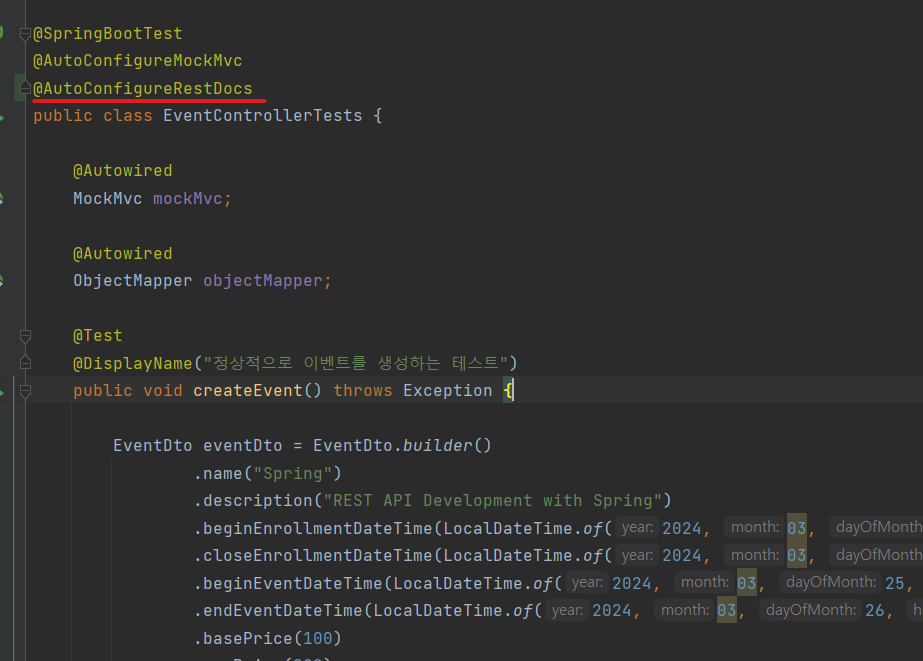
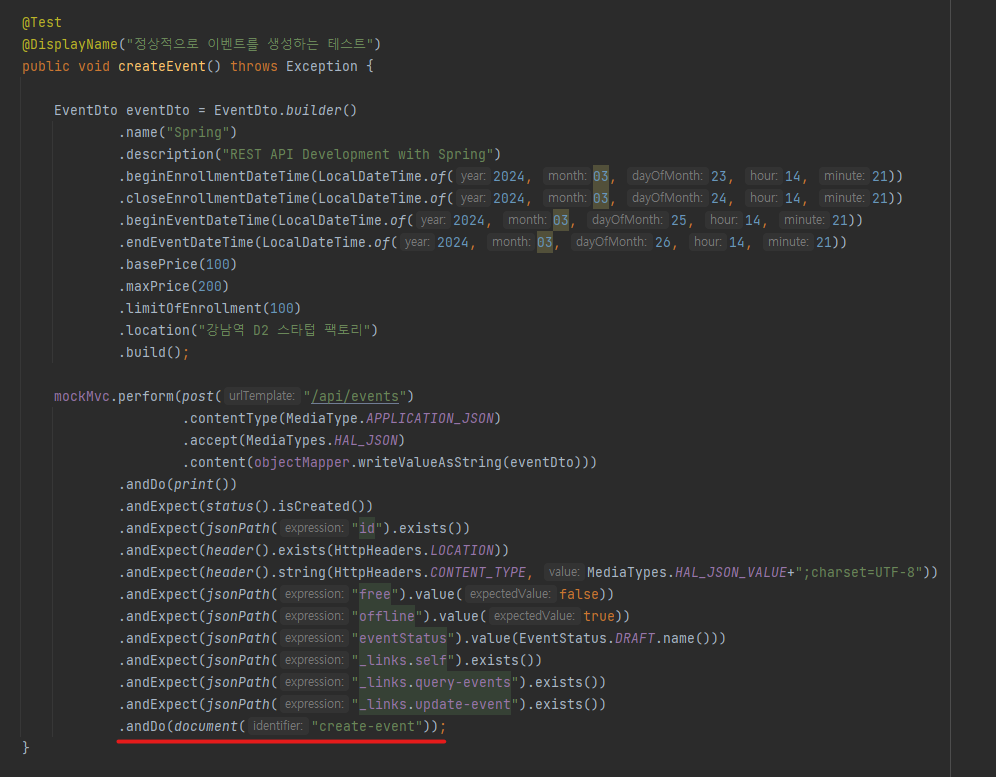
SpringBoot 에서는 @AutoConfigureRestDocs 어노테이션을 추가하면 REST Docs를 자동 설정할 수 있다.
테스트 코드에 .andDo(document("create-event")); 붙여주고 테스트를 돌리면 아래와 같이 REST Docs 문서 조각이 생성된다.
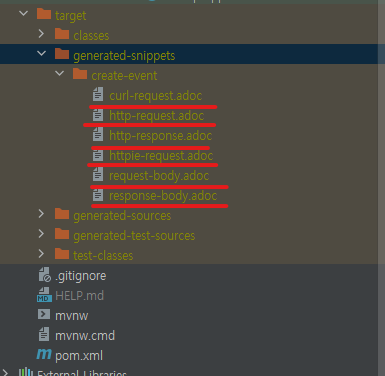
생성된 응답본문 REST Docs 문서 조각

생성된 응답본문(http-response.ado) 조각을 보면 포맷팅이 안되어 있는 것을 볼 수 있다.
Spring REST Docs는 RestDocMockMvc 커스터마이징을 제공하여 포맷팅 할 수 있다.
RestDocMockMvc 커스터마이징
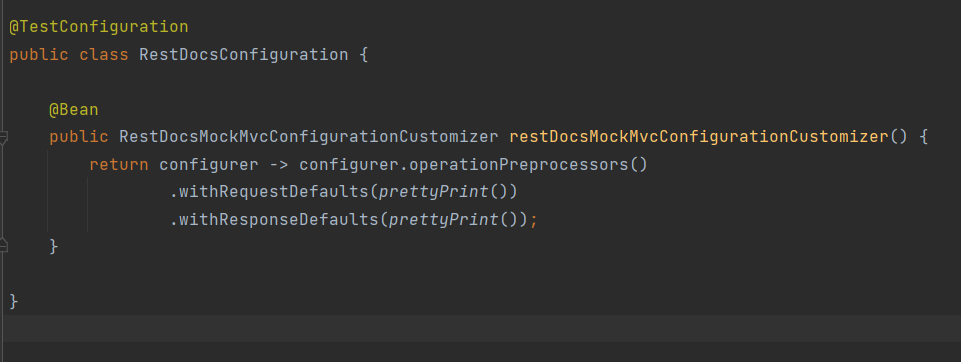
withRequestDefaults(prettyPrint()): 요청의 기본 설정을 변경하는 메소드로, prettyPrint()를 사용하여 요청을 보기 좋게 포맷
withResponseDefaults(prettyPrint()): 응답의 기본 설정을 변경하는 메소드로, prettyPrint()를 사용하여 응답을 보기 좋게 포맷
이렇게 구성된 클래스는 MockMvc를 사용하여 테스트를 실행할 때 요청과 응답을 보기 좋게 포맷하여 API 문서를 생성하는 데 사용한다.
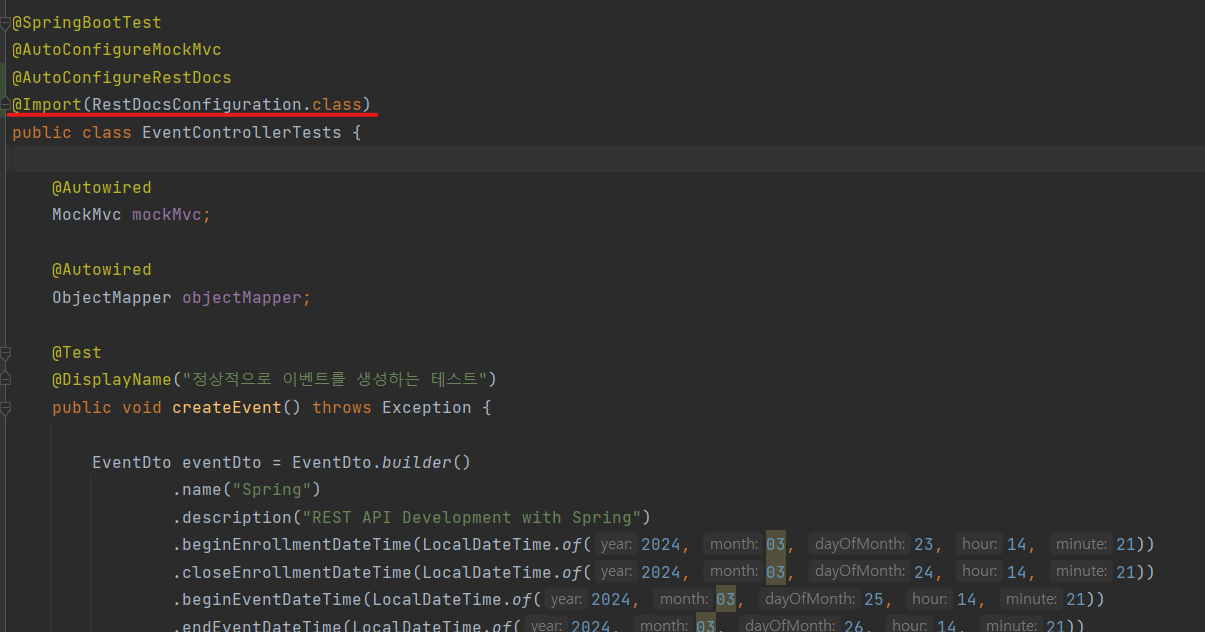
EventControllerTests 에 커스터마이징 정보 import
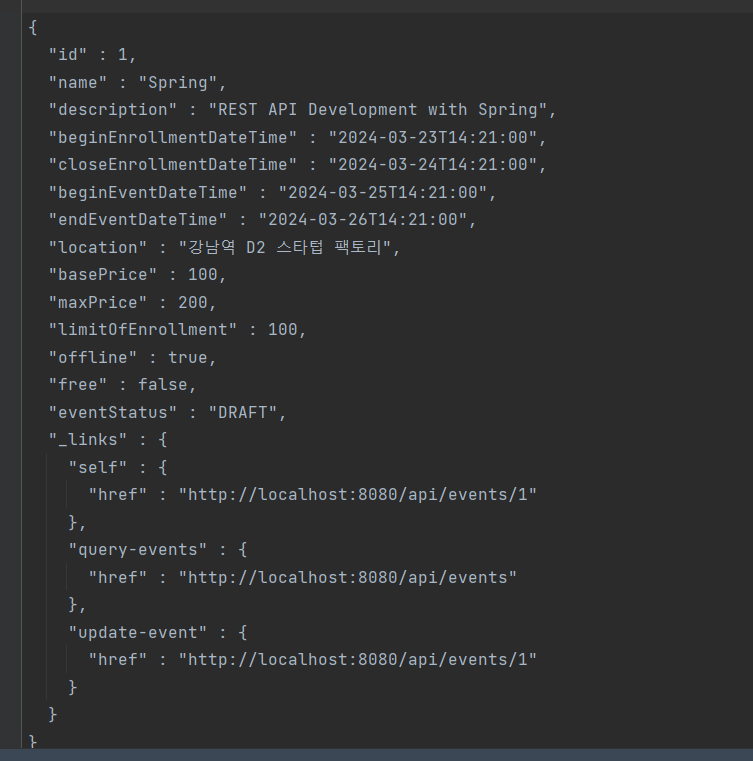
커스터마이징이 적용 된 문서 조각
3. Spring REST Docs 링크, (Req, Res) 필드와 헤더 문서화
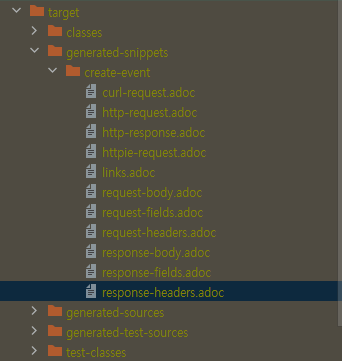
링크, 요청 헤더, 요청 필드, 응답 헤더, 응답 필드 문서화
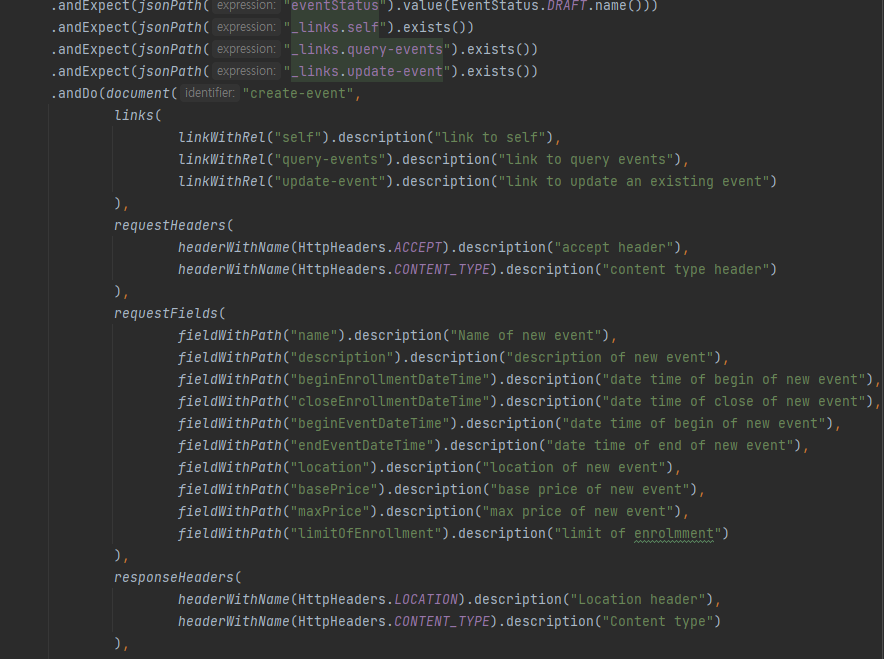
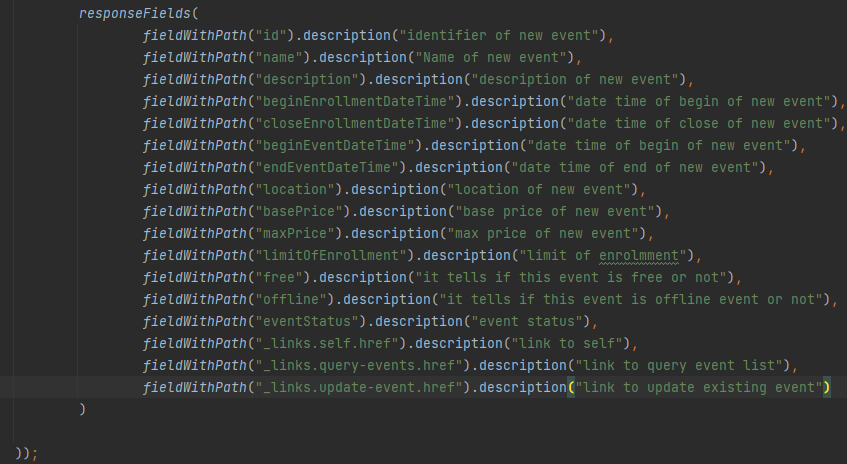
1. Spring REST Docs 소개에서 설명한 것과 같이 snippets 디렉토리 안에서 문서화 할 수 있다. 아래는 생성 된 문서 조각 들이다.
4. Spring REST Docs 문서 빌드
pom.xml에 메이븐 플러그인 설정
            <plugin>
                <groupId>org.asciidoctor</groupId>
                <artifactId>asciidoctor-maven-plugin</artifactId>
                <version>1.5.3</version>
                <executions>
                    <execution>
                        <id>generate-docs</id>
                        <phase>prepare-package</phase>
                        <goals>
                            <goal>process-asciidoc</goal>
                        </goals>
                        <configuration>
                            <backend>html</backend>
                            <doctype>book</doctype>
                        </configuration>
                    </execution>
                </executions>
                <dependencies>
                    <dependency>
                        <groupId>org.springframework.restdocs</groupId>
                        <artifactId>spring-restdocs-asciidoctor</artifactId>
                        <version>2.0.2.RELEASE</version>
                    </dependency>
                </dependencies>
            </plugin>
            <plugin>
                <artifactId>maven-resources-plugin</artifactId>
                <version>2.7</version>
                <executions>
                    <execution>
                        <id>copy-resources</id>
                        <phase>prepare-package</phase>
                        <goals>
                            <goal>copy-resources</goal>
                        </goals>
                        <configuration>
                            <outputDirectory>
                                ${project.build.outputDirectory}/static/docs
                            </outputDirectory>
                            <resources>
                                <resource>
                                    <directory>
                                        ${project.build.directory}/generated-docs
                                    </directory>
                                </resource>
                            </resources>
                        </configuration>
                    </execution>
                </executions>
            </plugin>
템플릿 파일 추가
경로 : src/main/asciidoc/index.adoc
문서 생성하기
mvn package
문서 확인
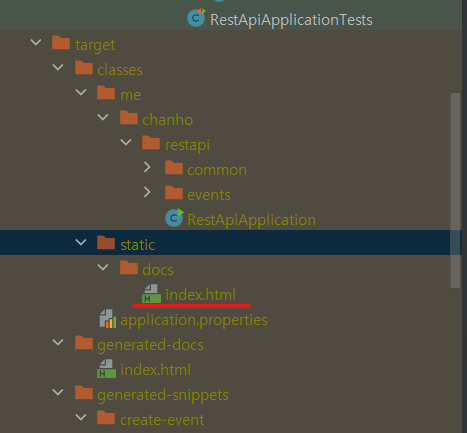
경로 : /docs/index.html 에 생성된다.
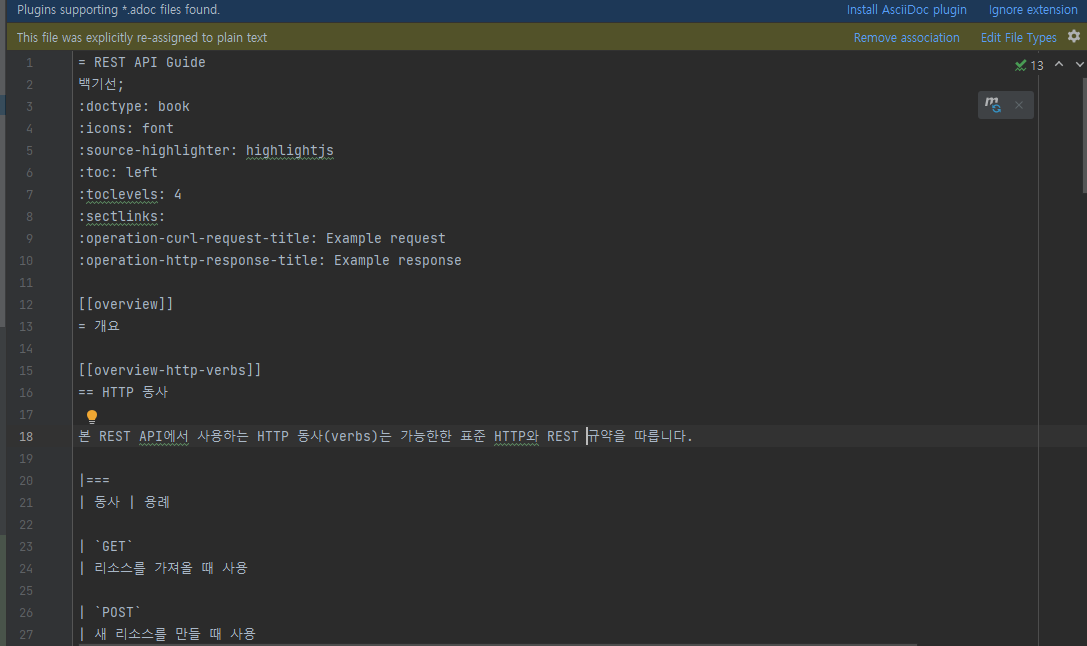
생성된 html
localhost:8080/docs/index.html 이동 시 다음과 같이 확인가능
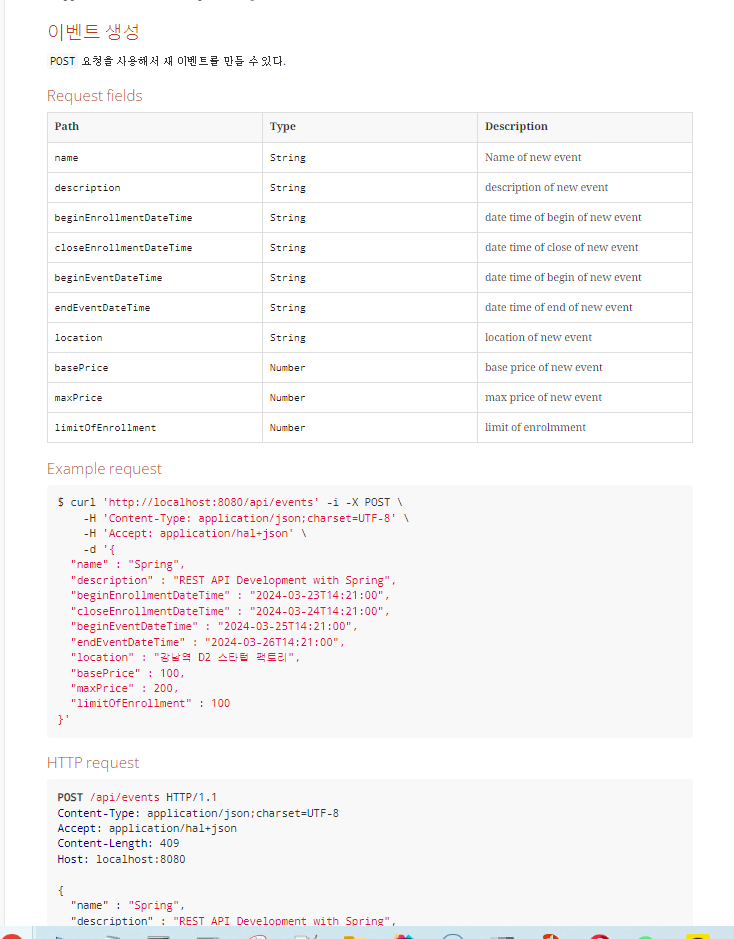
profile 추가
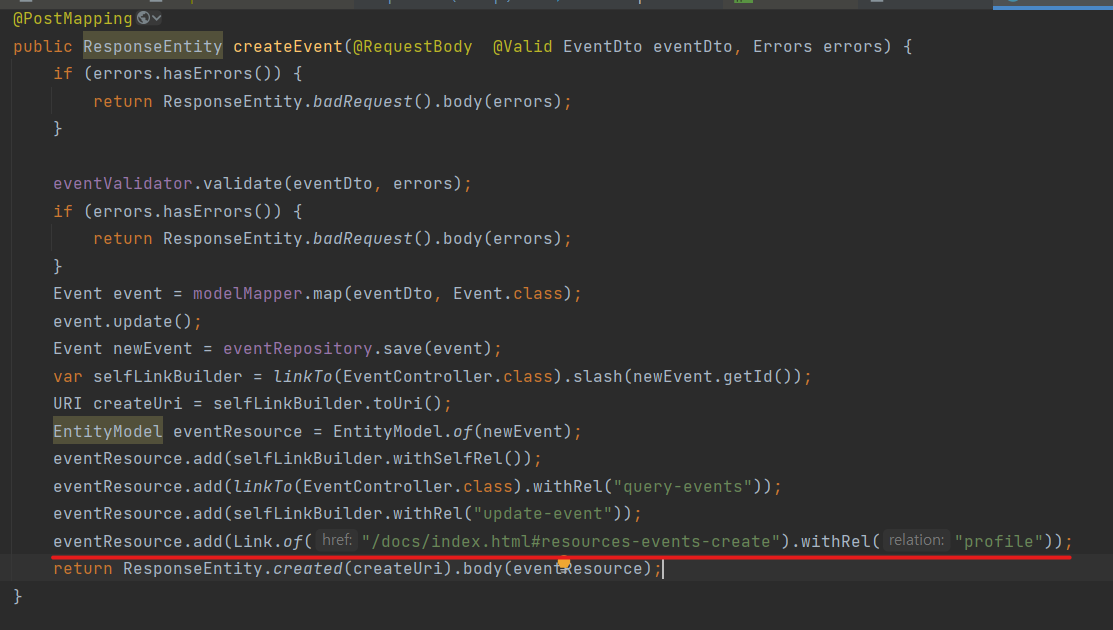
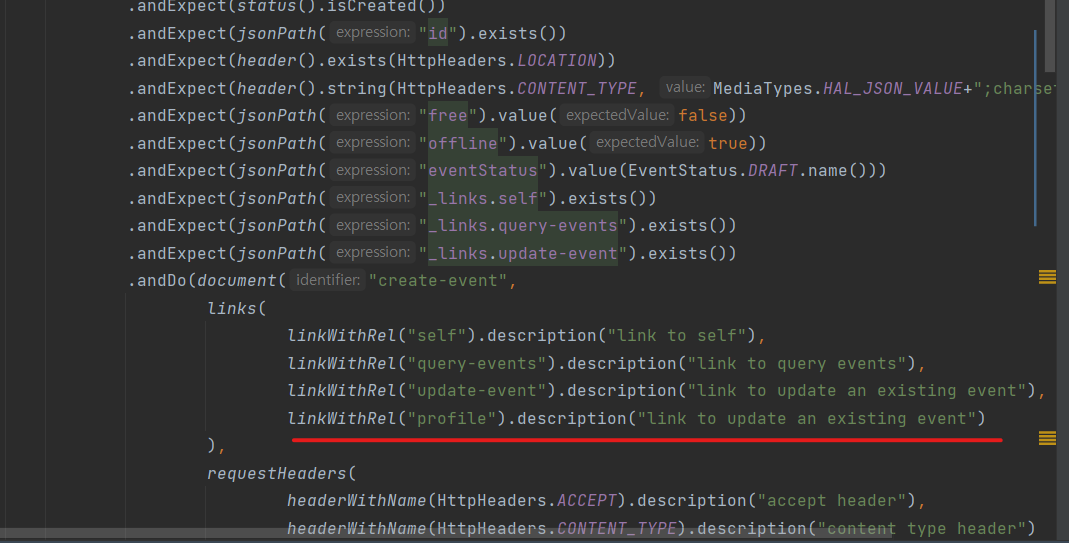
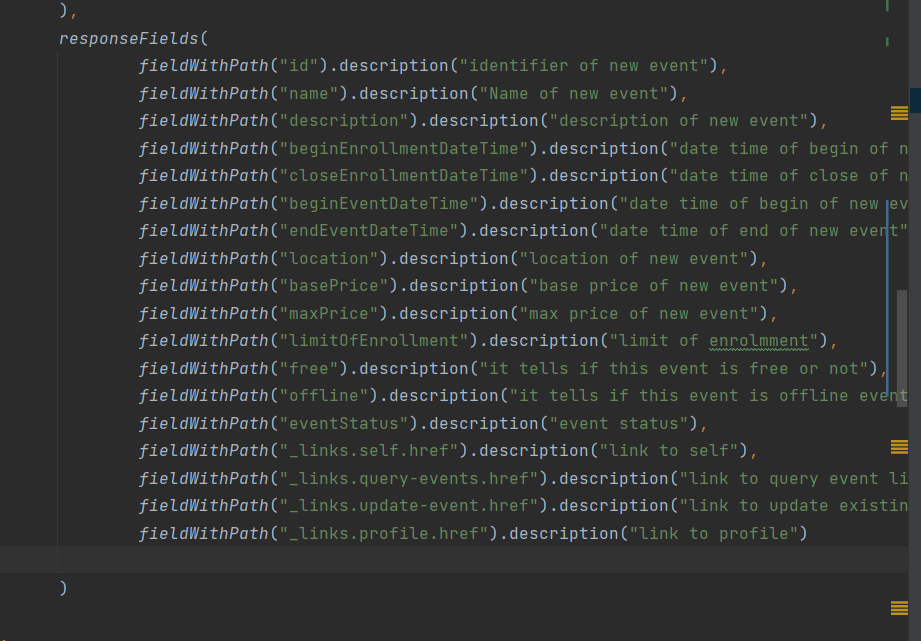
수정된 이벤트 생성 응답 예시
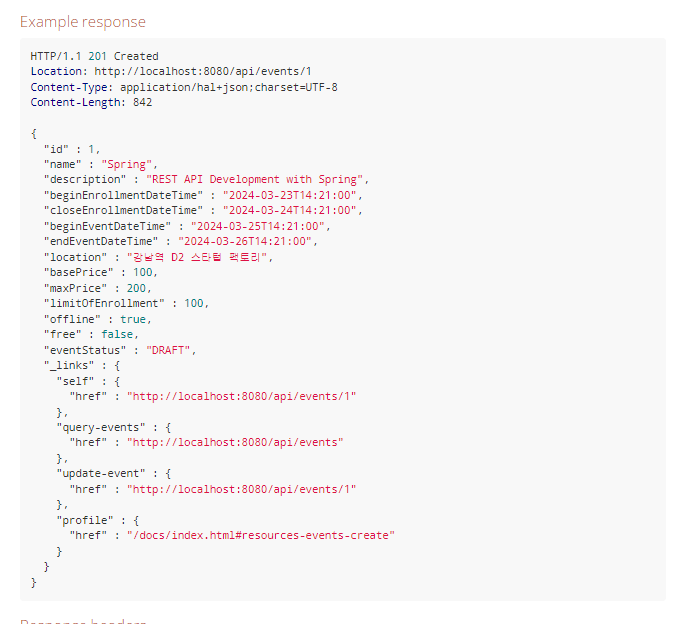
응답을 보낼 때 만들어진 문서에 대한 링크를 profile 로 넣어주면 REST API를 달성하기 위한 조건 중, self-descriptive message 를 달성하게 된다.