지난 글에서는 jdl-samples 중 reactive-mf.yml 파일을 이용해 msa 애플리케이션을 생성했었는데요. microfronts라는 기술로 frontend를 조합하는 방법이 제 입장에서는 생소한 기술이었기 때문에 이번 글에서는 gateway 애플리케이션에서만 client가 생성되는 jdl sample 파일로 애플리케이션 생성을 진행해보도록 하겠습니다.
1. Sample JDL 파일 선택
하나의 클라이언트의 gateway에서 생성되면서, keycloak을 이용해 oauth2 인증이 이루어지며, consul로 서비스 메시를 구성할 수 있고, kubernetes에 배포될 수 있는 sample을 찾던 중 가장 제가 원하는 조건에 부합하는 "microservice-ecommerce-reactive.jdl" 파일을 선택하게 되었습니다.
파일 구성
/*
 * This is a microservice e-commerce store sample with Gateway and three microservice applications.
 * This uses Consul for service discovery and OIDC authentication.
 * This also creates the required Kubernetes deployment manifests.
 */

application {
  config {
    baseName store
    applicationType gateway
    packageName com.okta.developer.store
    serviceDiscoveryType consul
    authenticationType oauth2
    prodDatabaseType postgresql
    cacheProvider hazelcast
    buildTool gradle
    clientFramework react
    reactive true
  }
  entities *
}


application {
  config {
    baseName product
    applicationType microservice
    packageName com.okta.developer.product
    serviceDiscoveryType consul
    authenticationType oauth2
    prodDatabaseType postgresql
    cacheProvider hazelcast
    buildTool gradle
    serverPort 8081
    reactive true
  }
  entities Product, ProductCategory, ProductOrder, OrderItem
}

application {
  config {
    baseName invoice
    applicationType microservice
    packageName com.okta.developer.invoice
    serviceDiscoveryType consul
    authenticationType oauth2
    prodDatabaseType postgresql
    buildTool gradle
    serverPort 8082
    reactive true
  }
  entities Invoice, Shipment
}

application {
  config {
    baseName notification
    applicationType microservice
    packageName com.okta.developer.notification
    serviceDiscoveryType consul
    authenticationType oauth2
    databaseType mongodb
    cacheProvider no
    enableHibernateCache false
    buildTool gradle
    serverPort 8083
    reactive true
  }
  entities Notification
}

/**
 * Entities for Store Gateway
 */

// Customer for the store
entity Customer {
    firstName String required
    lastName String required
    gender Gender required
    email String required pattern(/^[^@\s]+@[^@\s]+\.[^@\s]+$/)
    phone String required
    addressLine1 String required
    addressLine2 String
    city String required
    country String required
}

enum Gender {
    MALE, FEMALE, OTHER
}

relationship OneToOne {
    Customer{user(login) required} to User with builtInEntity
}

service Customer with serviceClass
paginate Customer with pagination


/**
 * Entities for product microservice
 */


// Product sold by the Online store
entity Product {
    name String required
    description String
    price BigDecimal required min(0)
    itemSize Size required
    image ImageBlob
}

enum Size {
    S, M, L, XL, XXL
}

entity ProductCategory {
    name String required
    description String
}

entity ProductOrder {
    placedDate Instant required
    status OrderStatus required
    code String required
    invoiceId Long
    customer String required
}

enum OrderStatus {
    COMPLETED, PENDING, CANCELLED
}

entity OrderItem {
    quantity Integer required min(0)
    totalPrice BigDecimal required min(0)
    status OrderItemStatus required
}

enum OrderItemStatus {
    AVAILABLE, OUT_OF_STOCK, BACK_ORDER
}

relationship ManyToOne {
	OrderItem{product(name) required} to Product
}

relationship OneToMany {
   ProductOrder{orderItem} to OrderItem{order(code) required} ,
   ProductCategory{product} to Product{productCategory(name)}
}

service Product, ProductCategory, ProductOrder, OrderItem with serviceClass
paginate Product, ProductOrder, OrderItem with pagination
microservice Product, ProductOrder, ProductCategory, OrderItem with product


/**
 * Entities for Invoice microservice
 */


// Invoice for sales
entity Invoice {
    code String required
    date Instant required
    details String
    status InvoiceStatus required
    paymentMethod PaymentMethod required
    paymentDate Instant required
    paymentAmount BigDecimal required
}

enum InvoiceStatus {
    PAID, ISSUED, CANCELLED
}

entity Shipment {
    trackingCode String
    date Instant required
    details String
}

enum PaymentMethod {
    CREDIT_CARD, CASH_ON_DELIVERY, PAYPAL
}

relationship OneToMany {
    Invoice{shipment} to Shipment{invoice(code) required}
}

service Invoice, Shipment with serviceClass
paginate Invoice, Shipment with pagination
microservice Invoice, Shipment with invoice


/**
 * Entities for notification microservice
 */


entity Notification {
    date Instant required
    details String
    sentDate Instant required
    format NotificationType required
    userId Long required
    productId Long required
}

enum NotificationType {
    EMAIL, SMS, PARCEL
}

microservice Notification with notification

/**
 * Deployments
 */

deployment {
  deploymentType kubernetes
  appsFolders [store, invoice, notification, product]
  dockerRepositoryName "deepu105" // @Replace With Your Docker repo name@
  serviceDiscoveryType consul
  kubernetesServiceType LoadBalancer
  kubernetesNamespace jhipster
}
총 4개(store, invoice, notification, product) 애플리케이션으로 구성되어 있으며, 이중 store가 gateway 서비스이며, 나머지는 마이크로 서비스 애플리케이션입니다.
수정 사항
- store baseName: gateway로 변경
- packageName: "com.dnc.msa"로 시작하도록 변경
- prodDatabaseType: mysql로 변경
- cacheProvider: redis로 변경
- dockerRepositoryName: "csinpgs"로 변경
- kubernetesNamespace: "dnc-msa"로 변경
수정 파일
/*
 * This is a microservice e-commerce store sample with Gateway and three microservice applications.
 * This uses Consul for service discovery and OIDC authentication.
 * This also creates the required Kubernetes deployment manifests.
 */

application {
  config {
    baseName store
    applicationType gateway
    packageName com.dnc.msa.store
    serviceDiscoveryType consul
    authenticationType oauth2
    prodDatabaseType mysql
    cacheProvider redis
    buildTool gradle
    clientFramework react
    reactive true
  }
  entities *
}


application {
  config {
    baseName product
    applicationType microservice
    packageName com.dnc.msa.product
    serviceDiscoveryType consul
    authenticationType oauth2
    prodDatabaseType mysql
    cacheProvider redis
    buildTool gradle
    serverPort 8081
    reactive true
  }
  entities Product, ProductCategory, ProductOrder, OrderItem
}

application {
  config {
    baseName invoice
    applicationType microservice
    packageName com.dnc.msa.invoice
    serviceDiscoveryType consul
    authenticationType oauth2
    prodDatabaseType mysql
    buildTool gradle
    serverPort 8082
    reactive true
  }
  entities Invoice, Shipment
}

application {
  config {
    baseName notification
    applicationType microservice
    packageName com.dnc.msa.notification
    serviceDiscoveryType consul
    authenticationType oauth2
    databaseType mongodb
    cacheProvider no
    enableHibernateCache false
    buildTool gradle
    serverPort 8083
    reactive true
  }
  entities Notification
}

/**
 * Entities for Store Gateway
 */

// Customer for the store
entity Customer {
    firstName String required
    lastName String required
    gender Gender required
    email String required pattern(/^[^@\s]+@[^@\s]+\.[^@\s]+$/)
    phone String required
    addressLine1 String required
    addressLine2 String
    city String required
    country String required
}

enum Gender {
    MALE, FEMALE, OTHER
}

relationship OneToOne {
    Customer{user(login) required} to User with builtInEntity
}

service Customer with serviceClass
paginate Customer with pagination


/**
 * Entities for product microservice
 */


// Product sold by the Online store
entity Product {
    name String required
    description String
    price BigDecimal required min(0)
    itemSize Size required
    image ImageBlob
}

enum Size {
    S, M, L, XL, XXL
}

entity ProductCategory {
    name String required
    description String
}

entity ProductOrder {
    placedDate Instant required
    status OrderStatus required
    code String required
    invoiceId Long
    customer String required
}

enum OrderStatus {
    COMPLETED, PENDING, CANCELLED
}

entity OrderItem {
    quantity Integer required min(0)
    totalPrice BigDecimal required min(0)
    status OrderItemStatus required
}

enum OrderItemStatus {
    AVAILABLE, OUT_OF_STOCK, BACK_ORDER
}

relationship ManyToOne {
	OrderItem{product(name) required} to Product
}

relationship OneToMany {
   ProductOrder{orderItem} to OrderItem{order(code) required} ,
   ProductCategory{product} to Product{productCategory(name)}
}

service Product, ProductCategory, ProductOrder, OrderItem with serviceClass
paginate Product, ProductOrder, OrderItem with pagination
microservice Product, ProductOrder, ProductCategory, OrderItem with product


/**
 * Entities for Invoice microservice
 */


// Invoice for sales
entity Invoice {
    code String required
    date Instant required
    details String
    status InvoiceStatus required
    paymentMethod PaymentMethod required
    paymentDate Instant required
    paymentAmount BigDecimal required
}

enum InvoiceStatus {
    PAID, ISSUED, CANCELLED
}

entity Shipment {
    trackingCode String
    date Instant required
    details String
}

enum PaymentMethod {
    CREDIT_CARD, CASH_ON_DELIVERY, PAYPAL
}

relationship OneToMany {
    Invoice{shipment} to Shipment{invoice(code) required}
}

service Invoice, Shipment with serviceClass
paginate Invoice, Shipment with pagination
microservice Invoice, Shipment with invoice


/**
 * Entities for notification microservice
 */


entity Notification {
    date Instant required
    details String
    sentDate Instant required
    format NotificationType required
    userId Long required
    productId Long required
}

enum NotificationType {
    EMAIL, SMS, PARCEL
}

microservice Notification with notification

/**
 * Deployments
 */

deployment {
  deploymentType kubernetes
  appsFolders [store, invoice, notification, product]
  dockerRepositoryName "csinpgs" // @Replace With Your Docker repo name@
  serviceDiscoveryType consul
  kubernetesServiceType LoadBalancer
  kubernetesNamespace dnc-msa
}
2. 애플리케이션 생성
jhipster을 이용해 설정 변경한 jdl을 애플리케이션으로 생성해 보도록 합니다.
## 애플리케이션 폴더 생성
mkdir ecomerce

## 폴더로 이동
cd ecomerce

## jhipster 실행
jhipster jdl ../jdl-samples/microservice-ecommerce-reactive.jdl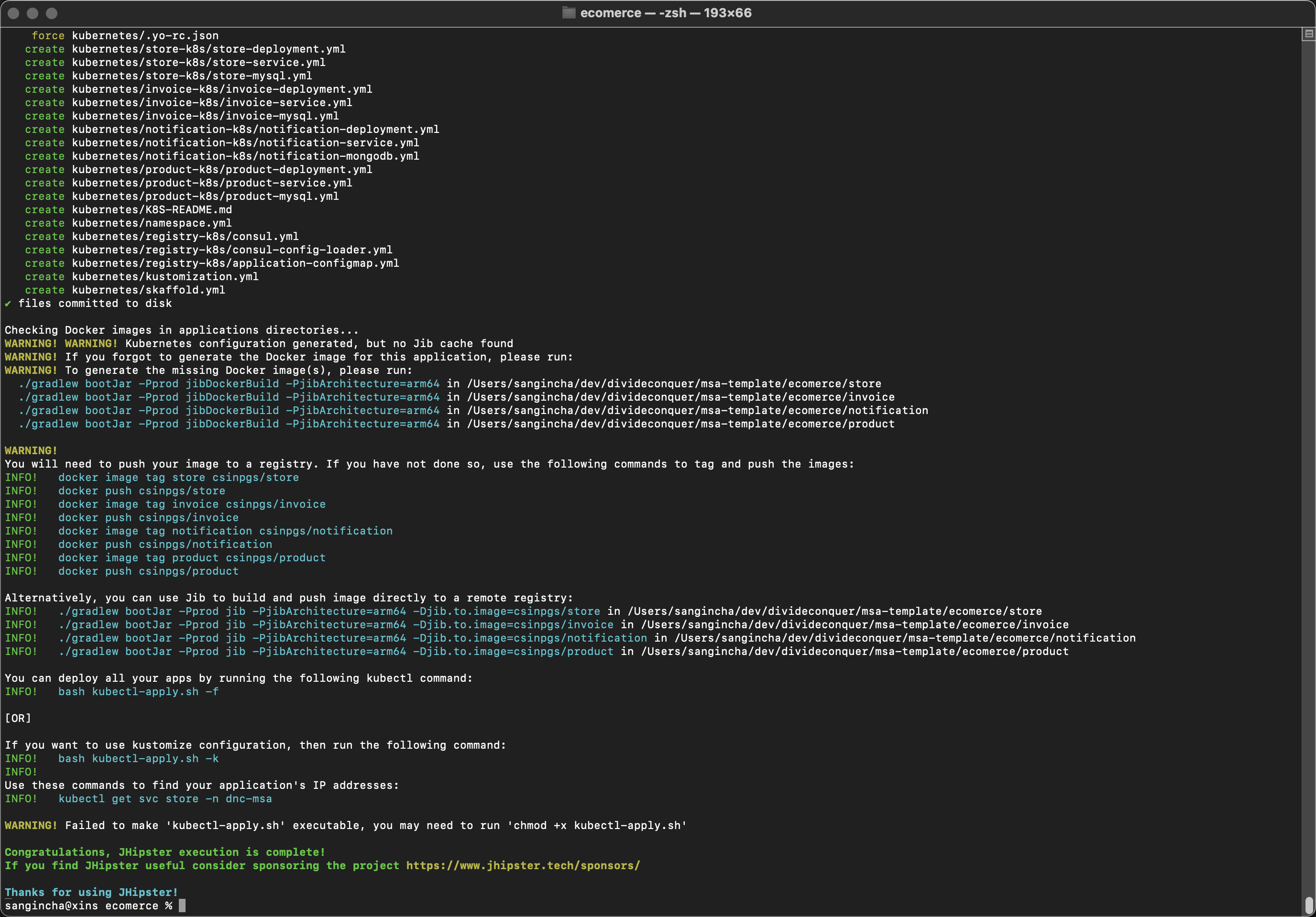
역시나 생성은 잘 되네요.
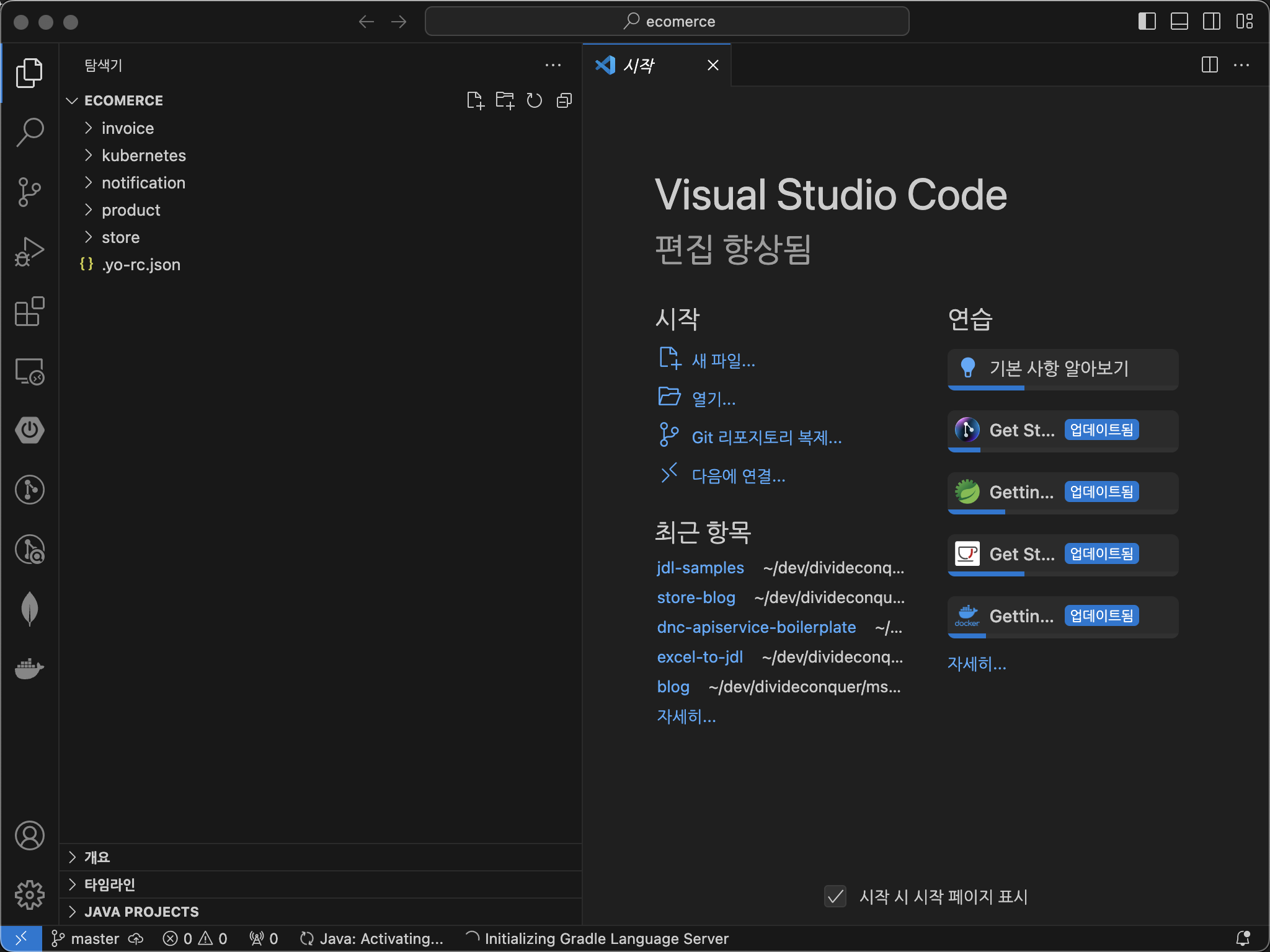
VSCode로 생성 된 폴더를 열면, 5개의 서브 폴더와 .yo-rc.json 파일이 생성된걸 확인 할 수 있습니다.
3. 애플리케이션 실행
VSCode에서 각 애플리케이션을 실행해 보도록 하겠습니다.
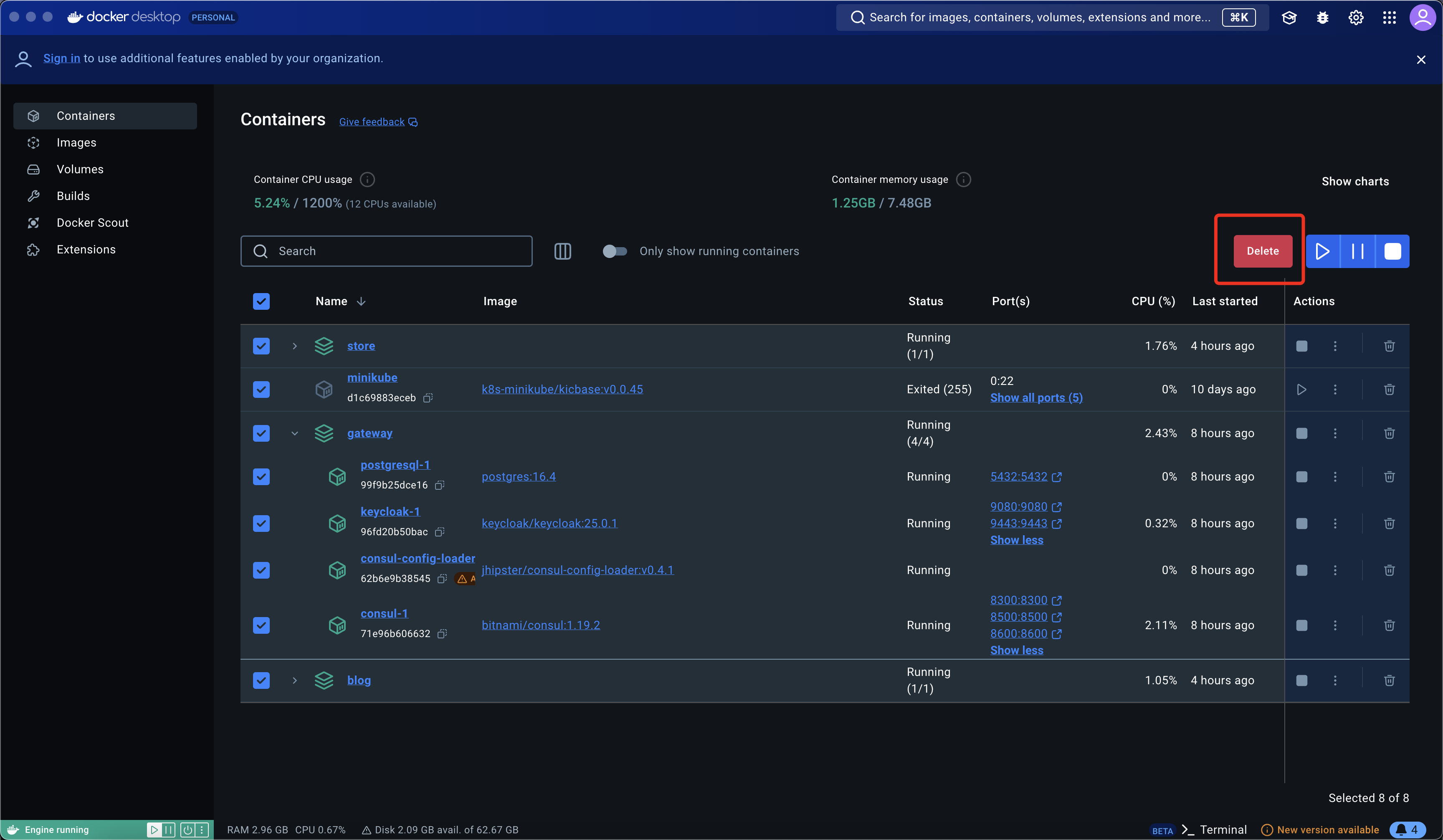
실행 전 이전 작업하면서 생성되었던 도커 컨테이너들을 모두 삭제합니다.
gateway 서비스 실행하기
gateway 서비스를 먼저 실행하는 이유는 해당 애플리케이션의 bootstrap.yml에
keycloak, consul, consul-config-loader 등의 기본 실행 서비스가 포함되어 있기 때문입니다.
Spring Boot에서 bootstrap.yml 파일은 애플리케이션 시작 시 초기 설정을 로드하기 위한 특별한 설정 파일입니다. 주로 외부 설정 관리와 구성 서버 통합과 같은 초기 설정을 처리하는 데 사용됩니다.
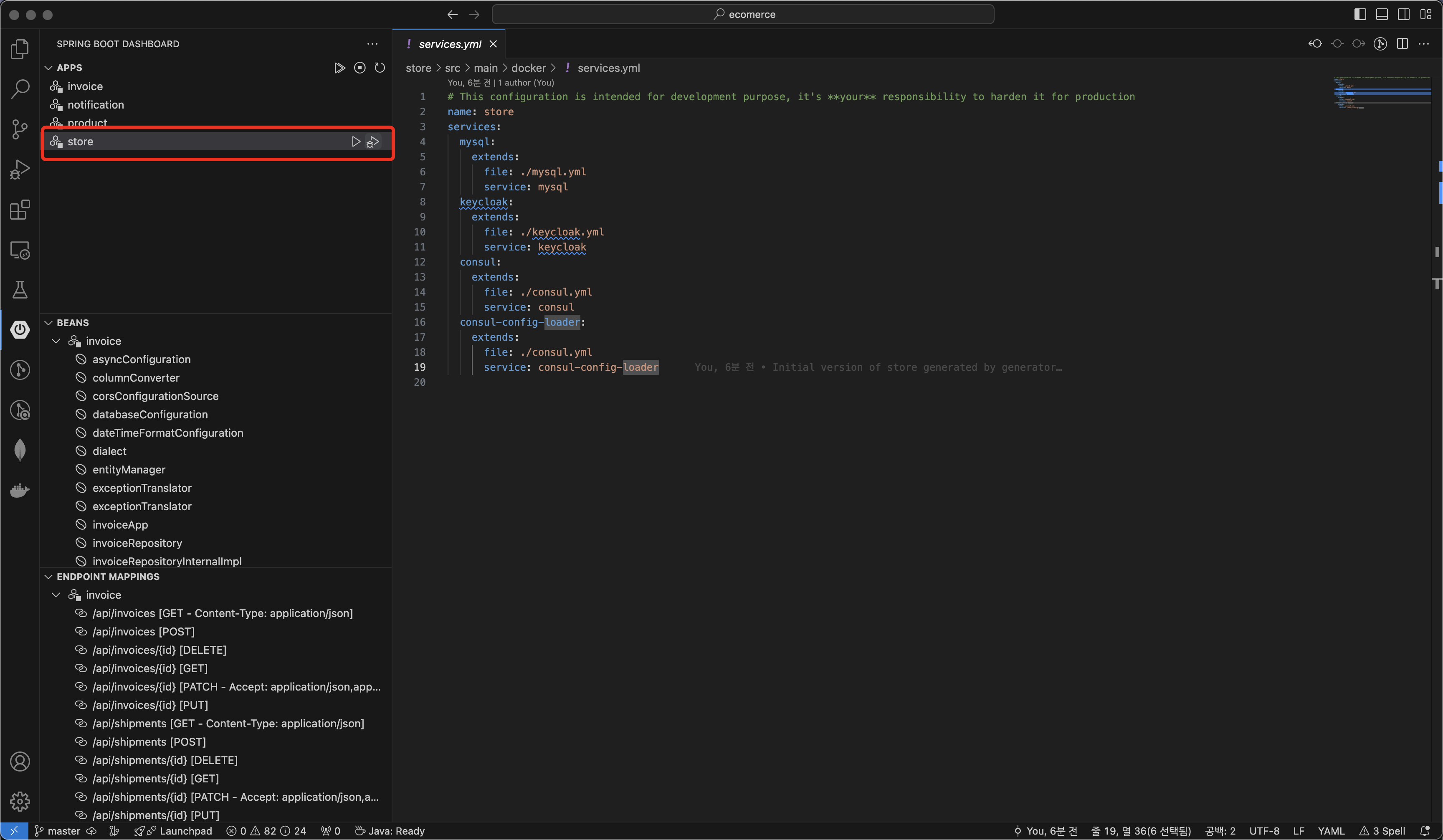
현재 프로젝트의 gateway는 store 애플리케이션이기 때문에 store를 vscode의 spring boot dashboard에서 실행시킵니다.
profile 설정 및 로그 설정 추가
역시나 지난번 reactive-mf.yml 파일로 생성했을때와 동일하게 liquibase 설정 클래스에서 에러가 나네요.
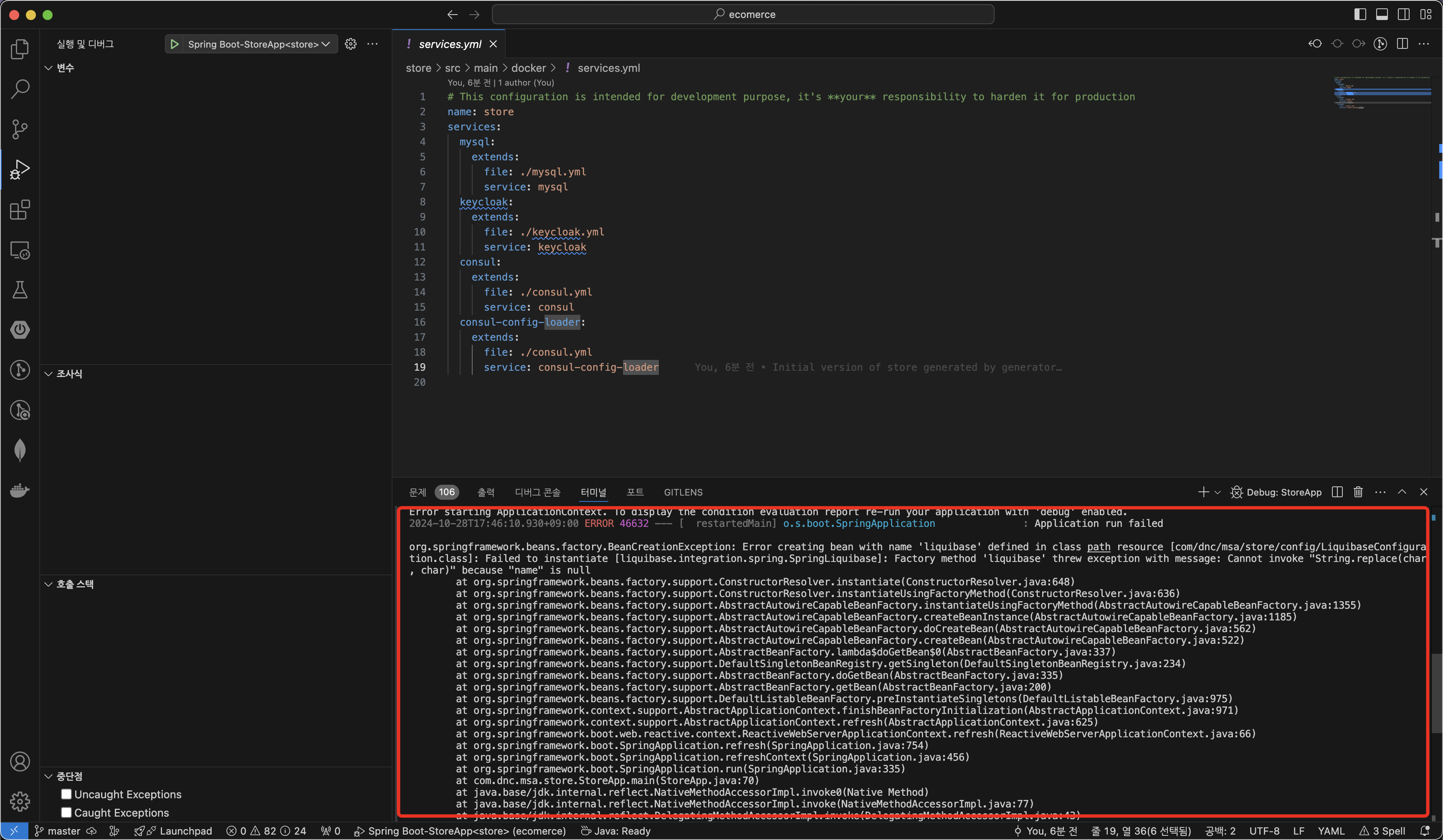
전체 서비스의 profile을 dev로 지정하고, javax.management의 로그 레벨을 WARN로 변경하는 작업을 일괄 진행하였습니다.
.vscode/lauch.json 수정
{
    "configurations": [
        {
            "type": "java",
            "name": "Spring Boot-StoreApp<store>",
            "request": "launch",
            "cwd": "${workspaceFolder}",
            "mainClass": "com.dnc.msa.store.StoreApp",
            "projectName": "store",
            "args": "--spring.profiles.active=dev",
            "envFile": "${workspaceFolder}/.env"
        }
    ]
}
application-dev.yml에 javax.management 로그 레벨 추가
logging:
  level:
    ROOT: DEBUG
    tech.jhipster: DEBUG
    org.hibernate.SQL: DEBUG
    com.okta.developer.blog: DEBUG
    javax.management: WARN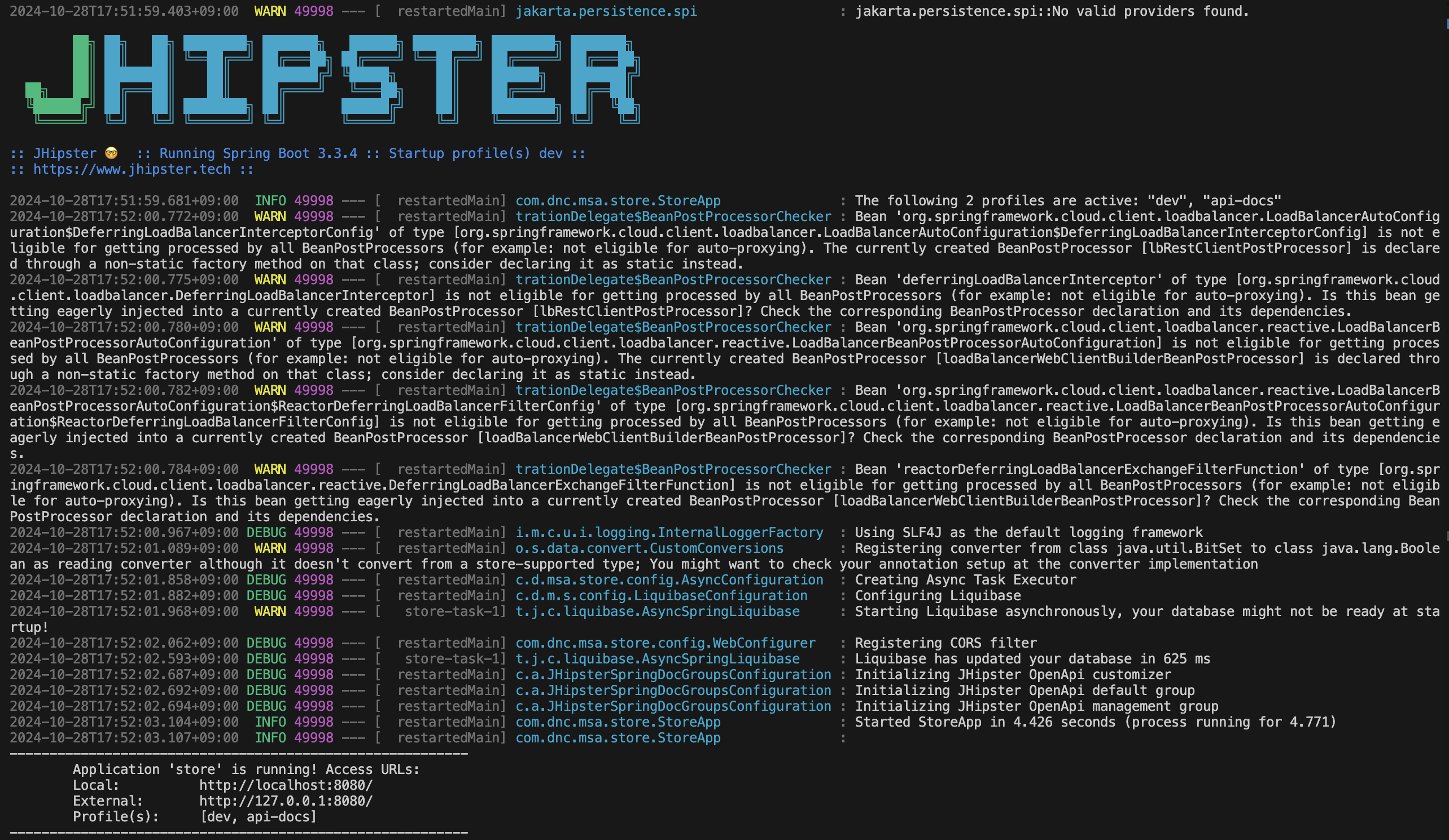
설정 변경 후 gateway 서비스가 정상적으로 올라간걸 확인 할 수 있습니다.
마이크로 서비스 실행하기
현재 jdl 파일은 mysql을 notification 서비스를 제외하고 모든 서비스의 db를 mysql로 설정하였습니다.
이로 인해 마이크로 서비스를 실행 하게 되면 mysql 사용 포트의 충돌 오류가 발생합니다.
이는 지난 글에서 발생했었던 mongodb 포트 충돌과 동일한 현상인데요.
이 현상을 예방하기 위해 각 애플리케이션의 mysql 포트바인딩 설정을 수정해야 합니다.
product, invoice 서비스의 mysql포트는 충돌이 발생하지 않도록 수정합니다.
- src/main/docker/mysql.yml 수정
name: product
services:
  mysql:
    ports:
- 127.0.0.1:3307:3306- application-dev.yml 수정
spring:
  liquibase:
    url: jdbc:mysql://localhost:3308/invoice?useUnicode=true&characterEncoding=utf8&useSSL=false&useLegacyDatetimeCode=false&createDatabaseIfNotExist=true
  r2dbc:
    url: r2dbc:mysql://localhost:3308/invoice?useUnicode=true&characterEncoding=utf8&useSSL=false&useLegacyDatetimeCode=false&createDatabaseIfNotExist=true
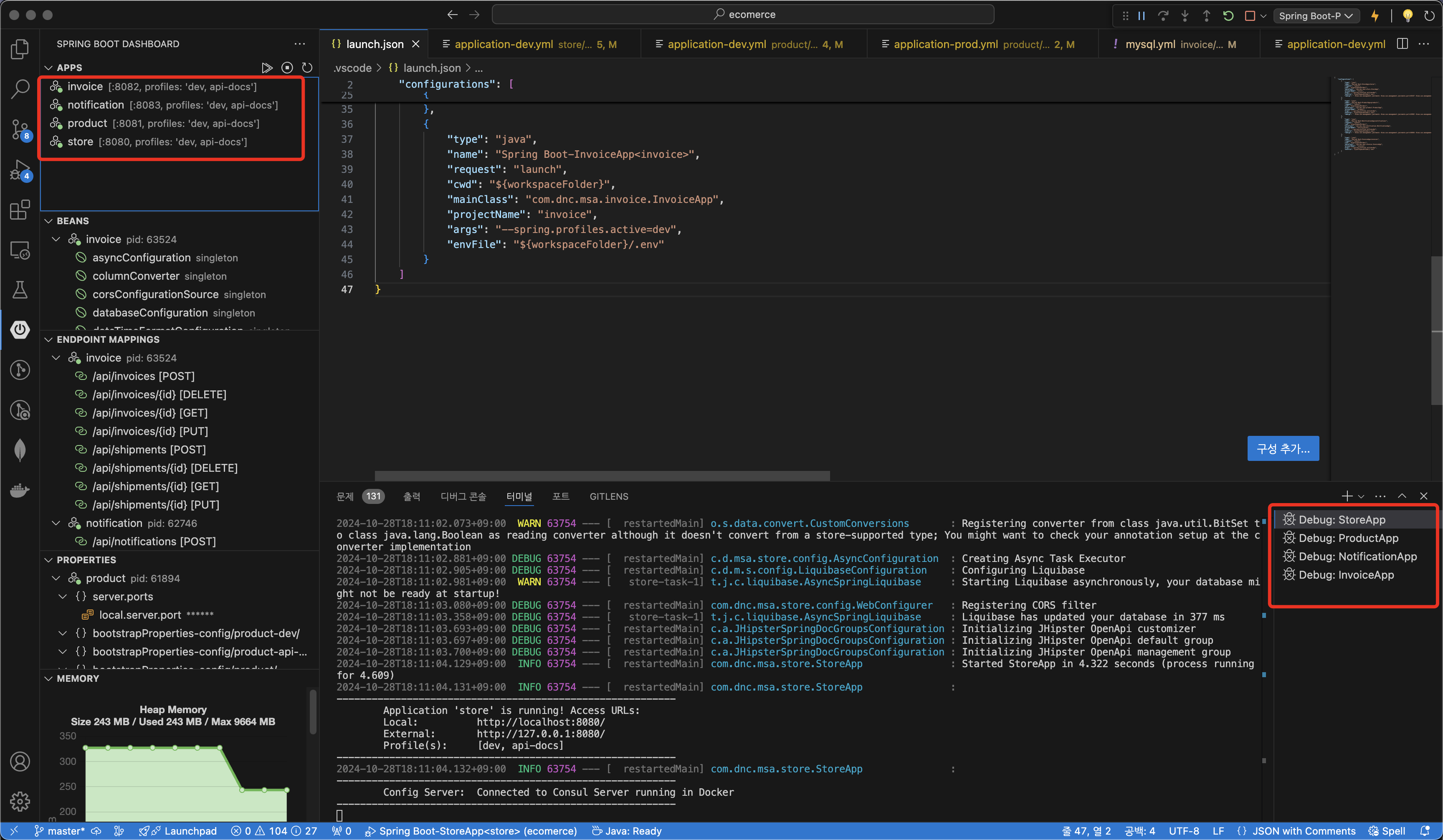
db 설정 변경으로 전체 서비스가 모두 정상적으로 실행된 걸 확인 할 수 있습니다.
4. 결과
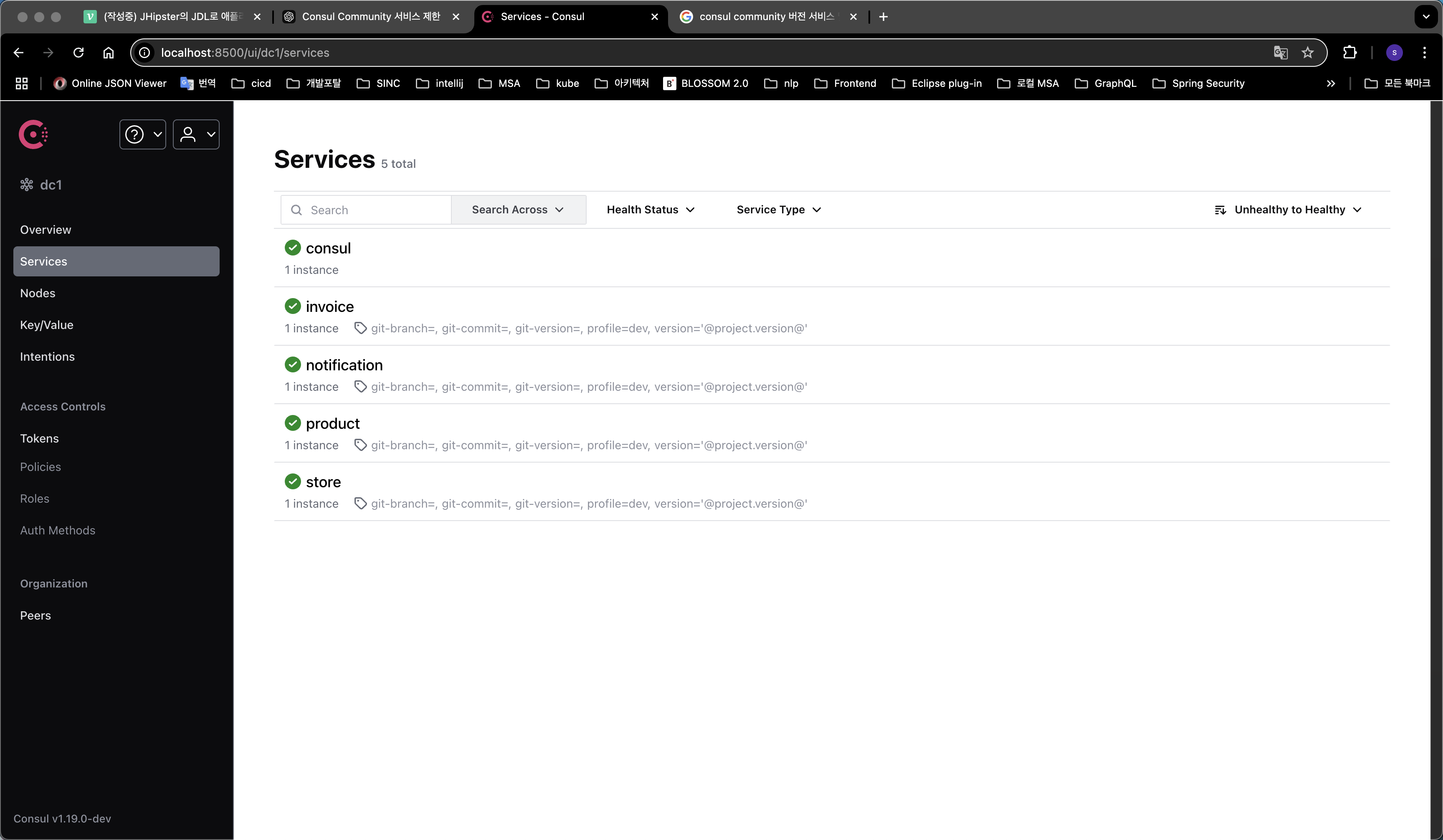
consul 서비스 연결 확인
consul ui에서 서비스 연결 상태를 확인해 보면 4개의 서비스와 consul agent가 정상적으로 실행 되고 있는것을 확인 할 수 있었습니다.
Frontend 애플리케이션 확인
Backend 서비스는 어느 정도 실행이 된다는 판단하에 Frontend 애플리케이션을 구동 시켜보았습니다.
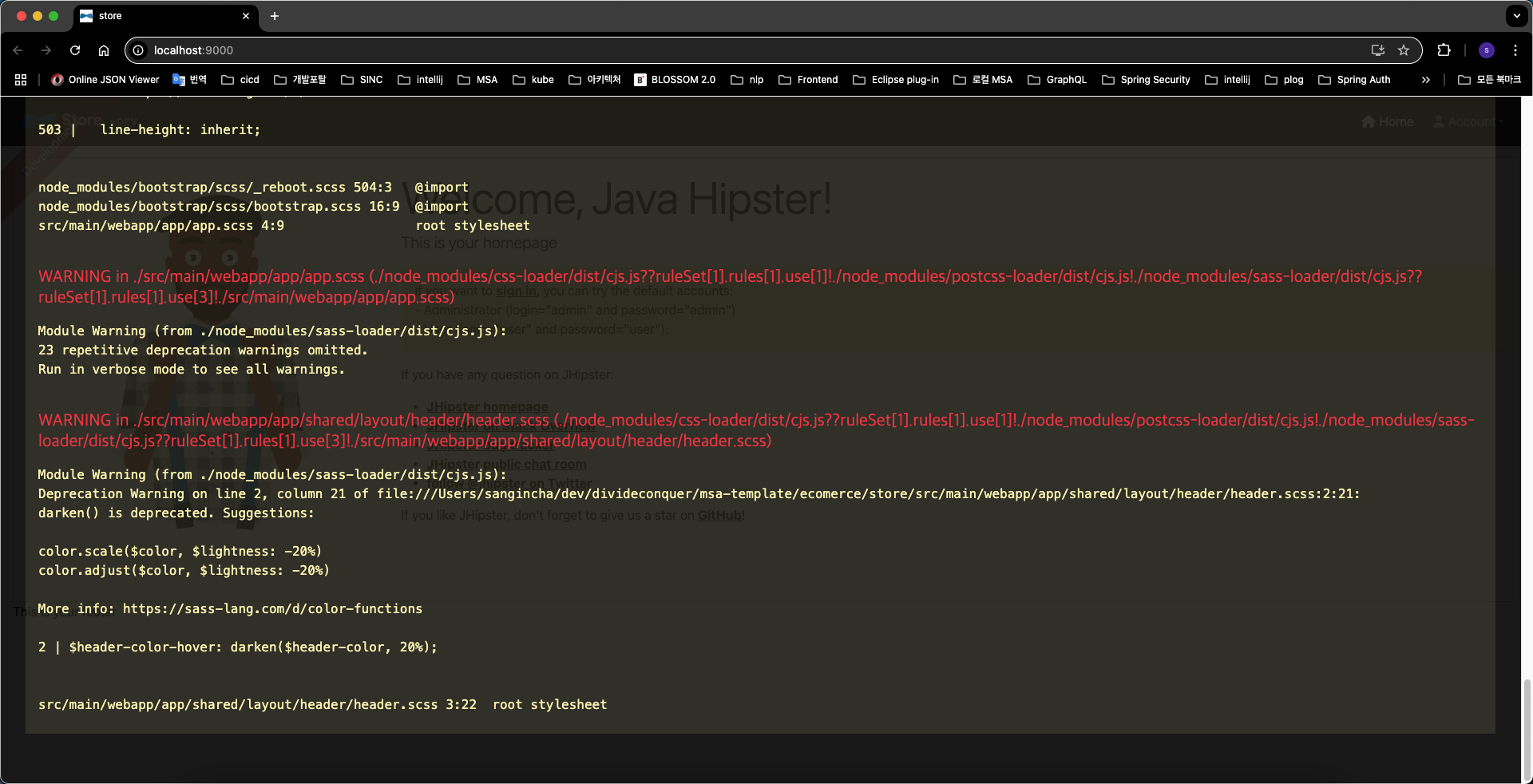
정상적으로 애플리케이션이 실행되지 않았습니다. scss에서 deprecated된 function을 사용하는 모냥입니다.
scss warning 메시지이기 때문에 메시지를 무시하기 위해 webpack.dev.js 파일의 'style-loader' 부분에 경고 무시 옵션을 추가하였습니다.
module: {
      rules: [
        {
          test: /\.(sa|sc|c)ss$/,
          use: [
            'style-loader',
            ...
            {
              loader: 'sass-loader',
              options: { implementation: sass,
                sassOptions: {
                  quietDeps: true,
                },
               },
            },
          ],
        },
      ],
    },
경고를 무시했음에도, header.scss쪽의 문제로 인해 경고메시지가 노출되었습니다.
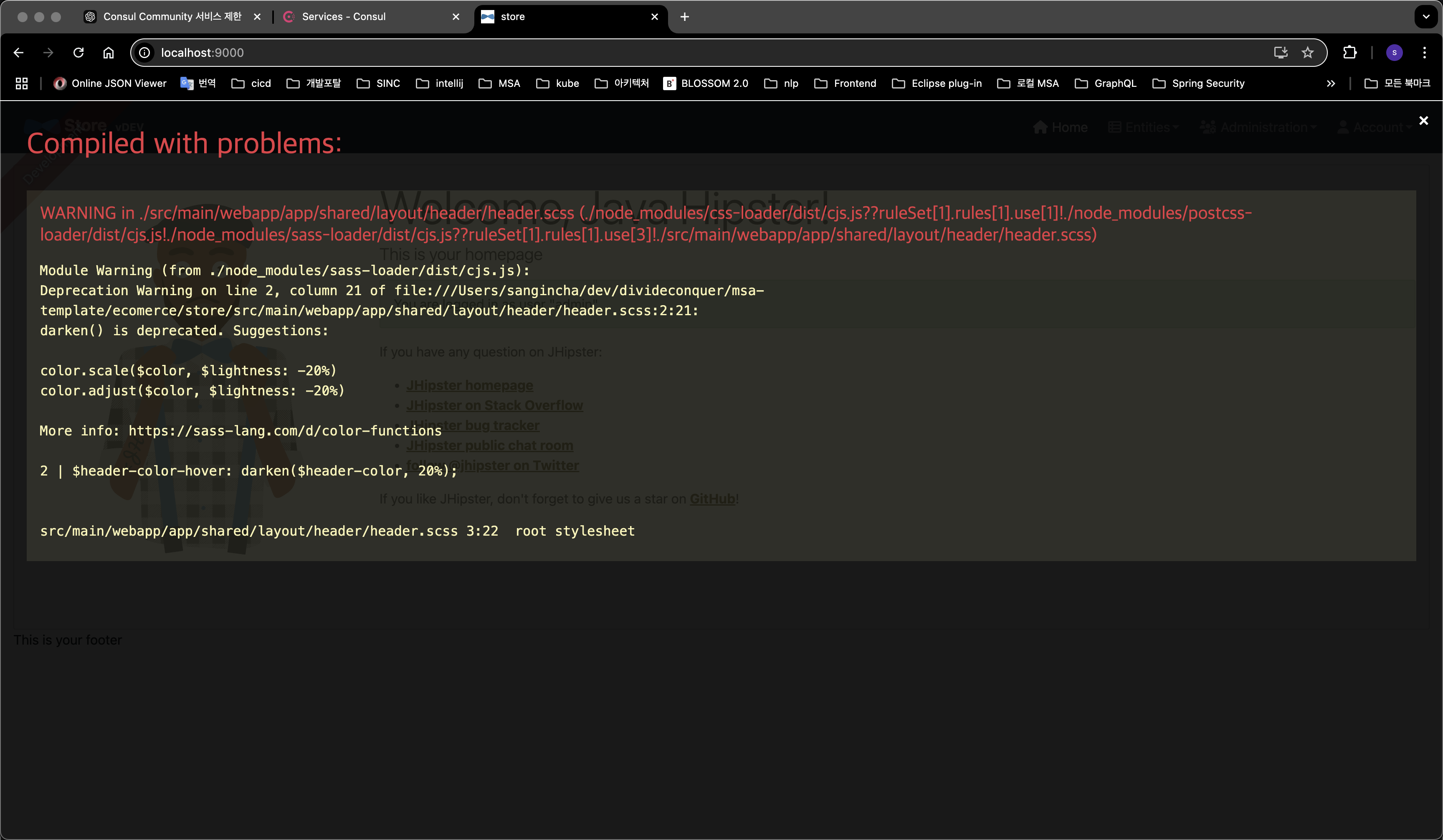
header.scss 파일로가 경고메시지에서 가이드하는데로 코드를 수정해 주었습니다.
/* 기존 소스 */
$header-color: #fff;
$header-color-secondary: #bbb;
$header-color-hover: darken($header-color, 20%);

/* 수정 된 소스 */
@use "sass:color";

$header-color: #fff;
$header-color-secondary: #bbb;
$header-color-hover: color.adjust($header-color, $lightness: -20%);
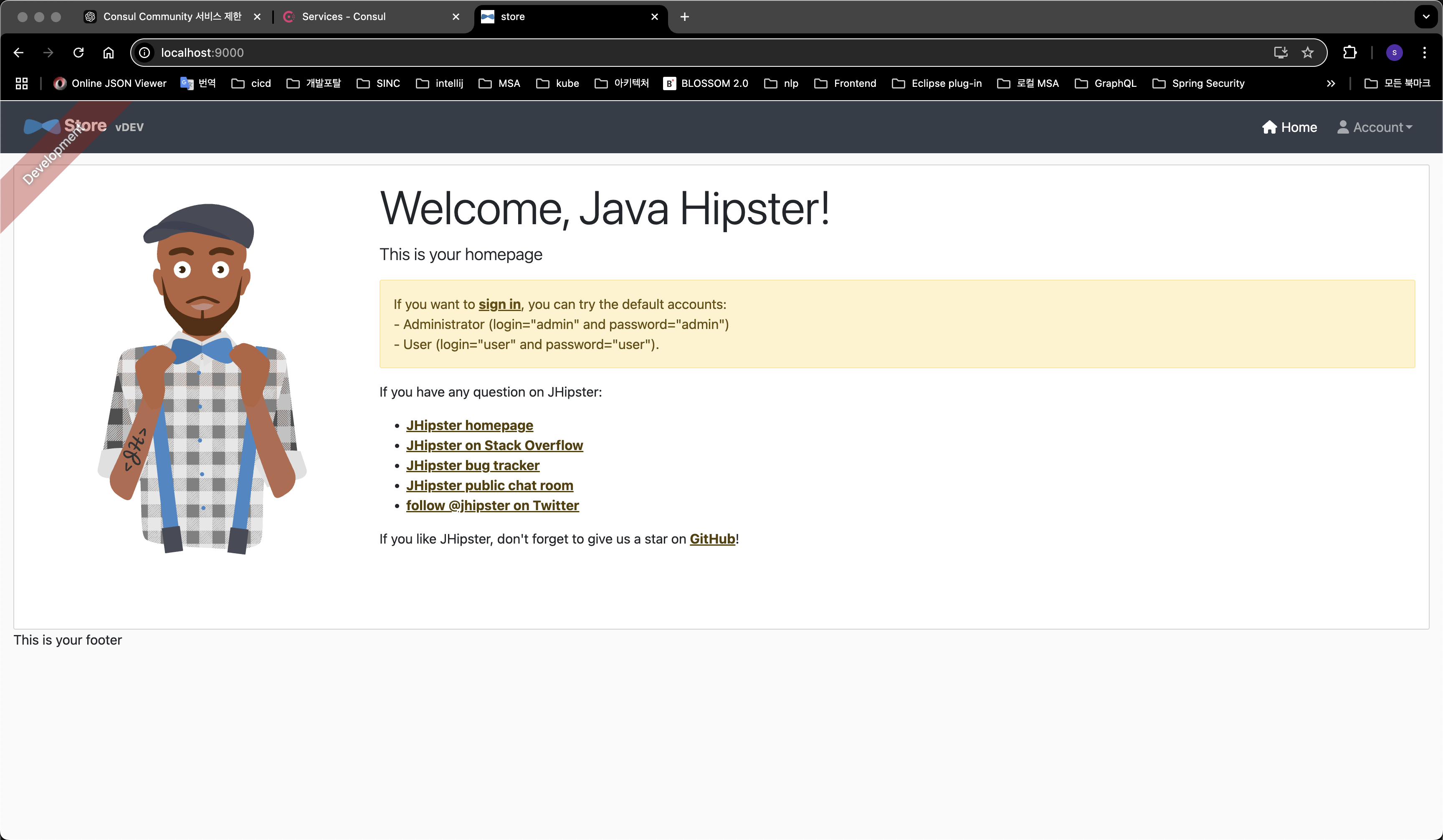
수정 후 경고 메시지가 노출되지 않는 것을 확인할 수 있었습니다.
jdl에 포함되어 있던 entity 목록도 메뉴에서 노출되고, 메뉴 이동도 가능한 걸 확인할 수 있습니다.
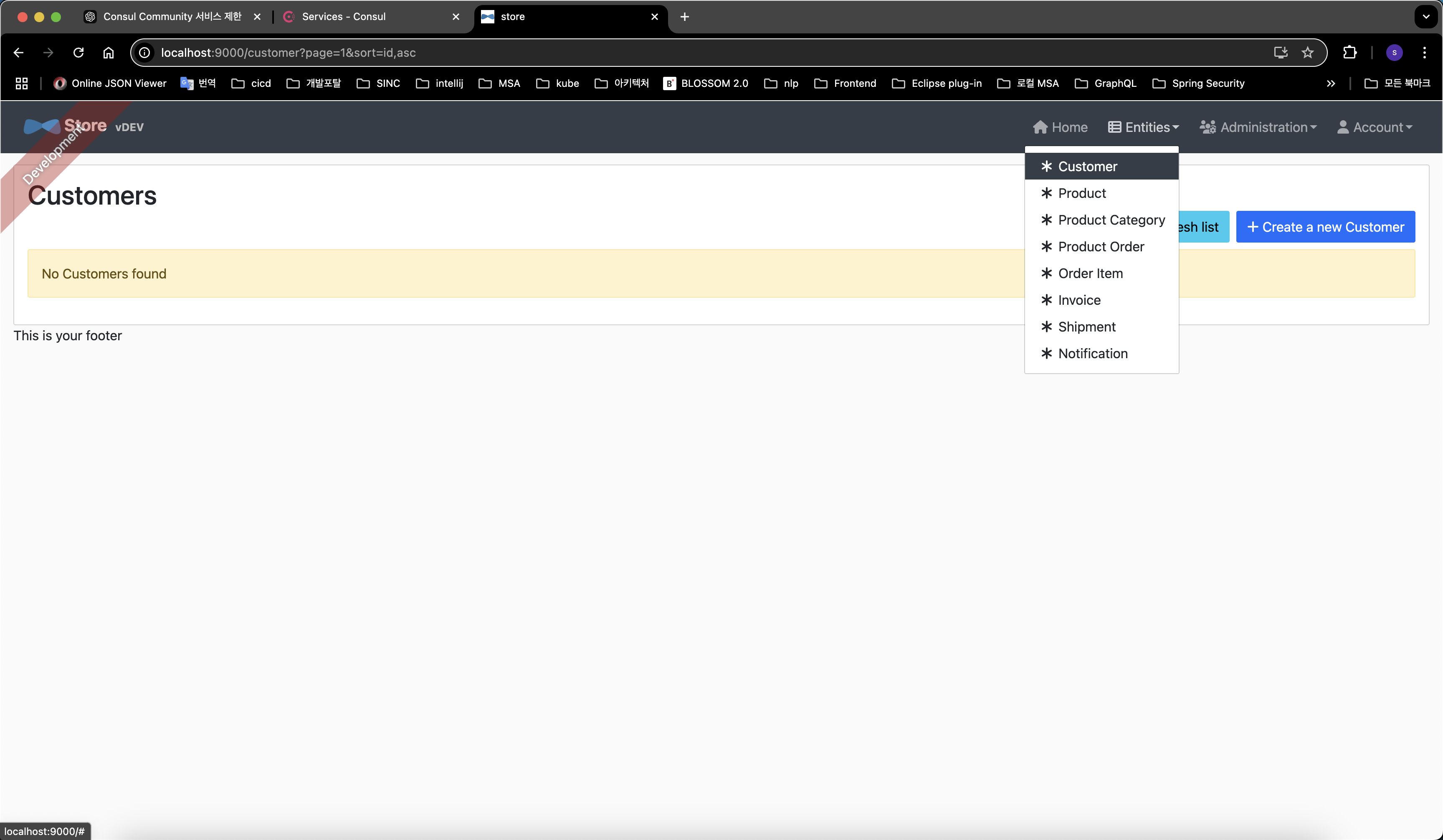
products 메뉴에는 liquibase를 통해 등록된 초기 더미 데이터도 보이네요.
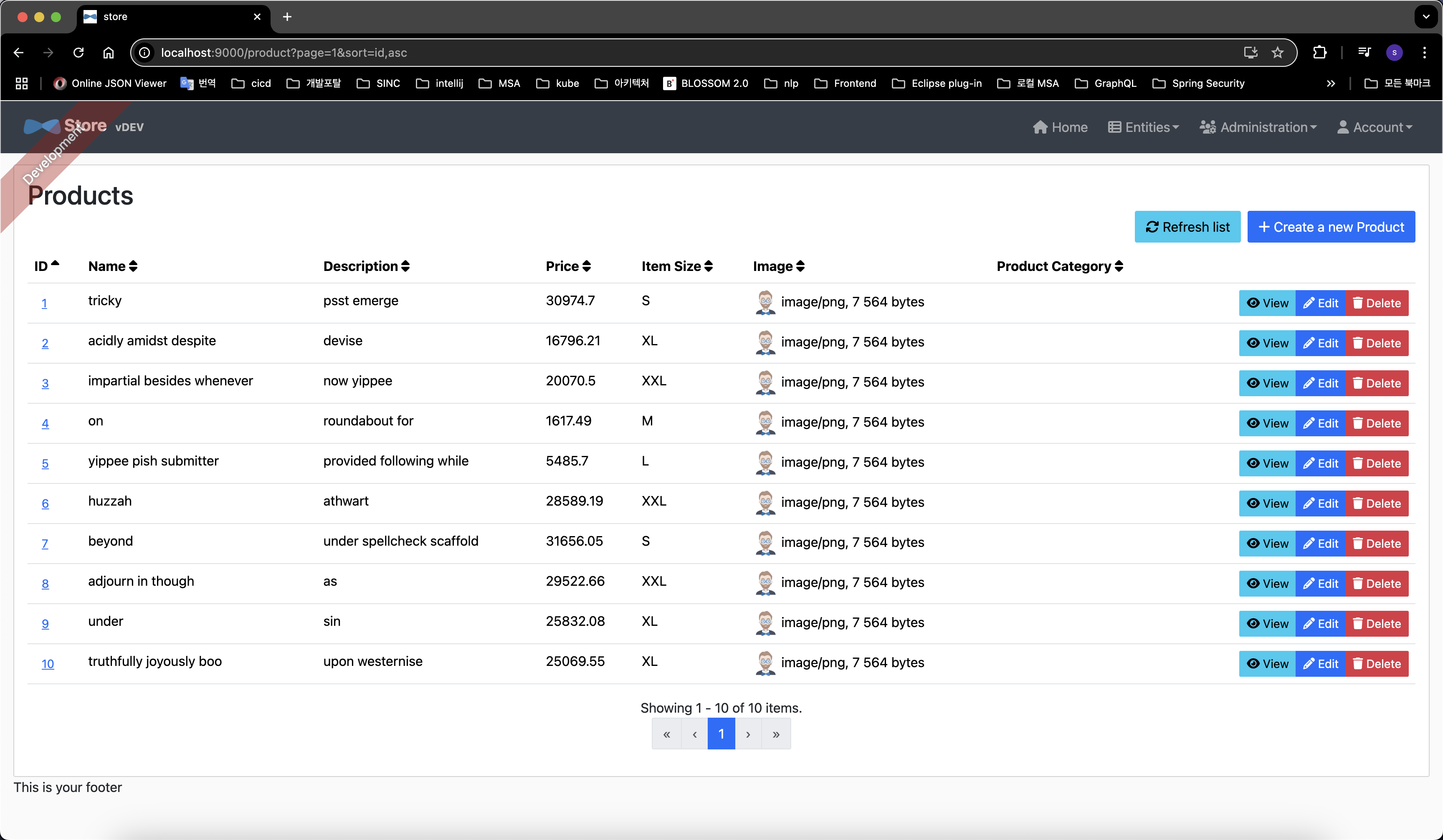
이번에는 jdl 파일을 이용해 msa 애플리케이션이 정상적으로 동작하는 것을 확인해 봤습니다. 한번 해봐서 그런지 reactive-mf.jdl을 이용해 애플리케이션을 생성했을 때보다는 좀 더 쉽게 완료 했고, 화면들도 정상적으로 실행이 되어 좋았습니다.
이제 본격적으로 마이임장리포트의 도메인 및 애플리케이션 설계를 진행하고, 이를 jdl 파일로 작성하는 절차를 진행하도록 하겠습니다.